
What Is an MLO Network, and Why Does TP-Link MLO Network Performance Vary?
An MLO network uses Multi-Link Operation (MLO), a core feature of Wi-Fi 7 (802.11be) that allows a device to connect across multiple wireless bands simultaneously rather than just one. What is MLO Wi-Fi in practice? It is a technology designed to improve speed, reduce latency, and make your connection more reliable. While MLO offers significant advantages in theory, real-world performance depends heavily on whether your client device fully supports it.
Key Takeaways
- Multi-Link Operation (MLO) is a key feature of Wi-Fi 7 (802.11be) that enables a device to connect to a router or access point across multiple wireless bands simultaneously, rather than just one.
- When both the router and the connected device fully support MLO, it can improve throughput, reduce latency, and increase network reliability.
- Not all Wi-Fi 7 client devices fully support MLO. Smartphones, laptops, and network cards vary in their level of MLO compatibility, which directly affects real-world performance.
- In some cases, MLO performance may be lower than single-band Wi-Fi performance if the client device has limited or partial MLO support.
- MLO is a rapidly evolving technology. Newer devices are expected to offer improved MLO support as Wi-Fi 7 adoption increases.
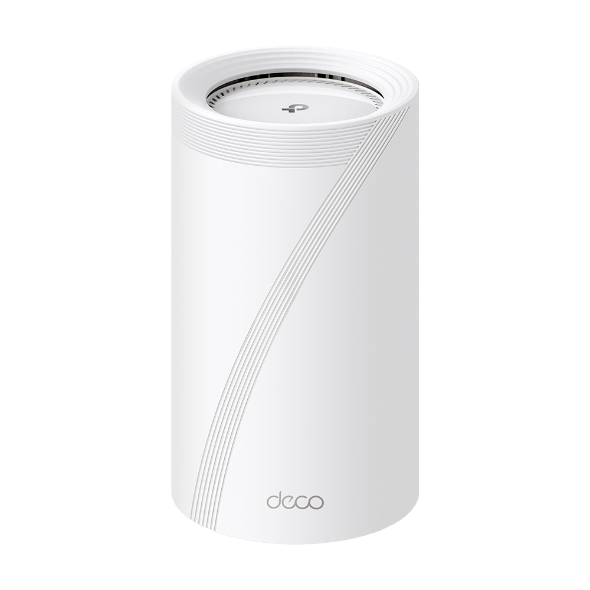
- TP-Link Deco Wi-Fi 7 systems support MLO. Check the product page for your specific Deco model for MLO compatibility details.
What Is an MLO Network?
An MLO network uses Multi-Link Operation (MLO), a core feature of Wi-Fi 7 (802.11be) that allows a device to connect across multiple wireless bands simultaneously rather than just one. What is MLO Wi-Fi in practice? It is a technology designed to improve speed, reduce latency, and make your connection more reliable. While MLO offers significant advantages in theory, real-world performance depends heavily on whether your client device fully supports it.

Ideally, connecting to an MLO network enhances throughput, reduces latency, and improves network efficiency. However, it's important to note that MLO's effectiveness depends on the compatibility between the AP and the STA. While Wi-Fi 7 routers support MLO, the level of support for MLO on clients such as smartphones and network cards can vary.
Why Is My MLO Network Performance Lower Than Expected?
- Client compatibility is the primary variable. While Wi-Fi 7 routers are built with MLO capabilities, the level of MLO support on client devices such as smartphones and network cards can vary. If a client does not fully support MLO, it may not see meaningful performance gains from a multi-link connection.
- Some devices have limited MLO support. Through comparative testing, it has been observed that some clients working with a Deco MLO network do not experience significant throughput improvement. This is because their MLO implementation is incomplete, limiting how much benefit they can draw from the feature.
- In certain scenarios, single-band performance may be superior. If a client device's MLO support is limited, the overhead of managing multiple simultaneous links can outweigh the benefits. In these cases, a standard single-band Wi-Fi connection may deliver better real-world performance than MLO.
Note:
- MLO is a rapidly evolving technology, and it is recommended to refer to the specific product documentation and manufacturer information for the most up-to-date details on MLO support and performance.
- As Wi-Fi 7 technology becomes more prevalent, newer devices are expected to offer improved MLO support. Manufacturers are likely to integrate MLO capabilities into their devices to take full advantage of the advanced features offered by Wi-Fi 7 networks.
Looking For More
Is this faq useful?
Your feedback helps improve this site.



TP-Link Community
Still need help? Search for answers, ask questions, and get help from TP-Link experts and other users around the world.