
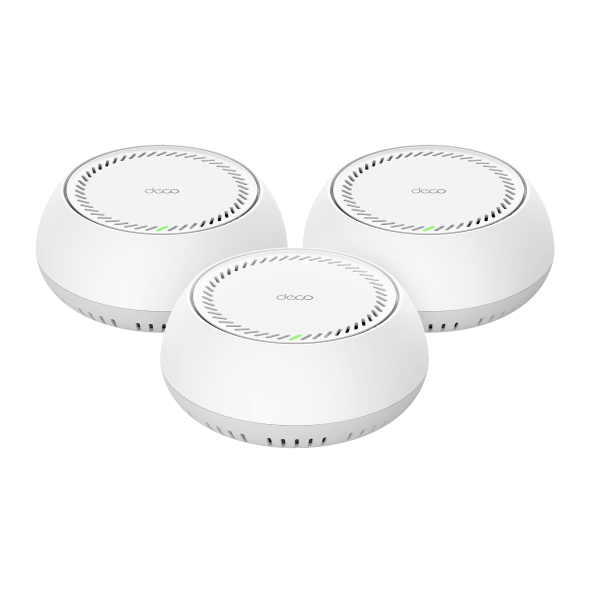
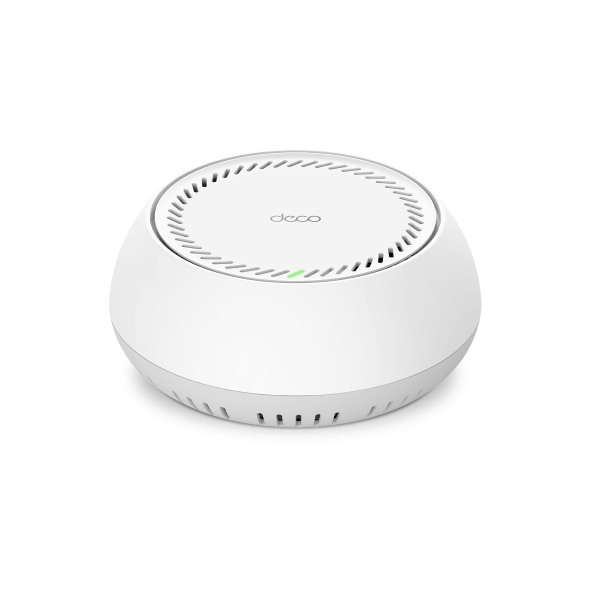
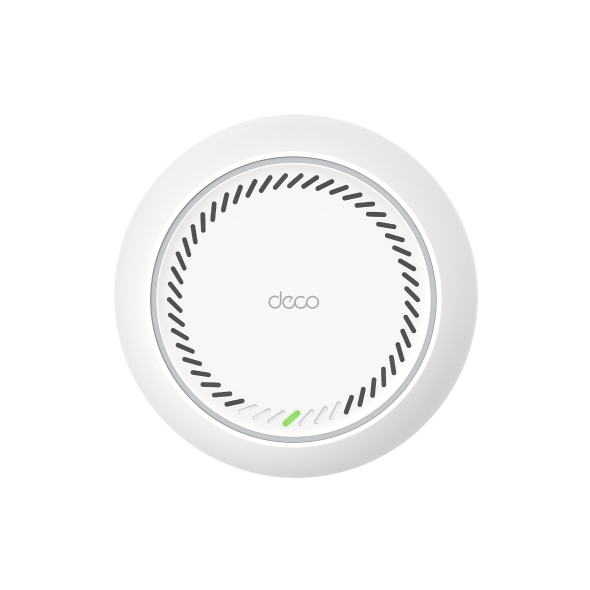
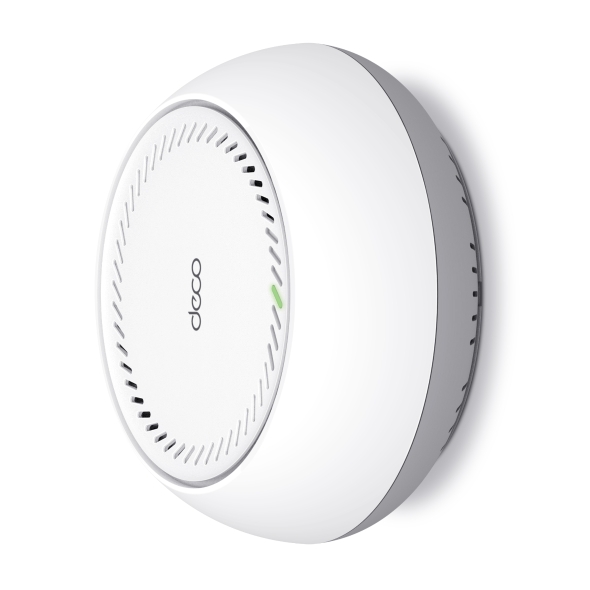
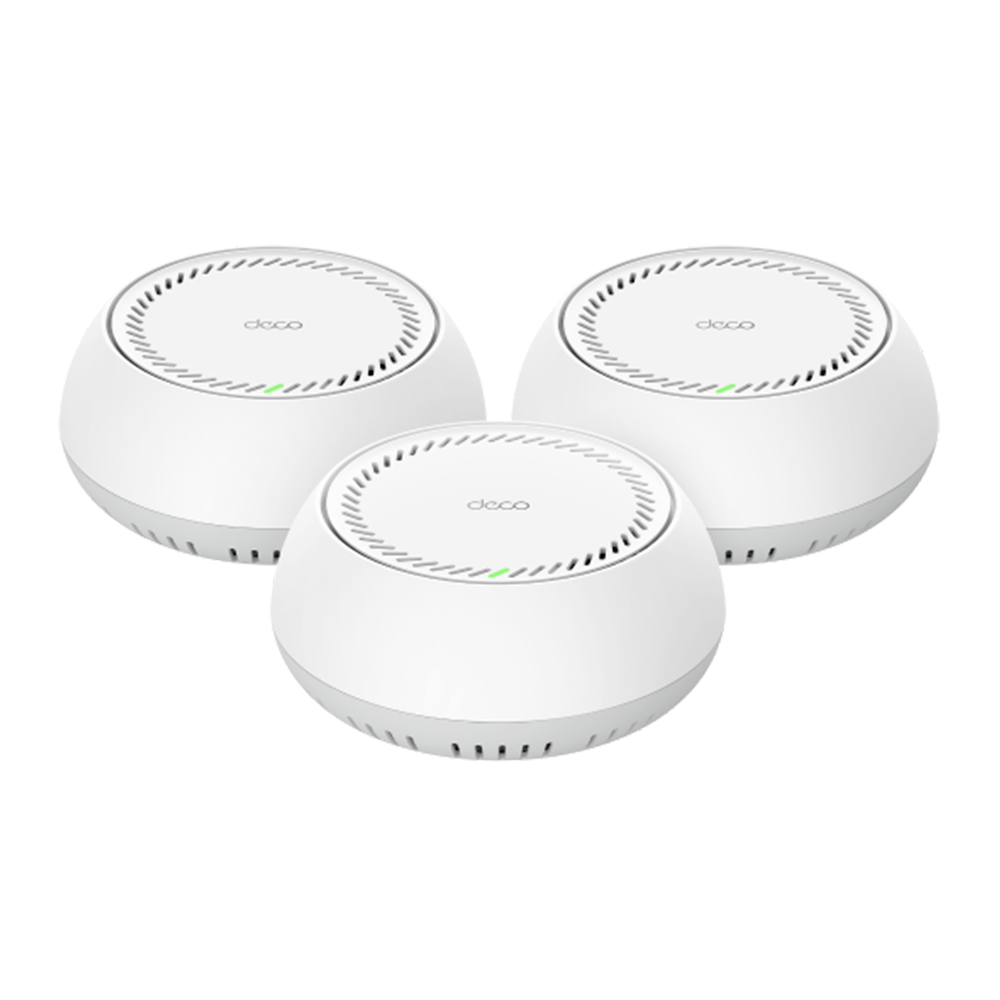
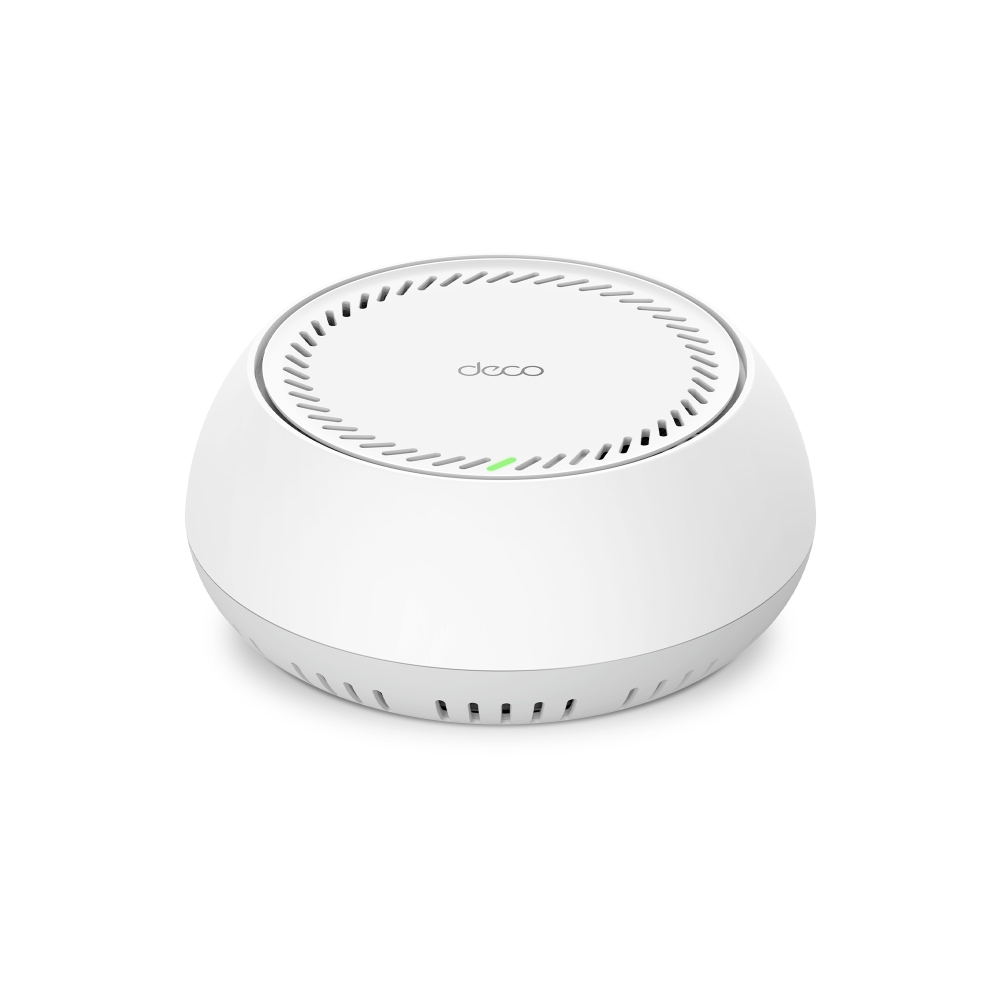
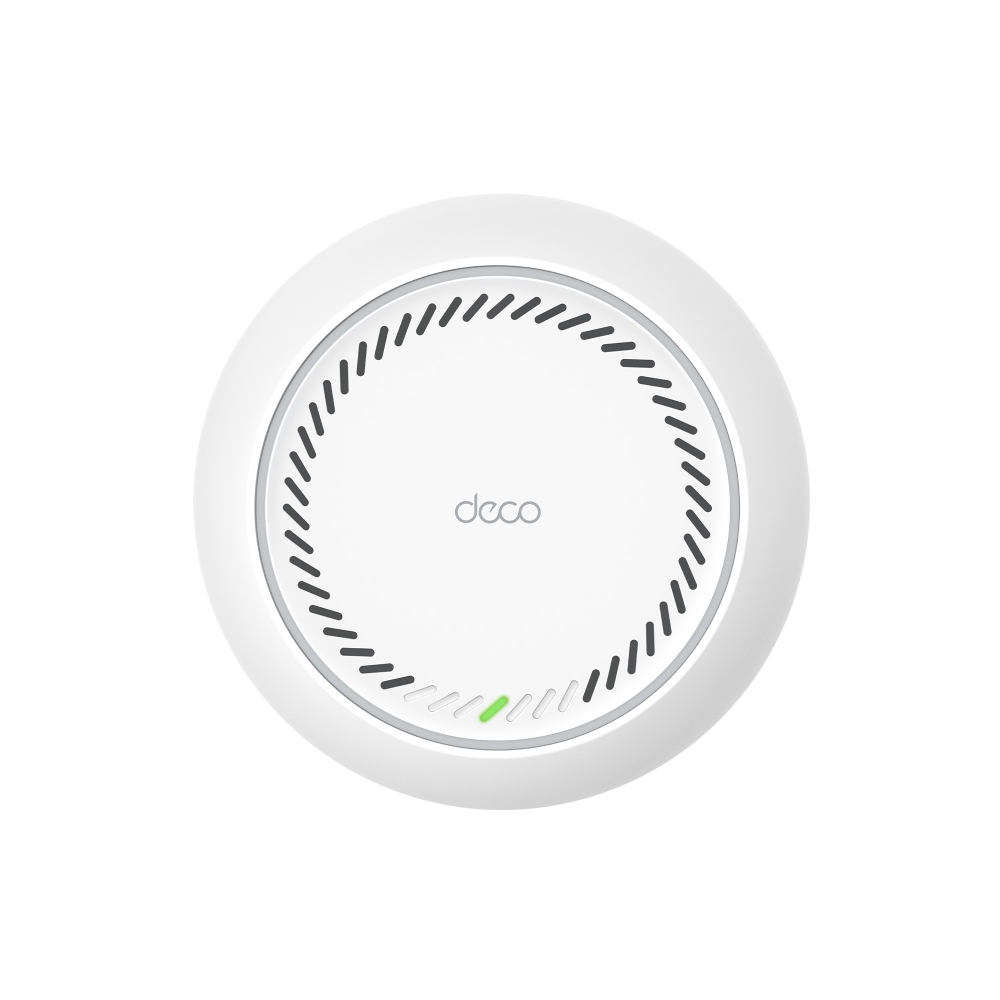
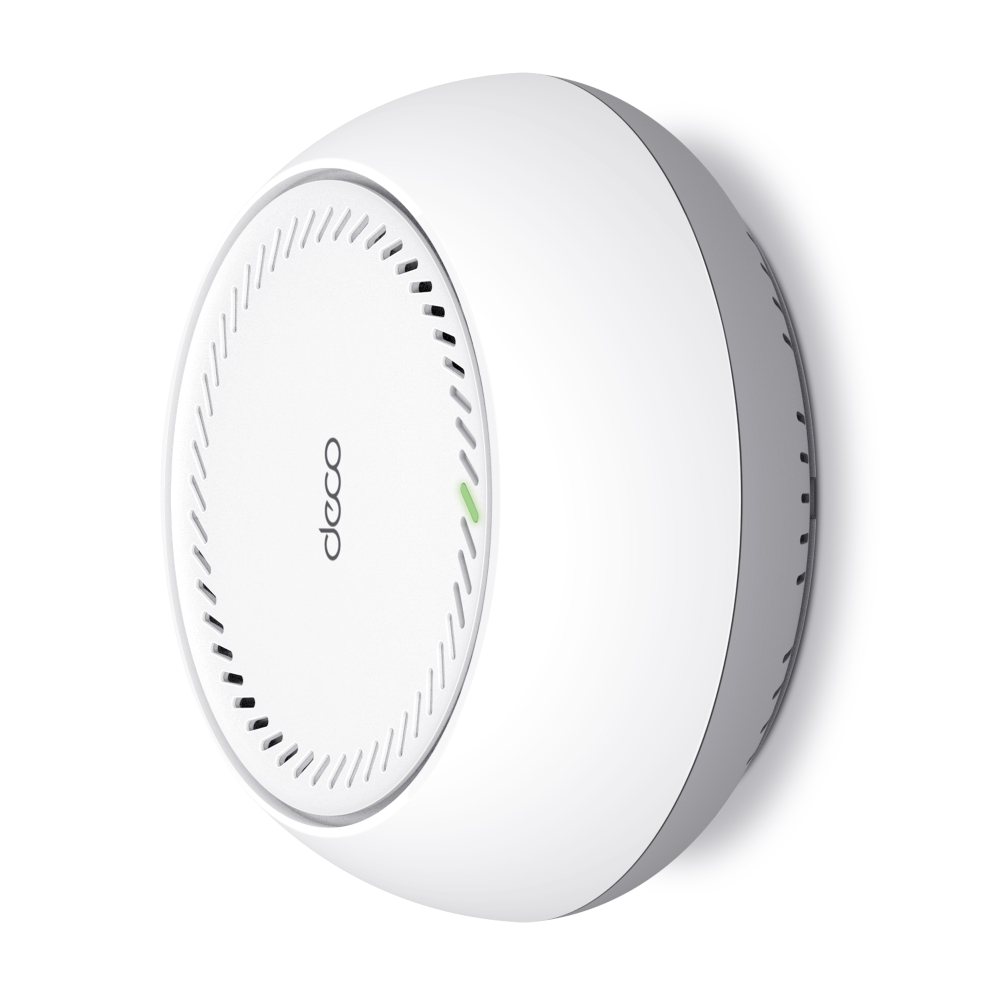
Deco BE65-PoE
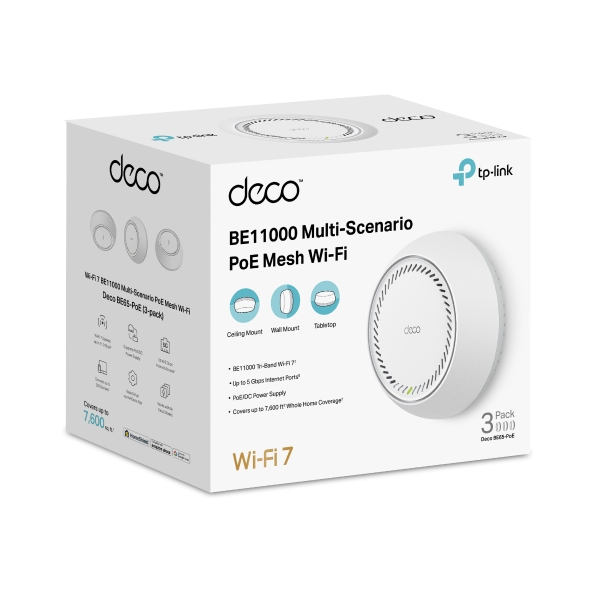
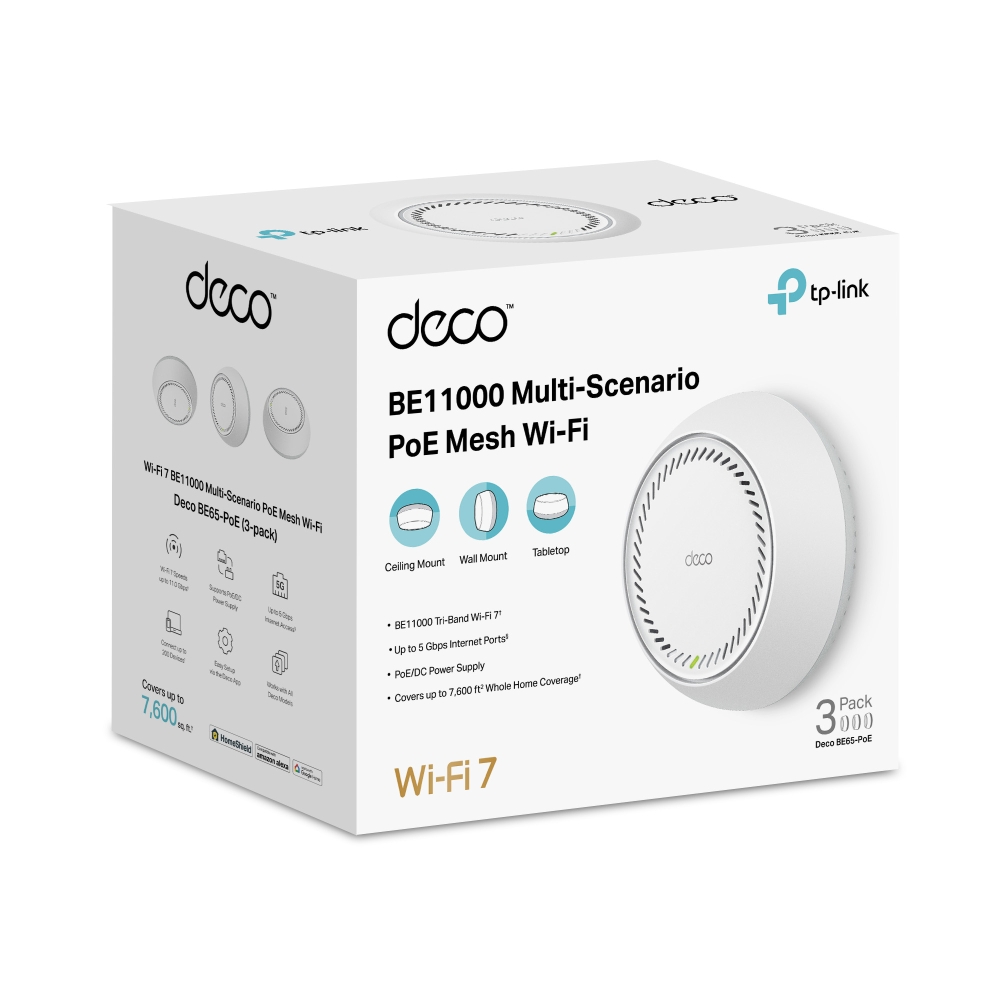
BE11000 Whole Home Mesh Wi-Fi 7 System with PoE
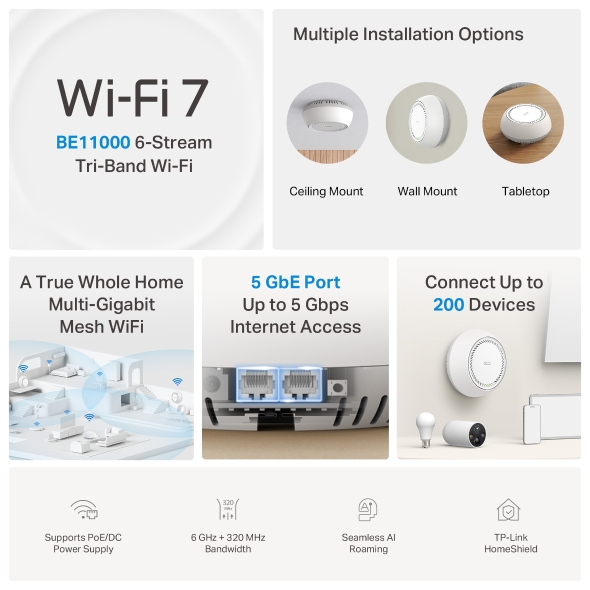
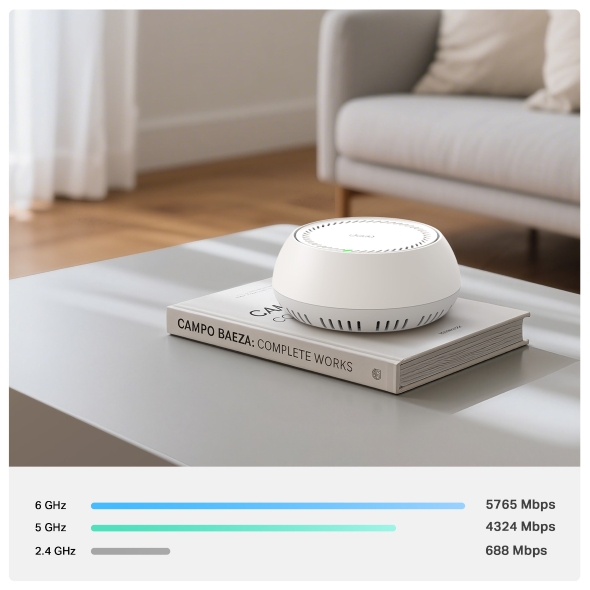
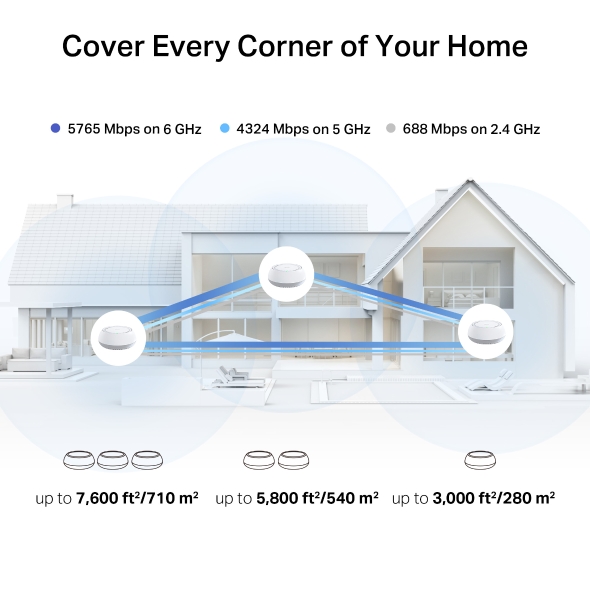
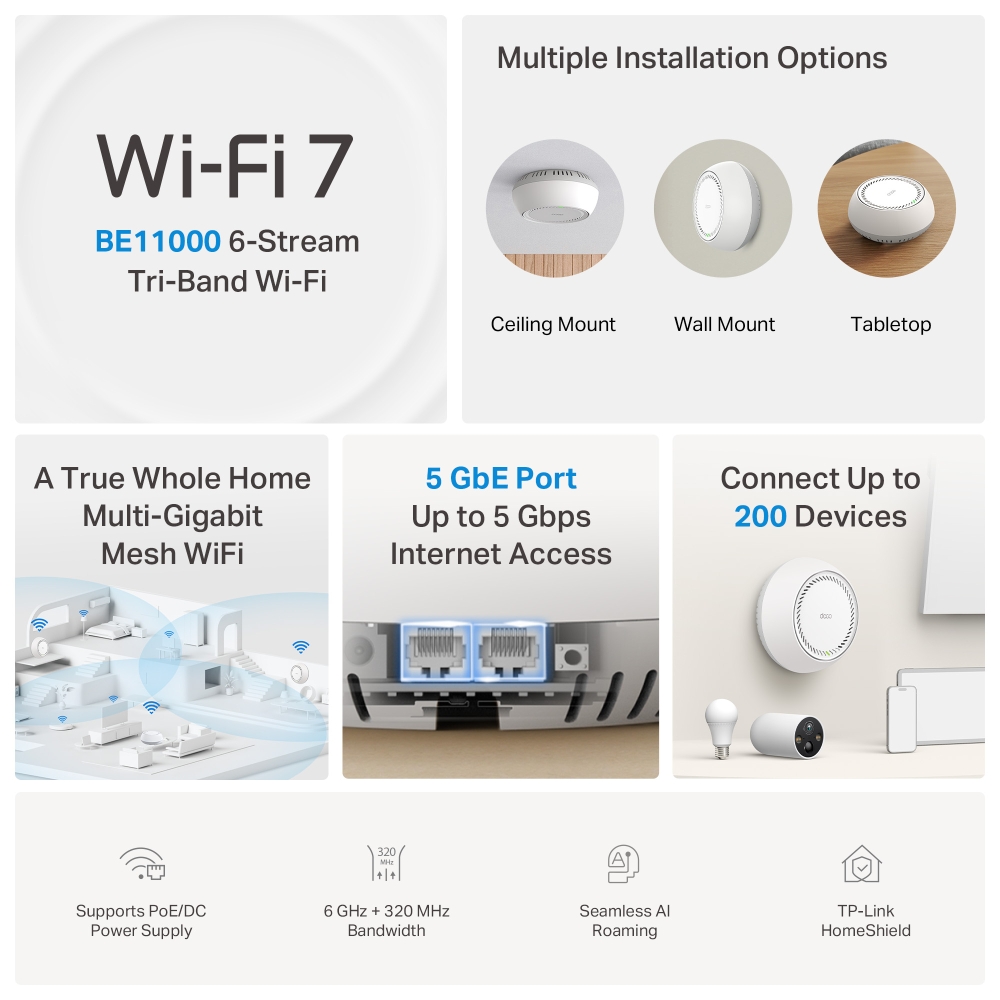
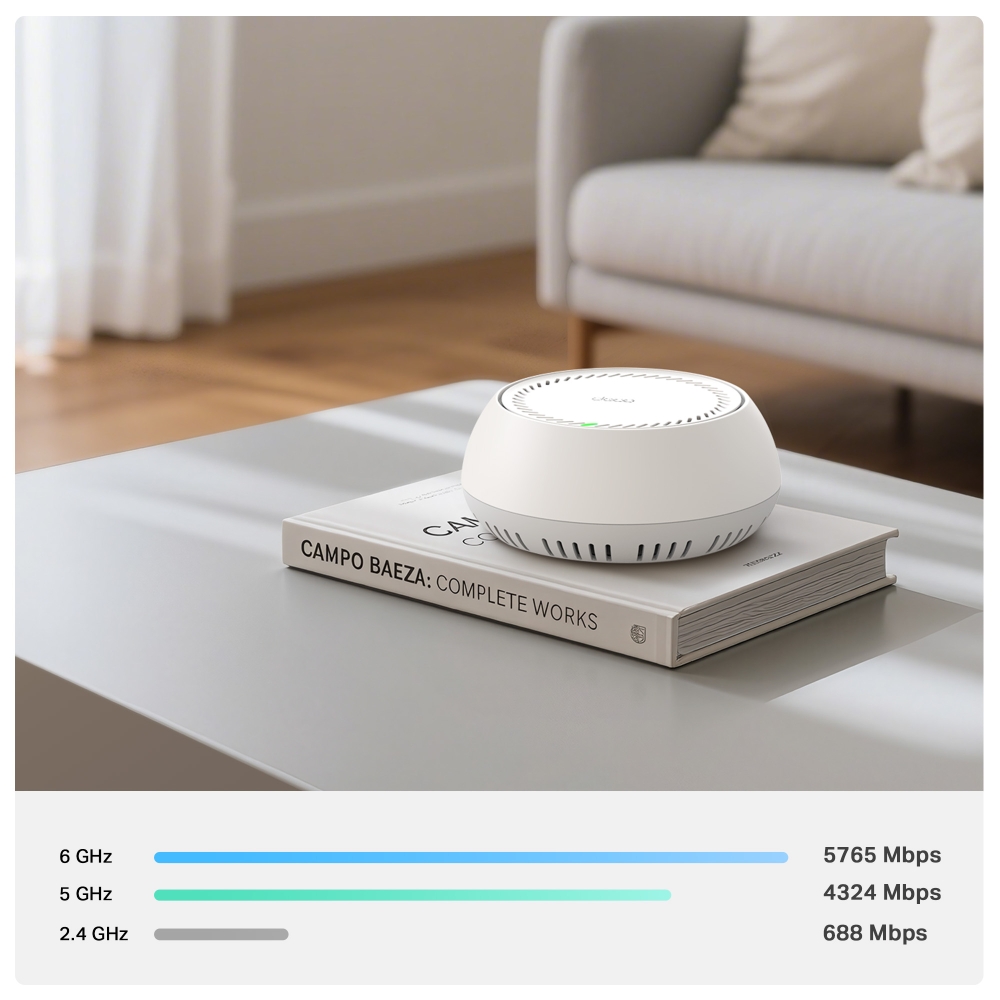
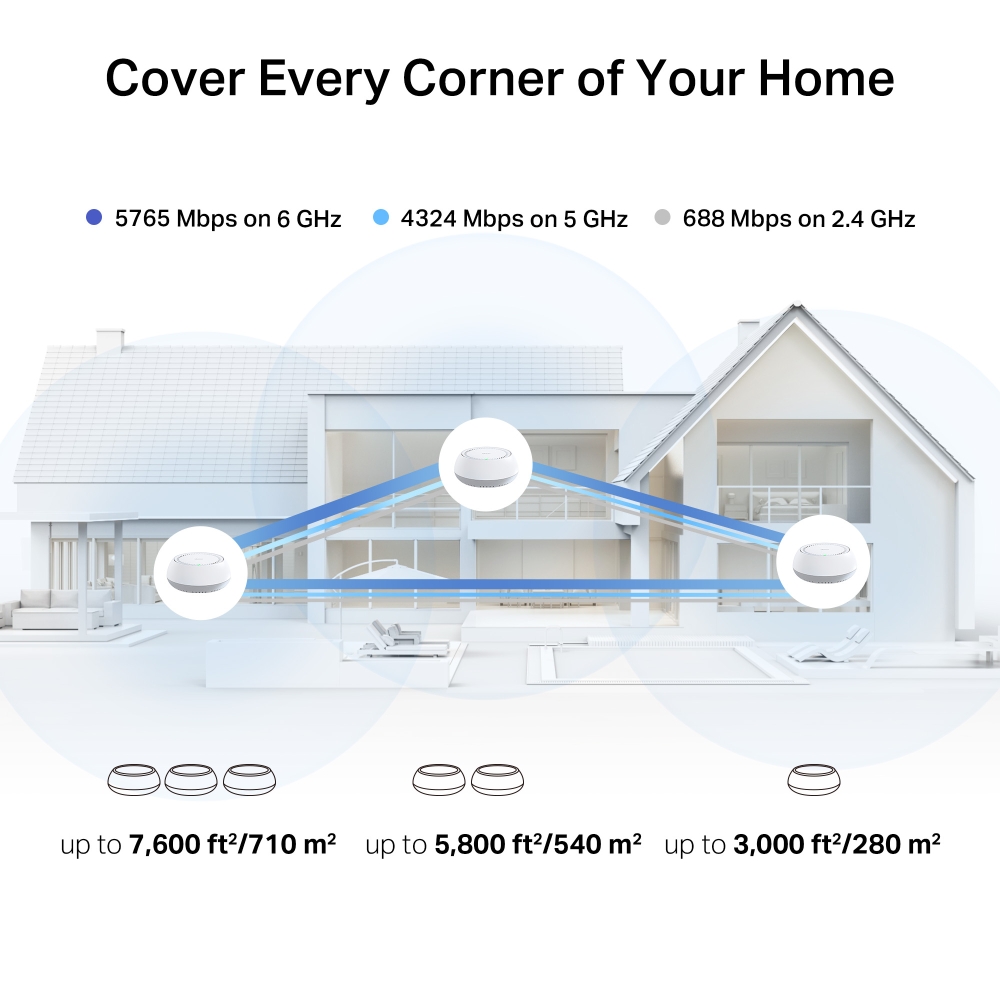
- BE11000 Tri-Band Wi-Fi – 5764 Mbps (6 GHz) + 4324 Mbps (5 GHz) + 688 Mbps (2.4 GHz).†
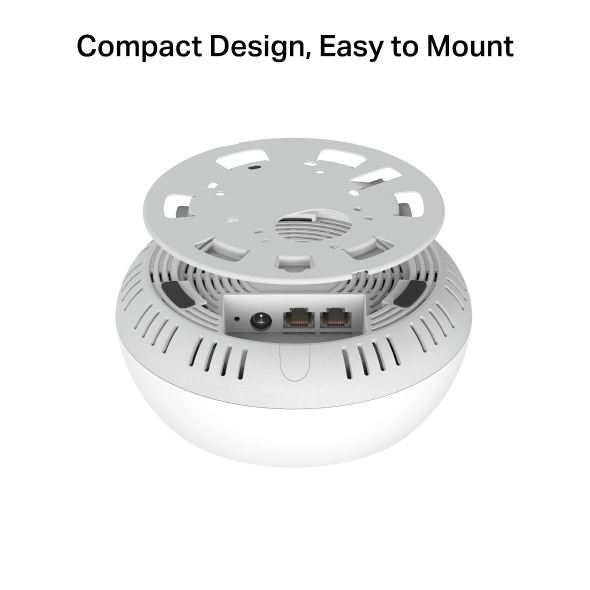
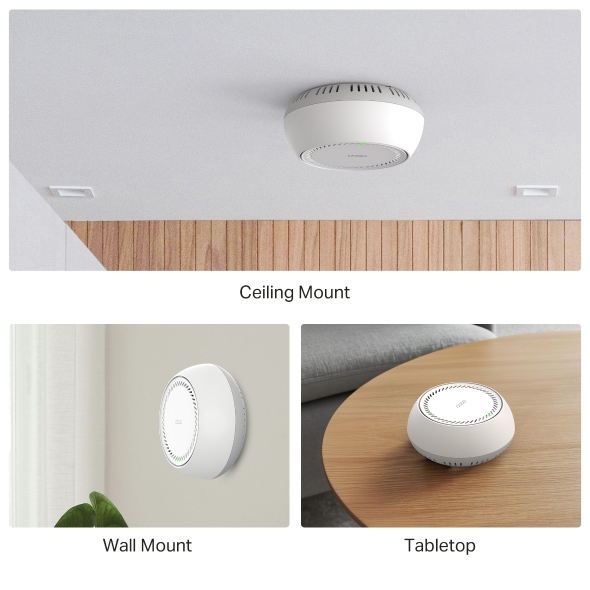
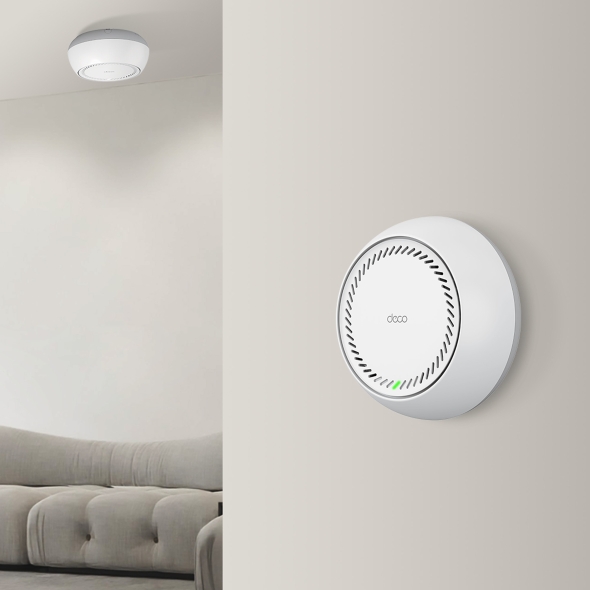
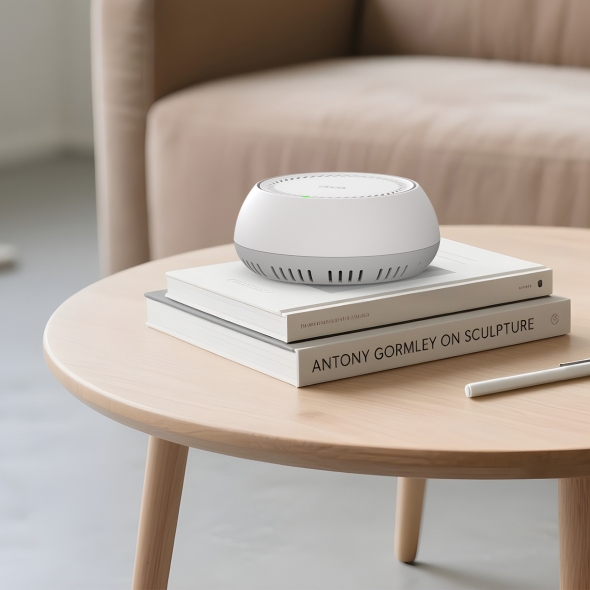
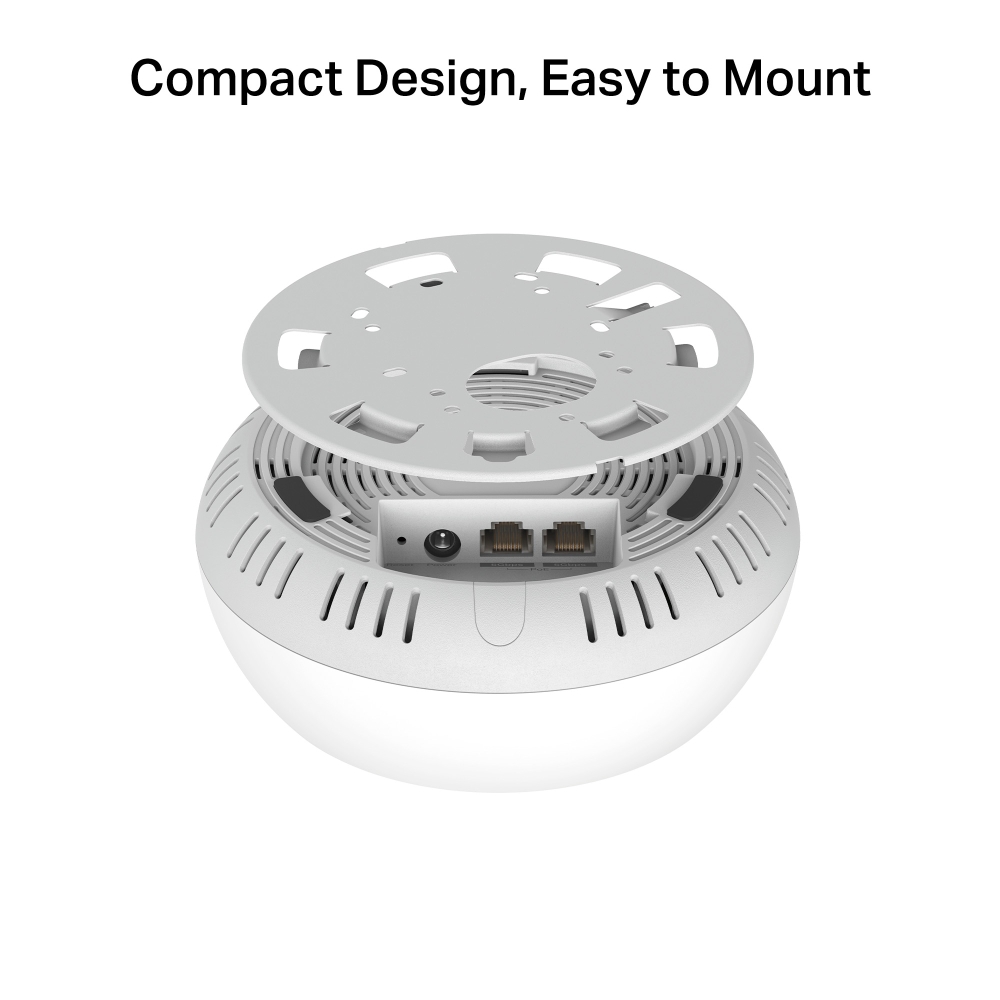
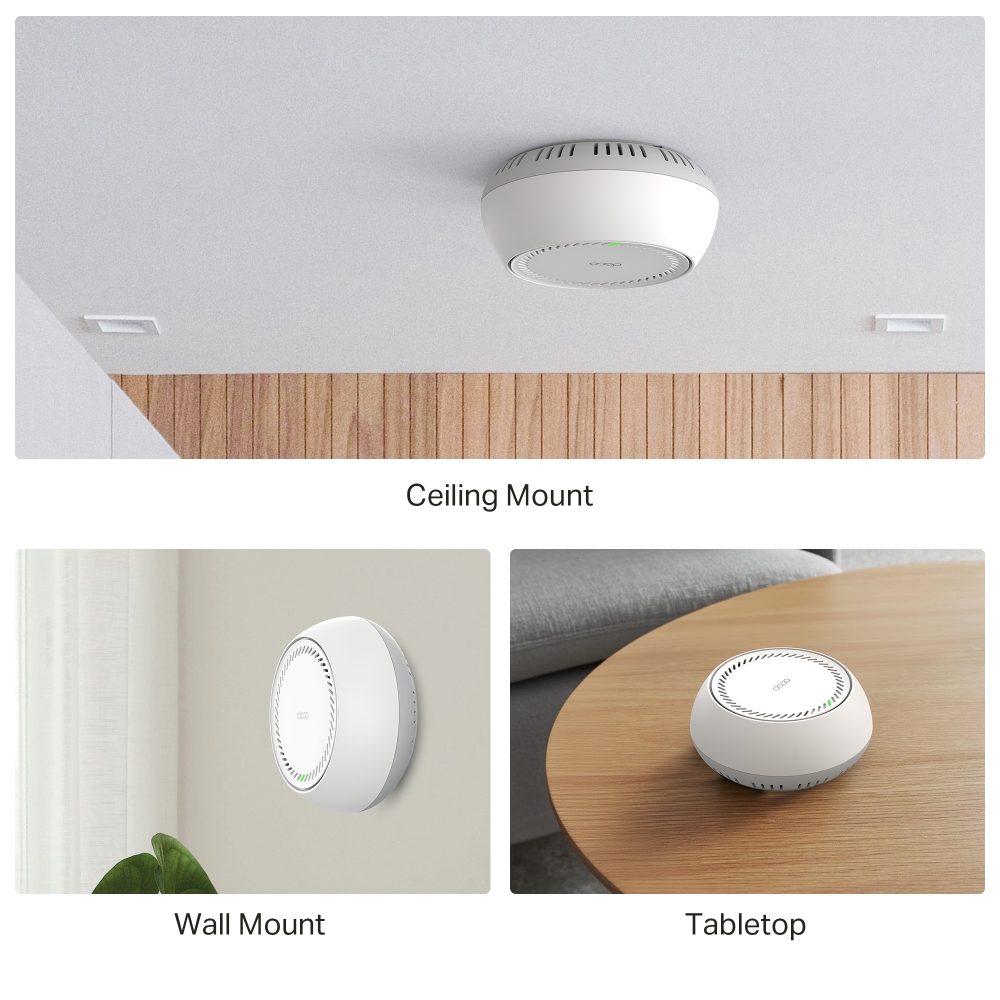
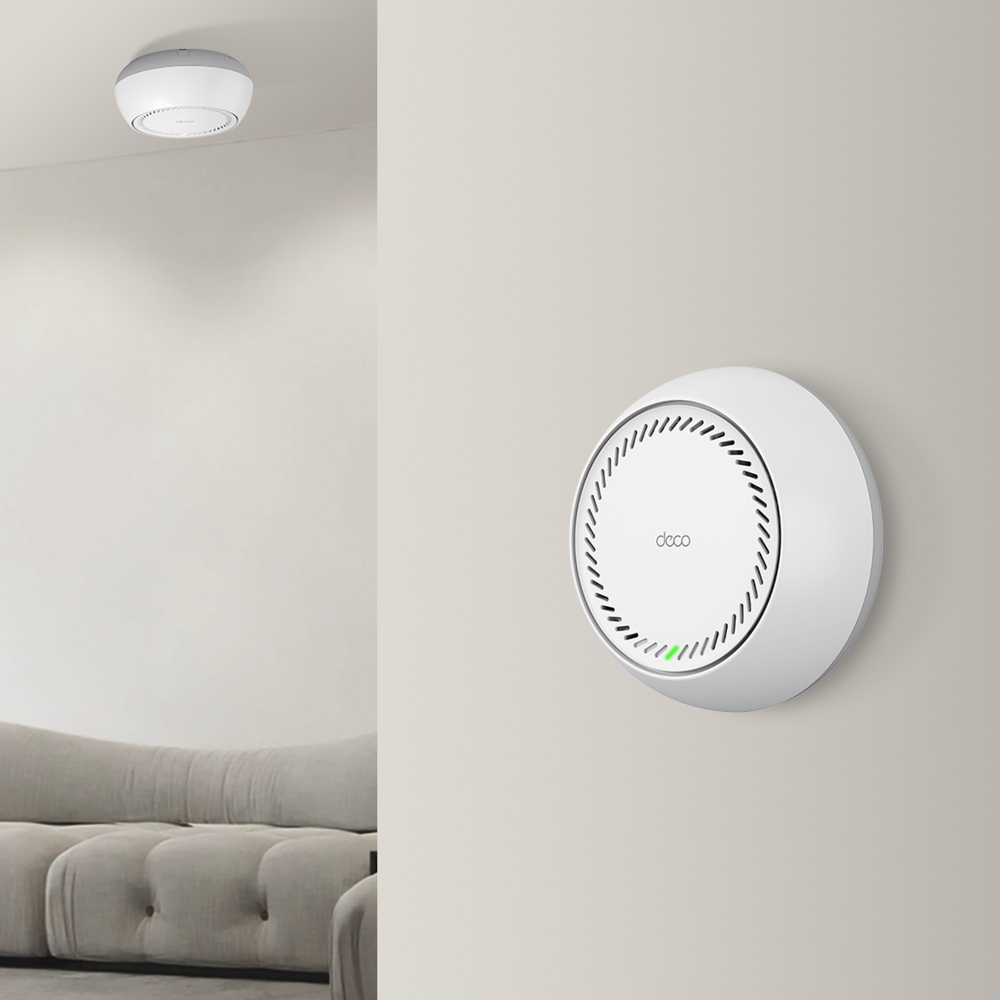
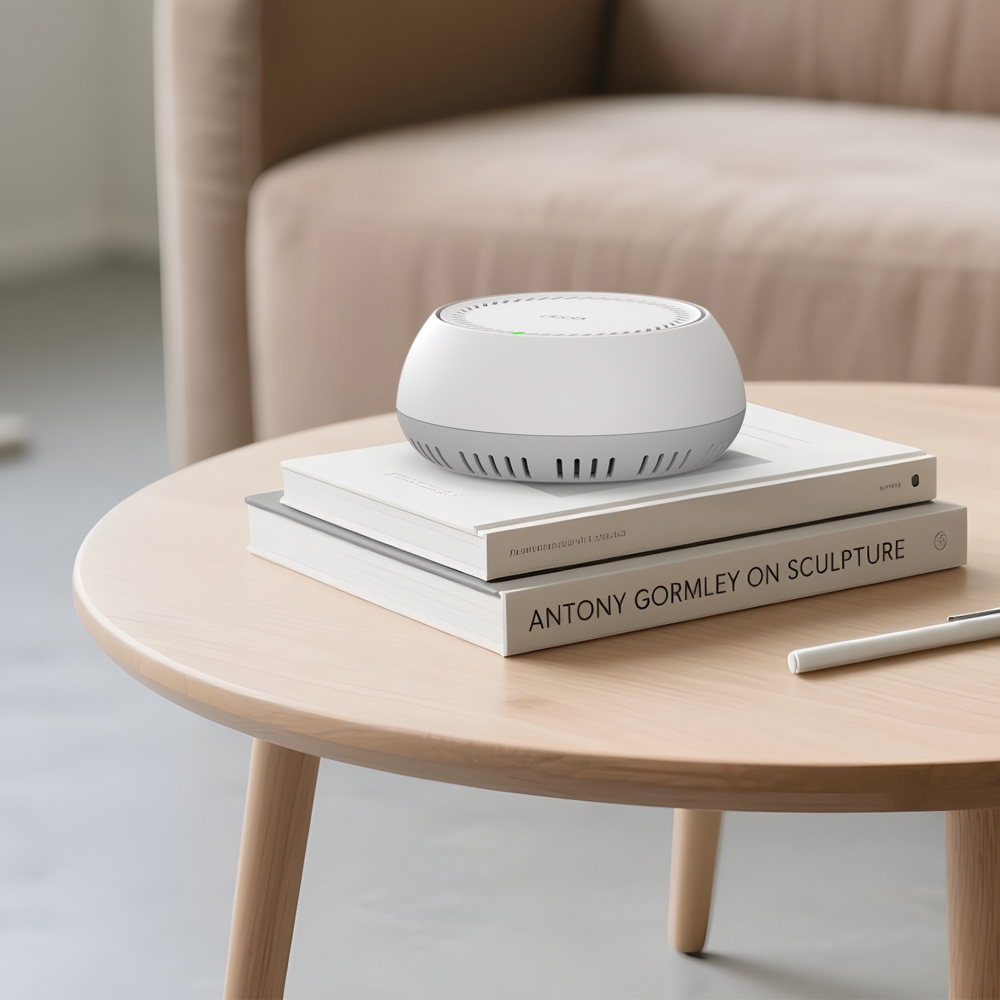
- Multiple Installation Options – Place it on a tabletop or install it on a ceiling or wall with the adaptive accessories.
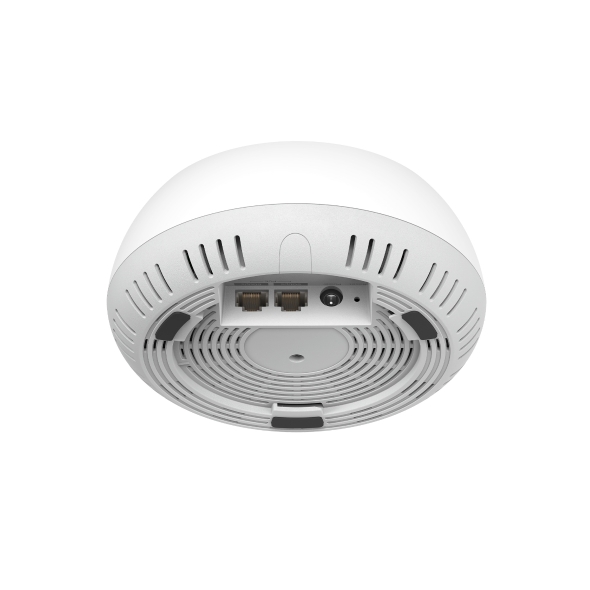
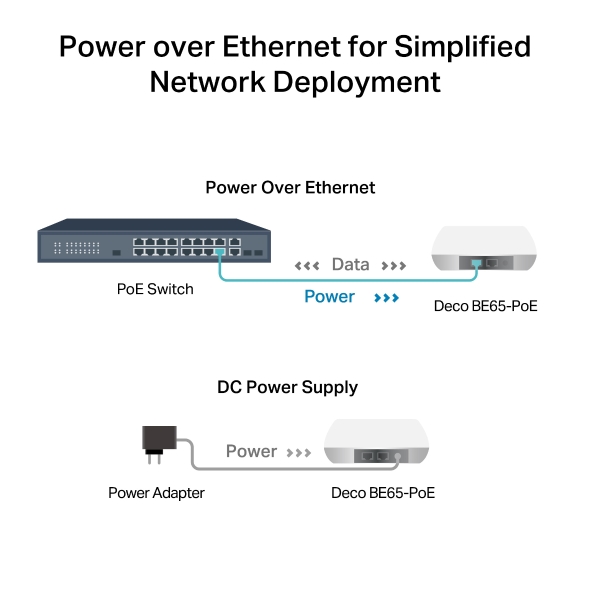
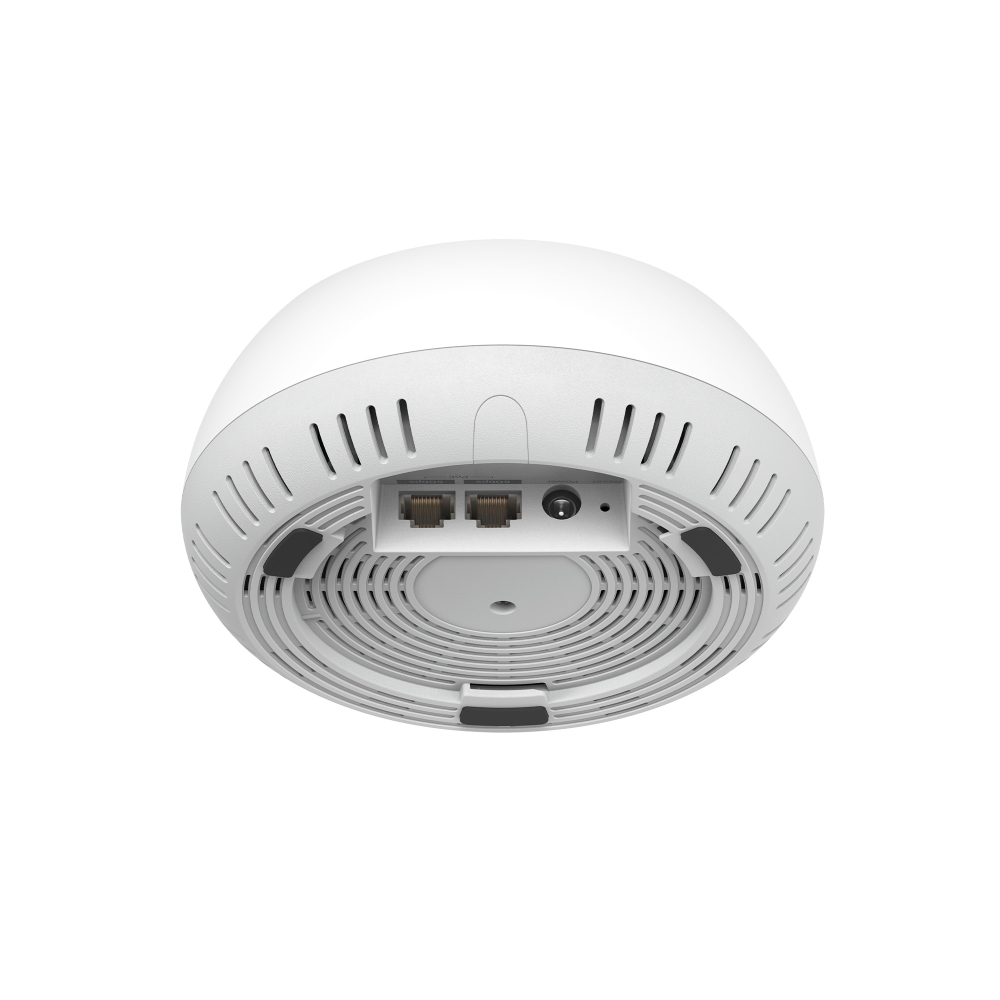
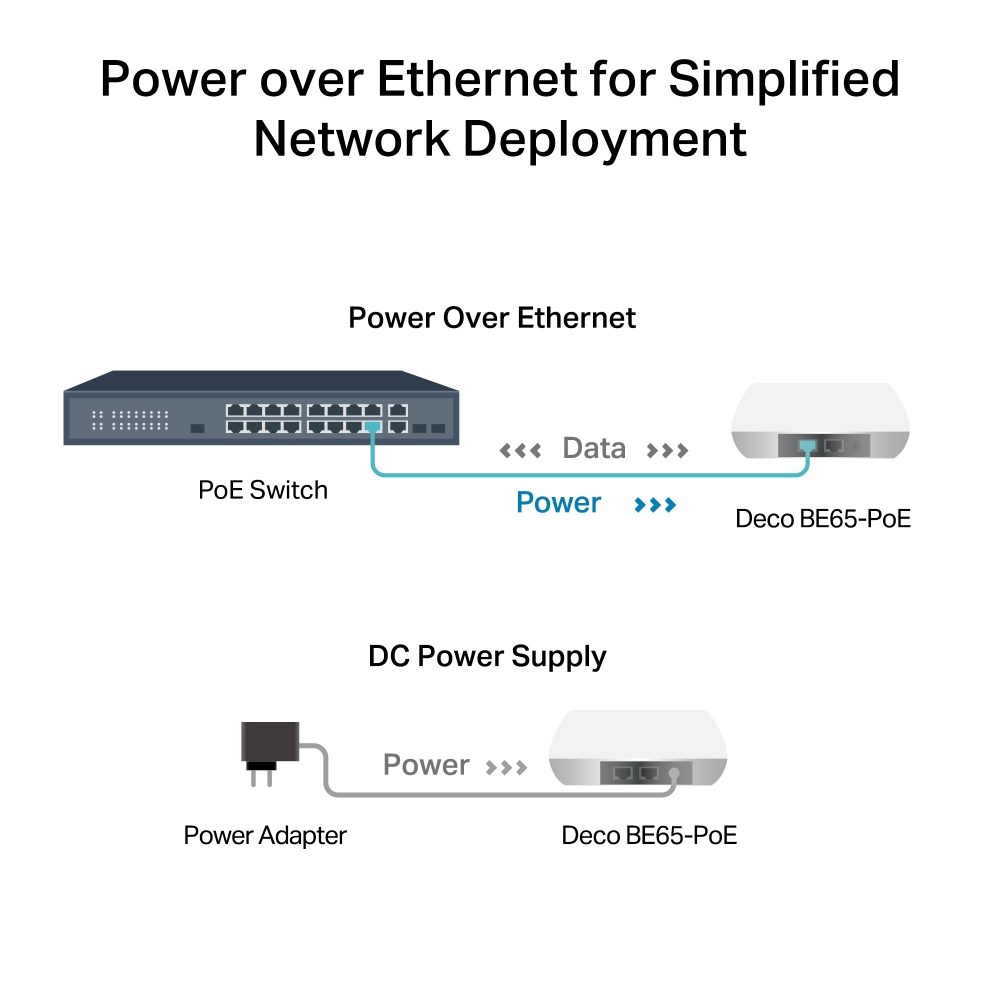
- PoE Supported – Power over Ethernet for simplified network deployment.
- Multi-Gig 5 Gbps Wired Network – 2× 5 Gbps ports §
- Multi-Link Operation (MLO) – Simultaneously send and receive data across different bands and channels to increase throughput, reduce latency, and improve reliability.△
- 320 MHz Channels – Double the bandwidth and enables many more simultaneous transmissions at the fastest possible speeds.△
- Works on the 6 GHz Band – Minimizes congestion with greenfield spectrum, delivering robust high-speed connections.△
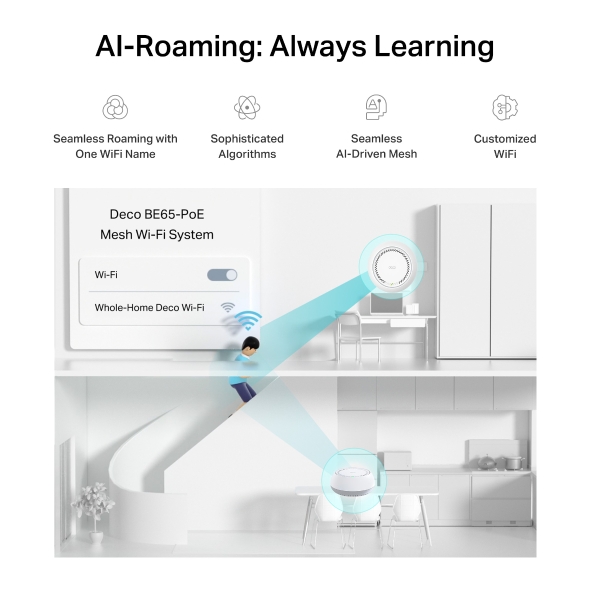
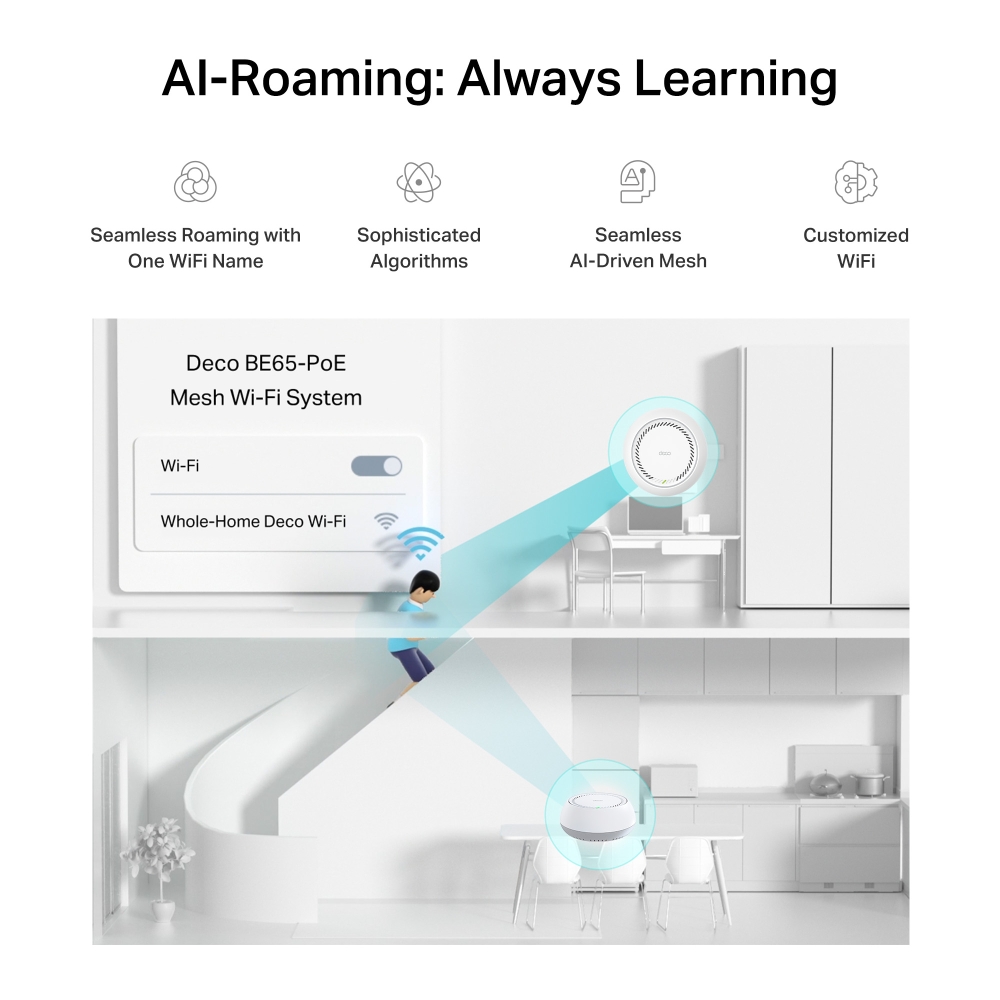
- Seamless AI-Driven Mesh – Intelligently learns your network environment to provide the ideal Wi-Fi unique to your home.‡
- TP-Link HomeShield – Provides comprehensive network protection, robust parental controls, and real-time IoT security.*
- Universal Compatibility – Backward compatible with all Wi-Fi generations and works with any internet service provider (ISP) and modem.☆
* The 240MHz bandwidth may be unavailable in the 5G band in Australia due to regulatory restrictions.
Multi-Scenario Mesh Wi-Fi Meets All Your Needs
BE11000 Whole Home Mesh Wi-Fi 7 System with PoE
Deco BE65-PoE


Multiple Installation Options
Ceiling Mount
Wall Mount
Tabletop
BE11000 6-Stream Tri-Band Wi-Fi
A True Whole Home
Multi-Gigabit
Mesh Wi-Fi
Covers Up to
200
Devices
PoE Powered
Supports PoE/DC Power Supply
5 GbE Port
Up to 5 Gbps Internet Access
320 MHz Bandwidth
Seamless AI-Driven
TP-Link HomeShield
Multiple Installation Options, Put Your Deco Anywhere You Want
Deco BE65-PoE has flexible installation to meet various demand scenarios. Place it on a tabletop or install it on a ceiling or wall with our adaptive accessories.
-
Ceiling Mount
-
Wall Mount
-
Tabletop
Unrivaled Wi-Fi 7 Speed up to 11 Gbps
Wi-Fi 7 unleashes the full potential of 4K-QAM and the 6 GHz band with up to 320 MHz channels, delivering unprecedented Wi-Fi speeds up to 11 Gbps. The new 6 GHz band provides exceptional bandwidth congetion-free channels.† — ideal for bandwidth-intensive tasks like cloud gaming and 8K video. Families will enjoy immersive live-streaming with flawless video and clear audio without buffering.
11 Gbps
5765 Mbps
on 6 GHz band
4324 Mbps on 5 GHz band
688 Mbps on 2.4 GHz band
-
Basement

-
Yard

-
Garage

True Seamless Roaming
Deco units work together to form one unified network. Your phone or tablet automatically connects to the fastest Deco as you move through your home, creating a truly seamless online experience. Support for IEEE 802.11r as well as 802.11k/v means switching from one Deco to another is so smooth it’s unnoticeable, even during streaming.
-
Adaptive Path Selection
TP-Link Mesh Technology dynamically
chooses the best route and band for
your data, guaranteeing a fast connection no
matter where you are in the home. 

-
Self-Healing
If one Deco has an issue, the system will
automatically reroute data via the other
Decos to make sure you stay online.
IoT Mesh
Unlike traditional smart hubs, TP-Link Mesh Technology provides whole-home IoT coverage with Wi-Fi, Bluetooth and Zigbee integrated into a single system. Enjoy the magic of your smart home in every room with TP-Link Mesh Technology. Say goodbye to countless hubs.
- - - - Wi-Fi
- - - - Zigbee
- - - - Bluetooth
Why is TP-Link Mesh Technology
an industry-leading solution?
| Complete Comparison | |||
| Model Number | TP-Link Deco | Netgear Orbi | Google WiFi |
| Wireless Backhaul | Tri-Band (2.4G+5G_1+5G_2)¹ | Single-Band (5G_1 Only) | Dual-Band (2.4G+5G) |
| Mesh Protocol Supported | IEEE 802.11k/v/r | IEEE 802.11k/v | IEEE 802.11s |
| True Seamless Roaming | √ | ||
| APS(Adaptive Path Selection) | √ | √ | |
| IoT Mesh | √² | ||
| Powerline Backhaul | |||
| Wireless + Powerline Bandwidth | |||
| Band Steering | √ | √ | √ |
| AP Steering | √ | √ | √ |
| Self-Healing | √ | √ | √ |
| Notes: 1&2: For Deco M9 Plus Only Spec sourced by Dec. 2017 | |||
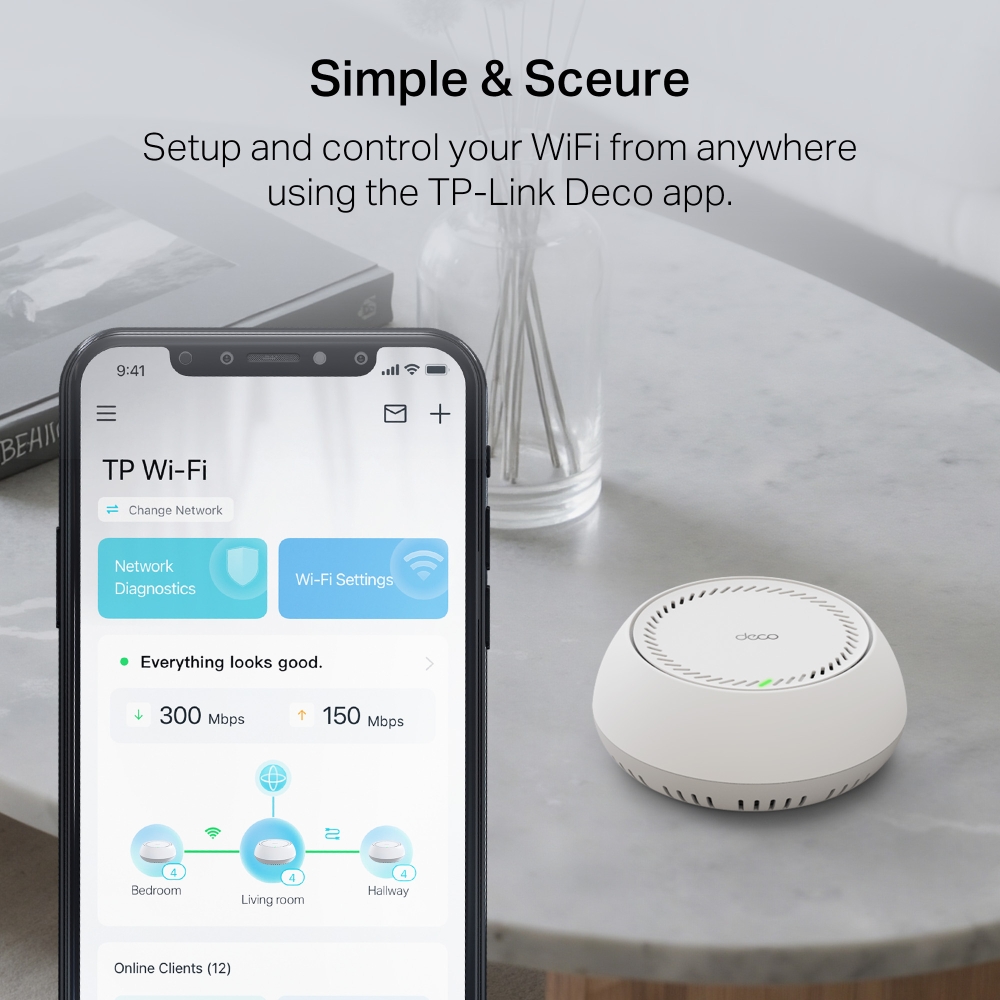
Deco Network Management at Your Fingertips!
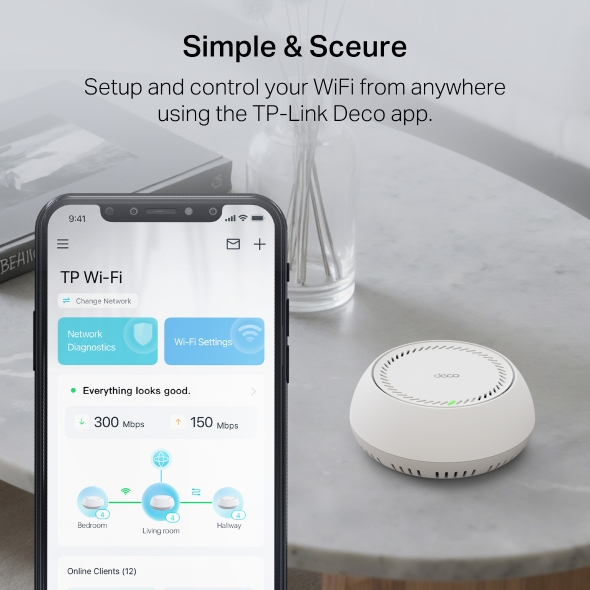
The Deco app provides the easiest way to set up, manage and monitor your Deco Whole Home Mesh Wi-Fi System through your iOS or Android devices.
Setup Just Got a Lot Easier
Unbox Deco, install the app and then simply follow the on-screen directions. Deco app will take care of the rest and get your network up and running in minutes.
-
Connect Deco to your cable modem and turn on both devices
-
Download and launch the Deco app
-
Follow the in-app instructions to configure your Deco system.
Simple Management
Deco makes it easy to manage your Wi-Fi from anywhere, whether you’re on the couch, at work, or anywhere in between.
-
Simple Management Dashboard
View the working status of your network, check the connected devices and get all the features your router offers.
-
Multiple Decos, One App
The Deco app manages all your Deco networks and devices connected to your Deco Wi-Fi.
-
Check the Connected Devices
View a list of your connected devices with the ability to pause and resume internet access, test the internet speed and prioritize or block the devices.
-
Remote Management
Remotely take control of the network with a tap of your phone—no matter where you find yourself.
Powerful Parental Controls
Simple, intuitive parental controls make it easy to keep your children safe while they’re online.
-
Easily create a profile for each family member and set custom time limits and online time allowances. Assign devices to profiles so rules extend to individual devices as well as family members.
-
Keep your family safe online with one-touch security settings that block content based on age-appropriateness.
-
Set limits on how much time each person in your family can spend online.
-
With Insights, you can check out which sites your children visit and how much time they spend on each. It’s a great way to know your children are safe while they’re having fun online.
-
Take a break from Wi-Fi for dinner and family game nights. Just tap a button to suspend internet access for everyone in your home.
An Intuitive App Full of Features
Monthly Usage Summary
See a comprehensive list of your network details every month, including usage,
blocked content, security threats and more.
Home Automation
Make your life easy with powerful automation and voice control tools.
*Currently only for Deco M9 Plus
Flexible Shortcut
Flexibly control all devices from your phone or tablet with just one click.
*Currently only for Deco M9 Plus
Protect Your Network
Built-in Antivirus helps you defend against malicious website and guard your online payment.
*Currently only for Deco M9 Plus, Deco P7 and Deco M5
Prioritize Your Devices
Choose which devices always have the fastest connections
or set priority for a specific time duration.
Set Application Priorities
Allocate more bandwidth for the activities most important to you with simple controls.
*Currently only for Deco M9 Plus, Deco P7 and Deco M5
Share Wi-Fi with Friends
Set up separate Wi-Fi profiles for guests and share the password to
make it easier for them to hop online.
Check Your Speed
Run a speed test to ensure you’re getting the internet speeds you’re paying for.
View every device on your network and see how much bandwidth they’re using.
Our Support Always Has Your Back
Have questions about Deco? Help is always just a click away. Find the answers in Deco app and don’t hesitate to contact us with just a simple click.
Support| Standards and Protocols | Wi-Fi 7IEEE 802.11be/ax 6 GHzIEEE 802.11be/ax/ac/n/a 5 GHzIEEE 802.11be/ax/n/b/g 2.4 GHz |
|---|---|
| WiFi Speeds | BE11000 6 GHz: 5765 Mbps (802.11be) 5 GHz: 4324 Mbps (802.11be) 2.4 GHz: 688 Mbps (802.11be) * The 240MHz bandwidth may be unavailable in the 5G band in Australia due to regulatory restrictions. |
| WiFi Range | 4-7+ Bedroom Houses (3-pack) TP-Link Mesh TechnologyOptional Ethernet backhaul work together to link Deco units to provide seamless coverageAI-Driven MeshIntelligently learns the network environment to provide ideal Wi-Fi unique to your home4× Antennas (Internal)Multiple antennas form a signal-boosting array to cover more directions and large areas |
| WiFi Capacity | Very High Tri-BandDistribute devices to different bands for optimal performance2×2 MU-MIMOSimultaneously communicates with multiple MU-MIMO clientsOFDMASimultaneously communicates with multiple WiFi 7 clients6 StreamsMore than enough bandwidth for connected devices |
| Working Modes | Router ModeAccess Point Mode |
| Advanced Features | • Multi-Link Operation (MLO)• 320 MHz Channel• 4K-QAM• Multi-RUs• Works with Alexa and Google Assistant |
| Network Security | SPI FirewallAccess ControlHomeShield Security Real-Time IoT ProtectionMalicious Site BlockerIntrusion Prevention SystemDDoS Attack PreventionHome Network Scanner |
|---|---|
| Guest Network | 1× 6 GHz Guest Network1× 5 GHz Guest Network1× 2.4 GHz Guest Network Effective TimeBandwidth Control |
| VPN Server | • OpenVPN Server• PPTP VPN Server• L2TP/IPSec VPN Server |
| VPN Client | • OpenVPN Client• PPTP VPN Client• L2TP/IPSec VPN Client |
| WiFi Encryption | WPA-Personal WPA2-Personal WPA3-Personal |
| Power Supply | • 802.3at PoE• 12V DC(EU Version: 12V/1.2A DC. US Version: 12V/1.5A DC).Note: DC adapter is included in the package |
|---|---|
| Ethernet Ports | You need to "Publish Page" in product admin After you modify the content of this page.(Except filter)Ethernet Ports• 2× 5 Gbps*Per Deco Unit Supports WAN/LAN auto-sensing |
|---|---|
| Buttons | 1× Reset Button1× WPS |
| Advanced Features | • Reboot Schedule• Tapo/Kasa Onboarding• IoT network & Device Isolation• Static Routing Function• Node/Band Connection Preference |
|---|---|
| Protocols | IPv4 IPv6 |
| Service Kit | HomeShieldLearn More> |
| Parental Controls | HomeShield Parental Controls Youtube RestrictionSafeSearchCustom ProfilesProfessional Content Filter LibraryFamily TimeBedtimeOff TimeTime RewardsFamily Online Time RankingPause the InternetWeekly and Monthly Reports |
| WAN Types | Dynamic IPStatic IPPPPoEPPTPL2TP |
| Quality of Service | HomeShield QoS QoS by Device |
| Cloud Service | OTA Firmware UpgradeTP-Link ID DDNS |
| NAT Forwarding | Port Forwarding UPnP |
| IPTV | IGMP ProxyIGMP SnoopingBridge Tag VLAN |
| DHCP | Address ReservationDHCP Client ListServer |
| DDNS | TP-Link |
| Management Features | Deco App |
| Network Services Enabled by Default | Web Server Manage and configure device through web (HTTP/HTTPS)• Port: 80/443 Protocol: TCP DNS DNS• Port: 53 Protocol: TCP & UDP DHCP Server IP address assignment (DHCP)• Port: 67 Protocol: UDP App management Manage and configure device through app• Port: 22 Protocol: TCP• Port: 20001 Protocol: TCP• Port: 30001 Protocol: TCP• Port: 20002 Protocol: UDP |
|---|---|
| Certifications | CE, FCC |
| Environment | Operating Temperature: 0°C~40°C (32 °F~104 °F)Storage Temperature: -40°C~60°C (-40 °F~140 °F)Operating Humidity: 10%~90% RHStorage Humidity: 5%~90% RH |
| Dimensions (W×D×H) | 6.5 × 6.5 × 2.7 in (165 × 165 × 68.5 mm) |
|---|---|
| Package Content | Deco BE65-PoE (3-pack)3 Deco Deco BE65-PoE units1 RJ45 Ethernet cable3 Power adapters3 Ceiling/Wall Mounting KitsQuick Installation Guide Deco BE65-PoE (2-pack)2 Deco BE65-PoE units1 RJ45 Ethernet cable2 Power adapters2 Ceiling/Wall Mounting KitsQuick Installation GuideDeco BE65-PoE (1-pack)1 Deco BE65-PoE unit1 RJ45 Ethernet cable1 Power adapter1 Ceiling/Wall Mounting KitQuick Installation Guide |
†Maximum wireless signal rates are the physical rates derived from IEEE Standard 802.11 specifications. Connection to over 200 devices is based on laboratory test data, which analysed the connections of different devices on the 6 GHz, 5 GHz, and 2.4 GHz bands simultaneously. These devices simulated a typical home scenario by running simultaneous applications in the same room that included 4K video, 1080p video, 720p video, file downloading, web browsing, IP cameras, and other IoT devices. Actual wireless data throughput, wireless coverage, and connected devices are not guaranteed and will vary as a result of internet service provider factors, network conditions, client limitations, and environmental factors, including building materials, obstacles, volume and density of traffic, and client location.
△Use of Wi-Fi 7 (802.11be), Wi-Fi 6 (802.11ax), and features including Multi-Link Operation (MLO), 320 MHz Bandwidth, 4K-QAM, Multi-RUs, OFDMA, MU-MIMO and BSS Color requires clients to also support the corresponding features. The 320 MHz bandwidth is only available on the 6 GHz band. Simultaneously, the 160 MHz and 240 MHz bandwidths or the 320 MHz bandwidth might not be available on the 5 GHz band or the 6 GHz band, respectively, in some regions/countries due to regulatory restrictions. Double channel width and speed refer to 320 MHz compared to 160 MHz for Wi-Fi 6 mesh.
§5 Gbps internet speeds require compatible service plans and equipment. All WAN/LAN ports will operate as either WAN or LAN ports. Only one port can serve as a WAN port at a time.
*HomeShield includes both basic and advanced features. Advanced features require a paid subscription. For details, visit tp-link.com/homeshield. Some features are under development and will be supported with subsequent software updates.
※4.2× faster Wi-Fi speed refers to the theoretical speeds of Wi-Fi 7 clients when connected to Deco BE65-PoE compared with a 2×2 MIMO Wi-Fi 6 or Wi-Fi 6E mesh. Wi-Fi 7 clients need to support Multi-Link Operation (MLO) and the 6 GHz band to reach up to 10 Gbps when connected to the 5 GHz and 6 GHz bands of Deco BE65-PoE simultaneously. 2×2 MIMO Wi-Fi 6 and Wi-Fi 6E mesh may only provide 2402 Mbps on the 5 GHz or 6 GHz bands separately.
※※4× Lower Latency refers to the latency improvement of Wi-Fi 7 mesh compared to Wi-Fi 6/6E mesh, based on laboratory test data. The test conditions had the same 5 GHz or 6 GHz single-frequency wireless interference and tested the maximum latencies of Wi-Fi 7 clients (with MLO turned on) connecting to the 5 GHz and 6 GHz bands of Deco BE65-PoE (with MLO turned on) simultaneously and to the 5 GHz or 6 GHz bands of a Wi-Fi 6/6E mesh (without the MLO function).
☆Wi-Fi generations represent the wireless standard IEEE 802.11 a/b/g/n/ac/ax/be. Users may require an extra modem device that is compatible with their internet service provider to gain internet access.
Actual network speed may be limited by the rate of the product's Ethernet WAN or LAN port, the rate supported by the network cable, internet service provider factors, and other environmental conditions.
This Deco may not support all the mandatory features as ratified in IEEE 802.11be specification.
Further software upgrades for feature availability may be required.
Google and Google Home are trademarks of Google LLC.