

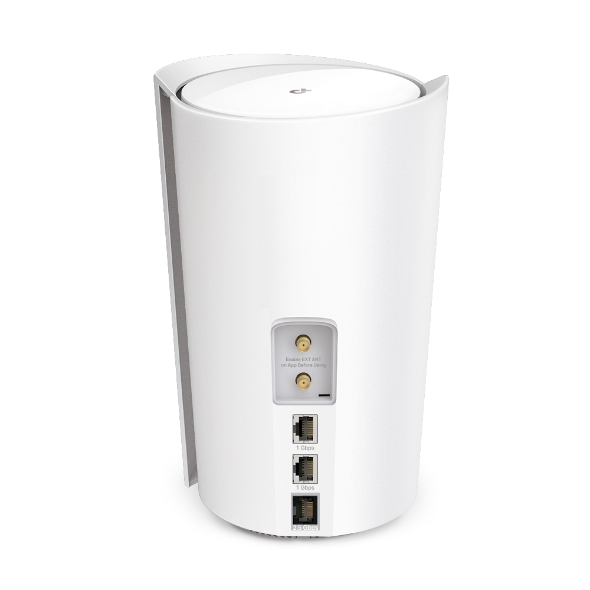
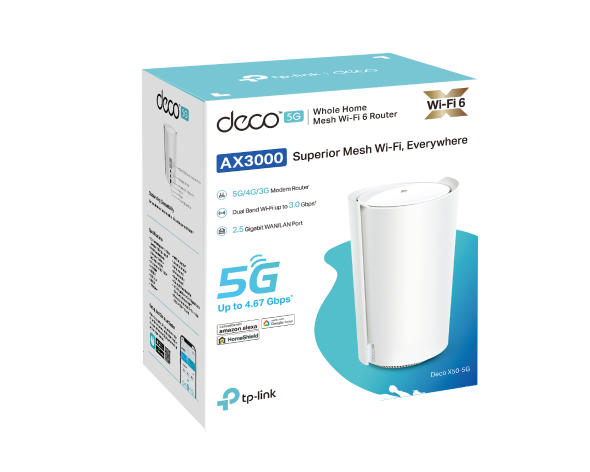


Deco X50-5G
5G AX3000 Whole Home Mesh WiFi 6 Gateway (Availability based on regions)
- Ultra-Fast Broadband Connection: Supports Sub-6 GHz 5G technology boosts download speeds up to 4.67 Gbps§
- Ultra-Low Latency: 5G brings responsive network connections with only 1 ms latency§
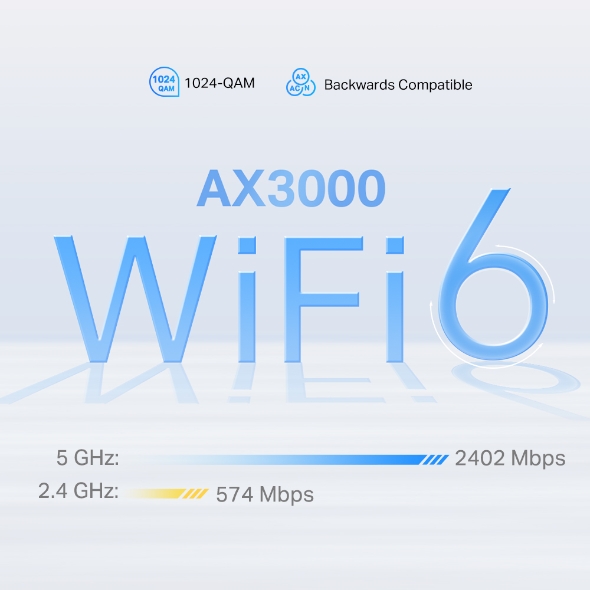
- AX3000 Dual-Band Wi-Fi 6 Speed: 2402 Mbps (5 GHz) + 574 Mbps (2.4 GHz)†
- 2.5 Gigabit Wired Connections: 1× 2.5 Gbps port + 2× Gigabit port**
- Mesh Network: Deco mesh technology ensures strong Wi-Fi signals everywhere‡
- Flexible Network Access: 4G, 5G, Fixed-Line Internet Access
- Simplified Setup: Easily set up and manage your network with the TP-Link Deco app
- TP-Link HomeShield: Provides comprehensive network protection, robust parental controls, and real-time loT security*
Cutting-Edge 5G,
Ultra-Fast Experience
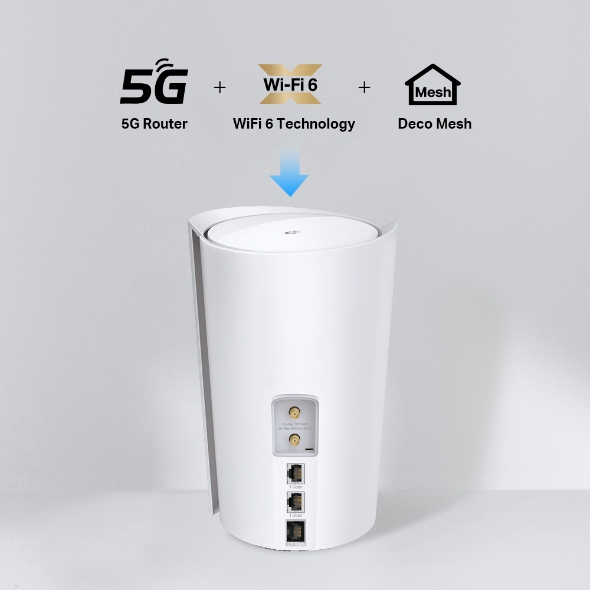
5G AX3000 Whole Home WiFi 6 Router
Deco X50-5G


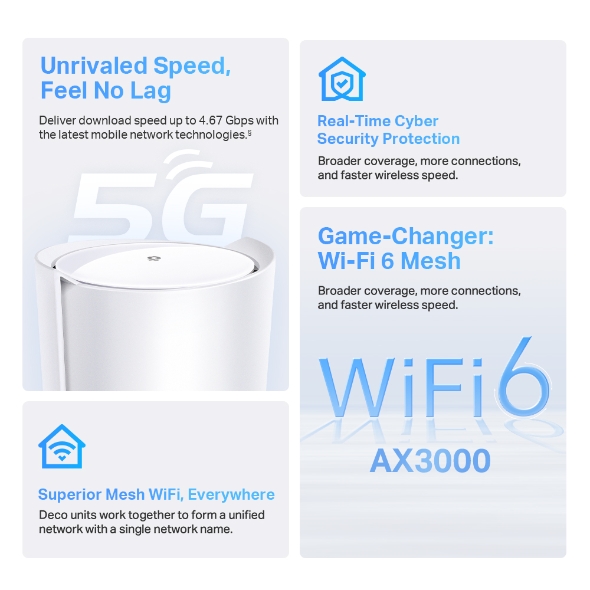
Unrivaled 5G
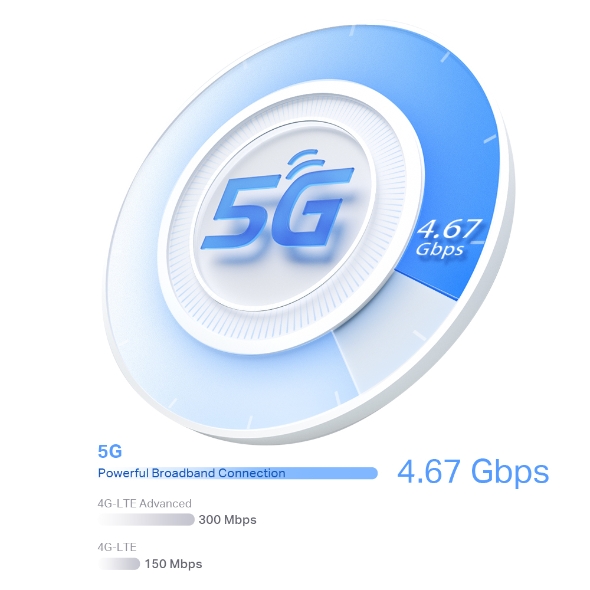
5G connections with speed up to 4.67 Gbps.§
Superior Mesh WiFi,
Everywhere
Real-Time Cyber
Security Protection
SIM Card Plug
and Play
AX3000
Dual-Band Wi-Fi
Wi-Fi 6
Broader coverage, more connections,
and faster wireless speed.
Lower Latency,
Enhanced Capacity
With massive MIMO, optimized OFDM, and more, 5G technologies brings fast responsive network connections to tomorrow’s mobile devices, with only 1 ms latency. Enjoy your online streaming, gaming, and AR / VR without congestion. §
-
5G
4.67 Gbps
-
4G-LTE Advanced
300 Mbps
-
4G-LTE
150 Mbps
Plug and Play, Enjoy 5G Network Everywhere
Simple, just one SIM card
Traditional broadband or cable installation is expensive and time-consuming for your vacation home, farm, or suburban warehouse. Long contract periods also create headaches for short-rentals, pop-up venues, and temporary shops to access the internet. Deco X50-5G ensures a comfortable and no-block network installation. Plug in your SIM card and enjoy high-speed internet!
-
Lodging
-
Farm & Finca
-
Temporary Store
-
Holiday Home
WiFi 6 Upgrades Everything
Armed with WiFi 6 technology, Deco whole home mesh WiFi is designed to deliver a huge boost in coverage, speed, and total capacity. Get on the latest mesh WiFi to enjoy the future network that loads faster and connects more. △
-
Wi-Fi 6 Speeds up to
3.0 Gbps -
Seamless Coverage
up to 230 m2 -
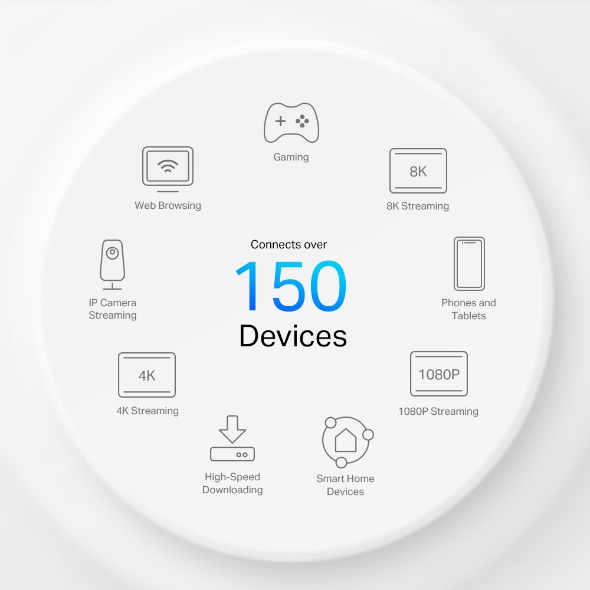
Connects over
150 Devices
-
1024-QAM
-
Backwards Compatible
5 GHz:
2402Mbps
2.4 GHz:
574Mbps
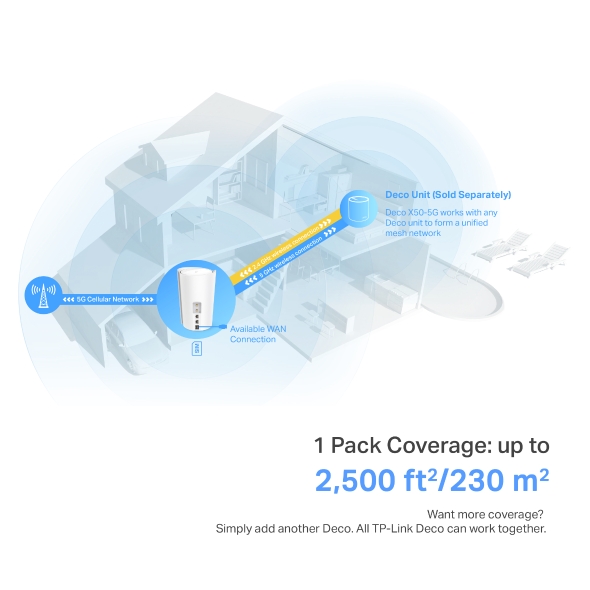
Available WAN Connection
Deco Unit (Sold Separately)
Deco X50-5G works with any Deco unit to form a unified mesh network
1 Pack Coverage: up to
2,500 ft2/230 m2
Want more coverage?
Simply add another Deco. All TP-Link Deco can work together.
5G Cellular Network
2.4 GHz wireless connection
5 GHz wireless connection
Deco products are aimed to dramatically improve capacity and efficiency in traffic-dense environments. No matter how many screens or devices are on at once, everyone is able to enjoy a more efficient network that loads faster without dragging down performance.†
Gaming
8K Streaming
Phones and
Tablets
1080P Streamings
Smart Home
Devices
High-Speed
Downloading
4K Streaming
IP Camera
Streaming
Web Browsing
connects over
150
devices
Better Signal for Connections Everywhere
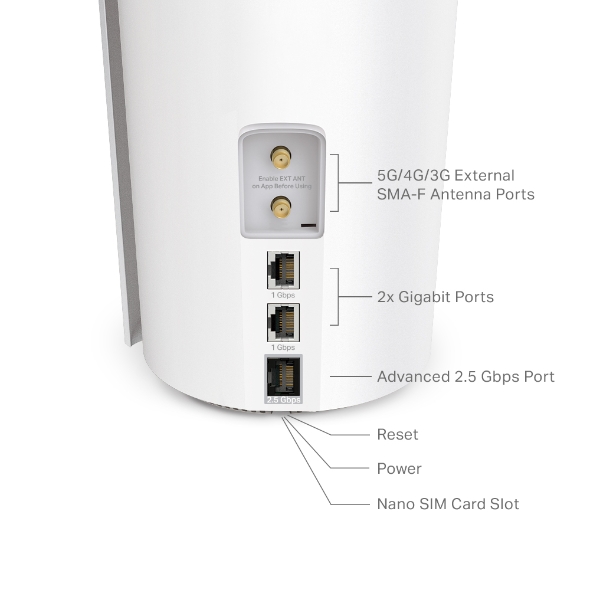
With advanced 2.5 Gigabit port, Deco X50-5G provides reliable, warp-speed connections for high-intensive wired devices. When it’s set as a wireless router, both Ethernet ports support being used as backup broadband access points.
Furthermore, two external antenna ports allow external antenna access which can receive 5G/4G signals more effectively, resulting in improved 5G/4G performance.
-
5G/4G/3G External SMA-F Antenna Ports
-
2× Gigabit WAN/LAN Ports
-
2.5 Gigabit WAN/LAN Port
Seamless Roaming with One WiFi Name
TP-Link Mesh means Deco units work together to form one unified network. Your phone or tablet automatically connects to the fastest Deco as you move through your home, creating a truly seamless WiFi experience.‡
-
Whole Home Coverage
Eliminate weak signal areas throughout your house
-
Smart Roaming
Uninterrupted streaming when moving between rooms
-
One WiFi Name
No more switching WiFi network names
-
Unified Management
Control your home WiFi by managing the central node via the Deco App

Smart Security for Smart Living
HomeShield provides a series of built-in services that protect all your devices comprehensively with various features for when you’re at home or on the go. With HomeShield, safer internet experiences bring more happiness to your smart living.
-
Parental Controls
Simply configure your gateway and achieve whole home network security. HomeShield examines your network by scanning and identifying potential risks, stopping them in their tracks before they harm your network.*
-
Maintain Protection Away from Home
Parental Controls protect your kids, while helping them maintain healthy digital habits. Parents can set app blocking, web filtering, YouTube restrictions, SafeSearch, and online time limits to keep kids safe while they’re having fun online.*
-
Quality of Service (QoS)
KidShield App
Devices Security App
Devices remain secure everywhere with devices security app. And through KidShield, parents can monitor their kids’ locations and set geofencing. This way, kids stay digitally protected even on the go.*
Simple. Easy. Yet Powerful.
Setup and manage your network anytime and anywhere on the friendly TP-Link Deco app. In just three easy steps your entire home can be blanketed in strong and reliable WiFi.
CONNECT
to a modem and power on both.
DOWNLOAD
and launch the Deco app.
CONFIGURE
by following the in-app instructions.



Easy Management
Manage your WiFi at home or away on the Deco app. See every connected device, prioritize your own, and set up a guest network.
Voice Control
Use an Amazon Alexa or Google Assistant-enabled device to control Deco X50-5G with just your voice.


All Decos Work Together
Deco X50-5G is compatible with every other Deco model to form a Mesh network. Expand Mesh WiFi coverage anytime by adding more Decos.
-
Bodrum

-
Bahçe

-
Garaj

Uyarlamalı Yol Seçimi
Deco birimleri, tek bir birleşik ağ oluşturmak için birlikte çalışır. Siz evde dolanırken telefonunuz veya tabletiniz en hızlı Deco'ya otomatik olarak bağlanarak gerçek anlamda sorunsuz bir çevrimiçi deneyim oluşturur. IEEE 802.11r ve 802.11k/v desteği, bir Deco'dan diğerine geçişin son derece sorunsuz gerçekleştiği, İnternet yayını sırasında bile bu geçişin fark edilmediği anlamına gelir.


-
Adaptif Yol Seçimi
TP-Link Mesh Teknolojisi verileriniz için dinamik olarak en iyi rotayı ve bandı en iyi rotayı ve band seçerek evin neresinde olursanız olun
hızlı bağlantıyı garanti eder. 

-
Kendi Kendini Onarma
Bir Deco'da sorun varsa sistem,
çevrimiçi kalmanız için otomatik olarak
diğer Deco'lar aracılığıyla verileri yeniden yönlendirir.
Wi-Fi + Powerline
Enerji hattı bağlantıları, Deco'ları bağlamak için evinizin elektrik devresini kullanarak en kalın duvarları ve tavanları bile geçer.
Enerji hattı ve kablosuz bağlantı birleşimi, yalnızca kablosuz bağlantısına kıyasla %60 daha yüksek ağ hızı elde eder.
- Daha yüksek hız
- 60%
- Standart Wi-Fi Sistemi
- Hibrit Wi-Fi Sistemi
- Powerline
- Note:Wi-Fi + Powerline sadece Deco P7 bulunur!
IoT Nesnelerin İnterneti Mesh
Geleneksel akıllı hub'lardan farklı olarak, TP-Link Mesh Teknolojisi,tek bir sistemde entegre Wi-Fi, Bluetooth ve Zigbee ile evin tamamanıda nesnelerin interneti kapsamı sağlar.TP-Link Mesh Teknolojisi ile her odada akıllı evinizindeki sihrin tadını çıkartın. Sayısız hub'a elveda diyin.
- - - - Wi-Fi
- - - - Zigbee
- - - - Bluetooth
TP-Link Karma Teknolojisi
neden sektör lideri bir çözümdür?
| Tam Karşılaştırma | |||
| Model Numarası | TP-Link Deco | Netgear Orbi | Google WiFi |
| Kablosuz Ana Taşıyıcı | Tri-Band (2.4G+5G_1+5G_2)¹ | Single-Band (5G_1 Only) | Dual-Band (2.4G+5G) |
| Mesh Protokol Desteği | IEEE 802.11k/v/r | IEEE 802.11k/v | IEEE 802.11s |
| Gerçek Anlamda Sorunsuz Dolaşım | √ | × | × |
| APS(Adaptif Yol Seçimi) | √ | × | √ |
| IoT Mesh | √² | × | × |
| Powerline Backhaul | √³ | × | × |
| Wireless + Powerline Bant kontrol | √4 | × | × |
| Band Steering | √ | √ | √ |
| AP Steering | √ | √ | √ |
| Kendini Onarma | √ | √ | √ |
| Notlar: 1 ve 2: Deco M9 Plus için Yalnızca 3 ve 4: Deco P7 için Yalnızca Aralık 2017 Tarihli Teknik Özellikler | |||
Deco Series
Deco
-

Deco BE85
BE19000 Üç Bantlı Tüm Ev İçin Mesh Wi-Fi 7 Sistemi
-

Deco X60
AX5400 Tüm Ev Mesh Wi-Fi 6 Ünitesi
-

Deco XE75
AXE5400 Üç Bantlı Mesh Wi-Fi 6E Sistemi
-

Deco S7
AC1900 Tüm Ev Mesh Wi-Fi Sistemi
-

Deco M4
AC1200 Tüm Ev Mesh Wi-Fi Sistemi
-

Deco BE65
BE9300 Tüm Evler için Mesh Wi-Fi 7 Sistemi
-

Deco X50
AX3000 Tüm Ev Mesh WiFi 6 Sistemi
-
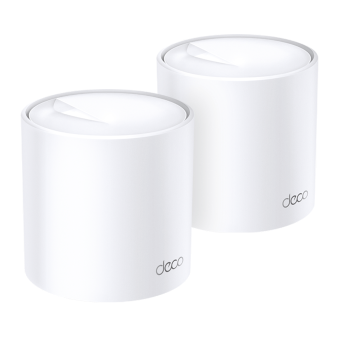
Deco X20
AX1800 Whole Home Mesh Wi-Fi 6 System
-

Deco X50-PoE
AX3000 Whole Home Mesh WiFi 6 System with PoE
Sadece Parmaklarınızı Kullanarak Deco Ağı'nı Yapılandırın !
Deco uygulaması iOS veya Android cihazlarınızla Deco Bütün Ev Mesh Wi-Fi Sisteminizi kurmanın, yönetmenin ve izlemenin en kolay yolunu sunar.
Kurulum Çok Daha Kolay
Deco'yu kutudan çıkarıp Prize takın, uygulamayı yükleyin ve sonra ekrandaki talimatları izleyin. Deco uygulaması gerisini halledecek ve ağınızı birkaç dakika içinde kullanıma hazır hale getirecektir.
-
Deco'yu kablo modeminize bağlayın ve her iki cihazı da açın
-
Deco uygulamasını indirin ve başlatın
-
Deco sisteminizi yapılandırmak için uygulama içi talimatları izleyin.
Yönetimi Basit
Deco, Evde, işte veya herhangi bir yerdeyken, Wi-Fi'nizi istediğiniz yerden yönetmeyi kolaylaştırır.
-
Basit Yönetim Ekranı
Ağınızın çalışma durumunu görüntüleyin, bağlı cihazları kontrol edin ve yönlendiricinizin sunduğu tüm özellikleri edinin..
-
Birden Çok Deco, Tek Uygulama
Deco uygulaması, Deco Wi-Fi'inize bağlı tüm Deco ağlarınızı ve cihazlarınızı yönetir.
-
Bağlı Cihazları Kontrol Edin
İnternet erişimini duraklatma ve sürdürme, internet hızını test etme ve cihazlara öncelik verme veya engelleme özelliği olan bağlı cihazlarınızın listesini görüntüleyin.
-
Uzaktan Yönetim
Nerede bulursanız olun, telefonunuzun bir dokunuşuyla ağın uzaktan kontrolünü elinize alın.
Güçlü Ebeveyn Denetimleri
Basit, sezgisel ebeveyn denetimleri, çocuklarınızı çevrimiçiyken güvende tutmayı kolaylaştırır.
-
Her aile üyesi için kolayca bir profil oluşturun ve özel zaman sınırlarını ve çevrimiçi zaman ayırmalarını ayarlayın. Aygıtları profillere atamayınböylece kuralların tek tek aygıtlara ve aile üyelerine yayabilirsiniz.
-
Ailenizin içeriğe uygunluğunu engelleyen tek dokunuşla güvenlik ayarları ile ailenizi çevrimiçi ortamda güvende tutun.
-
Ailenizdeki her bir kişinin çevrimiçi ortamda ne kadar zaman geçirebileceği ile ilgili sınırları belirleyin.
-
Insights ile çocuklarınızın hangi siteleri ziyaret ettiğini ve her biri için ne kadar zaman harcadıklarını kontrol edebilirsiniz. 'Çevrimiçi ortamda eğlenirken çocuklarınızın güvende olduğunu bilmenin harika bir yolu'.
-
Aile oyun geceleri için Wi-Fi'den biraz dinlenin. Evinizdeki herkes için internet erişimini askıya alabilir için bir düğmeye dokunmanız yeterli.
Özelliklerle dolu Sezgisel Bir Uygulama
Aylık Kullanım Özeti
Kullanım dahil her ay ağ ayrıntılarınızın kapsamlı bir listesine bakın,
engellenen içerik, güvenlik tehditleri ve daha fazlası.
Ev Otomasyonu
Güçlü otomasyon ve ses kontrol araçlarıyla hayatınızı kolaylaştırın.
*Şu anda sadece Deco M9 Plus için
Esnek Kısayol
Tek bir tıklama ile tüm cihazları telefonunuzdan veya tabletinizden esnek bir şekilde kontrol edin.
*Şu anda sadece Deco M9 Plus için
Ağınızı Koruyun
Dahili Antivirüs, kötü amaçlı web sitelerine karşı korunmanıza ve çevrimiçi ödemenizi korumanıza yardımcı olur.
*Sadece Deco M9 Plus, Deco P7 ve Deco M5 için
Cihazlarınıza Öncelik Verin
Hangi cihazın her zaman en hızlı bağlantıya sahip olacağını seçin
veya belirli bir süre için önceliği belirleyin.
Uygulama Önceliklerini Ayarlayın
Basit kontrollerle sizin için en önemli olan faaliyetler için daha fazla bant genişliği tahsis edin.
*Şu anda sadece Deco M9 Plus, Deco P7 ve Deco M5 için
Wi-Fi'yi Arkadaşlarınızla Paylaşın
Misafirler için ayrı Wi-Fi profilleri ayarlayın ve şifreyi
ile paylaşın çevrimiçi atlamalarını kolaylaştırmak.
Hızınızı Kontrol Edin
Run a speed test to ensure you’re getting the internet speeds you’re paying for.
View every device on your network and see how much bandwidth they’re using.
Desteğimiz Her Zaman Arkanızda
Deco hakkında sorularınız mı var? Yardım her zaman sadece bir tık uzaklıktadır. Deco uygulamasında cevapları bulun ve sadece basit bir tıklama ile bizimle irtibata geçmekten çekinmeyin.
DESTEK| Standards and Protocols | Wi-Fi 6IEEE 802.11ax/ac/n/a 5 GHzIEEE 802.11ax/n/b/g 2.4 GHz |
|---|---|
| WiFi Speeds | AX30005 GHz: 2402 Mbps (802.11ax)2.4 GHz: 574 Mbps (802.11ax) |
| WiFi Range | 1-3 Bedroom Houses (1-pack) TP-Link Mesh TechnologyOptional Ethernet backhaul work together to link Deco units to provide seamless coverage8× LTE/5G internal antennas + 3× Wi-Fi internal antennas + 2× external SMA-F antenna interfaceMultiple antennas form a signal-boosting array to cover more directions and large areasSIM Card Format: Nano-SIM |
| WiFi Kapasitesi | High Dual-BandDistribute devices to different bands for optimal performanceMU-MIMOSimultaneously communicates with multiple MU-MIMO clientsOFDMASimultaneously communicates with multiple WiFi 6 clients4 StreamsMore than enough bandwidth for connected devices |
| Working Modes | 5G/4G Router, Router, Access Point |
| Network Security | SPI FirewallAccess ControlHomeShield Security Real-Time IoT ProtectionMalicious Site BlockerIntrusion Prevention SystemDDoS Attack PreventionHome Network Scanner |
|---|---|
| Guest Network | 1× 5 GHz Guest Network1× 2.4 GHz Guest Network |
| WiFi Encryption | WPA-Personal WPA2-Personal WPA3-Personal |
| Ports and Connections | 1× 2.5 Gigabit port + 2× 1 Gigabit ports (WAN/LAN auto-sensing)Compatibility5G: N1/N3/N5/N7/N8/N20/N28/N38/N40/N41/N75/N76/N77/N784G FDD-LTE: B1/B3/B5/B7/B8/B20/B28/B324G TDD-LTE: B38/B40/B41/B42/B433G: B1/B5/B8 |
|---|---|
| Protocols | IPv4IPv6 |
|---|---|
| Service Kit | HomeShieldLearn More> |
| WAN Types | Dynamic IPStatic IPPPPoEL2TPPPTP |
| Quality of Service | HomeShield QoS QoS by Device |
| Cloud Service | OTA Firmware UpgradeTP-Link IDDDNS |
| NAT Forwarding | Port Forwarding UPnP |
| IPTV | IGMP ProxyIGMP SnoopingBridgeTag VLAN |
| DHCP | Address ReservationDHCP Client ListServer |
| DDNS | TP-Link |
| Management Features | Deco App |
| Network Services Enabled by Default | Web Server Manage and configure device through web (HTTP/HTTPS)• Port: 80/443 Protocol: TCP DNS DNS• Port: 53 Protocol: TCP & UDP DHCP Server IP address assignment (DHCP)• Port: 67 Protocol: UDP App management Manage and configure device through app• Port: 22 Protocol: TCP• Port: 20001 Protocol: TCP• Port: 30001 Protocol: TCP• Port: 20002 Protocol: UDP |
|---|---|
| WiFi Transmission Power | CE: ≤20 dBm (2.4 GHz),≤23 dBm (5 GHz) |
|---|---|
| Dimensions (W×D×H) | 8.3 × 5.1 × 4.8 in (210.5 × 130 × 123mm) |
|---|---|
| Sertifika | CE, RCM |
|---|---|
| Paket İçeriği | 1-pack1 Deco X50-5G unit1 RJ45 Ethernet Cable1 Power AdapterQuick Installation Guide |
| Ortam | Operating Temperature: 0°C~40°C (32°F~104°F)Storage Temperature: -40°C~60°C (-40°F~140°F)Operating Humidity: 10%~90%RHStorage Humidity: 5%~90%RH |
†Maximum wireless signal rates are the physical rates derived from IEEE Standard 802.11 specifications. Actual wireless data throughput and wireless coverage, and quantity of connected devices are not guaranteed and will vary as a result of network conditions, client limitations, and environmental factors, including building materials, obstacles, volume and density of traffic, and client location.
‡Clients need to support 802.11k/v/r and may require additional set up. Performance may vary depending on the client’s device.
§Actual 5G downlink speeds vary between households. Factors affecting 5G speeds include the internet service level, real-time network capacity, equipment and client limitations, and environmental factors.
△Uses of WiFi 6 and other features including OFDMA, MU-MIMO, 1024-QAM, and BSS Color require clients to also support the corresponding features.
*HomeShield includes the Free Basic Plan. Fees apply for the Pro Plan. Visit tp-link.com/homeshield for more information.
**All WAN/LAN ports will operate as either WAN or LAN ports. Only one port can serve as a WAN port at a time.
Actual network speed may be limited by the rate of the product's Ethernet WAN or LAN port, the rate supported by the network cable, Internet service provider factors and other environmental conditions.