
TP-Link Router Antenna Position and Placement Guide: 6 Tips for Better Wi-Fi
This guide covers practical tips for TP-Link router antenna position and router placement to help you get the best Wi-Fi coverage and performance throughout your home. Topics include central placement, router height, antenna direction, interference sources, obstructions, and temperature — skip to whichever tip is most relevant to your setup.
Key Takeaways
- For the best Wi-Fi coverage, place the router as close to the center of the room as possible. Positioning it against an outside wall will weaken the signal on the other side of your home.
- Elevating the router to approximately 1 to 1.5 feet improves signal performance by aligning it with the horizontal plane of most devices.
- If Wi-Fi coverage is needed only on a single floor, position the router's antennas vertically. For multi-floor coverage, angle the antennas at approximately 30 degrees.
- Keep the router away from high-powered appliances such as microwave ovens, televisions, and weak-current boxes, as they can cause signal interference.
- Avoid placing the router inside cabinets or behind walls — both significantly reduce signal strength.
When you buy a router, you may be confused about where to place it for optimal performance. This article offers a few tips.
To better understand how your router's Wi-Fi works, it helps to first understand how antenna signals are transmitted.
6 Tips for the Best TP-Link Router Antenna Position and Placement
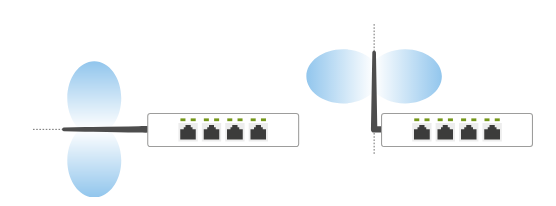
Antenna signals radiate vertically and outward. To get the best signal, keep the following placement tips in mind.
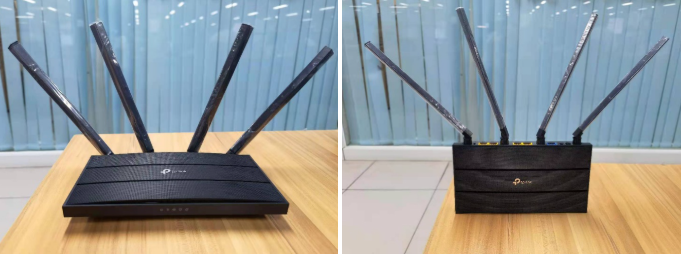
(Left) Scenarios that are not suitable for common-level use.
(Right) The router provides better wireless coverage when used horizontally.
Tip 1: Place Your Router in a Central Location
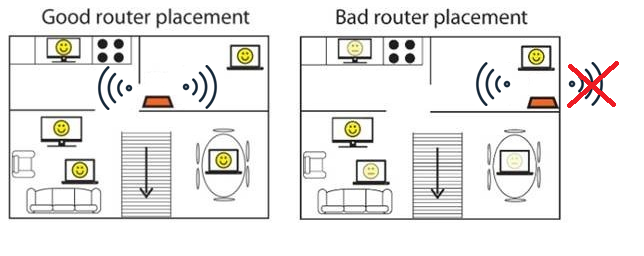
Keep your router as close to the center of the room as possible to distribute the signal evenly. If your router is placed against an outside wall, the signal will be significantly weaker on the opposite side of your home.
Tip 2: Place Your Router at the Right Height
Place the router on a table or shelf at a moderate height to make full use of the omnidirectional antenna's range.
We recommend a height of approximately 1 to 1.5ft, which places the router's signal on the same horizontal plane as most devices.
Actual test case sharing:
For an actual height test, we placed the router at 6ft.
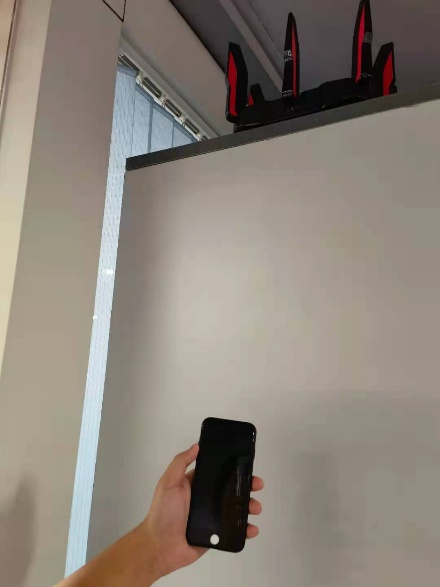
On Android, when we use the phone at a normal height, and on Android, when we hold the phone up to a 6ft level
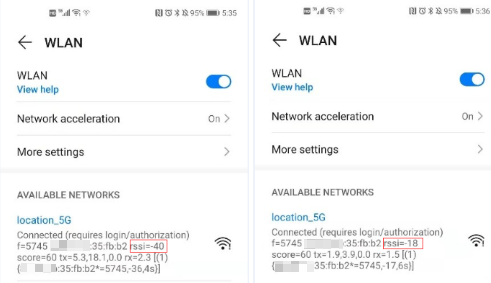
On iOS, when we use the phone at a normal height, and on iOS, when we hold the phone up to a 6ft level
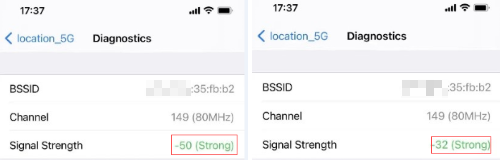
The device will get a stronger wireless signal when it’s at the same altitude as the router.
Note: The smaller negative number indicates better performance; e.g., the Signal Strength -32 is better than the Signal Strength -50.
Tip 3: Position Your TP-Link Router Antennas Correctly
As we know, our antenna signals are radiated vertically and outward. If you only need to use it on the first floor of your home, we recommend placing the antennas vertically so the coverage is best on that level.
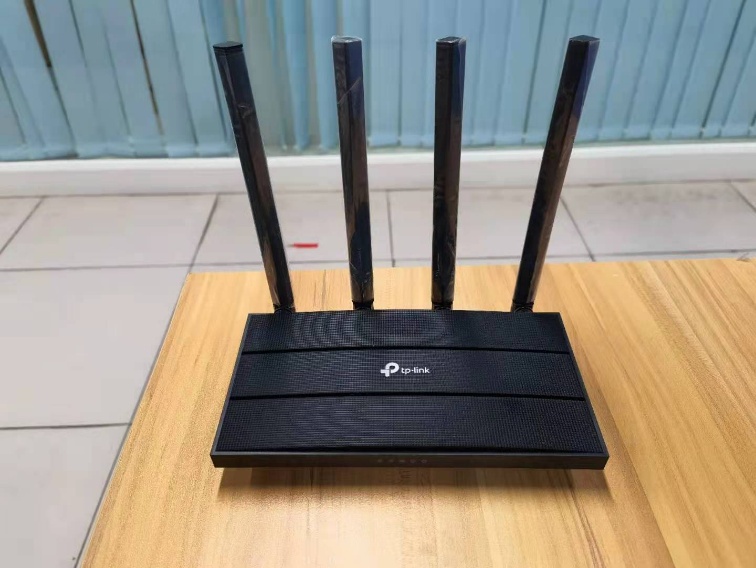
If you need to go upstairs or downstairs in your home, and the wireless needs to cover different floors, we suggest that you turn on the antenna at an Angle of 30°.
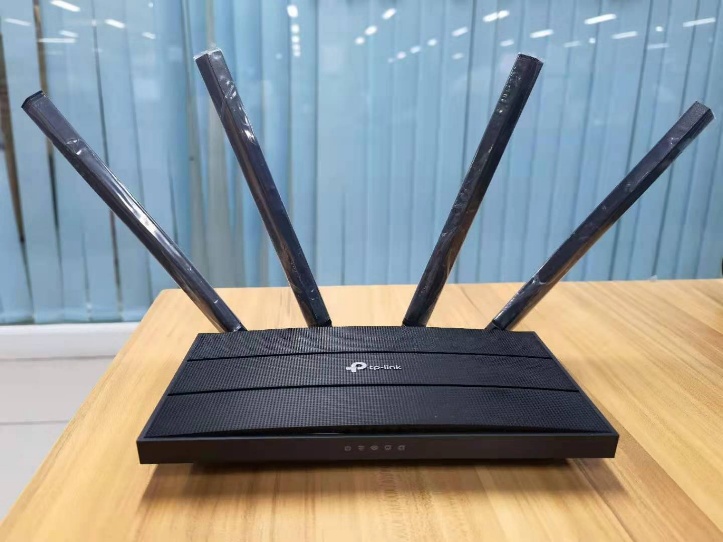
Actual test case sharing:
We did a test on the effect of antenna placement on horizontal radio. If your router needs to be hung on the wall for use.
The antenna is placed vertically, and then the wireless signal strength is received by the iPhone in the horizontal plane. (Signal Strength -26)
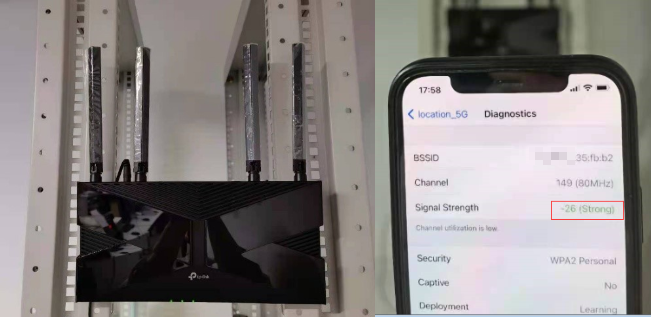
The antenna is tilted forward at 45°. (Signal Strength -35)
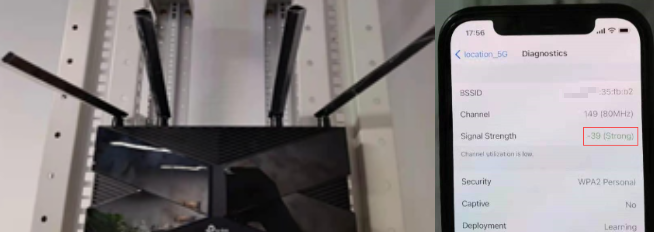
The antenna is completely horizontal. (Signal Strength -39)
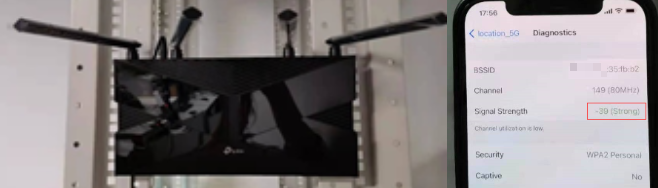
So, if you only need to use it on the first floor in your home, or hanging on the wall to use the router in a horizontal direction, we recommend that you put the router antenna vertically.
Considering various requirements, we recommend the following antenna placement methods.
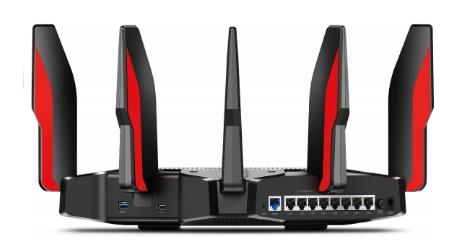
For the AX11000 and other products with fixed antennas, wall mounting is not recommended as it reduces signal transmission in the horizontal direction.
Tip 4: Keep Your Router Away from High-Powered Appliances
High-powered appliances and metal objects can interfere with Wi-Fi signals. Keep the router away from microwave ovens, televisions, weak current boxes, and similar devices.
Tip 5: Avoid Placing Your Router Behind Obstructions
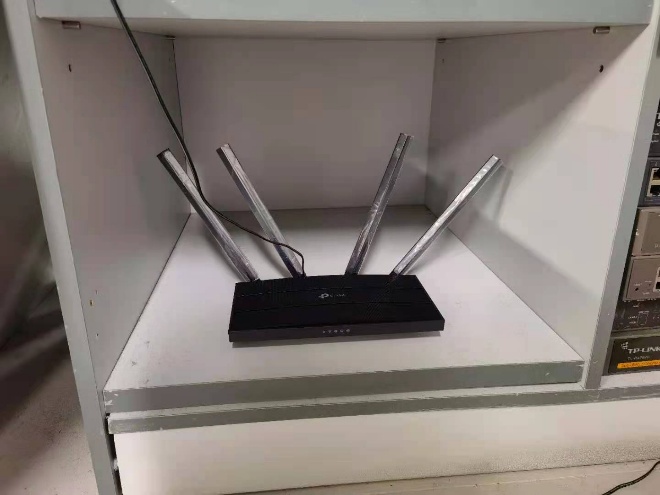
Placing the router inside a cabinet blocks the signal and reduces overall coverage. Similarly, avoid positioning the router where the signal must pass through multiple walls — concrete walls in particular significantly reduce signal strength.
Tip 6: Keep Your Router Away from Heat and Direct Sunlight
Keep the router as cool as possible. Prolonged exposure to direct sunlight can damage the device and reduce both stability and network performance.
Note: If you want to hang it on the wall, make sure it doesn't shake or fade, as a hit to the device may damage it and prevent it from working properly.
To get to know more details of each function and configuration, please go to the Download Center to download the manual for your product.
Looking For More
Είναι χρήσιμο αυτό το FAQ;
Τα σχόλιά σας συμβάλλουν στη βελτίωση αυτού του ιστότοπου.

TP-Link Community
Still need help? Search for answers, ask questions, and get help from TP-Link experts and other users around the world.