
Λήψεις για Tapo RV50 Pro Omni
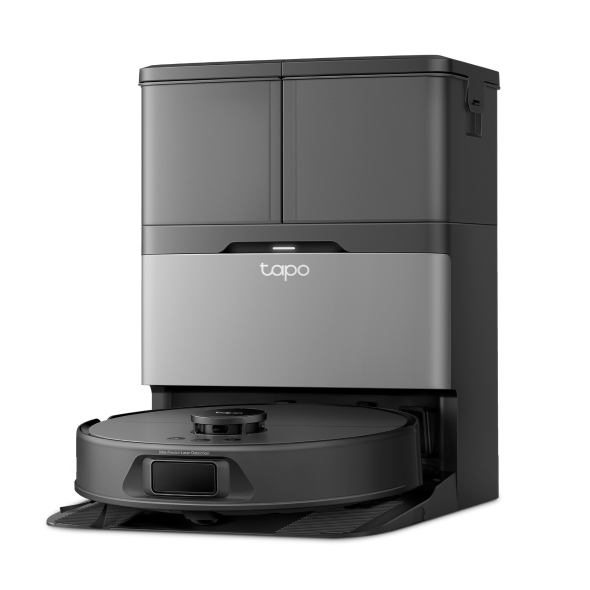 Robot Vacuum & Mop + Advanced Self-Cleaning Docking Station
Βίντεο Εγκατάστασης
-
How to set up your Tapo robot vacuum with the all-in-one dock: Tapo RV50 Pro Omni
This video will show you how to set up your Tapo robot vacuum with the all-in-one dock and connect to your home Wi-Fi.
More Fold -
How to Replace the Mop Cloth: Tapo RV50 Pro Omni
-
How to Replace the Side Brush: Tapo RV50 Pro Omni/Tapo RVA110
-
How to Replace the Main Brush Cover: Tapo RV50 Pro Omni/Tapo RVA110
-
How to Replace the Sponge Filter: Tapo RV50 Pro Omni/Tapo RVA110
-
How to Replace the Main Brush: Tapo RV50 Pro Omni/Tapo RVA110
-
How to Clean the Detachable Base: Tapo RV50 Pro Omni
-
How to Clean Cleaning Tray: Tapo RV50 Pro Omni
-
How to Clean the Main Wheels: Tapo RV50 Pro Omni
-
How to Clean the Charging Contacts: Tapo RV50 Pro Omni
-
How to Clean the Sensors: Tapo RV50 Pro Omni
-
How to Clean the Caster Wheel: Tapo RV50 Pro Omni
-
How to Clean the Side Brush: Tapo RV50 Pro Omni
-
How to Clean the Main Brush: Tapo RV50 Pro Omni
-
How to Clean the Filter: Tapo RV50 Pro Omni/Tapo RVA110/Tapo RVA520
-
How to Empty the Dustbin (Autp-Empty/Manually): Tapo RV50 Pro Omni
-
How to Replace the Dust Bag: Tapo RV50 Pro Omni: Tapo RV50 Pro Omni/Tapo RVA210
-
How to Install the Anti Odor Module in the Dirty Water Tank: Tapo RV50 Pro Omni/Tapo RVA420
-
How to Install the Tapo Cleaning Solution: Tapo RV50 Pro Omni/Tapo RVA450
Συχνές ερωτήσεις
- How to fill the water tank for Tapo Robot Vacuum
- Features supported in different ecosystems for TP-Link Matter-Certified devices
- How to troubleshoot if Tapo robot vacuum reports "Sunction Fan Error"
- How to reset Tapo Robot Vacuum
- How to connect Tapo Robot Vacuum to home Wi-Fi
- How to configure Home feature and Room feature in Tapo app
- Answers to All Your Questions on TP-Link Robot Vacuum
- How to replace the sponge filter in the clean water tank of my Tapo Robot Vacuum
- Why do I receive a "We Noticed a New Login" email?
- How to optimize and edit Map of Tapo Robot Vacuum
- Why are there deposits in my dirty water tank?
- Frequently asked questions about Tapo RV50 series Robot Vacuum
- How to replace the side brush of Tapo Robot Vacuum
- How to replace the main brush cover for Tapo Robot Vacuum
- How to replace the main brush of Tapo Robot Vacuum
- How to clean the main wheels of Tapo Robot Vacuum
- How to clean the charging contacts of Tapo Robot Vacuum
- How to clean the sensors of Tapo Robot Vacuum
- How to clean the caster wheel of Tapo Robot Vacuum
- How to clean the side brush of Tapo Robot Vacuum
- How to clean the main brush of Tapo Robot Vacuum
- How to clean the filter of Tapo Robot Vacuum
- How to replace the dust bag of Tapo Robot Vacuum
- How to clean the cleaning tray and detachable base of Tapo Robot Vacuum
- How to install the anti-odor module in the dirty water tank of Tapo Robot Vacuum
- How to replace the anti-odor module in the dirty water tank of Tapo Robot Vacuum
- How to replace the cleaning solution of Tapo Robot Vacuum
- How to set cleaning order for Tapo Robot Vacuum
- Tapo Robot Vacuum Accessory Guide
- General Questions about Tapo/Kasa Geofencing
- How to find serial number on TP-Link devices
- How to troubleshoot if Tapo RV50 series Robot Vacuum work abnormally
- Troubleshooting for Tapo/Kasa Matter configuration on third-party platform
- Matter QAs for Tapo Robot Vacuum
- Why does TP-Link Robot Vacuum fall down the stairs?
- What should I do if the cleaning tray overflows or Tapo dock is not sucking dirty water from the cleaning tray?
- Cannot make my TP-Link smart devices work with Alexa
- How to configure the Notification feature for the Tapo & Kasa devices on the Tapo app
- How to connect Tapo / Kasa smart device to Google Home
- How to set up routines for Tapo devices via Alexa app
- How to clean the dirty water tank of Tapo Robot Vacuum
- How to replace the filter of Tapo Robot Vacuum
- How to set up Matter device with Alexa, Google, Apple or SmartThings
- What is TP-Link ID and how to create a TP-Link ID?
- The most frequent asked questions about TP-Link Sales
- How can I delete my TP-Link cloud account?
- How to check and improve the network connection stability of Tapo&Kasa smart devices
- Q&A for TP-Link Matter-enabled devices
- How to unlink third-party accounts from your TP-Link ID
- Where can I find the Matter setup code number for my TP-Link devices?
- How to verify if it’s the hardware issue of TP-Link smart home
- What if I fail to sign up or activate the TP-Link ID?
- Why does TP-Link require my email address?
- How to use waterproof mat on wood floors or carpets for Tapo Robot Vacuum
- How to create 3D Map in the Tapo App for Pad
- Cannot make TP-Link smart devices work with Google Home
- Tapo/Kasa Devices are showing offline after changing or resetting the router.
- How to add your Matter-Certified device into multiple controllers
Firmware Release Note
Refer the FAQ to update firmware.
|
Tapo RV50 Pro Omni(EU)_V1_1.1.6 Build 251127 |
|---|
| Ημερομηνία Έκδοσης: 2025-12-08 |
|
Modifications and Bug Fixes: |
|
Tapo RV50 Pro Omni(EU)_V1_1.1.1 Build 250926 |
|---|
| Ημερομηνία Έκδοσης: 2025-10-09 |
|
Modifications and Bug Fixes: |