


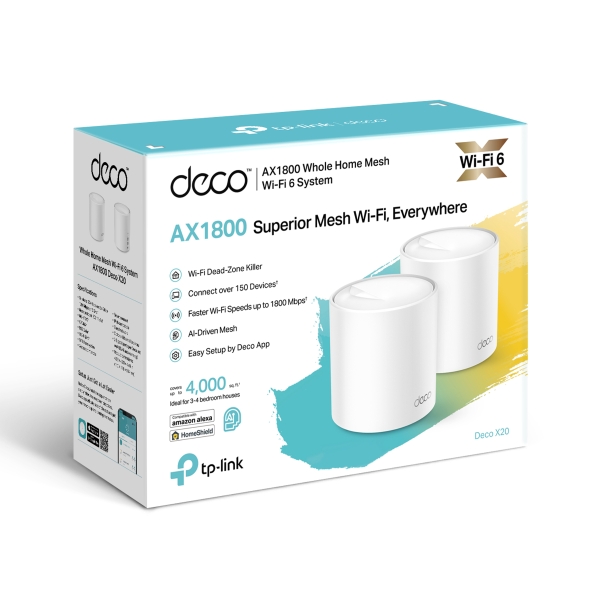

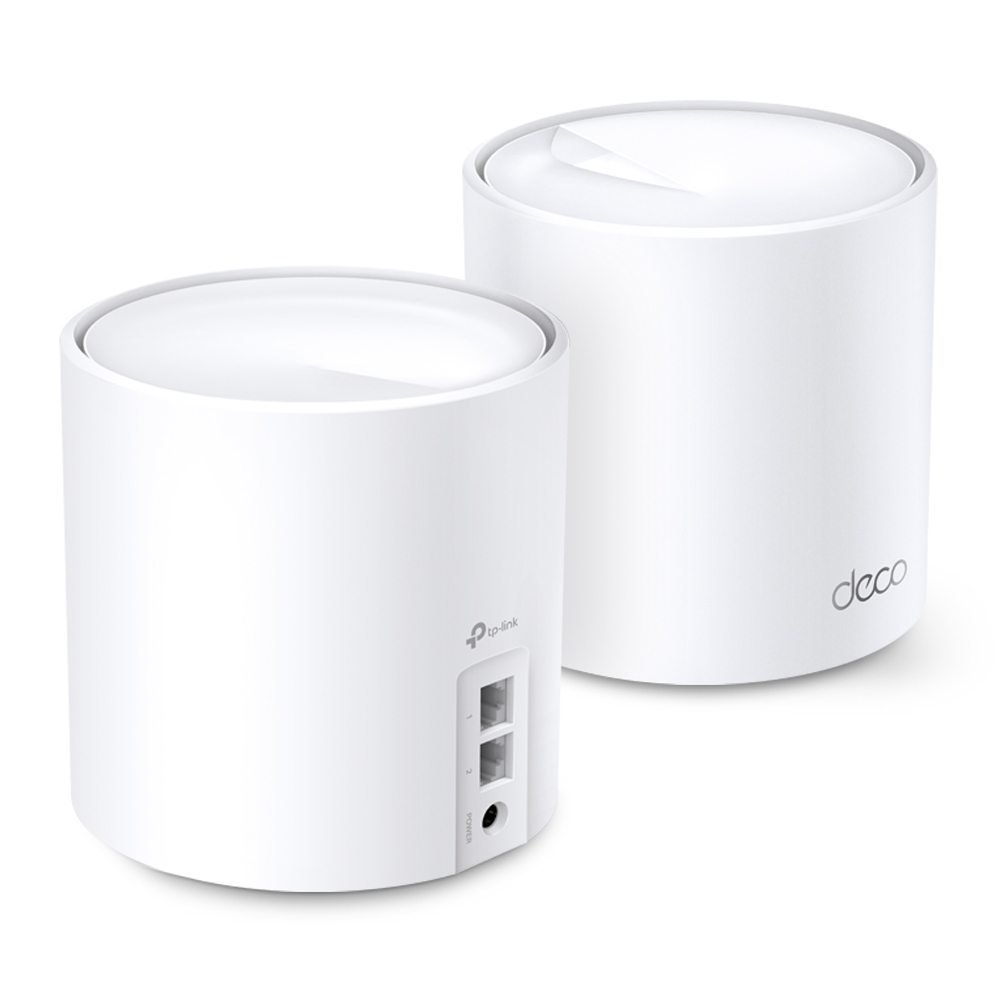


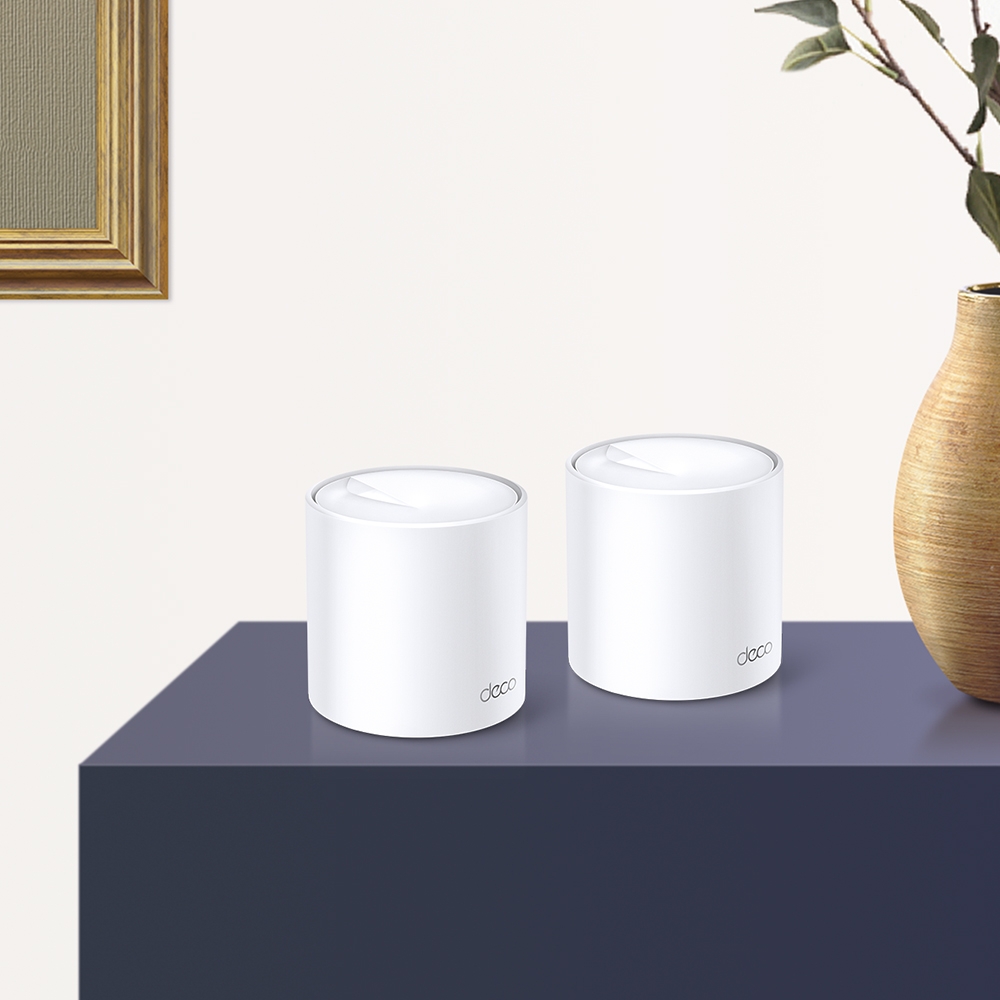
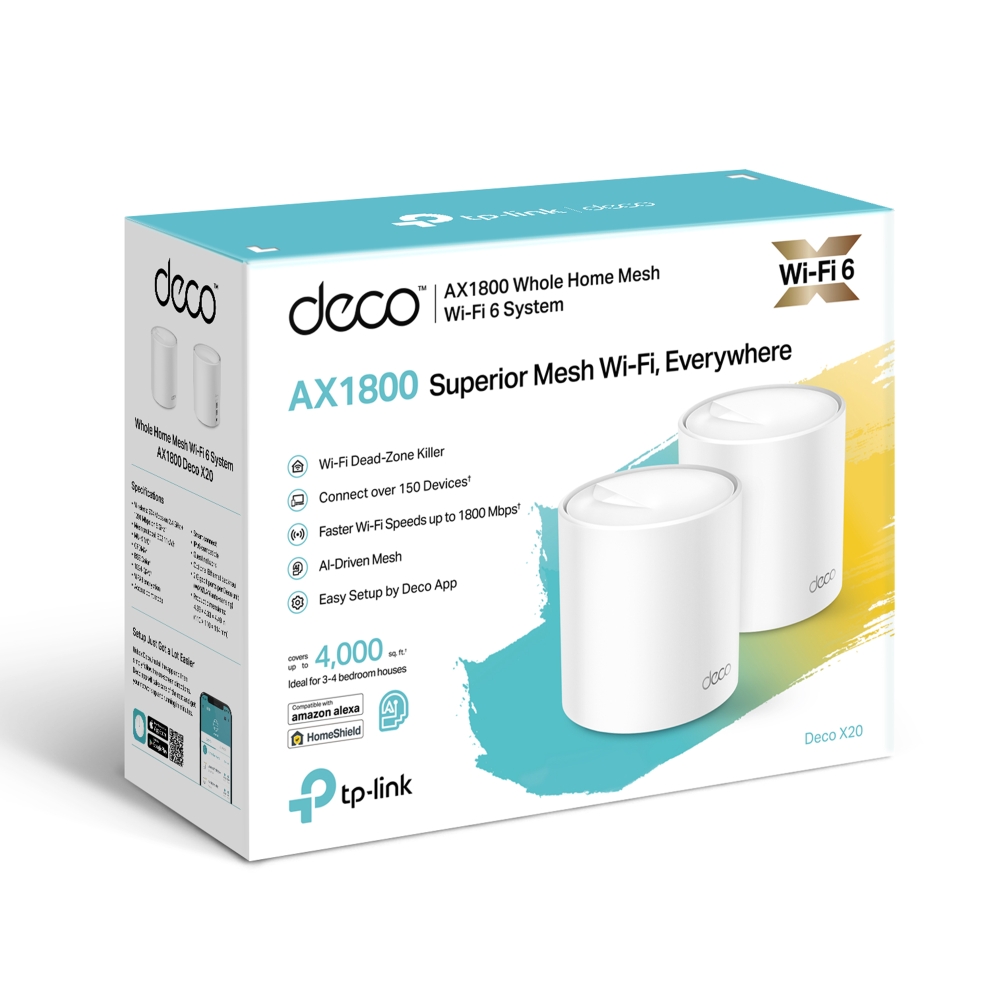
Deco X20
NouveautéAX1800 Whole Home Mesh Wi-Fi 6 System
- Faster Connections: Wi-Fi 6 speeds up to 1,800 Mbps—1,201 Mbps on 5 GHz and 574 Mbps on 2.4 GHz.
- Connect More Devices: OFDMA and MU-MIMO technology quadruple capacity to enable simultaneous transmission to more devices.
- Boosted Seamless Coverage: Achieve seamless whole home coverage with a clearer and stronger whole home Wi-Fi signal generated by Wi-Fi 6.
- Ultra-Low Latency: Greater reduction in latency enables more responsive gaming and video chatting.
- One Unified Network: Multiple units form a whole-home network that auto-selects the best connection as you move around your home.
- Total Security: WPA3 encryption and TP-Link HomeShield provide personalized features, including Parental Controls, Antivirus, and Quality of Service (QoS) to ensure a safer online experience.
- Setup Made Easier Than Ever: The Deco app walks you through setup step-by-step.
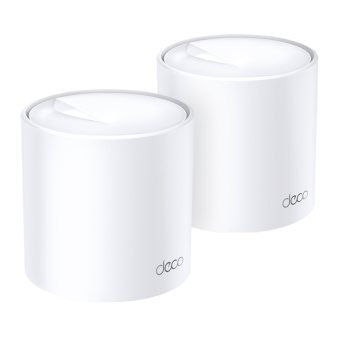
Meet the Next-Gen Mesh Wi-Fi
Next-Gen AX1800 Whole Home Mesh Wi-Fi 6 System


Advanced Mesh Powered by Wi-Fi 6
Armed with Wi-Fi 6 technology, Deco whole home mesh Wi-Fi is designed to deliver a huge boost in coverage, speed, and total capacity. Get on the latest mesh Wi-Fi to enjoy the future network that loads faster and connects more. △
-
Enhanced Whole Home Coverage
-
Seamless Roaming
-
Connects over
150 Devices -
Faster Wi-Fi 6 Speed
-
Greatly Reduced Lag
Wi-Fi Dead Zone Killer
With clearer and stronger signals enhanced by BSS Color and Beamforming, Deco X20 boosts broader whole home Wi-Fi up to 5,800 ft2 (3-pack).† Wireless connections and optional Ethernet backhaul work together to link Deco units, providing even faster network speeds and truly seamless coverage. Want more coverage? Simply add another Deco.
-
3-PACK
Cover up to 5,800 sq.ft.
-
2-PACK
Cover up to 4,000 sq.ft.
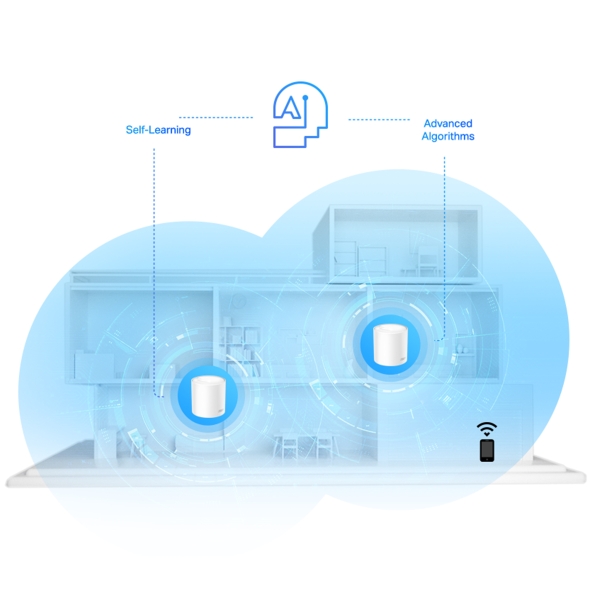
AI-Driven Mesh: Always Learning, Constantly Optimizing
Armed with AI-Driven Mesh, Deco X20 delivers smart WiFi that follows you wherever you are, without interruption. It automatically learns your network environment, client quality, and user behaviors. Sophisticated algorithms account for various factors so that Deco X20 provides ideal mesh WiFi, unique to your home. Walk through your home and enjoy seamless streaming at the fastest possible speeds.*
Self-Learning
Advanced Algorithms
True Seamless Roaming for Greater Experiences
TP-Link Mesh means Deco units work together to form one unified network. Your phone or tablet automatically connects to the fastest Deco as you move through your home, creating a truly seamless Wi-Fi experience. ‡
Engineered for
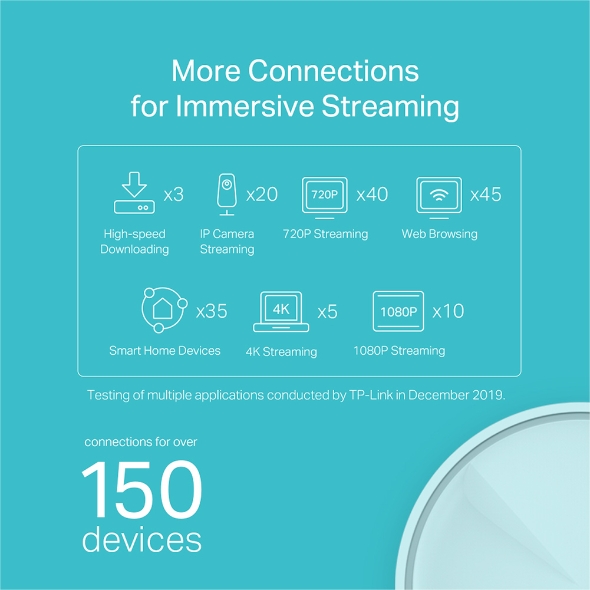
More Devices
Deco products are aimed to dramatically improve capacity and efficiency in traffic-dense environments. No matter how many screens or devices are on at once, everyone is able to enjoy a more efficient network that loads faster without dragging down performance.†
720P Streaming
Phones and
Tablets
1080P Streaming
Smart Home
Devices
High-Speed
Downloading
4K Streaming
IP Camera
Streaming
Web Browsing
connections for up to
150
devices
Faster Wi-Fi 6 Speed = No Wait
The latest 1024-QAM and higher symbol rate combines to boost speeds up to 1.8 Gbps—ideal for bandwidth-intensive tasks like cloud gaming and 4K UHD video. Families will enjoy immersive live-streaming with flawless video and clear audio without buffering.△†
-
5GHz:
 1201Mbps
 -
2.4GHz:
 574Mbps
-
1024-QAMMore data encoded at one time
-
Higher Symbol Rate11% faster speed
Greatly Reduced Lag, More Fun
Wi-Fi 6 brings stable and responsive Wi-Fi connections to tomorrow's hyper-connected home. Enjoy more responsive gaming and seamless video chatting even when multiple compatible devices are connected and transmitting data at the same time△.

Let the Experts Secure Your Home
Customize your home network with enhanced security using TP-Link HomeShield's kit of built-in features. Whether you're identifying network security holes, limiting the time your children spend online, or blocking websites, HomeShield gives you the tools you need to fully manage your network.*
-
Network Protection
Detect cyber threats to keep your privacy and connected devices well protected.
-
Robust Parental Controls
Manage online time and block inappropriate content to keep families healthy online.
-
Quality of Service (QoS)
Prioritize your bandwidth needs to get a faster networking experience.
-
Comprehensive Reports
Gain full statistics and insights to help you know your home network better.
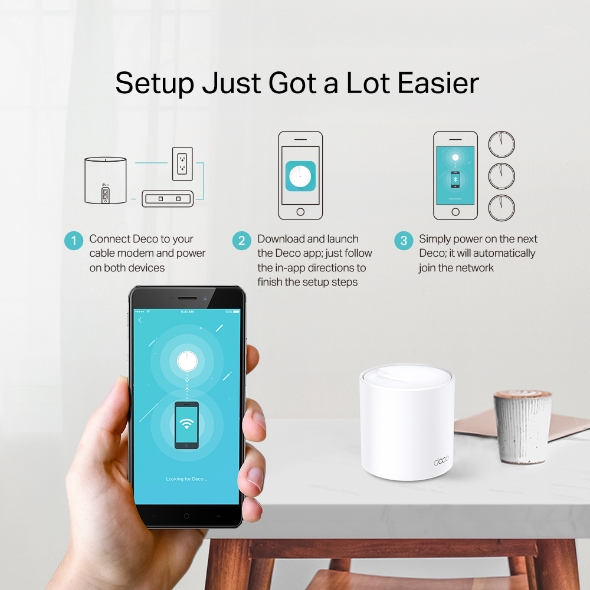
Setup Just Got a Lot Easier
Unbox Deco, install the app and then simply follow the on-screen directions. Deco app will take care of the rest, getting your network up and running in minutes.
-

1 Connect Deco to your cable modem and power on both devices
-

2 Download and launch the Deco app; just follow the in-app directions to finish the setup steps
-

3 Follow in-app instructions to configure your Deco system.
Wi-Fi Made Easy
-
Easy Management
Manage your Wi-Fi at home or away on the Deco app, including seeing all connected devices, prioritizing your own, setting up a guest network, and more.
-
Voice Control
Pair with Alexa to control Deco X20 with simple voice commands. Enjoy the convenient life.
-
All Decos Work Together
Deco X20 is compatible with every other Deco model to form a mesh network. Expand mesh Wi-Fi coverage anytime by simply adding more Decos.
-
Cave

-
Jardin

-
Garage

WiFi partout, pour tous
Les boitiers Deco travaillent ensemble pour former un réseau WiFi unique. Vos appareils se connectent automatiquement au boitier Deco le plus rapide, plus aucune coupure ni latence = idéal pour le streaming vidéo, même en mode 4K !
On branche un boitier Deco à sa box, puis on connecte les autres boitiers Deco dans les différentes pièces et ils se fondent automatiquement dans le réseau Mesh. Le nom de votre réseau reste le même et il n'y a pas de coupure de signal lorsque l'on passe d'une pièce à l'autre.


-
WiFi intelligent qui s'adapte à vous
Les boitiers Deco choisissent dynamiquement le meilleur chemin et la meilleure fréquence pour l'envoi et la réception des données, garantissant une connexion rapide peu importe où vous êtes. La technologie WiFi Mesh, assure un partage transparent de la connexion internet entre la box et les boitiers Deco pour couvrir une grande surperficie (ex: plusieurs étages). Cela fonctionne comme appel téléphonique, qui se poursuit quand un smartphone passe d’une antenne à une autre.


-
La même qualité WiFi partout
Le système Deco redirige automatiquement les données via le boitier Deco qui convient pour bénéficier de la meilleure connexion possible. Avec Deco, vous avez un seul et unique réseau = facile à installer, à gérer et à faire évoluer !
Deco offre une solution complète qui inclut antivirus, contrôle parental et gestion des appareils par priorité. Voir selon les modèles.
Avec une couverture WiFi pouvant aller à 600 m² et plus selon le modèle et nombre de boitiers, Deco garantit un WiFi stable et performant à plus de 100 appareils connectés simultanément. Deco est compatible avec l'ensemble des box du marché.
WiFi Mesh + CPL = traverse les murs
La connexion CPL disponible sur les Deco P7 et P9 utilise le circuit électrique de votre maison pour relier les boitiers Deco. La combinaison CPL + WiFi permet d'atteindre des débits jusqu'à 60% supérieurs à une connexion WiFi standard, même si murs sont en brique et les plafonds épais.
Avis Cnet France :
"Les plus : satellites discrets, possibilité de les relier via ethernet, utilisation Wifi + CPL transparente, installation simple, antivirus et contrôle parental intégré"
- Débits boostés
- 60%
- Système WiFi Standard
- Système WiFi Hybride
- CPL
- Note:WiFi + CPL dispo uniquement sur le Deco P9 et P7
Maison Connectée en mode Deco
Contrairement aux hubs Maison Connectée standards, le Deco M9 Plus garantit une couverture IoT complète avec WiFi, Bluetooth et Zigbee intégrés dans un seul système. Profitez de la magie d'une maison intelligente dans chaque pièce grâce à la technologie TP-Link Mesh.
- - - - WiFi
- - - - Zigbee
- - - - Bluetooth
Pourquoi le WiFi Mesh de Deco
est une technologie de pointe ?
| Comparatif | |||
| Modèle | TP-Link Deco | Netgear Orbi | Google WiFi |
| Backhaul WiFi | Tri-Bande(2.4G+5G_1+5G_2)¹ | Mono-Bande(5G_1 Uniquement) | Bi-Bande(2.4G+5G) |
| Protocole Mesh Supporté | IEEE 802.11k/v/r | IEEE 802.11k/v | IEEE 802.11s |
| Véritable Roaming | √ | × | × |
| Redirection automatique | √ | × | √ |
| Maison Connectée | √² | × | × |
| Backhaul CPL | √³ | × | × |
| Connexion WiFi + CPL | √⁴ | × | × |
| Band Steering | √ | √ | √ |
| AP Steering | √ | √ | √ |
| Self-Healing | √ | √ | √ |
| Notes: 1&2: Pour Deco M9 Plus Uniquement 3&4: Pour Deco P7 Uniquement. Caractéristiques datées de Déc. 2017 | |||
La gamme Deco
Pour vous aider à choisir le modèle Deco qui vous convient, répondez à quelques questions en ligne = GUIDE DE CHOIX
Gestion du réseau Deco du bout des doigts !
L'application Deco offre le moyen le plus simple de configurer, gérer et surveiller votre système Deco WiFi Mesh via vos appareils iOS ou Android.
L'installation est beaucoup plus facile
Déballez votre Deco, installez l'application, puis suivez simplement les instructions à l'écran. L'application Deco se chargera du reste et mettra votre réseau en marche en quelques minutes.
-
Connectez Deco à votre Box et allumez vos appareils
-
Téléchargez et lancer l'application Deco
-
Suivez les instructions pour configurer votre système Deco
Administration Simple
Deco facilite la gestion de votre réseau WiFi où que vous soyez, que vous soyez sur le canapé, au travail ou ailleurs.
-
Tableau de bord explicite
Affichez l’état de fonctionnement de votre réseau, vérifiez les périphériques connectés et bénéficiez de toutes les fonctionnalités offertes par votre routeur.
-
Plusieurs boitiers Deco, Une App
L'application Deco gère tous vos réseaux et appareils Deco connectés à votre Deco WiFi.
-
Vérifiez les appareils connectés
Affichez la liste de vos appareils connectés, avec la possibilité de suspendre et de permettre à nouveau l'accès à Internet, de tester le débit Internet et de hiérarchiser ou de bloquer certains appareils.
-
Gestion à distance
Prenez le contrôle du réseau à distance depuis votre téléphone, peu importe où vous vous trouvez.
Contrôle Parental Puissant
Un contrôle parental simple et intuitif qui facilite la sécurité de vos enfants lorsqu'ils sont en ligne.
-
Créez facilement un profil pour chaque membre de la famille et définissez des limites de temps personnalisées et des limites de temps en ligne. Attribuez des périphériques aux profils afin que les règles s'étendent aux périphériques individuels ainsi qu'aux membres de la famille.
-
Protégez votre famille en ligne grâce aux paramètres de sécurité par simple pression d'une touche qui bloquent le contenu en fonction de l'âge.
-
Fixez une limite au temps que chaque membre de votre famille peut passer en ligne.
-
Vous pouvez vérifier quels sites vos enfants visitent et combien de temps ils consacrent à chacun. C'est un excellent moyen de savoir que vos enfants sont en sécurité tout en s'amusant en ligne.
-
Faites une pause WiFi lors du dîner et lors des soirées en famille. Appuyez simplement sur un bouton pour suspendre l'accès à Internet pour tous les membres de votre foyer.
Application intuitive chargée de fonctions très utiles
Rapport d'activités Web mensuel
Consultez une liste complète des détails de votre réseau chaque mois, y compris l’utilisation, le contenu bloqué, les menaces à la sécurité, etc.
Automatisation de la maison
Simplifiez-vous la vie avec de puissants outils d'automatisation et de commande vocale.
*Actuellement uniquement sur Deco M9 Plus
Raccourcis pratiques
Contrôlez de manière flexible tous les appareils depuis votre téléphone ou votre tablette en un seul clic.
*Actuellement uniquement sur Deco M9 Plus
Protégez votre réseau
Antivirus intégré vous aide à vous défendre contre les sites Web malveillants et à protéger vos paiements en ligne.
*Actuellement uniquement sur Deco M9 Plus, Deco P7 et Deco M5
Prioritisez vos appareils
Choisissez quels appareils ont toujours les connexions les plus rapides
ou définir la priorité pour une durée spécifique.
Définir les priorités d'application
Allouez plus de bande passante pour les activités les plus importantes pour vous avec des contrôles simples.
*Actuellement uniquement sur Deco M9 Plus, Deco P7 et Deco M5
Partagez le WiFi avec des amis
Configurez des profils WiFi distincts pour les invités et partagez le mot de passe avec eux
pour permettre un accès Web plus facile.
Vérifiez votre débit
Lancez un test de débit pour vous assurer que vous bénéficiez des vitesses Internet pour lesquelles vous payez.
Affichez tous les appareils de votre réseau et constatez combien de bande passante que chacun utilise.
Besoin d'aide ?
Vous avez des questions sur Deco ? L'aide est toujours à portée de clic. Trouvez les réponses dans l'application Deco et n'hésitez pas à nous contacter d'un simple clic.
Support| Standards et Protocoles | Wi-Fi 6IEEE 802.11ax/ac/n/a 5 GHzIEEE 802.11ax/n/b/g 2.4 GHz |
|---|---|
| Débits WiFi | AX18005 GHz: 1201 Mbps (802.11ax)2.4 GHz: 574 Mbps (802.11ax) |
| Couverture WiFi | 1-3 Bedroom Houses (1-pack)3-4 Bedroom Houses (2-pack)4-6 Bedroom Houses (3-pack) TP-Link Mesh TechnologyOptional Ethernet backhaul work together to link Deco units to provide seamless coverage2× Antennas (Internal)Multiple antennas form a signal-boosting array to cover more directions and large areasBeamformingConcentrates wireless signal strength towards clients to expand WiFi range |
| Capacité WiFi | High Dual-BandDistribute devices to different bands for optimal performanceMU-MIMOSimultaneously communicates with multiple MU-MIMO clientsOFDMASimultaneously communicates with multiple WiFi 6 clients4 StreamsMore than enough bandwidth for connected devices |
| Modes de Fonctionnement | Router ModeAccess Point Mode |
| Sécurité Réseau | SPI FirewallAccess ControlHomeShield Security Real-Time IoT ProtectionMalicious Site BlockerIntrusion Prevention SystemDDoS Attack PreventionHome Network Scanner |
|---|---|
| Réseau Invité | 1× 5 GHz Guest Network1× 2.4 GHz Guest Network |
| Chiffrement WiFi | WPA-Personal WPA2-Personal WPA3-Personal |
| Ports Ethernet | 2× Gigabit Ports*Per Deco Unit Supports WAN/LAN auto-sensing |
|---|---|
| Boutons | Reset Button |
| Protocoles | IPv4 IPv6 |
|---|---|
| Kit Services inclus | HomeShieldLearn More> |
| Contrôle Parental | HomeShield Parental Controls Custom ProfilesProfessional Content Filter LibraryFamily TimeBedtimeOff TimeTime RewardsFamily Online Time RankingPause the InternetWeekly and Monthly Reports |
| Types WAN | Dynamic IPStatic IPPPPoEPPTPL2TP |
| Gestion des Priorités | HomeShield QoS QoS by Device |
| Service Cloud | OTA Firmware UpgradeTP-Link ID DDNS |
| Transfert NAT | Port Forwarding UPnP |
| IPTV | IGMP ProxyIGMP SnoopingBridge Tag VLAN |
| DHCP | Address ReservationDHCP Client ListServer |
| DDNS | TP-Link |
| Administration | Deco App |
| Network Services Enabled by Default | Web Server Manage and configure device through web (HTTP/HTTPS)• Port: 80/443 Protocol: TCP DNS DNS• Port: 53 Protocol: TCP & UDP DHCP Server IP address assignment (DHCP)• Port: 67 Protocol: UDP App management Manage and configure device through app• Port: 22 Protocol: TCP• Port: 20001 Protocol: TCP• Port: 30001 Protocol: TCP• Port: 20002 Protocol: UDP |
|---|---|
| Puissance Transmission WiFi | CE:<20 dBm (2.4 GHz)<23 dBm (5 GHz)FCC:<30 dBm (2.4 GHz)<30 dBm (5 GHz) |
|---|---|
| Dimensions (L×P×H) | 4.33 × 4.33 × 4.49 in (110 × 110 × 114 mm) |
|---|---|
| Contenu de la boite | Deco X20 (3-pack)3 Deco X20 Units1 RJ45 Ethernet Cable3 Power Adapters1 Quick Installation GuideDeco X20 (2-pack)2 Deco X20 Units1 RJ45 Ethernet Cable2 Power Adapters1 Quick Installation GuideDeco X20 (1-pack)1 Deco X20 Unit1 RJ45 Ethernet Cable1 Power Adapter1 Quick Installation Guide |
| Système requis | Android 5.0 or later iOS 9.0 or later *Note: The minimum system requirements will be updated alongside updates to the app, subject to official website information. |
|---|---|
| Certifications | CE, FCC, IC, RoHS, JPA, JRF, VCCI |
| Environnement | Operating Temperature: 0℃~40℃ (32℉ ~104℉)Storage Temperature: -40℃~60℃ (-40℉ ~140℉)Operating Humidity: 10%~90% non-condensingStorage Humidity: 5%~90% non-condensing |
△Use of Wi-Fi 6 and other features including OFDMA, MU-MIMO, 1024-QAM, and BSS Color require clients to also support the corresponding features.
†Maximum wireless signal rates are the physical rates derived from IEEE Standard 802.11 specifications. Actual wireless data throughput and wireless coverage, and quantity of connected devices are not guaranteed and will vary as a result of network conditions, client limitations, and environmental factors, including building materials, obstacles, volume and density of traffic, and client location.
‡Clients need to support 802.11k/v/r and may require additional set up. Performance may vary depending on the client device