
Download for NX520v
IMPORTANT:
Model and hardware version availability varies by region. Please refer to your TP-Link regional website to determine product availability.
Vx.0=Vx.6/Vx.8/Vx.9(eg:V1.0=V1.6/V1.8/V1.9)
Vx.x0=Vx.x6/Vx.x8/Vx.x9 (eg:V1.20=V1.26/V1.28/V1.29)
Vx.30=Vx.32/Vx.33 (eg:V3.30=V3.32/V3.33)
Vx.0=Vx.6/Vx.8/Vx.9(eg:V1.0=V1.6/V1.8/V1.9)
Vx.x0=Vx.x6/Vx.x8/Vx.x9 (eg:V1.20=V1.26/V1.28/V1.29)
Vx.30=Vx.32/Vx.33 (eg:V3.30=V3.32/V3.33)
- Manual
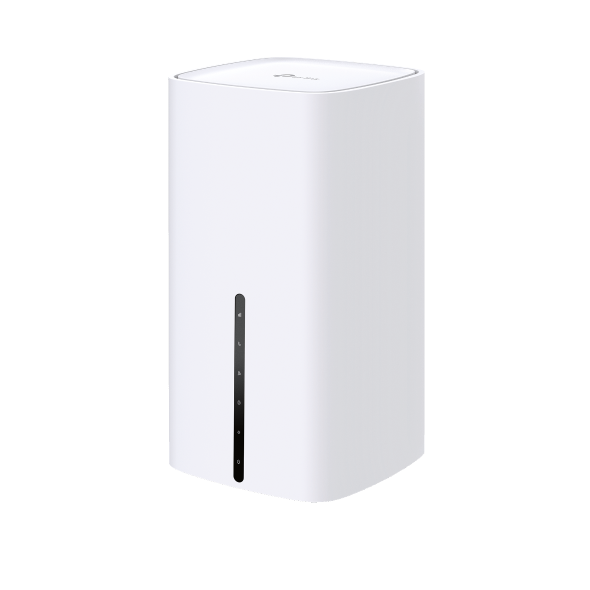 5G AX3000 Wi-Fi6 Telephony Router
FAQs
- How to test the speed of the TP-Link ISP-customized Router
- What if my NAS device doesn’t work properly with the TP-Link ISP-customized Router?
- Port forwarding: How to set up Virtual Server on TP-Link ISP-customized Router
- How to make applications free from port restriction by DMZ on TP-Link ISP-customized Router
- How to back up and restore the configuration file of TP-Link ISP-customized devices
- What if the internet connection is slow when the device is connected to the TP-Link ISP-customized devices?
- How to set up an IPv6 connection on TP-Link ISP-customized devices
- How to create Static Route on TP-Link ISP-customized Router
- What should I do if my TP-Link ISP-customized 4G/5G Router cannot detect SIM card?
- How to set up Parent Control on TP-Link ISP-customized Modem Router
- How to change the LAN IP address of TP-Link ISP-customized Modem Router
- What is VoLTE/VoNR feature of TP-Link ISP-Customized 5G/4G Deco and Router?
- Why port forwarding feature is not working on TP-Link ISP-Customized Router?
- How to use PPTP/OpenVPN to access home network through TP-Link ISP-customized Wi-Fi Router