
Table of Contents
TG-3468 5.0_Datasheet
Gigabit PCI Express Network Adapter
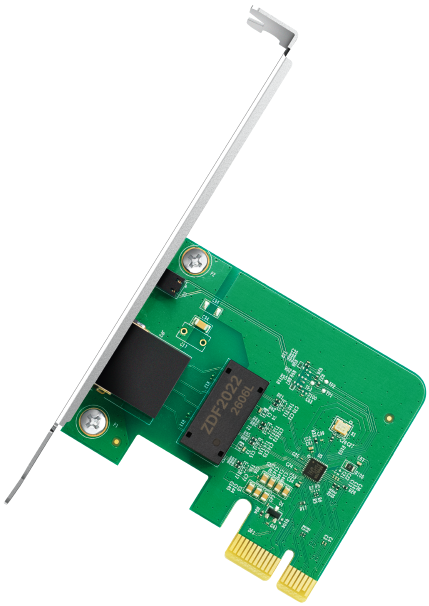
Highlights
|
Wake On LAN Remotely power on/off your computer with WOL, good for centralized management |
|
|
|
|
|
Flow Control IEEE 802.3x full duplex flow control to enhance throughput efficiency |
|
|
|


Specification
| WLAN Features | |
|---|---|
| Hardware | |
| Standards | IEEE802.3, IEEE802.3u, IEEE802.3ab, IEEE802.3x |
| Interface | PCI Express 1 × 10/100/1000 Mbps RJ45 Port Auto-Negotiation Auto MDI/MDIX |
| Network Media | 10BASE-T: UTP category 3, 4, 5 cable (maximum 100m) EIA/TIA-568 100Ω STP (maximum 100m) 100BASE-TX: UTP category 5, 5e cable (maximum 100m) EIA/TIA-568 100Ω STP (maximum 100m) 1000Base-T: UTP category 5, 5e cable (maximum 100m) |
| Data Rates | 10/100/1000Mbps for Half-Duplex mode, 20/200/2000Mbps for Full-Duplex mode |
| Flow Control | IEEE 802.3x Flow Control (Full-Duplex) |
| LED | Status |
|
Dimensions |
3.1 × 4.8 × 0.8 in (78.5 × 120.8 × 21.5 mm) |
| Others | |
| Package Contents | Gigabit PCI Express Network Adapter TG-3468 Low-Profile Bracket Quick Installation Guide |
| Certification | FCC/CE/IC/NCC/JRF/VCCI/BSMI |
| System Requirements | Windows 11/10/8.1/8/7, Windows Servers 2025/2022/2019/2016, Linux△ |
| Environment | |
| Operating Temperature | 0℃~40℃ (32℉~104℉) |
| Operating Humidity | 10%~90% non-condensing |
| Storage Humidity | 5%~90% non-condensing |
Disclaimers
†Maximum wired data throughput rates are the physical rates derived from IEEE Standard 802.3 specifications. Actual wired data throughput is not guaranteed and will vary as a result of environmental factors, Ethernet cable class, and computer performance.
‡Use of Wake on LAN requires your mainboard to also support the corresponding feature
§Use of Flow Control requires devices to also support the corresponding feature
△To ensure compatibility, you may need to update the adapter’s drivers after an OS update. You can check full list of supported OS in the download center at tp-link.com/download-center