
Table of Contents
Installation and User Guide
About This Guide
This guide provides a brief introduction to the Tapo Solar Panel as well as regulatory information.
Please note that features available in Tapo may vary by model and software version. Tapo availability may also vary by region. All images, steps, and descriptions in this guide are only examples and may not reflect your actual Tapo experience.
Conventions
In this guide, the following convention is used:
| Convention | Description |
|---|---|
| Blue | Key information appears in blue, including management page text such as menus, items, buttons and so on. |
| Underline | Hyperlinks are in blue and underlined. You can click to redirect to a website. |
| Note |
Ignoring this type of note might result in a malfunction or damage to the device. |
More Info
Specifications can be found on the product page at https://www.tapo.com.
Our Technical Support and troubleshooting information can be found at https://www.tapo.com/support/.
Mounting and connection videos can be found at https://www.tp-link.com/support/setup-video/#cloud-cameras.
Introduction
Experience non-stop power supply with Tapo solar panel.
- Flexibly Installed Solar, Endless Power - Tapo A201 seamlessly pairs with all Tapo Battery Cameras*, offering a sleek, unified look and flexible positioning with a 4m charging cable for maximum sunlight exposure. Enjoy endless power.
- Flexible Angle Adjustment - Mount your solar panel on the wall or roof and adjust its angle flexibly to capture enough sunlight with an angle-adjustable bracket.
- High-Efficiency Solar Charging - Daily 45 minutes** of direct sunlight charges any Tapo Battery Camera for all-day use, thanks to its 2.5W*** maximum charging power.
- IP65 Weatherproof - Offers reliable performance and keeps your battery camera charged even in harsh environments with rain and dust.
*A solar panel can only connect to one camera at a time. The Tapo Solar Panel is compatible with all Tapo Battery Security Cameras. Due to Tapo C425's unique magnetic base, it exclusively supports detached installation. Visit www.tapo.com to find more about the supported products.
**45 min of sunlight time is based on standard environmental conditions (1000W/m2, 25℃, AM1.5) and specified working scenes (100 events triggered per day). Actual required time of sunlight may vary.
***Actual charging power may vary based on installation location, weather conditions, temperature, and other environmental factors.
Position the Solar Panel
The solar panel captures free, clean solar energy and provides a non-stop power supply for your Tapo cameras. The position and tilt angle of the solar panel greatly affect its solar efficiency.
1. Choose a location where the solar panel gets the most sunlight throughout the year.
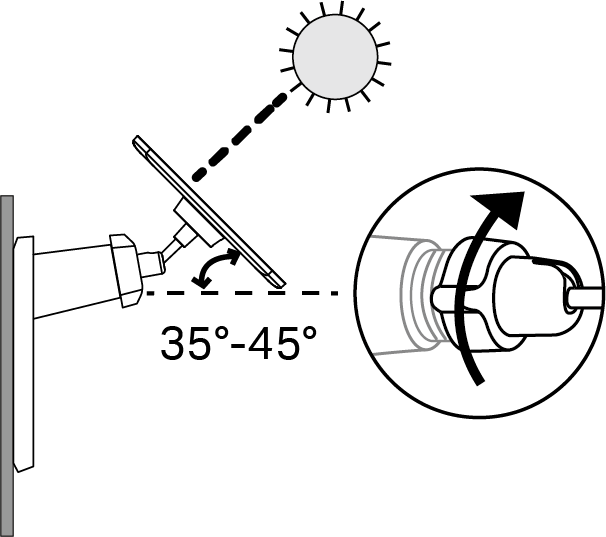
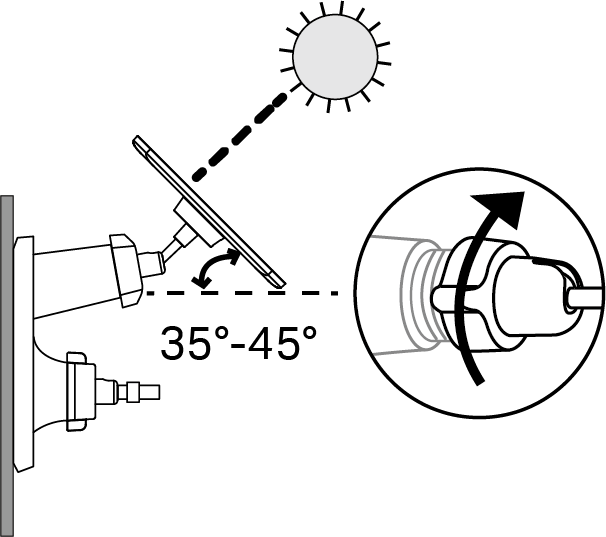
2. Position the panel south-facing in the Northern Hemisphere or north-facing in the Southern Hemisphere. The recommended tilt angle between the panel and the horizontal ground is 35° ~ 45°.
3. Regularly wipe the panel to remove dust and debris.
Scenario 1: Mount Your Solar Panel Only
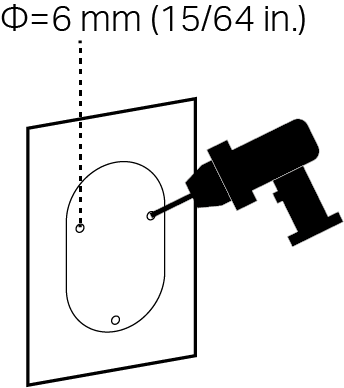
1. Drill Holes
Apply the mounting template sticker to a solid and level wall surface. Drill three screw holes according to the template.
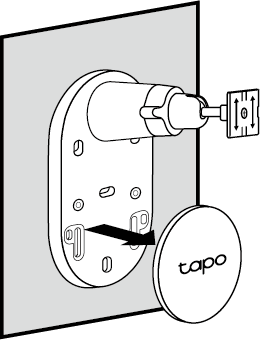
2. Remove Base Cover
Remove the base cover from the bracket.
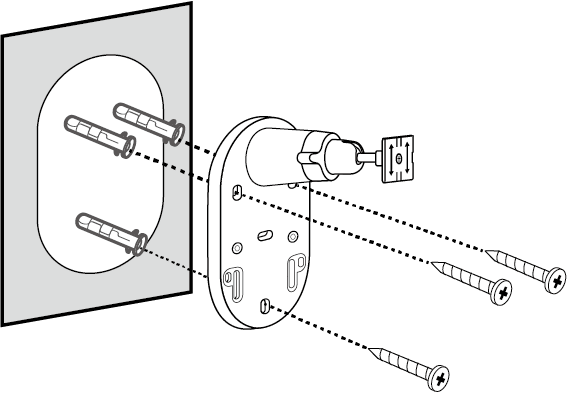
3. Mount Bracket
Insert three wall anchors into the holes and use the mounting screws to affix the solar panel bracket over the anchors.
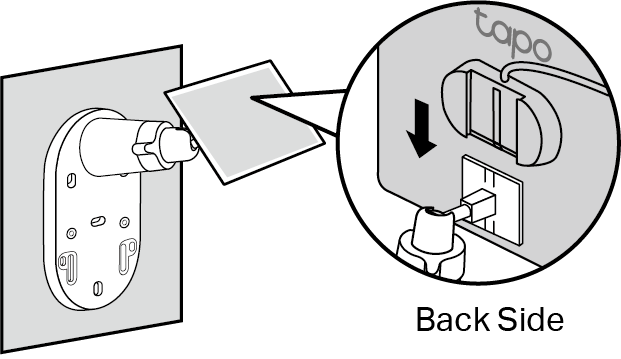
4. Install Solar Panel
Slide the solar panel onto the mounting bracket until it clicks into place.
5. Adjust Solar Panel Angle
Loosen the adjustable screw, tilt the solar panel to adjust the angle, and then tighten the adjustable screw.
Note: The recommended tilt angle between the panel and the horizontal ground is 35° ~ 45°.
Scenario 2: Mount Your Solar Panel and Extra Camera
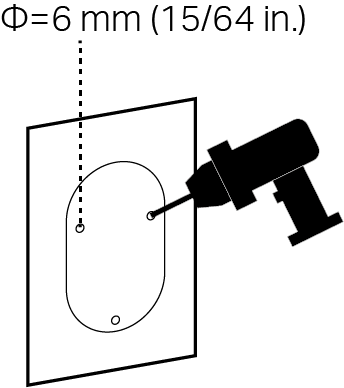
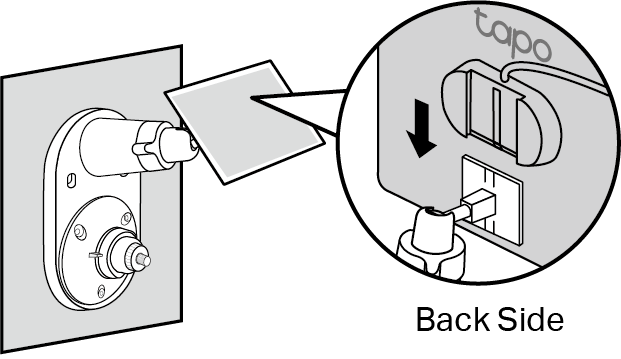
1. Drill Holes
Apply the mounting template sticker to a solid and level wall surface. Drill three screw holes according to the template.
2. Install Camera Bracket
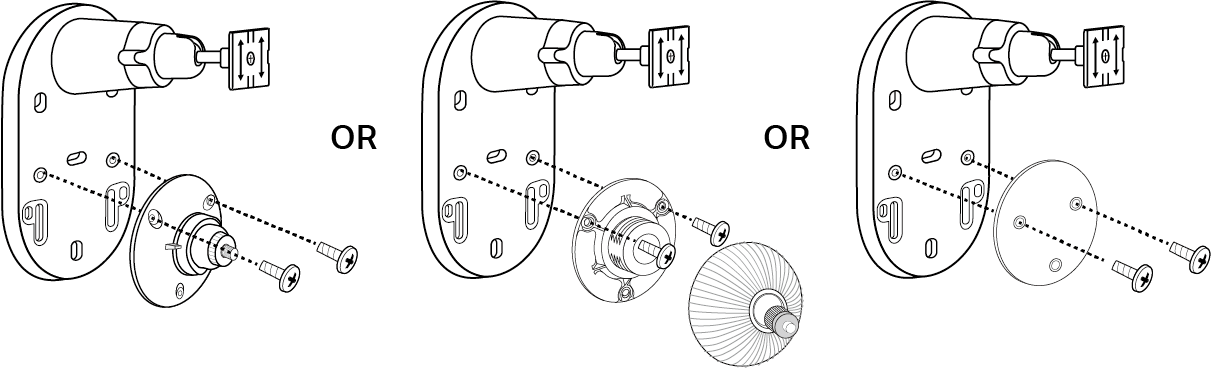
Secure the camera bracket to the solar panel bracket using two screws. The third hole below is for securing the solar panel bracket.
3. Mount Solar Panel Bracket
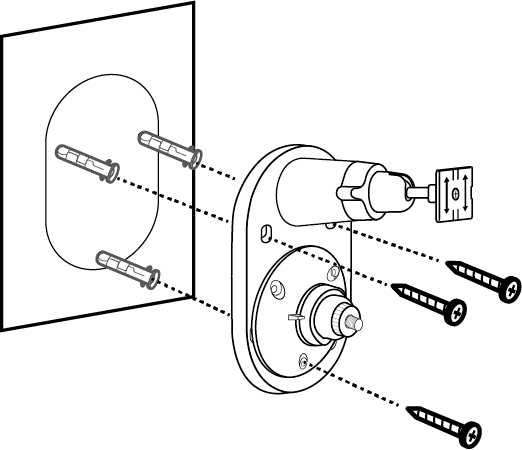
Insert three wall anchors into the holes and use the mounting screws to affix the solar panel bracket over the anchors.
4. Install the Solar Panel
Slide the solar panel onto the solar panel mounting bracket until it clicks into place.
5. Adjust Solar Panel Angle
 Loosen the adjustable screw, tilt the solar panel to adjust the angle, and then tighten the adjustable screw.
Note: The recommended tilt angle between the panel and the horizontal ground is 35° ~ 45°.
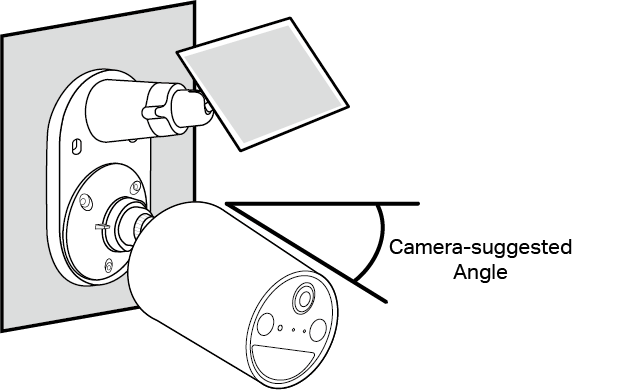
6. Install Camera and Adjust Angle
Install the camera onto the bracket and adjust the camera angle as per the camera's guide.
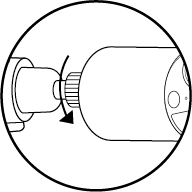
Note: Ensure the camera is securely attached to the camera bracket by tightening the bottom screw.
Connect to the Camera
Choose the appropriate USB adapter and waterproof gasket based on your camera's charging port. Connect the solar panel to the camera.
You can check the detailed instructions and the camera compatibility at How to connect Tapo Solar Panel to compatible Tapo devices with proper Waterproof Gasket
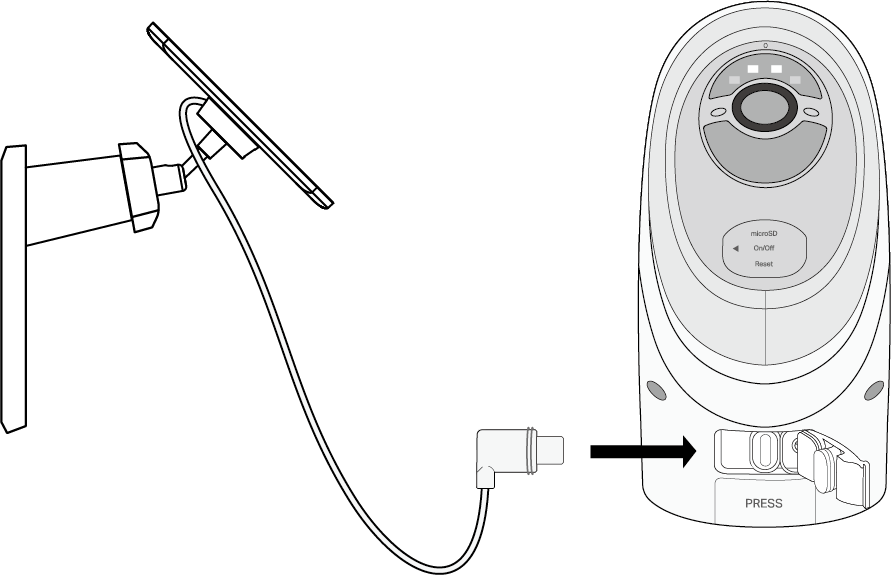
For Cameras with a Type-C Charging Port
Option A: USB Adapter Not Needed
Directly connect the solar panel to the camera without USB adapter and waterproof gasket.
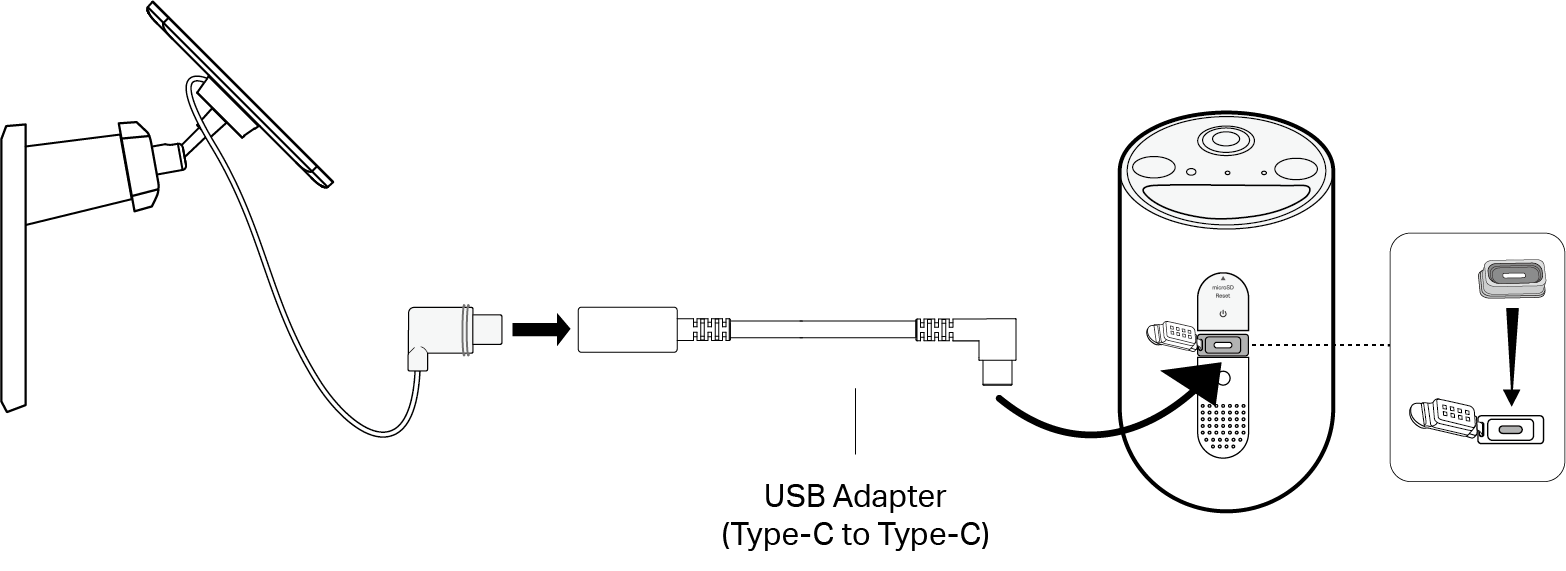
Option B: USB Adapter Required
Insert the Type-C waterproof gasket into the camera and connect the solar panel to the camera using the Type-C to Type-C USB adapter.
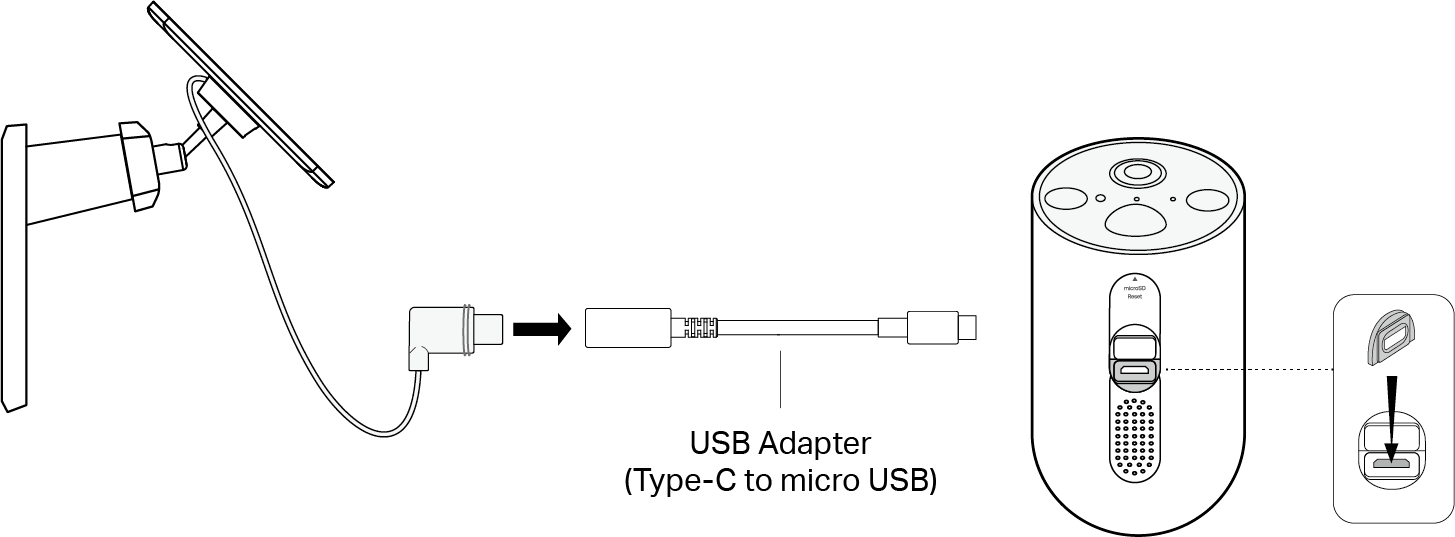
For Cameras with a micro USB Charging Port
Insert the micro USB waterproof gasket into the camera and connect the solar panel to the camera using the Type-C to micro USB adapter.
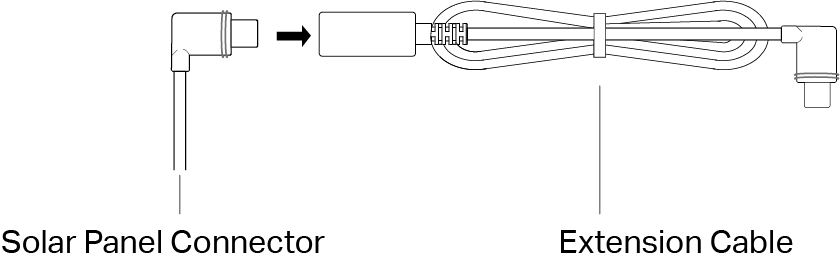
If the power cable is too short...
Extend the power cable using the provided extension cable. Insert the connector into the extension cable until snug and use the appropriate gasket when connecting the solar panel to your camera.
If the power cable is too long...
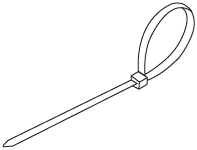
Use the cable zip tie provided to bundle up the excess cable. Once tightened, the zip tie cannot be easily adjusted. To release the tie, you will need to cut the zip tie.
Support
For technical support, user guides, FAQs, warranty and more, please visit https://www.tapo.com/support/
Authentication
FCC compliance information statement

Product Name: Tapo Solar Panel
Model Number: Tapo A201
Responsible Party:
TP-Link Systems Inc.
Address: 10 Mauchly, Irvine, CA 92618
Website: http://www.tp-link.com/us/
Tel: +1 626 333 0234
Fax: +1 909 527 6804
E-mail: sales.usa@tp-link.com
This equipment has been tested and found to comply with the limits for a Class B digital device, pursuant to part 15 of the FCC Rules. These limits are designed to provide reasonable protection against harmful interference in a residential installation. This equipment generates, uses and can radiate radio frequency energy and, if not installed and used in accordance with the instructions, may cause harmful interference to radio communications. However, there is no guarantee that interference will not occur in a particular installation. If this equipment does cause harmful interference to radio or television reception, which can be determined by turning the equipment off and on, the user is encouraged to try to correct the interference by one or more of the following measures:
Reorient or relocate the receiving antenna.
Increase the separation between the equipment and receiver.
Connect the equipment into an outlet on a circuit different from that to which the receiver is connected.
Consult the dealer or an experienced radio/ TV technician for help.
This device complies with part 15 of the FCC Rules. Operation is subject to the following two conditions:
This device may not cause harmful interference.
This device must accept any interference received, including interference that may cause undesired operation.
Any changes or modifications not expressly approved by the party responsible for compliance could void the user’s authority to operate the equipment.
We, TP-Link Systems Inc., has determined that the equipment shown as above has been shown to comply with the applicable technical standards, FCC part 15. There is no unauthorized change is made in the equipment and the equipment is properly maintained and operated.
Issue Date: 2026-04-15
CE Mark Warning

EU Declaration of Conformity
TP-Link hereby declares that the solar panel is in compliance with the essential requirements and other relevant provisions of directives 2014/30/EU, 2011/65/EU and (EU)2015/863.
The original EU declaration of conformity may be found at https://www.tapo.com/support/ce/.
UKCA Mark

UK Declaration of Conformity
TP-Link hereby declares that the solar panel is in compliance with the essential requirements and other relevant provisions of the Electromagnetic Compatibility Regulations 2016 and Electrical Equipment (Safety) Regulations 2016.
The original UK declaration of conformity may be found at https://www.tapo.com/support/ukca/.
Canadian Compliance Statement
This device contains licence-exempt transmitter(s)/receiver(s) that comply with Innovation, Science and Economic Development Canada's licence-exempt RSS(s). Operation is subject to the following two conditions:
(1) This device may not cause interference.
(2) This device must accept any interference, including interference that may cause undesired operation of the device.
L'émetteur/récepteur exempt de licence contenu dans le présent appareil est conforme aux CNR d'Innovation, Sciences et Développement économique Canada applicables aux appareils radio exempts de licence. L'exploitation est autorisée aux deux conditions suivantes :
1) L'appareil ne doit pas produire de brouillage;
2) L'appareil doit accepter tout brouillage radioélectrique subi, même si le brouillage est susceptible d’en compromettre le fonctionnement.
Industry Canada Statement
CAN ICES-003(B)/NMB-003(B)

限用物質含有情況標示聲明書
| 設備名稱:太陽能板 型號(型式):Tapo A201 Equipment name Type designation (Type) |
||||||
|---|---|---|---|---|---|---|
| 單元 Unit |
限用物質及其化學符號 Restricted substances and its chemical symbols |
|||||
| 鉛 Lead (Pb) |
汞 Mercury (Hg) |
鎘 Cadmium (Cd) |
六價鉻 Hexavalent chromium (Cr+6) |
多溴聯苯 Polybrominated biphenyls (PBB) |
多溴二苯醚 Polybrominated diphenyl ethers (PBDE) |
|
| 電路板 | − | ○ | ○ | ○ | ○ | ○ |
| 外殼 | ○ | ○ | ○ | ○ | ○ | ○ |
| USB線 | ○ | ○ | ○ | ○ | ○ | ○ |
| 其他及其配件 | − | ○ | ○ | ○ | ○ | ○ |
| 備考1.〝超出0.1 wt %〞及〝超出0.01 wt %〞係指限用物質之百分比含量超出百分比含量基準值 Note 1:“Exceeding 0.1 wt %” and “exceeding 0.01 wt %” indicate that the percentage content of the restricted substance exceeds the reference percentage value of presence condition. 備考2.〝○〞係指該項限用物質之百分比含量未超出百分比含量基準值。 Note 2:“○” indicates that the percentage content of the restricted substance does not exceed the percentage of reference value of presence. 備考3.〝-〞係指該項限用物質為排除項目。 Note 3:The “−” indicates that the restricted substance corresponds to the exemption. |
||||||

Safety Information
• Keep the device away from fire or hot environments. DO NOT immerse in water or any other liquid.
• Do not attempt to disassemble, repair, or modify the device. If you need service, please contact us.
• Operating Temperature: -20°C~45°C (-4°F~113°F)
*The suitable temperature for Tapo A201 is -20℃~45℃. The working temperature range for battery charging should be maintained at 0℃~45℃ (32°F~113°F).
Please read and follow the above safety information when operating the device. We cannot guarantee that no accidents or damage will occur due to improper use of the device. Please use this product with care and operate at your own risk.
Explanation of the symbols on the product label
Note: The product label is on the bottom of the product and its power supply. Symbols may vary from products.
注意:產品標籤位於產品底部和電源供應器上。符號可能因產品而異。
| Symbol 符號解釋 |
Explanation 解釋 |
|---|---|
 |
Class II equipment Class II 設備 |
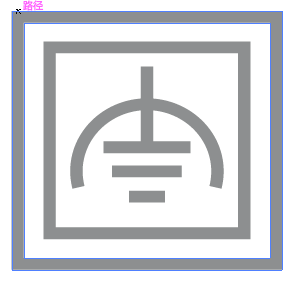 |
Class II equipment with functional earthing 具有功能接地的Class II 設備 |
 |
Alternating current 交流電 |
 |
DC voltage 直流電壓 |
 |
Polarity of output terminals 輸出端子極性 |
 |
Indoor use only 僅限室內使用 |
 |
Dangerous voltage 危險電壓 |
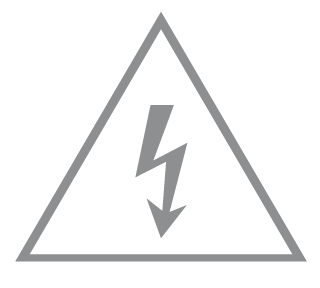 |
Caution, risk of electric shock 注意,有觸電危險 |
 |
Energy efficiency Marking 能源效率標示 |
 |
Protective earth 保護地線 |
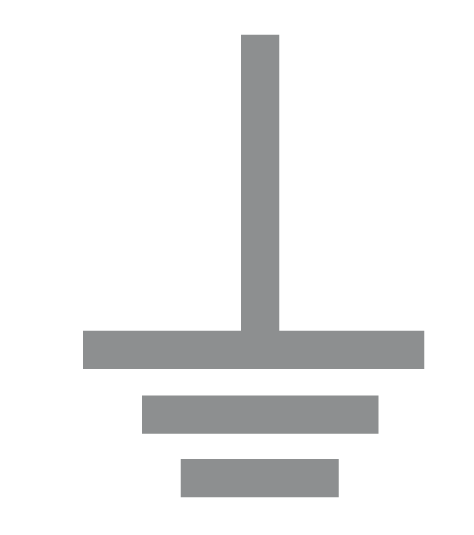 |
Earth 地線 |
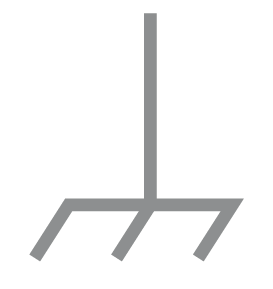 |
Frame or chassis 機架接地 |
 |
Functional earthing 功能地線 |
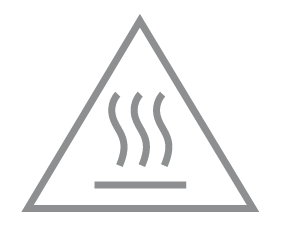 |
Caution, hot surface 警告,表面高溫 |
 |
Caution 警告 |
 |
Operator’s manual 操作手冊 |
 |
Stand-by 待機 |
 |
“ON”/”OFF” (push-push) 「開」/「關」 ( 按壓式) |
 |
Fuse 保險絲 |
 |
Fuse is used in neutral N 保險絲用於中性線N |
 |
RECYCLING This product bears the selective sorting symbol for Waste electrical and electronic equipment (WEEE). This means that this product must be handled pursuant to European directive 2012/19/EU in order to be recycled or dismantled to minimize its impact on the environment. User has the choice to give his product to a competent recycling organization or to the retailer when he buys a new electrical or electronic equipment. 回收利用 本產品標示有「廢棄電氣電子設備(WEEE)」的分類回收標誌。這表示本產品必須依據歐盟指令 2012/19/EU 進行妥善回收或拆 解,以減少對環境的影響。 使用者可選擇將本產品交給合格的回收機構,或在購買新電器或電子設備時,交回給零售商進行回收處理。 |
 |
Caution, avoid listening at high volume levels for long periods 注意,避免長時間以高音量收聽 |
 |
Disconnection, all power plugs 斷開所有電源插頭 |