
Table of Contents
Archer MX700_V2_Datasheet
4G+ Cat6 AX1500 Wireless Dual Band Gigabit Router
 |
Full Gigabit Ethernet Ports |
 |
 |
MU-MIMO Technology‡ |
|
 |
EasyMesh-Compatible Create Seamless Wi-Fi§ |
|
 |
Advanced Security with WPA3△ |
Highlights
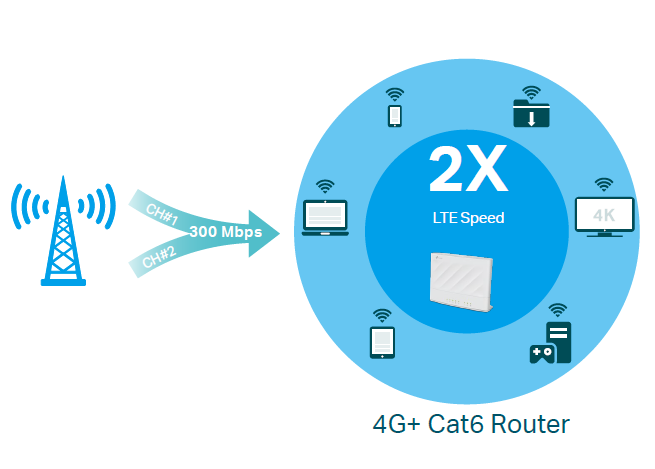
Fast 4G+ Mobile Broadband Speed
TSupports the 4G+ Cat6, which uses Carrier Aggregation technology to boost LTE speeds, MX700 provides fast broadband speeds up to 300 Mbps as your reliable internet access. Plug your SIM card and enjoy HD movies without interruption, downloading files in seconds, and smooth online gaming.☆
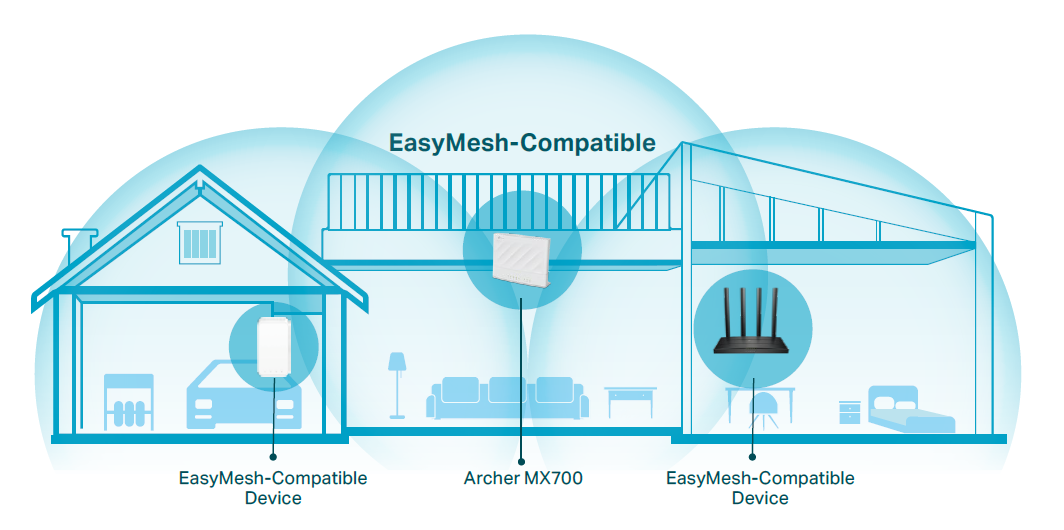
EasyMesh-Compatible
Mesh networking creates smooth, fast, stable roaming. MX700 can build an EasyMesh network with devices that use EasyMesh technology. Eliminate Wi-Fi dead zones, expand your network and fill your entire home with high-speed Wi-Fi.§
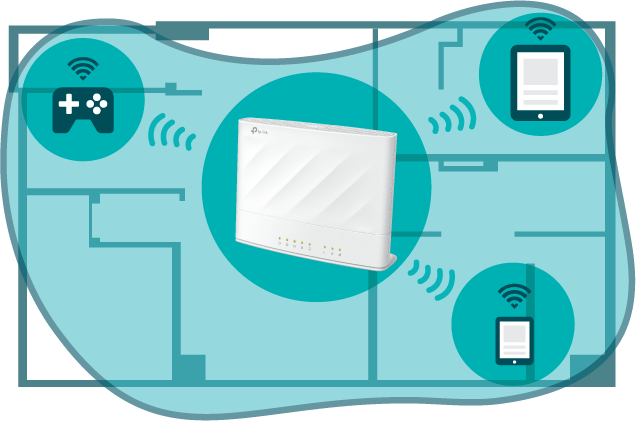
Vast Wi-Fi Coverage Throughout Your Home
Beamforming concentrates signal towards your connected devices, Power Amplifier and Low Noise Amplifier boost sending and receiving capabilities, both of which boost the Wi-Fi signal coverage.
More Devices, More Stability
Connect up to 128 wireless devices with ease, thanks to a powerful processor that boosts data transfer speeds while ensuring dependable network stability.†

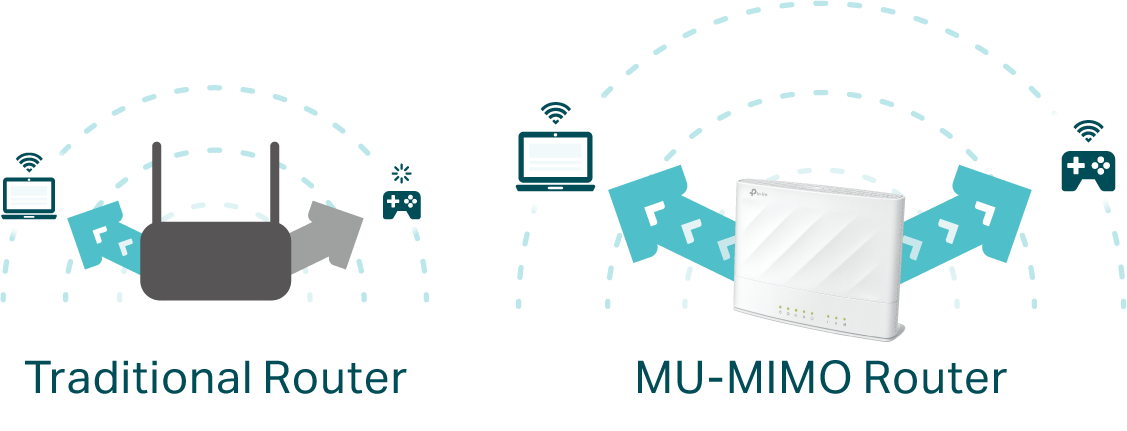
MU-MIMO for Higher Efficiency
MU-MIMO technology serves multiple devices at once, reducing wait time, increasing Wi-Fi throughput for every device, and making each stream more efficient. ‡
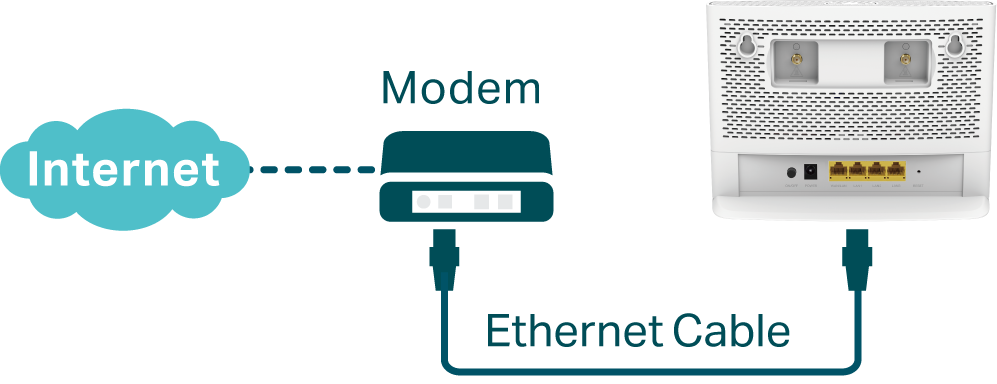
Available WAN Connection
The gigabit WAN/LAN port enables MX700 to work as a traditional wireless router which is compatible with cable, fiber, and DSL modems. And when it's set as a wireless router, its 3G/4G connection works as a backup to provide a sustained and reliable internet connection for you.*
Features
 |
4G LTE · 4G LTE – Ideal for cutting-edge 4G LTE network · Faster Connections – Up to 300 Mbps download speed and 50 Mbps upload speed · Backward Compatible – Compatible with 4G/3G network |
|---|---|
 |
Speed · Superior Wireless Speed – Combined wireless speeds up to 1201 Mbps over 5 GHz, and 300 Mbps over 2.4 GHz · 802.11 ax Standard– Provides a data transfer rate 3 times faster than 802.11n for each stream |
 |
Wi-Fi Range · Better Coverage – Integrated antennas provide stable wireless connections and better coverage |
 |
Reliability · Simultaneous Dual Band – Separate Wi-Fi bands enable more devices to connect to your network without a drop in performance · Easy Bandwidth Management – Advanced QoS makes it easier for you to manage the bandwidth of connected devices · Superior Stability – Powerful processor enables you to connect up to 128 wireless devices with ease · WAN Connection Backup – Works as a router to provide backup internet connection |
 |
Ease of Use · Intuitive Web UI – Ensures quick and simple installation without hassle · Fast Encryption – One-touch WPA wireless security encryption with the WPS button · Wi-Fi On/Off – Conveniently turn on or off wireless radio as required · Hassle-free Management with Tether App – Network management is made easy with the TP-Link Tether App, available on any Android and iOS device · Online Upgrade – Keeps you informed of the latest firmware and allows online upgrade on the web UI |
 |
Security · Guest Network – Keeps your main network secure by creating a separate network for friends and visitors · Access Control – Establishes a whitelist or blacklist to allow or restrict certain devices to access the internet · Parental Controls – Restrict internet access time and contents for children devices · Encryptions for Secure Network – WPA-PSK, WPA2-PSK and WPA3-PSK encryptions provide active protection against security threats |
Specifications
|
Hardware |
|
|---|---|
|
Interface |
3× Gigabit LAN Ports 1× Gigabit WAN/LAN Port 1× Nano SIM Card Slot 2× External SMA-F Antenna Interface |
|
Buttons |
WPS Button, Wi-Fi Button, Reset Button |
|
Antennas |
2× Internal 4G/3G Antennas 2× Internal Wi-Fi Antennas |
|
External Power Supply |
12V/1.5A |
|
Dimensions (W x D x H) |
7.86×5.85×2.66 in (199.7×148.6×67.5 mm) |
|
Wireless |
|
|
Network Type |
4G: FDD-LTE: B1/B3/B5/B7/B8/B20/B28 (2100/1800/850/2600/900/800/700 MHz) TDD-LTE: B38/B40/B41 (2600/2300/2500 MHz) 3G: DC-HSDPA/HSPA+/HSPA/UMTS: B1/B5/B8 (2100/850/900 MHz) |
|
Wireless Standards |
IEEE 802.11a/n/ac/ax 5 GHz, IEEE 802.11b/g/n 2.4 GHz |
|
Frequency |
2.4 GHz and 5 GHz |
|
Signal Rate |
300 Mbps at 2.4 GHz, 1201 Mbps at 5 GHz |
|
EIRP (CE) |
< 20 dBm (2.4 GHz), < 23 dBm (5 GHz) |
|
Reception Sensitivity |
5 GHz: 11a 54M: -77 dBm 11ax HE20:-64 dBm 11ax HE40: -61 dBm 11ax HE80:-59 dBm 11ac VHT20: -69 dBm 11ac VHT40: -66 dBm 11ac VHT80 : -63 dBm 11n HT20: -74 dBm 11n HT40: -71 dBm 2.4 GHz: 11g 54M: -78 dBm 11n HT20: -75 dBm 11n HT40: -72 dBm |
|
Wireless Function |
Enable/Disable Wireless Radio, Wireless Schedule, WMM |
|
Wireless Security |
No Security, WPA-PSK[TKIP]+WPA2-PSK[AES], WPA2-PSK[AES], WPA2-PSK[AES]+WPA3-Personal, WPA3-Personal |
|
Software |
|
|
Operating Modes |
3G/4G Router, Wireless Router |
|
WAN Type |
Dynamic IP/Static IP/PPPoE/PPTP(Dual Access)/L2TP(Dual Access) |
|
DHCP |
Server, DHCP Client List, Address Reservation |
| Quality of Service | Bandwidth Control |
|
Port Forwarding |
Virtual Server, Port Triggering, UPnP, DMZ |
|
Dynamic DNS |
TP-Link DDNS, DynDns, NO-IP |
|
VPN Passthrough |
PPTP, L2TP, IPSec |
|
VPN Server |
OpenVPN, PPTP VPN, IPsec VPN, Wireguard VPN |
|
VPN Client |
OpenVPN, PPTP, Wireguard VPN Client |
|
Security |
IPv4 SPI Firewall, ALG, IP and MAC Address Binding, Access Control |
|
Protocols |
IPv4, IPv6 |
|
Management |
TP-Link Cloud, Local Management, Remote Management |
| Administration | Upgrade Firmware, Factory Default, System Log, Diagnostic Tools |
|
Guest Network |
2.4 GHz Guest Network x 1, 5 GHz Guest Network x 1 |
|
Others |
|
|
Certification |
CE, RoHS |
|
Requirements |
• Edge, Firefox, Chrome, Safari, or other JavaScript-enabled browser *You are recommended to use the latest version • Nano SIM Card |
|
Environment |
• Operating Temperature: 0℃~40℃ (32℉ ~104℉) • Operating Humidity: 10%~90% non-condensing • Storage Humidity: 5%~90% non-condensing |
|
Package Contents |
• 4G+ Cat6 AX1500 Wireless Dual Band Gigabit Router Archer MX700 • RJ45 Ethernet Cable • Power Adapter • Quick Installation Guide |
Disclaimer
Attention: This device may only be used indoors in all EU member states, EFTA countries and Northern Ireland.
Attention: This device may only be used indoors in Great Britain.
Specifications are subject to change without notice.
†Maximum wireless signal rates are the physical rates derived from IEEE Standard 802.11 specifications. Actual wireless data throughput and wireless coverage, and number of connected devices are not guaranteed and will vary as a result of network conditions, client limitations, and environmental factors, including building materials, obstacles, volume and density of traffic, and client location.
‡Use of MU-MIMO requires clients to also support MU-MIMO.
§ TP-Link EasyMesh-compatible products can network with other devices that use EasyMesh. Failed connections may be due to firmware conflicts of different vendors. The EasyMesh-Compatible function is still being developed on some models and will be supported in subsequent software updates. This product is compatible with standardized EasyMesh technology but has not obtained the Wi-Fi EasyMesh™ certification.
*Actual network speed may be limited by the rate of the product's Ethernet WAN or LAN port, the rate supported by the network cable, Internet service provider factors and other environmental conditions.
△Use of WPA3 requires clients to also support the corresponding feature.
☆This device requires an activated SIM card without a PIN lock. If the SIM card is locked, please consult the quick installation guide for unlocking instructions.