
How to Replace the Main Brush of Tapo Robot Vacuum
You may refer to either this video or the steps below:
Replace the main brush every 6-12 months.
Step 1. Turn the robot vacuum over, then unlatch and remove the main brush cover.
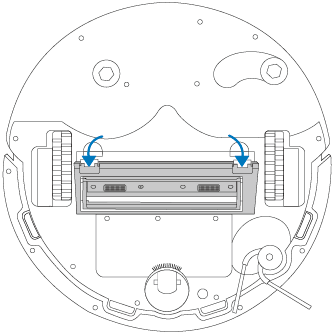
Step 2. Remove the main brush and install a new one.
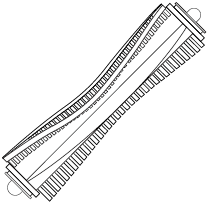
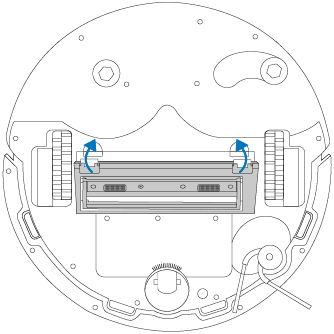
Step 3. Press on the main brush cover and listen for a click to lock it in place.
Replace the main brush every 6-12 months.
Step 1. Turn the robot vacuum over, then unlatch and remove the main brush cover.
Note: If you have installed the mopping attachment, uninstall it from the robot vacuum first.
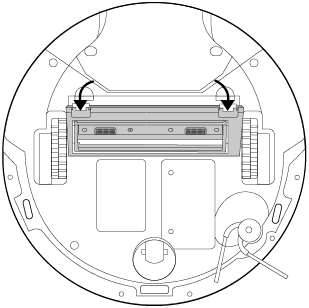
Step 2. Take out the brush and install a new one.
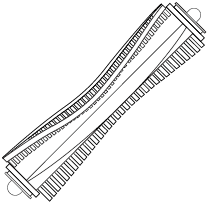
Step 3. Press the main brush cover and listen for a click to lock it in place.
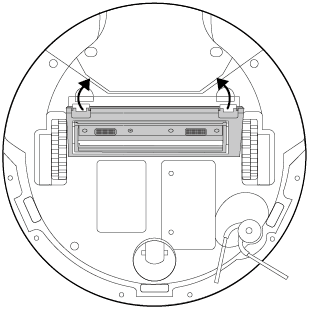
Replace the main brush every 6-12 months.
Step 1. Turn the robot vacuum over, then unlatch and remove the main brush cover.
Note: If you have installed the mopping attachment, uninstall it from the robot vacuum first.

Step 2. Remove the main brush and install a new one.

Step 3. Press on the main brush cover to lock it in place.

Replace the main brush every 6-12 months.
Step 1. Turn the robot vacuum over, then unlatch and remove the main brush cover.

Step 2. Remove the main brush and install a new one.

Step 3. Press on the main brush cover to lock it in place.

Replace the main brush every 6-12 months.
Step 1. Turn the robot vacuum over, then unlatch and remove the main brush cover.

Step 2. Remove the main brush and install a new one.
Step 3. Press on the main brush cover to lock it in place.

Replace the main brush every 6-12 months.
Step 1. Turn the robot vacuum over, then unlatch and remove the main brush cover.

Step 2. Remove the main brush and install a new one.

Step 3. Press on the main brush cover to lock it in place.

Looking For More
Byla tato FAQ užitečná?
Vaše zpětná vazba nám pomůže zlepšit naše webové stránky

TP-Link Community
Still need help? Search for answers, ask questions, and get help from TP-Link experts and other users around the world.