Troubleshooting when TP-Link Mobile Wi-Fi device runs out of battery relatively fast
 158435
Introduction
This article explains why the TP-Link Mobile Wi-Fi device drains its battery quickly and offers fixes.
Currently, the latest hardware versions of the M7000/M7200 have a 2000 mAh battery; the M7350/M7352/M7400 have a 2100 mAh battery; the M7650 has a 3200 mAh battery; the M7450/M7750 have a 3280 mAh battery; and the M8550 has a 4680 mAh rechargeable battery.
However, actual battery life may vary depending on the user environment, so some customers may feel the battery drains quickly and even think it's defective. Actually, battery life is affected by power consumption: higher power consumption means shorter battery life.
Troubleshooting
The power consumption will increase in the following conditions.
Scenario 1: Poor LTE signal
Check the network type and signal strength. If the signal is relatively weak, please try moving it to a location with a strong 5G/4G signal.
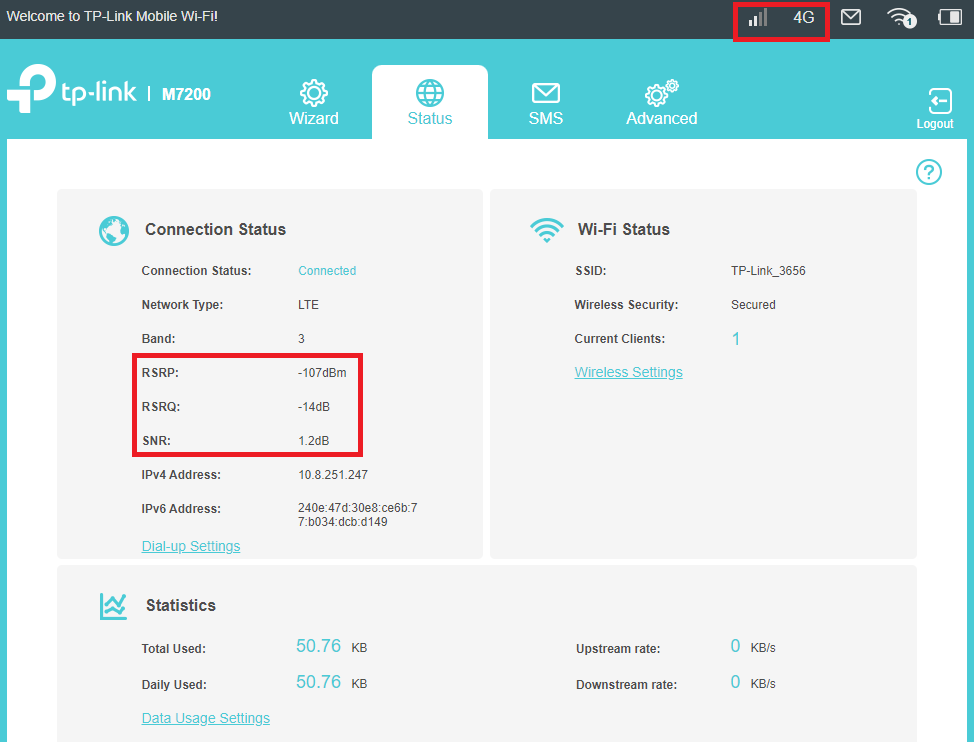
Scenario 2: Working on a 5G/4G band with higher power consumption
Check which 4G bands are supported by the carrier base station nearby. Some models display the 4G band on the Status page, and some support manually changing the 4G band. Please check the current 4G band and manually change it to another band if supported.
Generally speaking, the higher the frequency band, the higher the frequency, and the device requires a higher transmission power and higher power consumption. But it is also necessary to select the frequency bands with better signal strength in your specific environment.
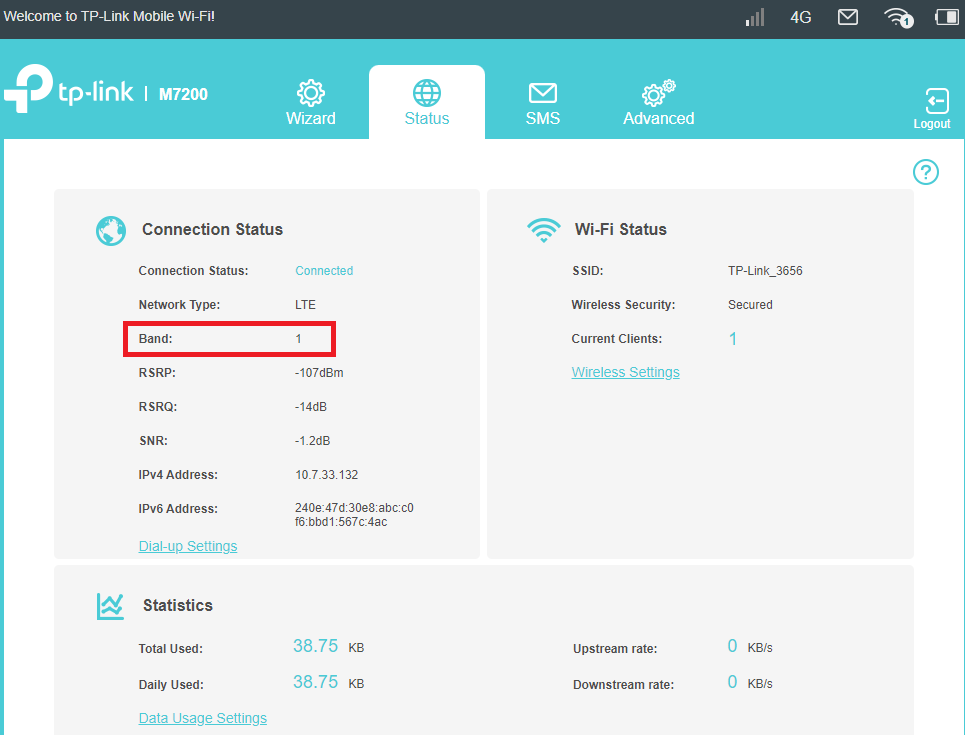
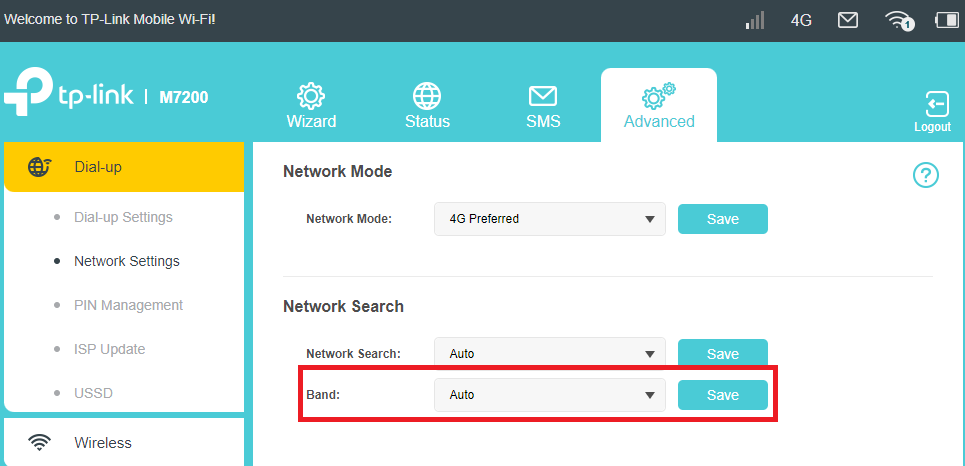
Note: Currently, only M7200 V2/V3, M7350 V5/V7, M8550 V1 support displaying the band and manual band selection.
Scenario 3: Too many clients are using the internet at the same time, or some clients are using high-traffic operations such as large file downloading, streaming, or gaming.
Try disconnecting some client devices and test again after they have only been browsing the internet normally.
In addition, please make sure power saving mode is enabled, and try to change the WiFi Range to “Short” to save power:
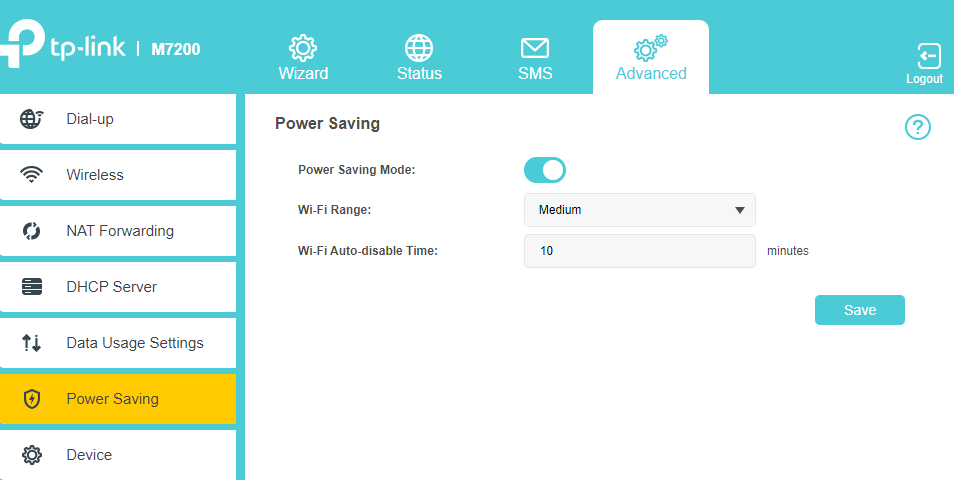
If there is still any problem, please contact TP-Link Technical Support and provide detailed information:
- Model number, hardware version, and firmware version
- Describe the issue in detail, location, and carrier name
- Network Type and Signal Strength, SIM-supported bands, and bands working on the MiFi device
- Whether Power Saving Mode is enabled and WiFi range has been changed to “Short”
- When the device was purchased and when the problem started happening
To get to know more details about each function and configuration please go to Download Center to download the manual of your product.
Byla tato FAQ užitečná?
Vaše zpětná vazba nám pomůže zlepšit naše webové stránky