
What should I do if I fail to log into MR3020’s management interface when it works in RE or WISP mode?
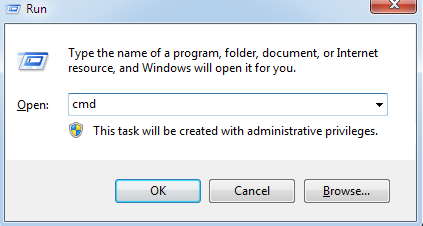
Step 1: Open CMD
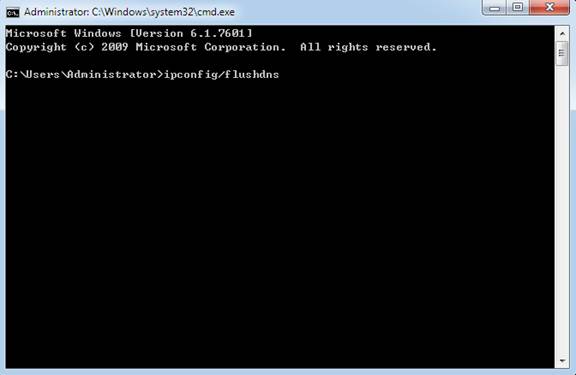
Step 2: Input ‘ipconfig /flushdns’ and press Enter to clean the dns cache.
Step 3: Please use the domain name ‘tplinkwifi.net’ to log into TP-Link networking device.
If you have further questions or concerns, please click here to contact us.
Byla tato FAQ užitečná?
Vaše zpětná vazba nám pomůže zlepšit naše webové stránky



TP-Link Community
Still need help? Search for answers, ask questions, and get help from TP-Link experts and other users around the world.