
How to configure Cell Lock on the TP-Link 4G Routers
 5024
5024Introduction
To prevent your TP-Link 4G Router from switching between frequency bands and to enhance both speed and connection stability, use the Cell Lock feature to lock the router to a specific band combination manually.
Requirements
- SIM card
- Computer/smartphone
Configuration
Here, we take the Archer MR600 V2 as an example. The process is similar for other compatible TP-Link 4G router models.
Step 1. Using your phone or computer, connect to the Wi-Fi network of your Archer MR600. Open a web browser and enter tplinkmodem.net or 192.168.1.1 in the address bar to log into the router’s web management interface.
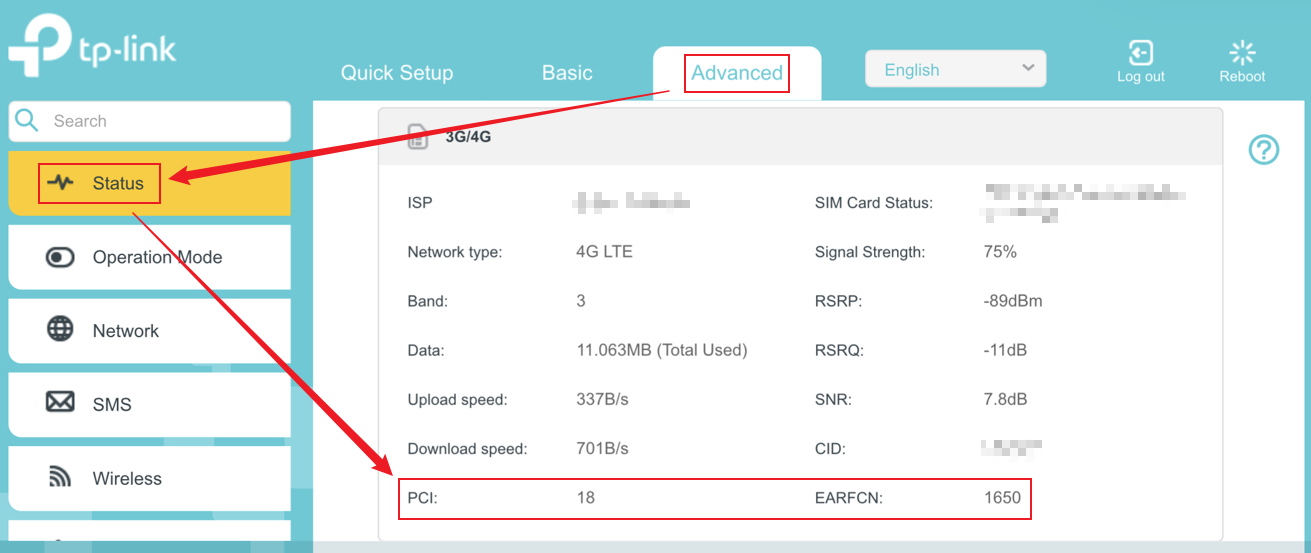
Step 2. Navigate to Advanced > Status > 3G/4G in the management interface. Locate the LTE Cell information for your 4G SIM card and record the current EARFCN and PCI values.
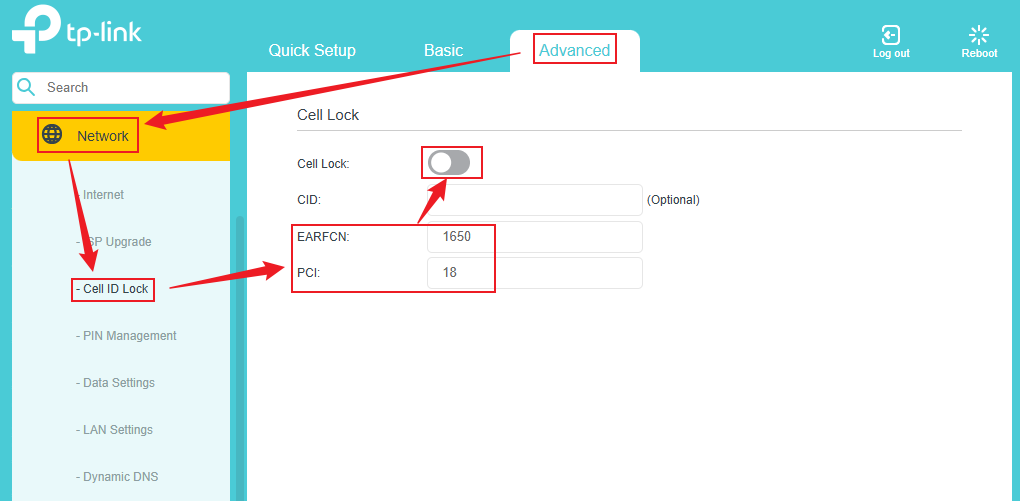
Step 3. Navigate to Advanced > Network > Cell ID Lock, enter the EARFCN and PCI values you recorded earlier into the corresponding fields, and then click the switch icon to enable Cell Lock.
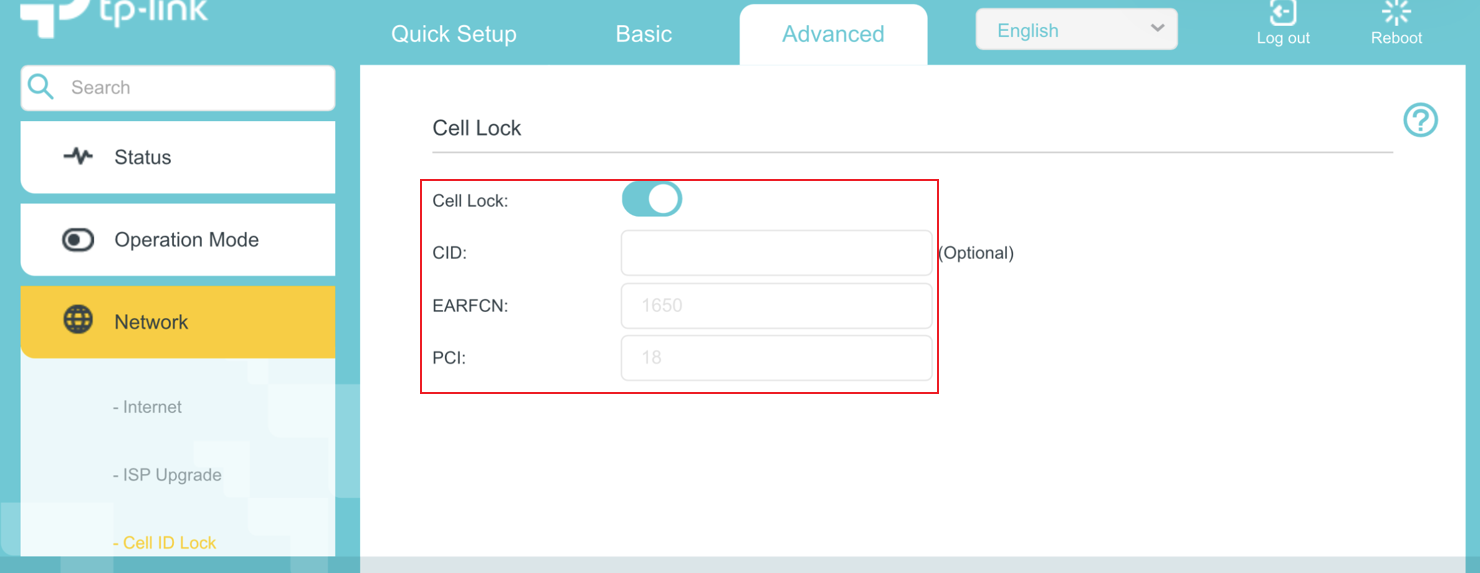
After clicking the switch icon to enable Cell Lock, wait a moment, and then verify that the EARFCN and PCI values are now displayed as fixed. This indicates that Cell Lock has been successfully activated.
QA
Q1: Besides enabling Cell Lock for TP-Link 4G Routers in the web interface, is it also supported to configure it through the Tether app?
A1: Currently, the Cell Lock feature is only supported and can be configured via the router’s web management interface. It is not available in the Tether app at this time.
Q2: Do TP-Link 5G Routers also support Cell Lock?
A2: Currently, the Cell Lock feature is only supported on TP-Link 4G Routers.
To get to know more details of each function and configuration, please go to the Download Center to download the manual for your product.
¿Es útil esta pregunta frecuente?
Sus comentarios nos ayudan a mejorar este sitio.

