
What if the internet connection on my TP-Link ISP-customized DSL modem is unstable?
 5633
5633Introduction
To determine the cause of the problem, it’s essential to collect information when the connection drops. This FAQ will help you improve your network situation. If it doesn't resolve the issue, we'll tell you what information to gather.
Note: If your DSL modem router obtains Internet access via the WAN port, please refer to Troubleshooting: Unstable connection on the TP-Link router.
Troubleshooting
Scenario 1: The DSL LED goes off
Step 1. Contact your Internet Service Provider (ISP) to confirm that their connection is stable.
Step 2. Try using another DSL cable to connect the modem router to the DSL jack.
Step 3. Press and hold the Reset button on the modem router to reset it to factory settings and reconfigure it.
Note: Before resetting the router, ensure you have your Internet service provider credentials.
Step 4. If the above suggestions do not resolve the issue, please contact support with the results above and indicate how many devices you have and which operating systems they run on.
Scenario 2: The DSL LED is on, but the wireless connection is unstable
Step 1. Check whether the wireless connection will automatically restore in a few minutes. Check the Wi-Fi LED on the router when it happens, and confirm whether the wireless network can be found on your end devices.
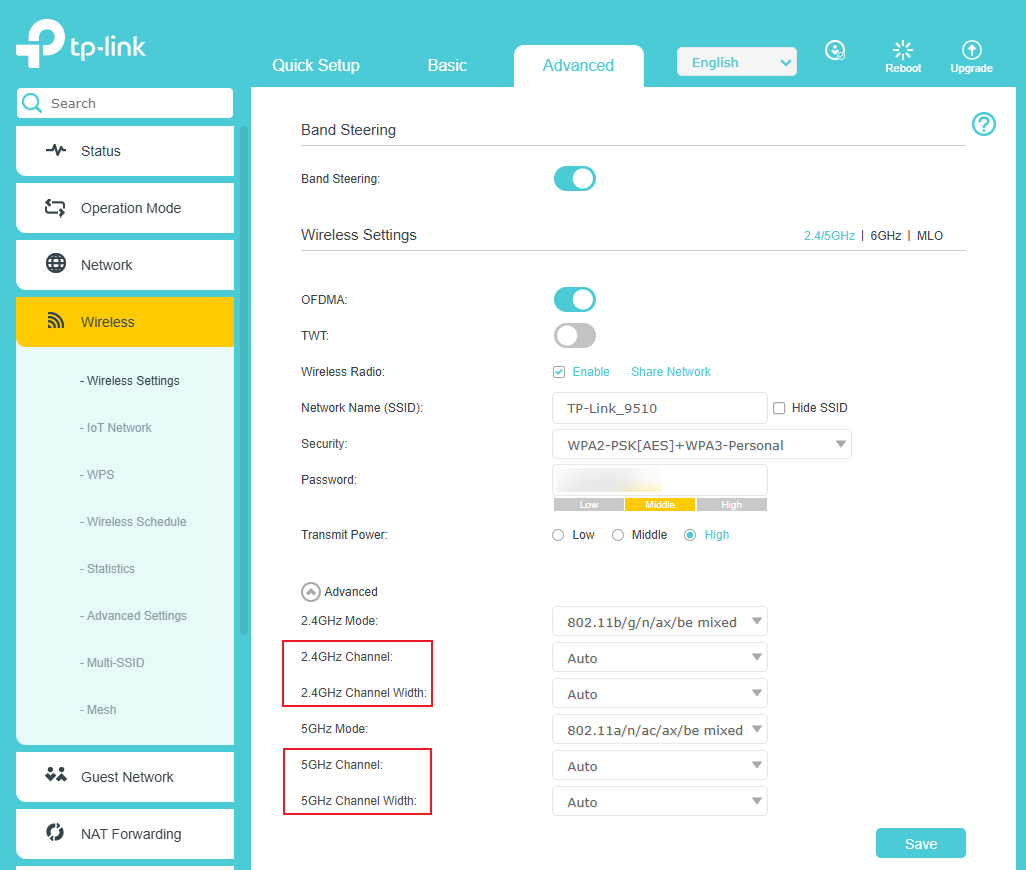
Step 2. It’s probably caused by wireless interference. You can change the wireless channel or channel width, or move away from wireless interference sources such as microwave ovens, cordless phones, or USB 3.0 hard drives.
Step 3. Check the Firmware Version of your router. Check for Upgrades if the firmware is not the latest.
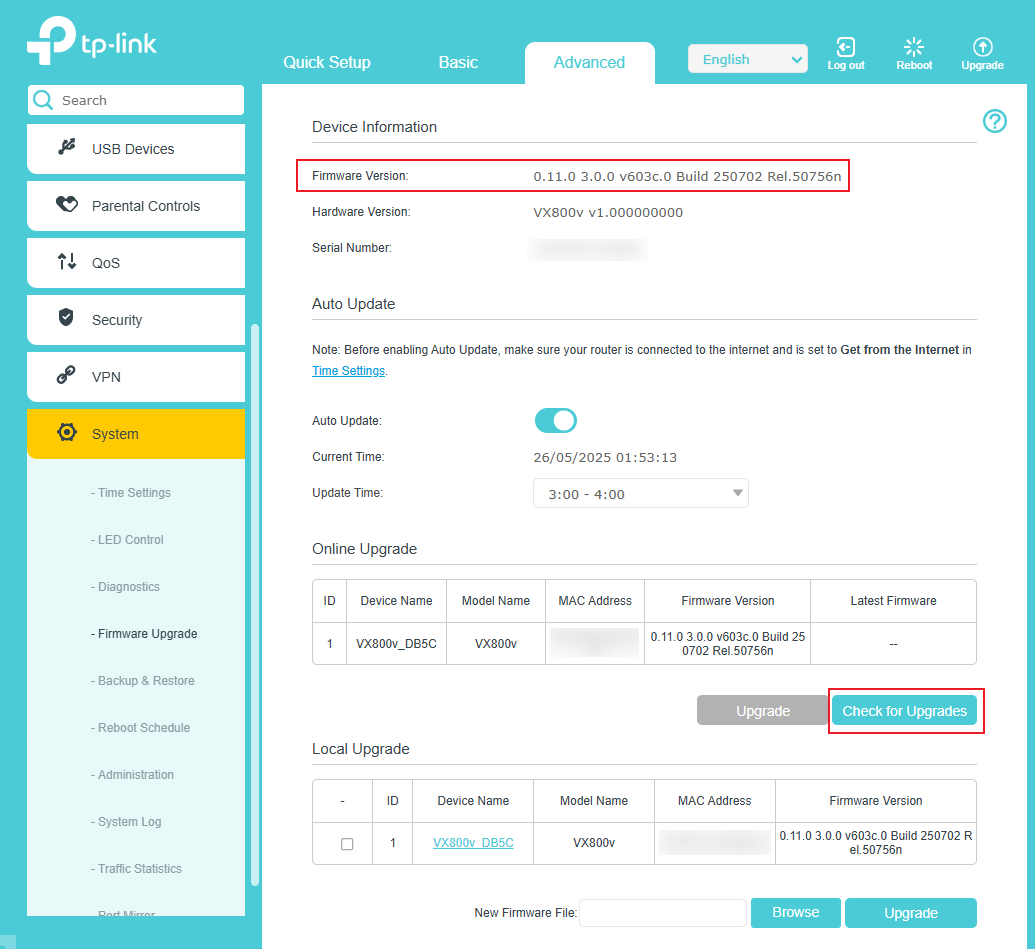
Note: Most TP-Link ISP-customized devices are provided by your ISP. If you cannot detect new firmware on the online upgrade, please contact your ISP first.
Step 4. If the above suggestions do not resolve the issue, please contact support with the results above and indicate how many devices you have and which operating systems they run on.
Scenario 3: The DSL LED is on, but both the wired and wireless connections are unstable
Step 1. Contact your Internet Service Provider (ISP) to ensure that their connection is stable.
Step 2. Log in to the web management interface of the modem, get a screenshot of the DSL Status page, and save the System Log.

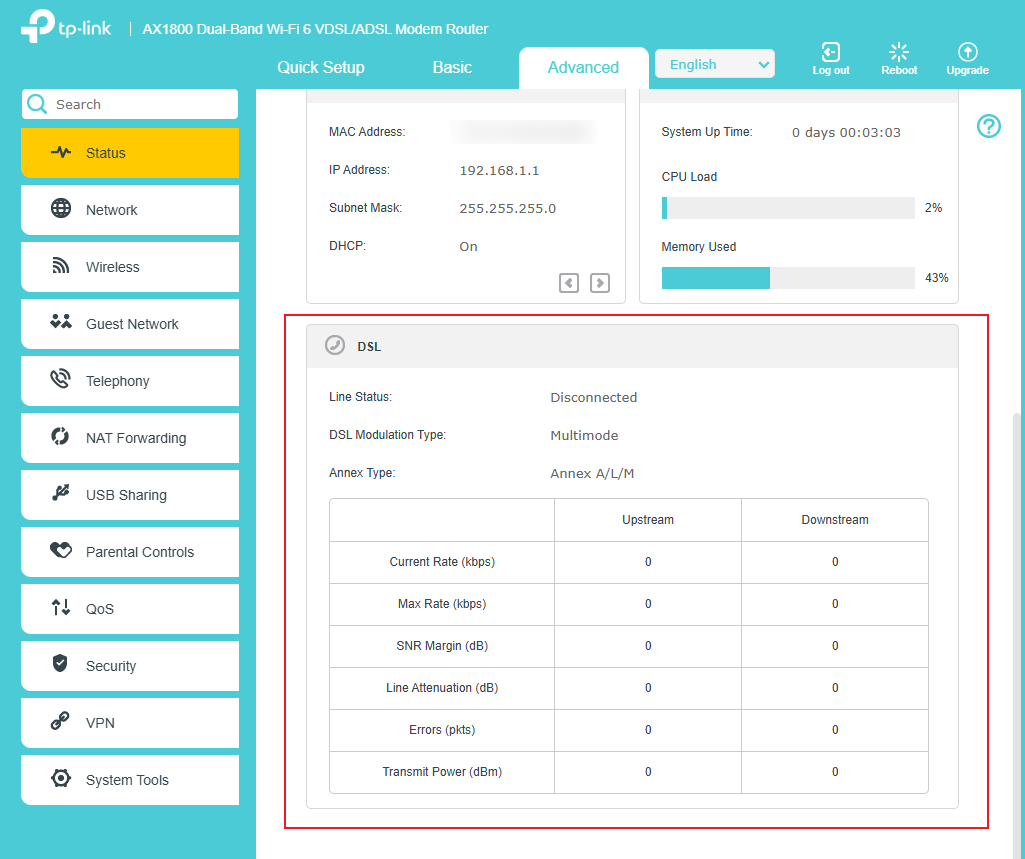
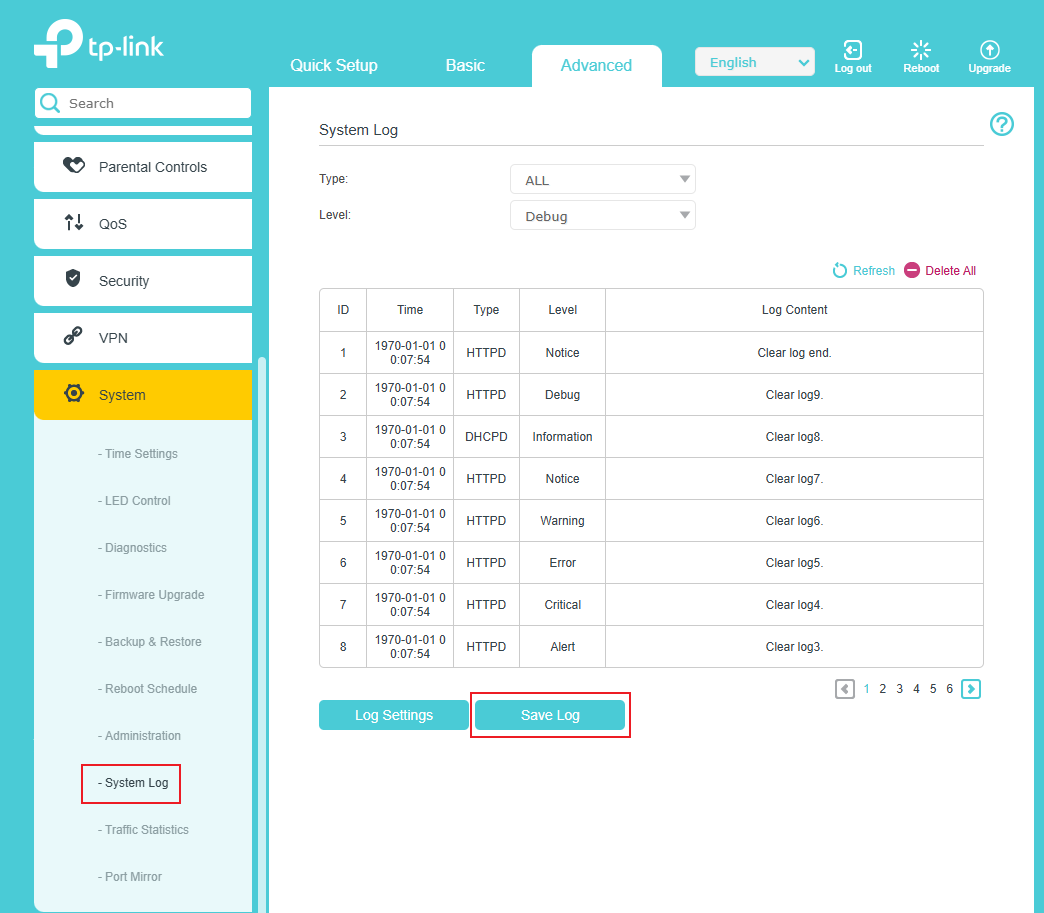
Note: Please save the System Log when the internet connection stops working.
Step 3. Contact our support team with the information above for further assistance, and let us know your internet service provider.
¿Es útil esta pregunta frecuente?
Sus comentarios nos ayudan a mejorar este sitio.