
Best Router for Your Fiber ISP Plan in the Philippines
Published: June 2026 | Last Updated: June 2026
|
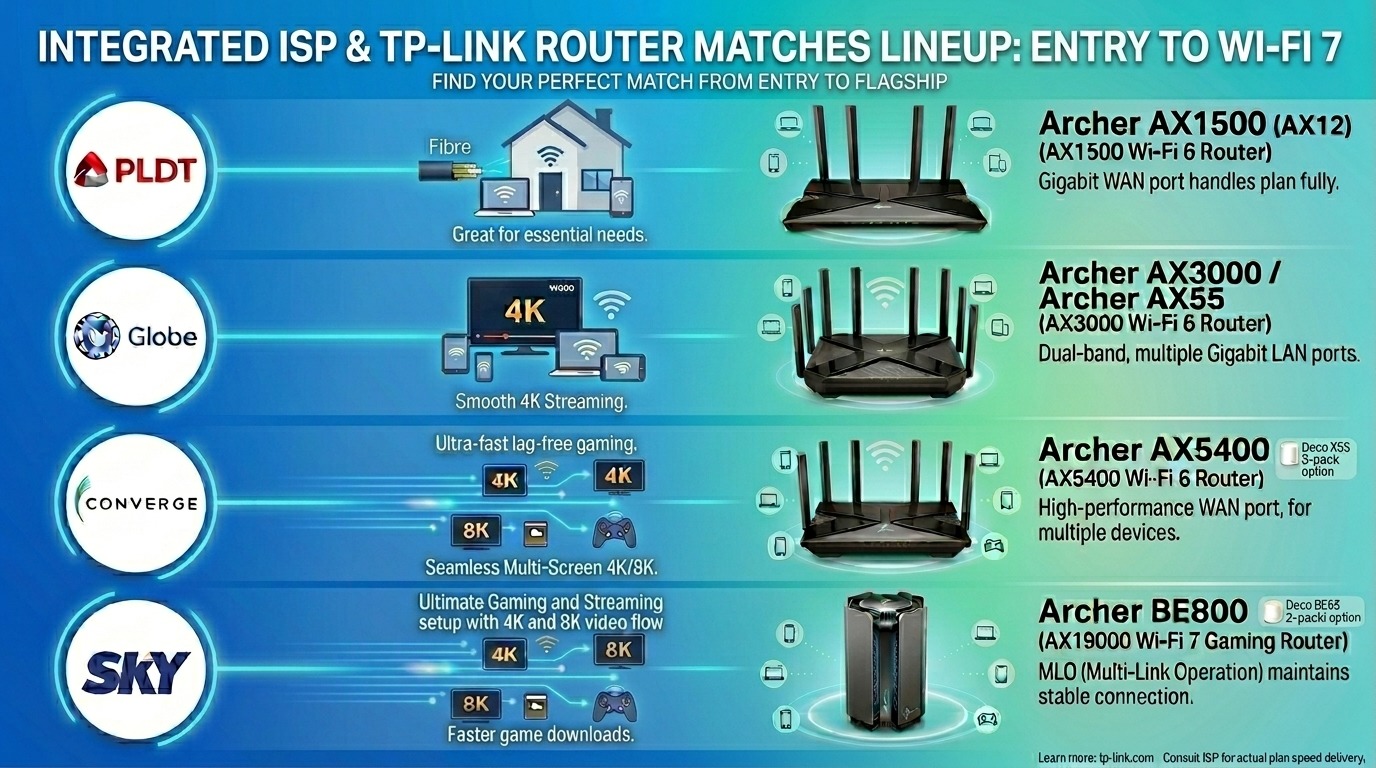
Quick Answer Match your router to your plan speed tier: Up to 100 Mbps → Archer AX1500 100–300 Mbps → Archer AX3000 or AX55 300–500 Mbps → Archer AX5400 or Deco X55 500 Mbps–1 Gbps → Archer AX73 or Deco XE75 1 Gbps and above → Archer BE800 or Deco BE65 All require a dedicated Wi-Fi 6 or Wi-Fi 7 router, not the ISP's bundled modem. The ISP modem stays in place and manages the line; the TP-Link router manages your home network. |
Why does your ISP Modem Fall Short even with a Fast Plan?
Philippine ISPs have significantly upgraded their plans in 2025 and 2026. Converge now offers 1 Gbps for ₱2,599 a month, the most affordable gigabit plan in the country. Globe's GFiber line runs from 300 Mbps at ₱1,499 up to 1 Gbps at ₱4,999, with a Wi-Fi 6 modem and Disney+ bundled on higher plans. PLDT has introduced prepaid fiber at up to 300 Mbps and waived installation fees on postpaid plans from ₱1,299 upward. Sky's TruFiber, running on Converge's fiber infrastructure, offers 1 Gbps at ₱3,500.
The plans have improved. The ISP-bundled modem-routers often have not kept pace. Newer plans bundle Wi-Fi 6 modems, a genuine improvement over the Wi-Fi 5 units previously distributed. But bundled still means general-purpose, cost-optimized, and locked to ISP firmware updates.
The gap between an ISP-bundled Wi-Fi 6 modem and a dedicated TP-Link Wi-Fi 6 router is narrower than it used to be, but it still exists in the places that matter most for a multi-device Filipino household.
|
What ISP modems handle well |
Where a dedicated TP-Link router makes the difference |
|---|---|
|
Establishing the fiber connection to the ISP |
Distributing that speed to 10+ devices simultaneously over Wi-Fi |
|
Basic 2.4 GHz signal for nearby devices |
5 GHz band coverage through concrete walls to rooms farther away |
|
One or two devices browsing the internet |
Multiple simultaneous video calls, gaming, and streaming without queuing |
|
The default firmware that keeps the line stable |
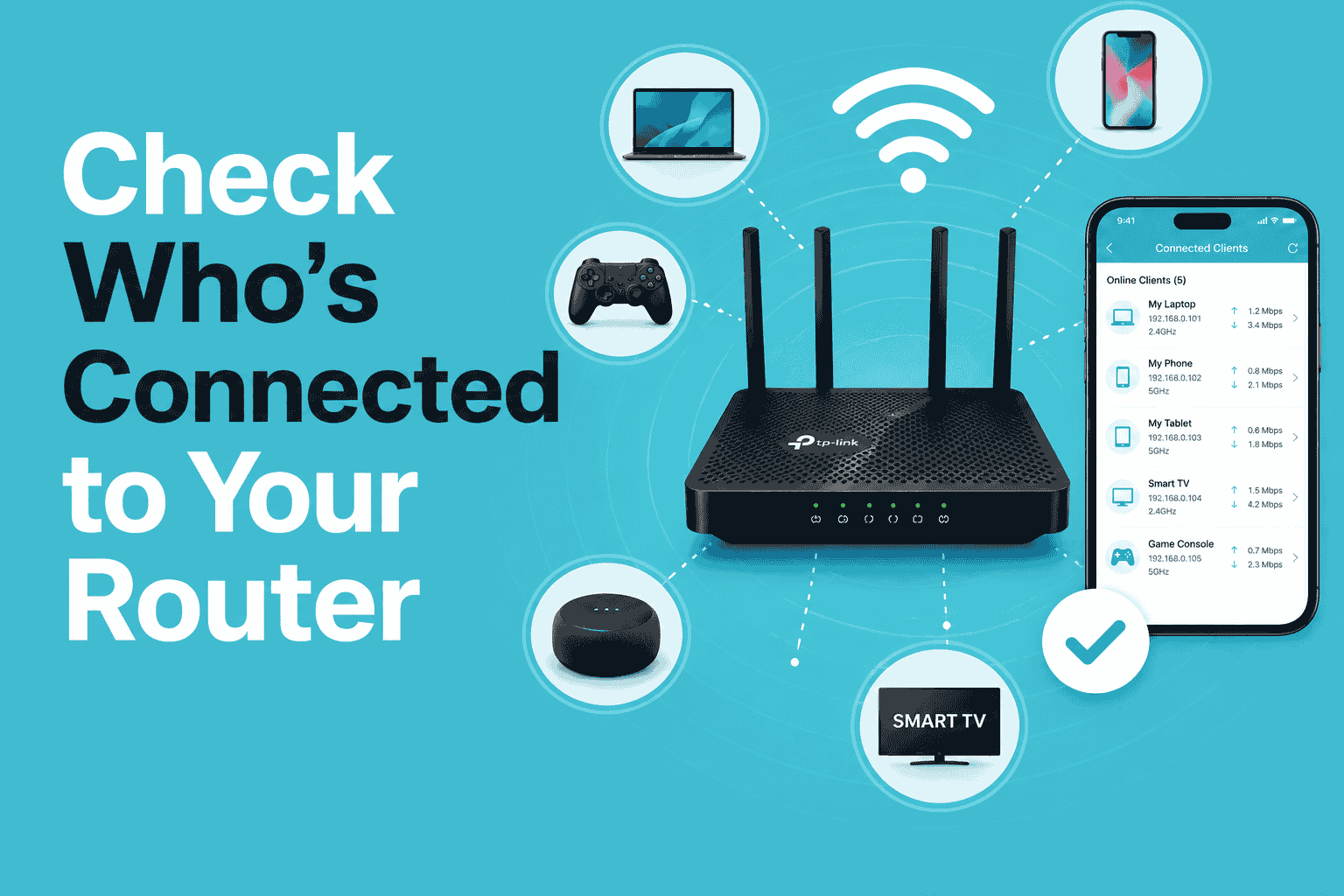
QoS device prioritization. The Tether app lets you rank which device gets first access to bandwidth |
|
— |
HomeShield parental controls, guest network, VPN, and regular security firmware updates |
The practical workflow: keep the ISP modem connected to the fiber line. Connect an Ethernet cable from its LAN port to the WAN port of the TP-Link router. The ISP modem manages the line; the TP-Link router manages your home network. You get the best of both ISP-supported fiber connectivity and dedicated Wi-Fi performance.
Key takeaway: Your ISP modem gets the signal into your home. A dedicated TP-Link router gets that signal to every device in every room through concrete walls, across two floors, and under 15+ simultaneous connections.
Best TP-Link Router for Every Philippine Fiber Plan Tier
The table below covers the five main plan speed tiers across Philippine ISPs as of mid-2026. Recommended models are those currently available through the TP-Link Philippines official store, authorized Lazada and Shopee listings, and authorized resellers at SM Cyberzone and IT retailer chains.
|
ISP plan range |
Plan speed |
Best TP-Link pick |
Why it matches |
Wi-Fi standard |
|---|---|---|---|---|
|
Budget/entry |
Up to 100 Mbps (e.g., Globe Plan 899–999, PLDT Plan 899) |
Archer AX1500 (or AX12) |
Gigabit WAN port handles a 100 Mbps plan fully. Wi-Fi 6 OFDMA serves 8–12 devices simultaneously without queuing. Entry-level price point. |
Wi-Fi 6 (AX) |
|
Mid-range |
100–300 Mbps (e.g., Converge FiberX Max ₱1,599 / Globe Plan 1499 / PLDT Plan 1299–1699) |
Archer AX3000 or Archer AX55 |
Dual-band Wi-Fi 6, 4 Gigabit LAN ports. The 5 GHz band delivers 2,402 Mbps theoretical throughput, well above the 300 Mbps plan ceiling. HomeShield parental controls included. |
Wi-Fi 6 (AX) |
|
Mid-high |
300–500 Mbps (e.g. Globe Plan 1999, Converge Super FiberX Prime ₱2,099) |
Archer AX5400 or Deco X55 (2-pack) |
Higher-throughput Wi-Fi 6. Deco version suits multi-room homes. 2.5G WAN port option on select models becomes relevant when plan speed approaches or exceeds the standard Gigabit port ceiling. |
Wi-Fi 6 (AX) |
|
High-speed |
500 Mbps–1 Gbps (e.g., Converge Ultra ₱2,599 / Globe Plan 2499 / Sky TruFiber ₱3,500) |
Archer AX73 or Deco XE75 (Wi-Fi 6E) |
2.5 Gbps WAN port ensures the Gigabit plan is not capped by the router's own port. Wi-Fi 6 or 6E handles full 1 Gbps distribution across 15–25 devices. |
Wi-Fi 6 / 6E (AX / AXE) |
|
Gigabit flagship |
1 Gbps and above (e.g., Globe Plan 4999 / Converge GameChanger ₱5,000) |
Archer BE800 or Deco BE65 (2-pack) |
Wi-Fi 7 with 2.5 Gbps+ WAN ports. MLO (Multi-Link Operation) maintains a stable connection at peak loads. Right investment for a household maximizing a 1 Gbps+ plan across 20+ devices. |
Wi-Fi 7 (BE) |
ISP plan prices and speeds confirmed from official ISP announcements and verified third-party sources as of June 2026. Prices change; always verify current plans directly with your ISP before subscribing. TP-Link router specifications and models confirmed from official TP-Link Philippines listings as of June 2026.
Note on port speeds: A standard Gigabit WAN port handles plans up to approximately 940 Mbps in real-world conditions. If your fiber plan is 1 Gbps or higher, choose a router with a 2.5 Gbps or multi-Gig WAN port to avoid the router itself becoming the bottleneck.
Key takeaway: The WAN port speed and Wi-Fi standard are the two variables that matter. Get the WAN port wrong on a 1 Gbps plan, and you cap your own speed before Wi-Fi distribution even begins.
Router Recommendations by ISP
PLDT Home Fiber subscribers
PLDT has the widest fiber footprint in the Philippines, passing 18.5 million homes and continuing to expand into provincial cities. Their 2026 postpaid lineup runs from around ₱899 at the entry level up to 1 Gbps on higher plans, with a 6-month speed boost on plans from ₱1,299 upward and waived installation fees currently active. PLDT also launched prepaid fiber in 2026, now offering up to 300 Mbps at ₱1,499 for 30 days with no lock-in period.
-
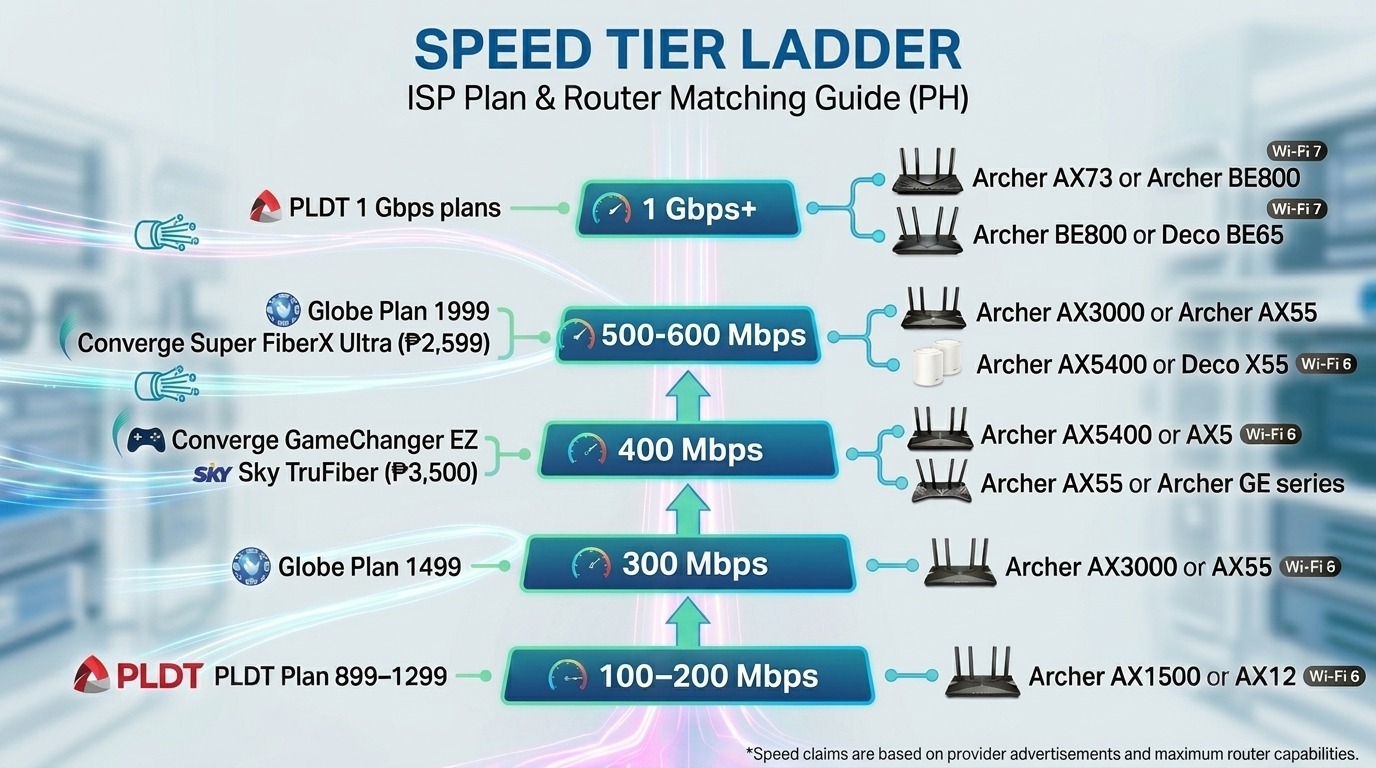
PLDT Plan 899–1299 (up to 100–200 Mbps): Archer AX1500 or AX12. Gigabit WAN port handles the plan fully. Straightforward Wi-Fi 6 upgrade from whatever the PLDT technician left behind.
-
PLDT Plan 1699–2099 (200–600 Mbps with speed boost): Archer AX3000 or Archer AX55. Higher-throughput Wi-Fi 6, 4 Gigabit LAN ports, HomeShield included. Handles the boosted speed during the first 6 months without bottlenecking.
PLDT 1 Gbps plans: Archer AX73 or Archer BE800. 2.5 Gbps WAN port on select models ensures the Gigabit plan is not capped by the router's own WAN port.
Globe At Home GFiber subscribers
Globe's GFiber plans were significantly refreshed in 2025 and 2026. Their current postpaid line runs from Plan 1499 (300 Mbps) to Plan 4999 (1 Gbps), with Wi-Fi 6 modems and Disney+/BlastTV bundles on mid-tier and above. The GFiber Plan 4999 bundles a ₱5,000 TP-Link voucher specifically for router upgrades. Globe also runs a prepaid fiber option at up to 300 Mbps with no lock-in.
-
Globe Plan 1499 (300 Mbps): Archer AX3000 or AX55. This is the sweet spot where OFDMA starts making a visible difference for families with 8–12 active devices. The plan's 300 Mbps ceiling is well within Wi-Fi 6 distribution range.
-
Globe Plan 1999 (500 Mbps): Archer AX5400 or Deco X55 (2-pack for multi-room households). 500 Mbps is where a 2.5 Gbps WAN port becomes relevant, particularly if the plan includes a speed-boost period that raises it to 700 Mbps or higher.
Globe Plan 2499 (1 Gbps) and Plan 4999 (1 Gbps): Archer BE800 or Deco BE65. Wi-Fi 7, 2.5 Gbps WAN port. The ₱5,000 TP-Link voucher bundled with Plan 4999 is specifically intended for this upgrade tier.
Converge FiberX / Super FiberX subscribers
Converge holds the title of best Mbps-per-peso value in the Philippines for 2025 and 2026, based on Ookla Speedtest data, winning the 2026 Ookla award for fastest fixed network in the Philippines. Their Super FiberX Max at ₱1,599 delivers up to 400 Mbps, more than double what PLDT and Globe offer at the same price point in many areas. The Super FiberX Ultra at ₱2,599 delivers 1 Gbps with a bundled Wi-Fi 6 modem. Converge also runs the GameChanger EZ at around ₱1,800 for gaming households wanting network prioritization.
-
Super FiberX Max (400 Mbps at ₱1,599): Archer AX5400 or AX55. 400 Mbps is where Wi-Fi 6's OFDMA advantage is most visible; an older Wi-Fi 5 ISP modem would handle this poorly under a multi-device load.
-
GameChanger EZ (400 Mbps, gaming prioritization): Archer AX55 or Archer GE series. Pair Converge's network-level gaming prioritization with TP-Link's QoS device prioritization in the Tether app for a double layer of latency protection on gaming traffic.
Super FiberX Ultra (1 Gbps at ₱2,599): Archer AX73 or Archer BE800. At this plan level, a 2.5 Gbps WAN port is important. The Converge Wi-Fi 6 modem bundled with the plan is usable, but a dedicated TP-Link router with stronger antenna coverage handles distribution across a multi-room home more reliably.
Sky TruFiber subscribers
Sky TruFiber operates on Converge's fiber infrastructure under their partnership. Their 1 Gbps TruFiber plan at ₱3,500 per month includes free installation. Sky's coverage is more concentrated in Metro Manila and key urban areas compared to PLDT and Converge's provincial reach.
-
Sky TruFiber (up to 1 Gbps at ₱3,500): Archer AX73 or Archer BE800. Same 1 Gbps router recommendation as Converge Ultra. Multi-Gig WAN port ensures the plan speed is not capped by the router itself.
Key takeaway: The ISP determines your plan tier. TP-Link Philippines recommends matching the WAN port spec to your plan speed first, then choosing Archer or Deco based on your home layout.
Single Router or Mesh System: Which is Right for Your Home?
The right TP-Link router for your ISP plan also depends on your home layout, not just your plan speed. The same 300 Mbps Converge plan can be served by either an Archer AX55 or a Deco X55 2-pack; the difference is coverage, not plan compatibility.
Choose an Archer router when:
-
Your home is a studio, apartment, or condo, generally single-floor, under 1,500 square feet
-
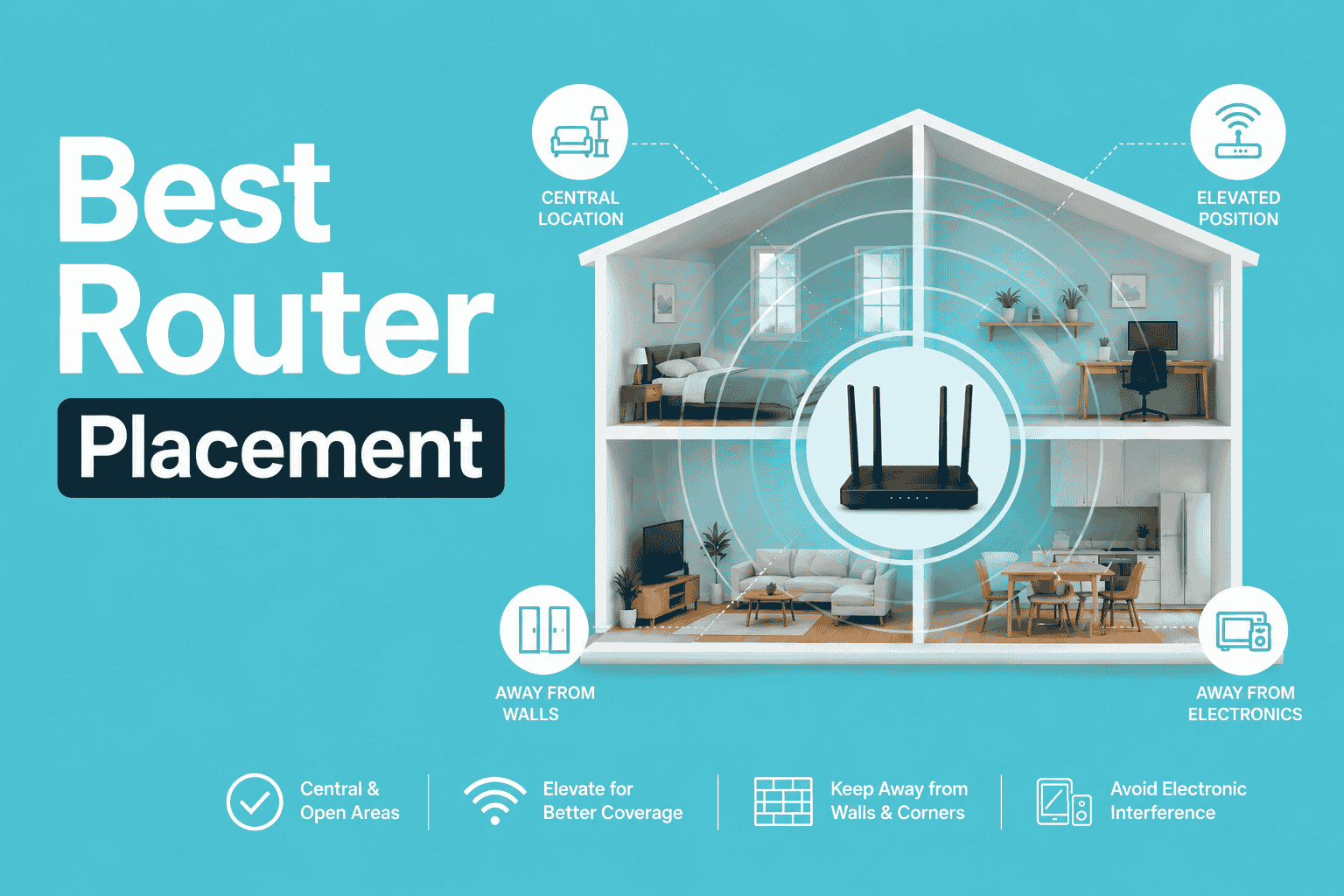
All the rooms where you need Wi-Fi are reachable from one central point without passing through more than one concrete wall
-
You want the simplest setup with a single device to manage
Choose a Deco mesh system when:
-
Your home is two stories, or has multiple rooms separated by concrete walls, which describes most Philippine family homes
-
The study room or bedroom where a student does online classes is consistently slow or drops, despite having a fast plan
-
You need consistent Wi-Fi from the main bedroom to the sala to the kitchen without reconnecting to different SSIDs
-
You have more than 15 devices regularly connected across the household
For most Filipino households subscribing to a mid-range or high-speed plan, particularly in two-story houses or concrete townhouses, a Deco 2-pack delivers a better day-to-day experience than a single Archer router, even if the Archer has higher peak speed ratings on paper. The mesh architecture places a node on each floor rather than asking the signal to push through concrete from one point.
Key takeaway: Single-floor apartment? Archer. Two-story concrete home with multiple rooms? Deco. The mesh architecture solves the Philippine concrete wall problem that a single router, regardless of specs, cannot fully overcome.
The 1 Gbps WAN Port Bottleneck: Why It Matters On High-Speed Plans
Most routers sold in the Philippines have a standard Gigabit Ethernet WAN port. A Gigabit port handles speeds up to approximately 940 Mbps in real-world conditions. For plans up to 500 Mbps, this is not a limitation; the plan speed never reaches the port ceiling.
For 1 Gbps plans from Converge, Globe, PLDT, or Sky, a standard Gigabit WAN port becomes the bottleneck: the router's own port limits you to roughly 940 Mbps before Wi-Fi distribution even begins. This is why TP-Link routers recommended for 1 Gbps and above plans, the Archer AX73, Archer BE800, Deco XE75, and Deco BE65, carry 2.5 Gbps WAN ports. That removes the router hardware from the speed equation, letting the full 1 Gbps plan throughput reach the router's Wi-Fi distribution system.
If you are on a 1 Gbps plan today using a router with only a Gigabit WAN port, you are paying for 1 Gbps and receiving approximately 940 Mbps at best, and often less due to port overhead. A 2.5G WAN port router corrects this at the hardware level.
Key takeaway: On any plan at 1 Gbps or above, the WAN port spec matters as much as the Wi-Fi standard. A 2.5 Gbps WAN port is not optional at this tier; it is what allows the full plan speed to enter the router before distribution begins.
How to Set Up Your TP-Link Router Behind the ISP Modem
You do not need to contact PLDT, Globe, Converge, or Sky to add a dedicated TP-Link router. The setup takes under 10 minutes using the Tether or Deco app on your phone.
Step 1: Connect an Ethernet cable from any LAN port on the ISP modem to the WAN port on the TP-Link router.
Step 2: Power on the TP-Link router and wait 2 minutes for it to fully boot.
Step 3: Download the TP-Link Tether app (for Archer routers) or the Deco app (for Deco mesh) on your phone.
Step 4: Connect your phone to the TP-Link router's default Wi-Fi. The SSID and password are printed on the router's bottom label.
Step 5: Open Tether or the Deco app and follow the on-screen setup. Select Dynamic IP as the connection type. This is correct when the TP-Link router sits behind the ISP modem.
Step 6: Set your Wi-Fi name and password. Reconnect all household devices to the new network. Done.
The ISP modem stays in place and manages the fiber line. All Wi-Fi in your home now comes from the TP-Link router. If your ISP technician needs to diagnose line issues in the future, they will work with the modem; your TP-Link router setup is unaffected.
Key takeaway: The entire setup takes under 10 minutes, requires no ISP approval, and does not affect your ISP warranty. The Tether or Deco app walks you through every step from your phone.
Frequently Asked Questions
Does my ISP plan speed matter when choosing a router, or just the Wi-Fi standard?
Both matter, but for different reasons. The Wi-Fi standard (Wi-Fi 6 vs Wi-Fi 7) determines how efficiently the router serves multiple devices simultaneously, which affects performance under load regardless of plan speed. The plan speed determines whether the router's WAN port becomes a bottleneck: plans at 1 Gbps or above require a 2.5 Gbps WAN port on the router to avoid the router itself capping the speed. For plans under 500 Mbps, any Gigabit WAN port is sufficient, and the Wi-Fi standard is the more important variable.
Globe and Converge now bundle Wi-Fi 6 modems with some plans. Is a dedicated router still worth it?
For a small apartment with 3–5 devices, the bundled Wi-Fi 6 modem is likely sufficient. For a household with 8 or more active devices, two floors, or concrete walls between the modem and key rooms, a dedicated TP-Link router adds meaningful benefits: stronger antenna array for better signal through walls, QoS device prioritization via the Tether app, HomeShield parental controls, guest network isolation, and the freedom to place the router where coverage is needed rather than where the technician installed the modem. The bundled modem handles the line; the dedicated router handles the home.
I have a Converge 1 Gbps plan, but my speed tests only show 400–500 Mbps. Is the router the problem?
Possibly, but check the line first. Run a wired speed test: connect a LAN cable from the Converge modem directly to your laptop and test. If the wired result is also 400–500 Mbps, the issue is on the ISP side and not the router. If the wired result is close to 1 Gbps but Wi-Fi is significantly lower, the router or its placement is the bottleneck. Check whether your current router has a standard Gigabit WAN port on a 1 Gbps plan; a Gigabit port limits you to approximately 940 Mbps before other overheads. Also, check whether the device running the speed test is connected to the 5 GHz band rather than the more congested 2.4 GHz band.
Will switching to a TP-Link router affect my ISP warranty or support?
No. Adding a router behind your ISP modem does not affect the ISP's line warranty or their obligation to support the fiber connection. The ISP modem remains in place and connected to the fiber line; you have simply added a dedicated router behind it. If the ISP technician needs to diagnose line issues, they work with the modem directly. If you have questions about bridge mode or any modem-level configuration, contact your ISP's support line. They can confirm the correct settings without requiring you to remove the TP-Link router.
What is the difference between the Archer AX series and the Deco for the same ISP plan?
An Archer router is a single-device solution. A Deco system is a multi-node mesh. For the same 300 Mbps Converge plan in a 3-bedroom house, an Archer AX55 delivers faster peak speeds near the router, while a Deco X55 2-pack delivers more consistent speeds throughout the house, including in rooms behind concrete walls. The Archer wins on peak throughput for devices near the router; the Deco wins on even coverage across a Filipino concrete home. If you have had dead zones or slow rooms despite a fast plan, the Deco is the right choice for your household layout.
Does the Globe Plan 4999 TP-Link voucher apply to any TP-Link router?
The ₱5,000 TP-Link voucher bundled with Globe GFiber Plan 4999 is intended for router upgrades at the 1 Gbps tier. TP-Link Philippines recommends applying it toward the Archer BE800 or Deco BE65 Wi-Fi 7 routers with 2.5 Gbps WAN ports that match the plan's 1 Gbps throughput without bottlenecking. Contact Globe or visit an authorized TP-Link retailer to confirm current voucher redemption terms before purchasing.
Can I use a Deco mesh node as a wired backhaul instead of wireless between nodes?
Yes. Deco mesh systems support Ethernet backhaul, connecting the Deco nodes via Ethernet cable instead of relying on the wireless connection between them. In a Philippine home where you can run an Ethernet cable between floors or rooms, wired backhaul eliminates wireless interference between nodes and delivers more consistent speeds to every room. The Deco app guides you through the backhaul setup without any technical configuration required.
Your ISP plan is only as fast as the router distributing it.
Philippine fiber plans in 2026 represent genuine value: 400 Mbps for ₱1,599 from Converge, 300 Mbps for ₱1,499 from Globe, 1 Gbps for ₱2,599 from Converge Ultra. But a plan's advertised speed is only as useful as the router's ability to distribute it to every device in your home. Matching your router to your plan tier, ensuring the WAN port handles your plan speed without bottlenecking, and the Wi-Fi standard handles your device count without queuing, turns your monthly ISP investment into actual performance at every device.
The upgrade is a one-time hardware purchase. Once done, it works without monthly fees, without ISP approval, and without a technician visit. The Tether app handles setup from your phone in under 10 minutes.
Browse the full TP-Link Philippines router lineup matched to your plan.
Disclosure: ISP plan prices, speeds, and inclusions are accurate as of June 2026 based on officially announced ISP plan portfolios. Philippine ISPs update plans frequently. Always verify current offerings directly with your ISP before subscribing. TP-Link router specifications and availability are confirmed from official TP-Link Philippines listings as of June 2026. Product availability may vary by retailer.

_20250110065519v.png)