
Surveillance vs Security Cameras: Key Differences
Published: June 11, 2025 · Last Updated: September 17, 2026
Quick Answer
-
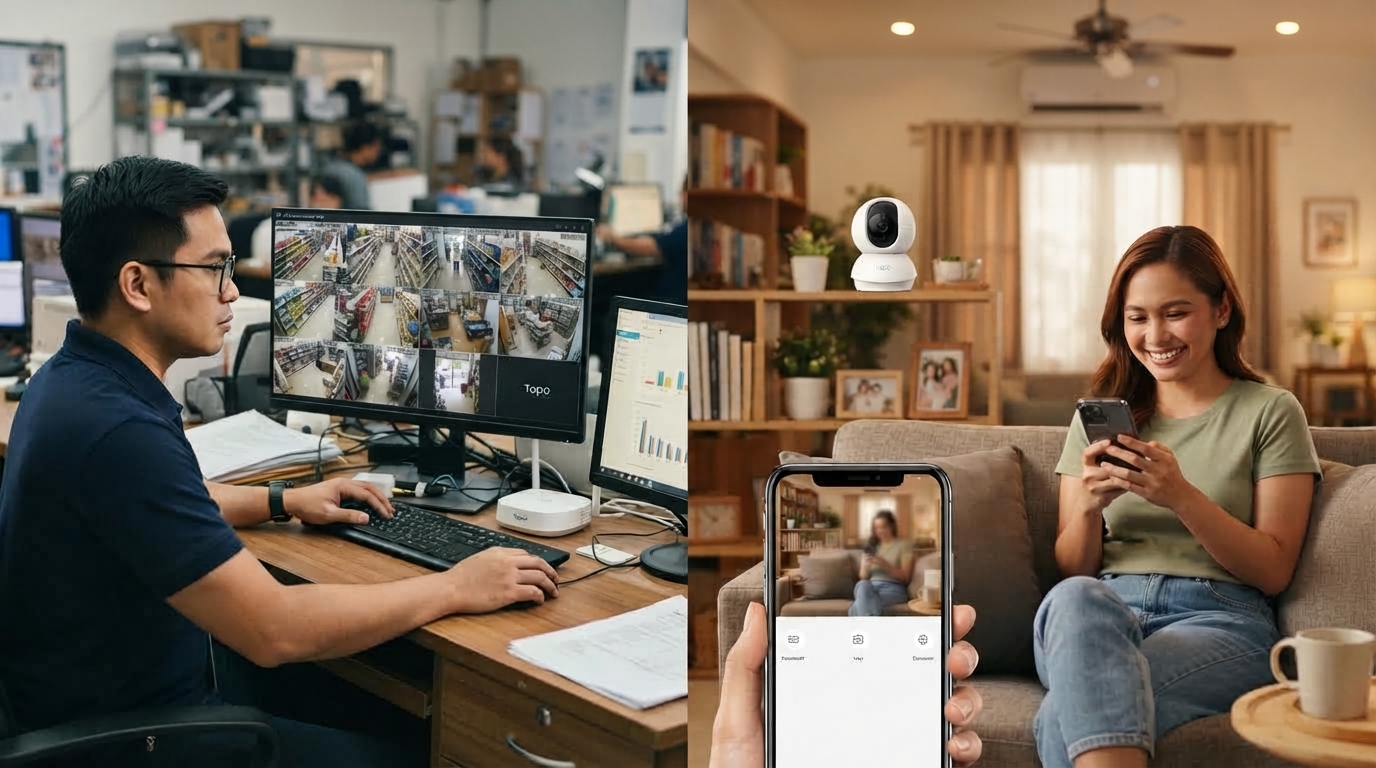
Surveillance cameras are designed for 24/7 continuous monitoring of large areas, often professionally installed and monitored.
-
Security cameras are designed to detect and alert you to specific events and are typically wireless, affordable, and easy to install yourself.
-
Most homes and small businesses in the Philippines get better value from security cameras; surveillance systems suit large-scale, high-traffic operations.
Surveillance cameras are built for continuous, wide-area monitoring, often watched by trained personnel. In contrast, security cameras detect specific events and alert you directly, making them a better fit for most homes and small businesses.
Table of Contents
Main Differences Between Surveillance and Security Cameras
When to Use Surveillance Cameras
Benefits of Surveillance Cameras
Integration With Other Systems
Legal and Privacy Considerations
Tips for Choosing the Right Camera
Best Security Cameras for Home
What Are Surveillance Cameras
These cameras are often part of a larger system designed to observe a specific area over time, since surveillance cameras are mainly used for continuous monitoring. Surveillance cameras are usually found in public places, commercial spaces, and industrial sites. They often work around the clock and may be monitored by staff in real time.
Many surveillance systems store video footage for future review. Security personnel watch live feeds and respond to events as they occur in control rooms connected to some surveillance systems.
What Are Security Cameras
To detect and alert users to specific security events like break-ins or motion in restricted areas, security cameras are the standard choice, and these cameras are used in homes and small businesses most commonly. Most security cameras have smart features such as motion detection, mobile alerts, and cloud storage, and once you understand that a security camera has smart features built in from the start, choosing between models becomes a lot more straightforward.
Unlike traditional surveillance systems, many security cameras can be installed without professional help. Designed for ease of use, they often link to smartphones or tablets for remote viewing.
Main Differences Between Surveillance and Security Cameras
Although they share similarities, here are the key differences between surveillance cameras and security cameras:
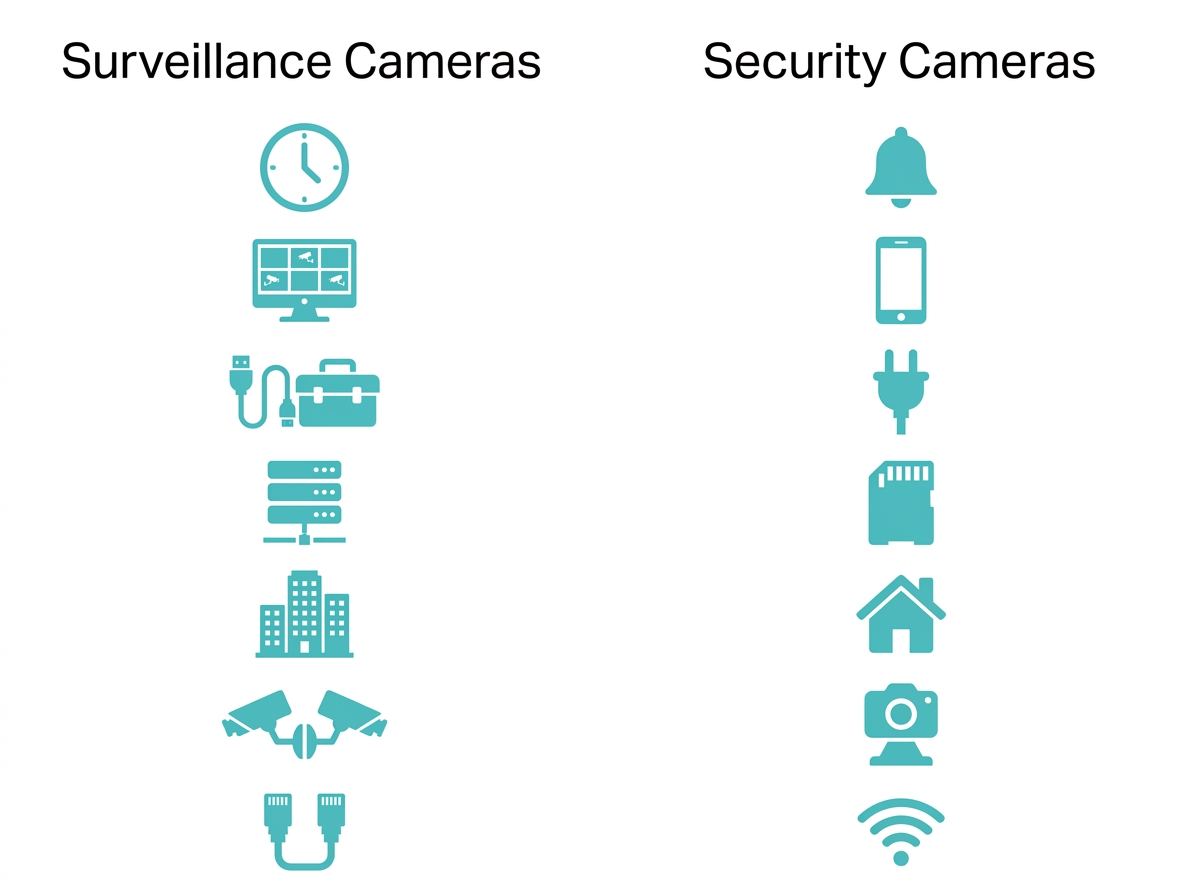
- Purpose: Surveillance cameras are meant for 24/7 monitoring. They are designed to constantly record activity in a given area without interruption. Security cameras are designed to detect specific events, such as motion or unusual activity, and then notify the user.
- Monitoring: Surveillance systems are usually monitored by trained personnel in control rooms or security offices. Security cameras are often monitored by the property owner through smartphone apps or mobile alerts.
- Installation: Surveillance cameras may require professional installation and a network of cables to connect all components. Security cameras, however, are often wireless and easy to install at home.
- Storage: Surveillance cameras usually store footage on DVRs (Digital Video Recorders) or NVRs (Network Video Recorders) with large storage capacities to handle continuous recording. Security cameras, by comparison, use cloud storage or built-in SD cards.
- Location and Use: Surveillance cameras are commonly used in high-traffic public areas such as banks, malls, airports, factories, and city streets. Security cameras are more commonly found in private spaces like homes, offices, and small retail stores.
- System Type: Surveillance systems are usually part of a closed-circuit system (CCTV) that connects multiple cameras to a central control station. Security cameras can work independently and are often part of a smart home system.
- Connectivity: Surveillance cameras may be wired and connected through a central server or network, ensuring stable performance and high-quality footage. Security cameras, on the other hand, often use Wi-Fi for easy access and remote control.
Key takeaway: The core distinction comes down to scale and monitoring style: surveillance systems watch continuously with trained oversight, while security cameras watch for you and notify you when something happens.
When to Use Surveillance Cameras
Surveillance cameras are best for places that need continuous monitoring over a wide area. These include:
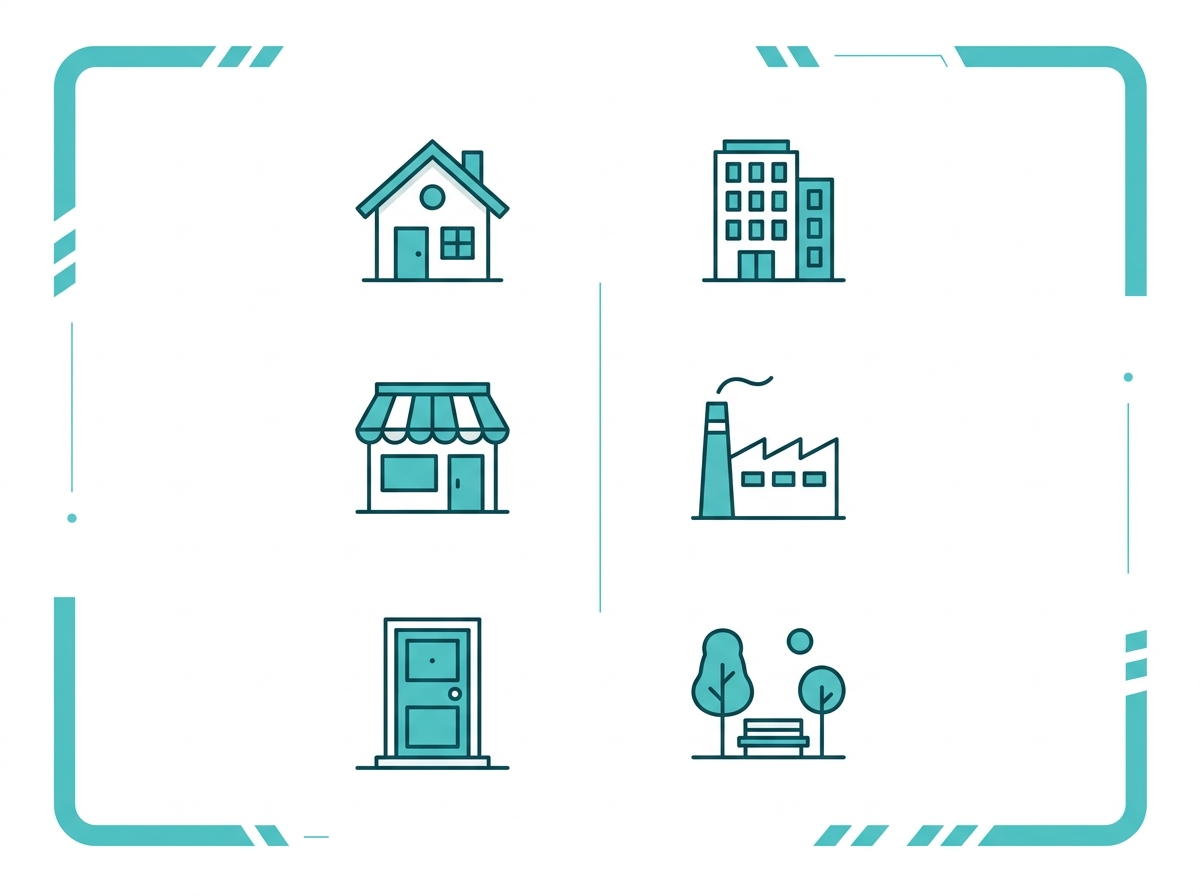
- Large office buildings
- Factories or warehouses
- Parking lots
- Public areas like streets or parks
- Government buildings
To help monitor daily operations, detect safety risks, and provide real-time data to security teams, these cameras are a natural fit for the settings above.
When to Use Security Cameras
For smaller, private areas where quick alerts and easy access are priorities, security cameras are ideal. These include:
- Homes and apartments
- Small shops or restaurants
- Front doors and driveways
- Indoor rooms or hallways
- Office entry points
If you want to receive a notification when someone enters your backyard or monitor package deliveries, a security camera is the better choice.
Benefits of Surveillance Cameras
-
24/7 monitoring
-
High-quality video footage
-
Centralized control and data storage
-
Useful for large-scale operations
-
Often monitored by trained professionals
-
Scalable for enterprise-level needs
Benefits of Security Cameras
On the security camera side, the benefits of security cameras include the following:
- Easy to install and manage
- Real-time alerts to mobile devices
- Remote viewing from anywhere
- Affordable and user-friendly
- Motion detection and night vision features
- Great for home and small business use
Integration With Other Systems
Surveillance cameras are typically integrated with complex security systems, including access control, alarms, and fire detection systems. These systems are often managed by an IT or security department.
Security cameras, especially modern wireless ones, can be connected to smart home devices like smart bulbs, door locks, and smart assistants. This approach offers more flexibility and customization for homeowners.
Legal and Privacy Considerations
Both surveillance and security cameras must comply with local privacy laws. For example:
- You cannot place cameras in bathrooms or other private spaces.
- In workplaces, you may need to inform employees about monitoring.
- Public surveillance is often regulated by government policies.
Remember to always check local laws before installing any camera system.
Tips for Choosing the Right Camera
If you're trying to decide between a surveillance system and security cameras, here are a few things to consider when making an informed decision:
- Size of the area: Use surveillance cameras for large spaces and security cameras for smaller areas.
- Your budget: Security cameras are more affordable and suitable for personal use.
- Monitoring needs: Choose surveillance if you need live monitoring and detailed footage.
- Ease of use: Pick security cameras for plug-and-play convenience and mobile access.
- Connectivity: If you want to connect your cameras to your Wi-Fi and control them with an app, go with security cameras.
Best Security Cameras for Home
|
Model |
Best for |
Standout features |
|
Outdoor perimeter coverage |
2K QHD, starlight color night vision with spotlights, AI detection for person, vehicle, and line-crossing |
|
|
Wide-area coverage from one unit |
Full 360-degree pan/130-degree tilt, two-way audio, smooth motor, seamless Tapo automation |
|
|
Budget indoor monitoring |
1080p HD, 360-degree horizontal and 114-degree vertical range for complete room coverage |
If you are furnishing a whole household rather than a single camera, security cameras built for indoor and outdoor use each have their own considerations worth weighing, and understanding indoor vs outdoor security cameras is a good next step once you have settled on the security camera category over a full surveillance system.
Frequently Asked Questions
What resolution do I need for a home security camera? A minimum resolution of 1080p (2MP) is required for clear details, but 2K to 4K is better for identifying faces or license plates, though it consumes more bandwidth and storage. Most homeowners find 1080p sufficient for general monitoring and only need higher resolution for specific high-detail areas like a front gate.
Will security cameras work at night? Yes. Most use infrared LEDs for black-and-white night vision. Models with colored IR or spotlights provide better low-light footage, which matters most for outdoor cameras covering entry points after dark.
Can I view footage remotely? IP and wireless cameras support remote viewing via apps on phones, tablets, or PCs. This is one of the biggest advantages security cameras hold over traditional surveillance systems, which often require dedicated on-site equipment to review footage.
How many cameras do I need for my home? For most homes, 2 to 4 cameras are adequate, covering key areas like front and back doors, the garage, and common outdoor zones. Larger properties or businesses with multiple entry points typically need more coverage than a single-family home.
Do I need professional installation for a security camera? No, most modern security cameras are designed for DIY setup with mounting hardware and app-guided instructions included. Surveillance systems, by contrast, often do require professional installation due to the cabling and central control equipment involved.
Can a security camera double as a surveillance system? Not exactly. A single security camera or a small connected set can cover a home or small office well, but it lacks the centralized control, dedicated storage infrastructure, and professional monitoring that defines a true surveillance system. For most residential and small business needs, this distinction rarely matters in practice.
Final Thoughts
Not sure which category actually fits your situation? If you're protecting a home, apartment, or small shop, a security camera gives you real-time alerts, remote access, and DIY installation without the cost or complexity of a full surveillance system. If you're covering a warehouse, parking lot, or multi-entry commercial property, surveillance is worth the investment. Explore wireless security cameras built for homes and small businesses, or TP-Link's surveillance solutions for larger-scale operations, and match your setup to how you actually need to monitor your space.