
What Is a Pocket WiFi and How Do You Use It?
Published: September 11, 2024 · Last Updated: September 17, 2026

Quick Answer
-
A pocket WiFi is a portable, battery-powered router that connects to a mobile network and shares internet access with multiple devices.
-
It works by inserting a SIM card, powering on the device, and connecting your phone, tablet, or laptop to its WiFi hotspot.
-
It's most useful for travel, remote work, and as a backup connection when your home internet goes down.
A pocket WiFi is a small, battery-powered device that connects to a cellular network and shares that connection as a personal WiFi hotspot, giving you internet access for multiple devices anywhere there's mobile signal.
Table of Contents
How to Choose the Right Pocket WiFi Device
Tips for Using Pocket WiFi Effectively
How to Set Up Pocket WiFi for International Travel
What Is a Pocket WiFi
A pocket WiFi is a portable device that provides wireless internet access to multiple devices, such as smartphones, tablets, and laptops, using a mobile network. Essentially, it's a small, battery-powered router that connects to the internet via cellular networks, allowing you to create a personal WiFi hotspot wherever you go. This means you can stay connected to the internet without relying on public WiFi networks, which can be slow, unreliable, or even unsafe.
Pocket WiFi devices are compact and lightweight, which makes them easy to carry in your pocket, bag, or purse. They are particularly popular among travelers who need a reliable internet connection while on the move, but they're also useful for people who work remotely or live in areas with limited internet access.
How Does Pocket WiFi Work
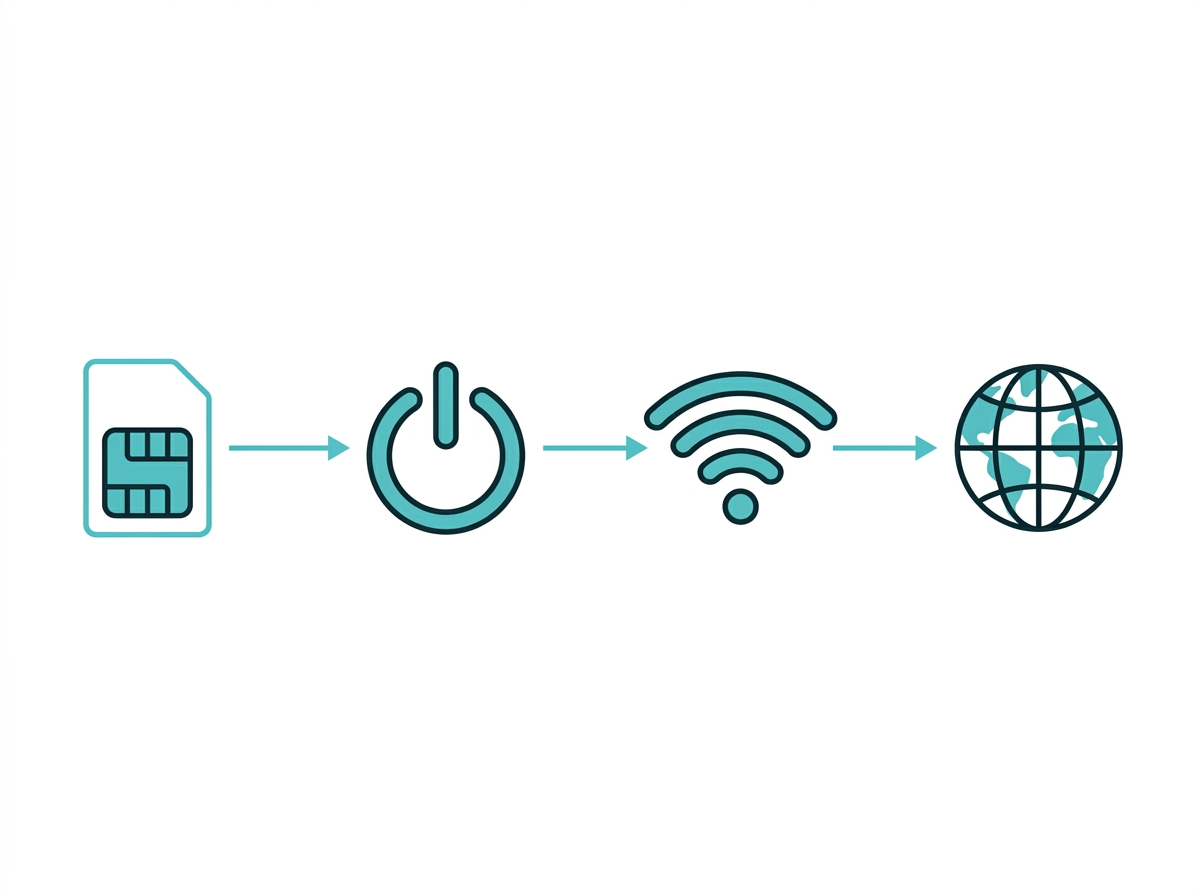
Pocket WiFi works by connecting to a mobile network, just like your smartphone does when you use mobile data. The device has a SIM card slot, and it uses the SIM card to connect to a cellular network, such as 4G or 5G. Once connected, the pocket WiFi device creates a WiFi hotspot that you can connect your devices to, just like you would with a home WiFi router.
Here's how it works:
- Insert a SIM card: To use pocket WiFi, you need a SIM card with a data plan. The SIM card allows the device to connect to the mobile network.
- Power on the device: Once the SIM card is inserted, turn on the pocket WiFi device. Most devices have a power button that you simply press and hold to turn it on.
- Connect your devices: After the pocket WiFi is powered on, it will create a WiFi hotspot. Use your smartphone, tablet, laptop, or any other WiFi-enabled device to search for the network name (SSID) of your pocket WiFi. Connect to it by entering the password provided with your device.
- Access the internet: Once connected, you can browse the web, check your email, stream videos, make WiFi calls at home or anywhere, or do anything else that requires an internet connection.
Benefits of Using Pocket WiFi
There are several advantages to using pocket WiFi, including:
- Portability: One of the most significant benefits of pocket WiFi is its portability. You can take it anywhere, ensuring you have internet access wherever you go. This is especially useful when traveling to areas with limited or no public WiFi access.
- Secure connection: Public WiFi networks can be risky, as they are often unsecured, leaving your personal information vulnerable to hackers. Pocket WiFi provides a more secure connection since it uses a private network.
- Cost-effective: Pocket WiFi can be more cost-effective than relying on mobile data, especially if you need internet access for multiple devices. Instead of purchasing separate data plans for each device, you can use a single pocket WiFi device to connect all of them.
- Multi-device connectivity: Pocket WiFi devices can usually connect multiple devices simultaneously, so you can share the connection with family, friends, or colleagues.
- Consistent internet access: Whether you're on a road trip, at the beach, or in a remote area, pocket WiFi ensures you have consistent internet access, provided there is cellular network coverage.
- Easy setup and use make pocket WiFi accessible to everyone, even those who are not tech-savvy.
Key takeaway: The benefits of pocket WiFi come down to freedom from fixed infrastructure; you get a private, portable connection anywhere there's cellular coverage.
Who Needs Pocket WiFi
If you need reliable internet on the go, pocket WiFi is perfect. Pocket WiFi provides a stable connection for video calls, file sharing, and other work-related tasks when working remotely or while traveling. Pocket WiFi can be used as a backup if your home internet frequently goes down. It is useful for work, leisure, and even for travel.
How to Choose the Right Pocket WiFi Device
When choosing a pocket WiFi device, there are several factors to consider:
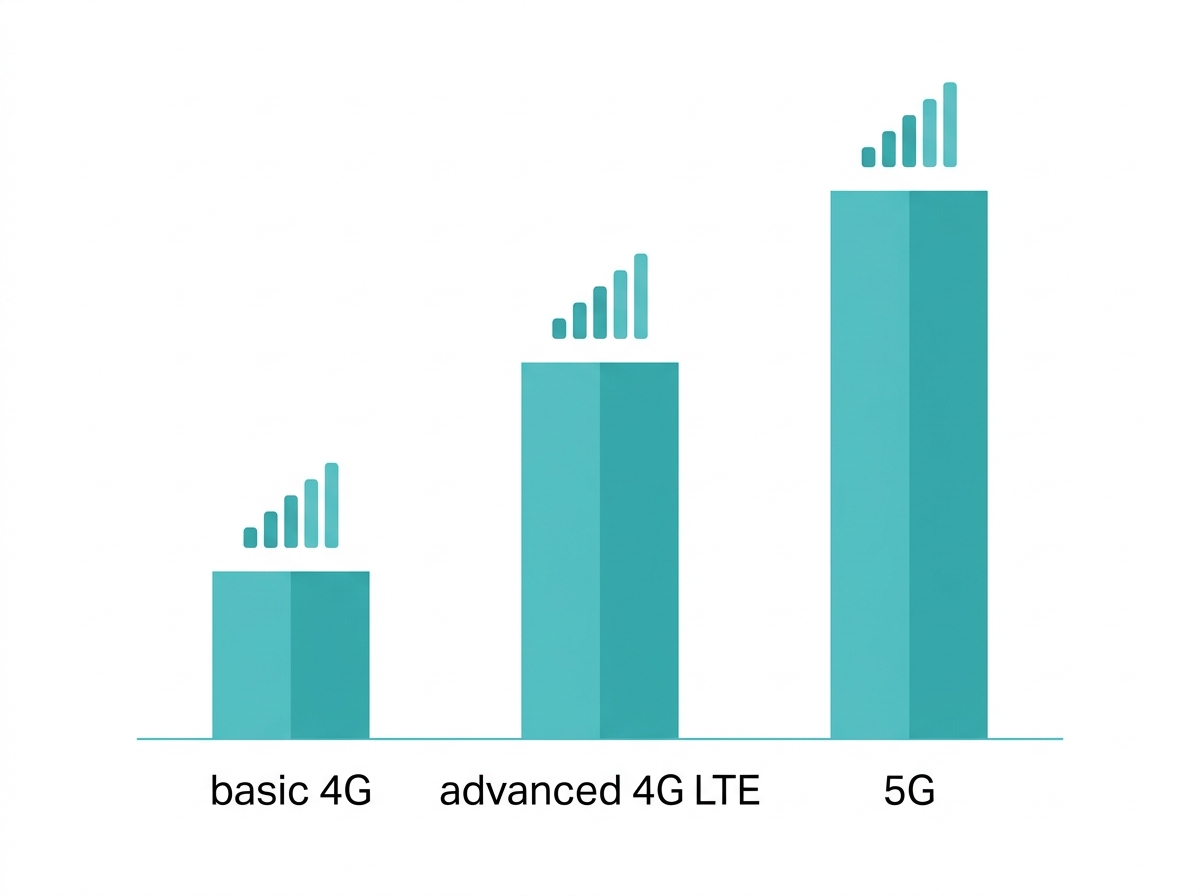
- Network compatibility: Ensure that the pocket WiFi device is compatible with the cellular networks in your area. Most devices support 4G LTE networks, but if you need faster speeds, look for a device that supports 5G, such as the M8550, TP-Link's current 5G MiFi option.
- Battery life: Consider the battery life of the device, especially if you'll be using it for extended periods without access to a power source. Some devices offer up to 10 to 15 hours of battery life on a single charge.
- Data plan: Choose a data plan that suits your internet usage needs. Some devices come with prepaid data plans, while others require you to purchase a SIM card separately.
- Number of devices: Check how many devices the pocket WiFi can connect to simultaneously. Some models can connect up to 32 devices, which is ideal for group travel or family use.
- Speed: Look for a device that offers high-speed internet access, especially if you plan to use it for streaming videos or video conferencing.
- Size and weight: Since portability is one of the main benefits of pocket WiFi, choose a device that is compact and lightweight.
Tips for Using Pocket WiFi Effectively
To get the most out of your pocket WiFi, consider these tips:
- Monitor data usage: Keep track of your data usage to avoid running out of data unexpectedly. Some pocket WiFi devices have companion apps that allow you to monitor usage in real time.
- Optimize battery life: To conserve battery life, turn off the pocket WiFi device when not in use. Additionally, reduce the number of connected devices if you're running low on battery.
- Secure your network: Change the default password of your pocket WiFi device to ensure that only authorized users can connect to your network.
- Use in areas with good signal strength: For the best internet speeds, use your pocket WiFi in areas with strong cellular signal strength. Avoid using it in areas with weak signals or interference.
- Update firmware: Regularly check for firmware updates for your pocket WiFi device. Firmware updates can improve performance and security.
How to Set Up Pocket WiFi for International Travel
If you're planning to use pocket WiFi while traveling internationally, here are some steps to ensure a smooth experience:
- Check network compatibility: Before traveling, make sure your pocket WiFi device is compatible with the cellular networks in your destination country.
- Purchase an international data plan: Some mobile carriers offer international data plans that can be used with pocket WiFi devices. Alternatively, you can purchase a local SIM card in your destination country.
- Turn off data roaming: To avoid unexpected charges, make sure to turn off data roaming on your pocket WiFi device unless you have an international data plan that includes roaming.
- Test the device before you leave: Test your pocket WiFi device before leaving for your trip to ensure it's working correctly and that you understand how to use it.
Best Pocket WiFi Devices
|
Model |
Speed |
Best for |
|
Up to 150 Mbps, up to 10 devices |
Simple, cost-effective basic connectivity |
|
|
Up to 150 Mbps download/50 Mbps upload, up to 10 devices |
Reliable and affordable for everyday use |
|
|
Up to 300 Mbps download/50 Mbps upload, up to 32 devices |
Heavier usage like streaming or large file downloads |
|
|
M8550 (5G Mobile WiFi) |
Up to 3.4 Gbps download on 5G, WiFi 6E, up to 32 devices |
Fastest available speeds, group travel, business use |
When selecting a pocket WiFi device, consider options like TP-Link, which offers the best pocket WiFi in the Philippines, that are dependable and user-friendly for reliable internet access wherever you are. For casual online gaming, pocket WiFi works fine, but for competitive play that requires low latency or very high bandwidth, you can use a gaming router instead, since current models support faster download speeds suited to fixed, high-demand setups.
Frequently Asked Questions
Can I use pocket WiFi abroad? Many pocket WiFi devices support international use, but you'll need a compatible SIM card or data plan for the country you're visiting. Some services offer global pocket WiFi rental for international travel, making it easy to stay connected across different countries.
How many devices can connect to pocket WiFi at the same time? Most pocket WiFi devices can connect between 5 and 10 devices at the same time on basic models, and up to 32 on advanced ones, which makes it ideal for sharing the internet with family, friends, or colleagues while traveling.
How much data does pocket WiFi use? The data usage is the same as with any internet connection. The data you consume depends on your activities, such as streaming, browsing, and downloading. Many providers offer data packages, so choose one that suits your needs.
Can pocket WiFi support gaming? You can use pocket WiFi for casual online gaming, but performance will depend on your data speed and network strength. If you want to play games that require low latency or very high bandwidth, a dedicated home gaming router is the better choice for a stable, low-ping connection.
Final Thoughts
Ready to stay connected wherever you go? A pocket WiFi device gives you portable, secure, multi-device internet without relying on public networks, whether you're traveling, working remotely, or covering a home internet outage. Explore TP-Link's pocket WiFi lineup in the Philippines, from the budget-friendly M7200 to the 5G-ready M8550, and find the device that matches your speed and coverage needs.