WiFi Extender vs. WiFi Booster: What's the Real Difference?
Published: May 3, 2024 | Last updated: July 2026
Published: March 5, 2024 · Last Updated: July 2026
Quick Answer: WiFi Extender vs WiFi Booster
-
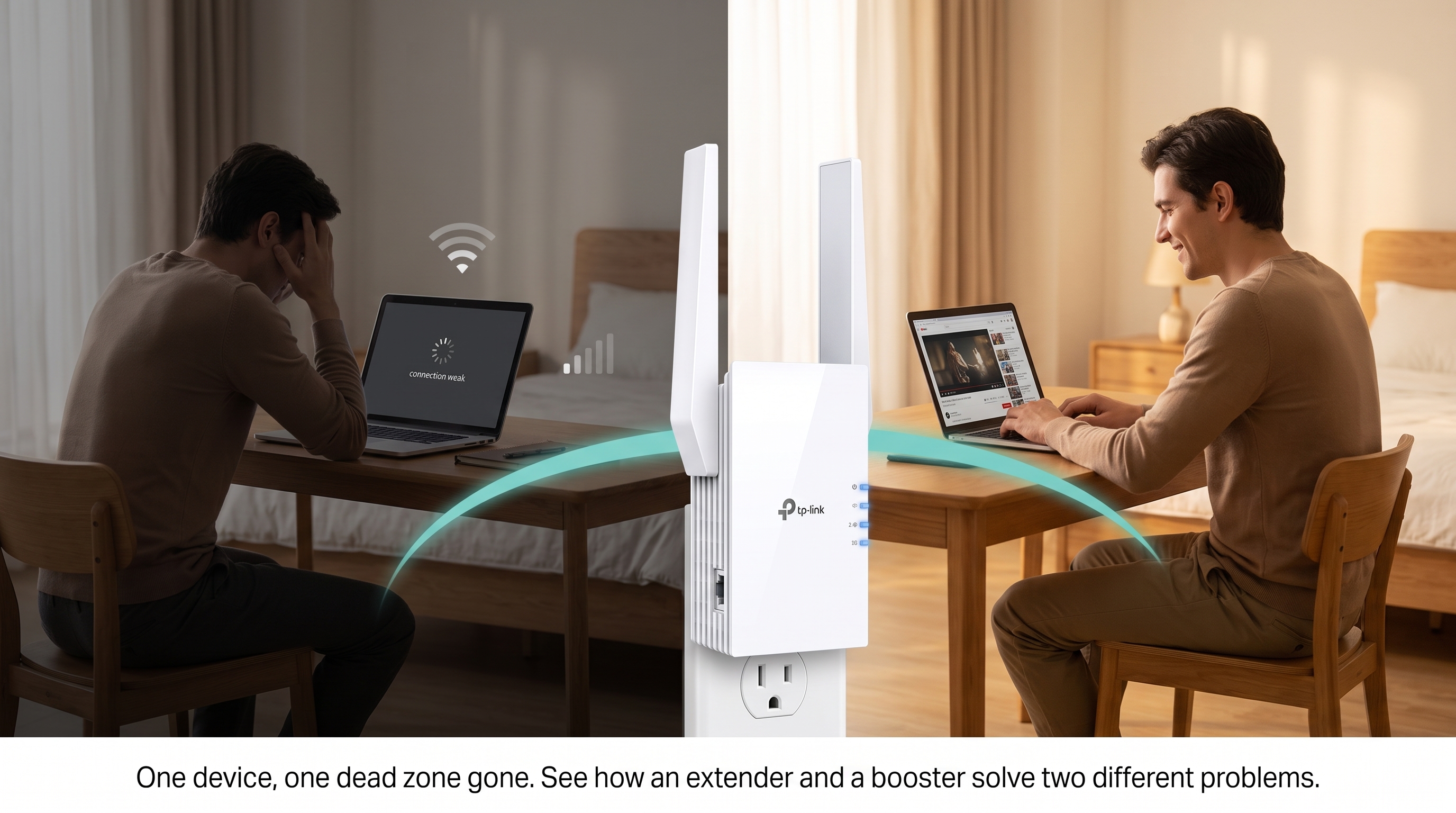
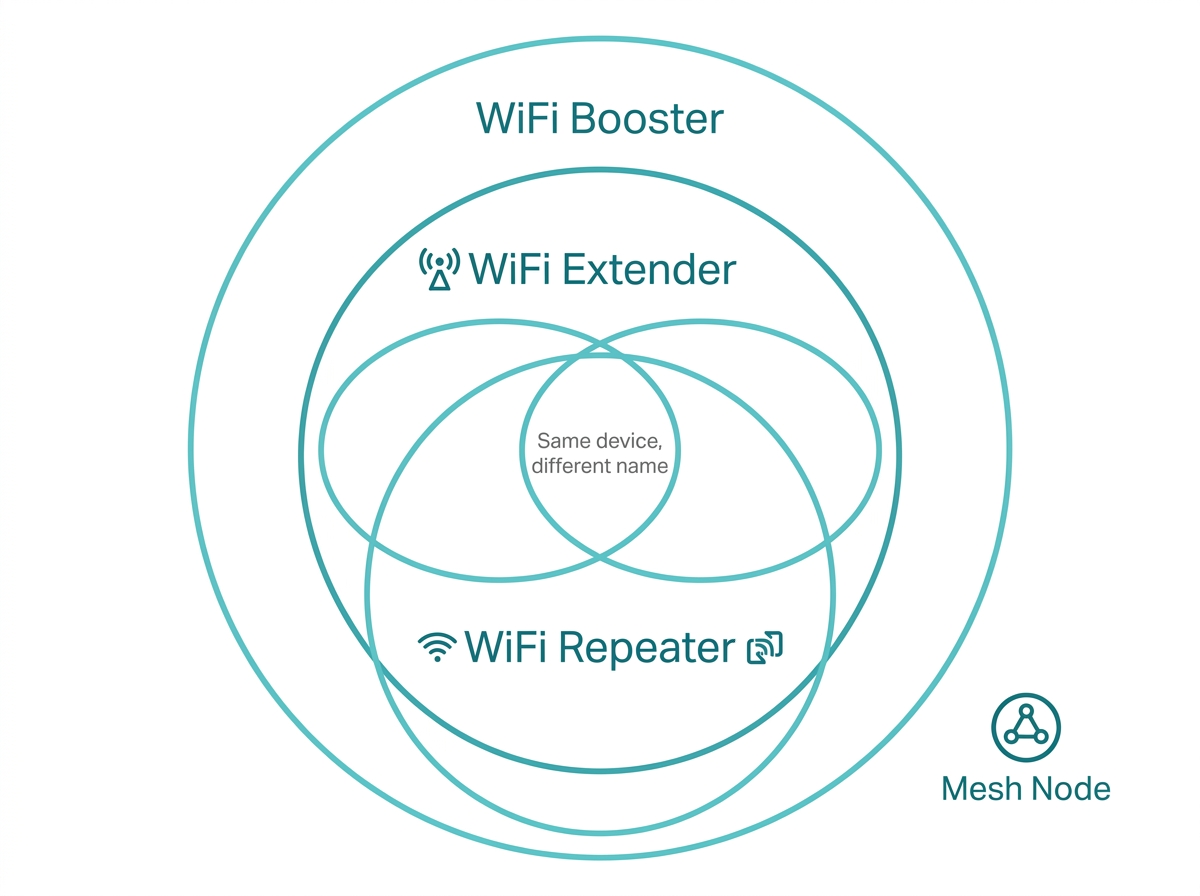
"WiFi booster" is a broad marketing term that retailers, consumers, and even some manufacturers use interchangeably with "WiFi extender." In most cases, they refer to the same category of device.
-
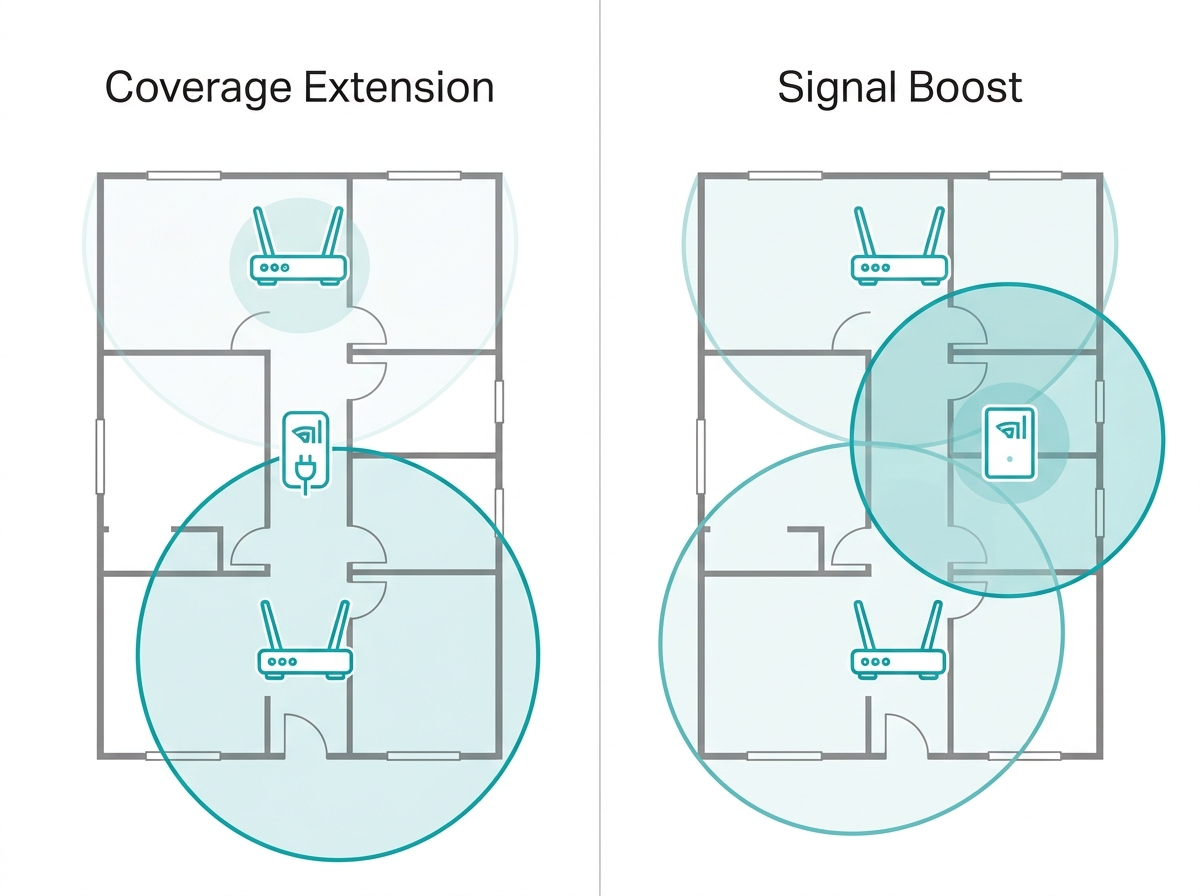
The technical distinction, where one exists, is this: a WiFi extender focuses on expanding coverage to areas your router cannot reach, while a WiFi booster or signal booster specifically amplifies signal strength in a weak area.
-
For Philippine households dealing with common Wi-Fi problems like dead zones and weak signals in concrete-walled rooms, the right question is not extender vs booster; it is which specific device fits your home size, router, and budget.
These terms are used interchangeably by retailers, listed under each other on e-commerce platforms, and treated as distinct product categories by different brands at the same time. Below, you’ll learn what the terms actually mean in 2026.
Table of Contents
Are WiFi Extenders and Boosters the Same Thing
WiFi Extender vs Booster: The Key Differences
Which One Is Right for Your Home
Factors to Consider When Choosing
TP-Link Options for Every Setup
Are WiFi Extenders and Boosters the Same Thing
A signal booster is a device that amplifies an existing signal (radio-frequency, cellular, or wireless) without necessarily rebroadcasting it as a new network. A WiFi extender, by contrast, receives the WiFi signal from your router and rebroadcasts it, effectively creating a new access point. The underlying processes are different: amplification versus retransmission.
The consumer WiFi market has collapsed this distinction. Walk into any electronics store in the Philippines, browse Lazada or Shopee, or check most manufacturer websites. "WiFi booster" is used as an umbrella term for anything that improves WiFi coverage, including extenders, repeaters, and sometimes even mesh nodes. TP-Link itself uses "booster" descriptively to mean a device that improves your signal, not as a distinct hardware category separate from its RE-series range extenders.
The TP-Link framing that is most useful for Filipino buyers: Wi-Fi extenders and boosters in the TP-Link lineup are all range extenders by hardware category. The difference in how you use them comes down to what problem you are solving: extending coverage to a distant room or improving a weak signal in a nearby one.
What Is a WiFi Extender
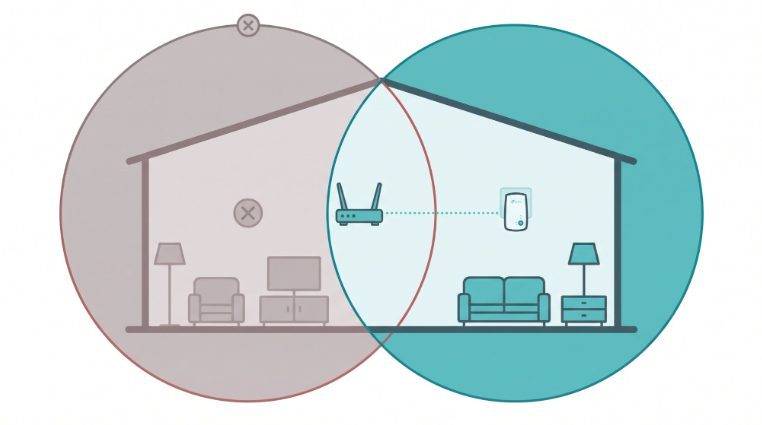
A WiFi extender, also known as a range extender or repeater, is a device designed to amplify the existing Wi-Fi signal from your router and rebroadcast it into areas with weak or no coverage. It works by receiving the signal from your router, amplifying it, and then transmitting it onward, effectively serving as a relay point between your router and your devices.
It's also very simple to set up a WiFi extender, even with no technical experience. Most models use a WPS button pairing process: press the button on your router, then press it on the extender, and the connection is established in under two minutes. Once connected, you place the extender in the coverage gap, and your devices connect to it.
Most standard WiFi extenders create a separate network name (SSID) for the extended signal. This means your phone or laptop may stay connected to the weaker router signal unless you manually switch to the extender's network. In contrast, Wi-Fi systems like mesh routers create a unified network under one name, so your device switches automatically, and while mesh systems cost more upfront, they eliminate this manual switching issue.
Some modern EasyMesh-compatible extenders, like the RE315 and RE605X, solve this when paired with an EasyMesh-compatible router, presenting a single SSID with smart roaming.
What Is a WiFi Booster
A WiFi booster, also referred to as a signal booster or amplifier, is any device that improves your WiFi signal quality or reach. It is often used interchangeably with an extender. Where a distinction exists in technical use, Wi-Fi boosters specifically emphasize amplifying the existing signal strength rather than extending coverage to a new area, making them theoretically better suited for situations where you are close enough to the router to receive a signal, but the signal is too weak to be useful.
Most devices sold as "boosters" receive the signal and retransmit it, which is the same function as an extender. The distinction that matters in shopping is not the product label but the specs: WiFi generation (WiFi 5 vs WiFi 6), bands (single vs dual), and whether the device supports EasyMesh for unified network management.
WiFi Extender vs Booster: The Key Differences
Given that these terms are largely interchangeable in practice, the most useful comparison is not "extender vs. booster" by name; it is the functional scenarios each label is typically applied to and where specific devices differ by design.
|
Factor |
WiFi Extender (typical use) |
WiFi Booster (typical use) |
|---|---|---|
|
Primary function |
Extends coverage to unreached areas |
Amplifies signal strength in weak-signal zones |
|
Best placement |
Between the router and the dead zone |
Within existing router coverage, but in a weak spot |
|
Network name |
Separate SSID (most models) |
Separate SSID (most models) |
|
Speed impact |
Up to 50% reduction on single-band models |
Similarly, depending on hardware specs |
|
Product category (TP-Link) |
RE-series range extenders |
RE-series range extenders (same category) |
|
EasyMesh compatible |
Select models (RE315, RE705X, RE605X) |
Not a separate category, but the same select models |
|
Best for PH homes |
Dead zones in distant rooms, upper floors |
Weak spots in adjacent rooms, balconies |
Which One Is Right for Your Home
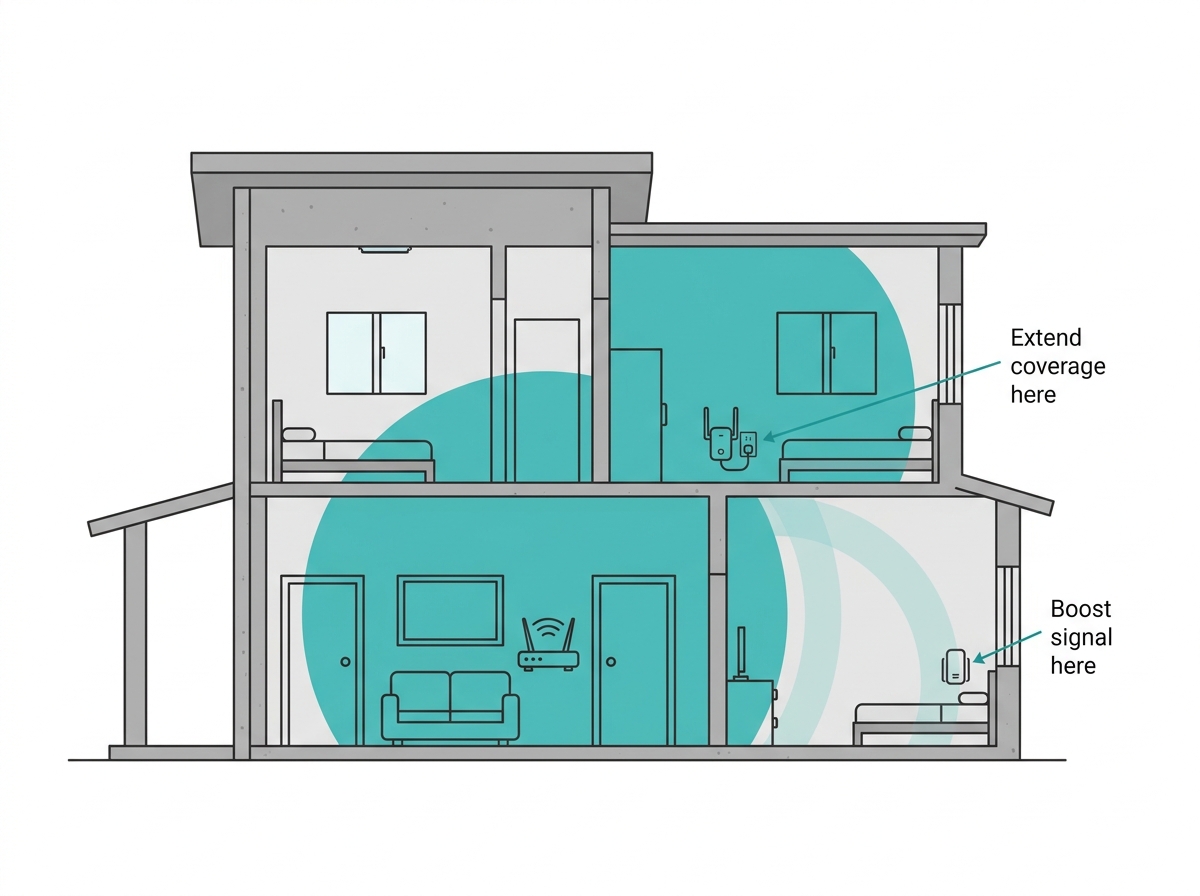
The practical decision is less about the label and more about your specific problem.
Choose an extender-style device (coverage extension) if:
-
You have a specific room, a far bedroom, a home office at the back of the house, or a unit floor that your router signal cannot reach at all
-
The dead zone is one to two rooms away from your router, or behind a thick concrete wall on the same floor
-
You want to extend your existing setup without replacing your router
Choose a booster-style device (signal amplification) if:
-
Your router signal technically reaches the area, but is too weak to support a reliable connection good enough to show one or two bars, and drops during video calls or streaming
-
The weak spot is within the router's general coverage range, but is blocked by a single concrete wall or appliance
-
You use adjusting Wi-Fi signal strength as a troubleshooting step, and want hardware to reinforce a borderline signal
For most Philippine households, the difference between these two use cases collapses quickly: if your signal is weak enough in a room to bother you, an extender placed between the router and that room will both extend coverage and boost the signal at the same time.
Factors to Consider When Choosing
Coverage needs. Assess the size and layout of your home. For large spaces with multiple floors or several rooms, Wi-Fi extenders are suitable for extending coverage across the space. For targeted weak spots in smaller areas, any device in the category addresses that.
Consider your speed requirements. If you are on a 100 Mbps or faster plan from PLDT, Globe, or Converge, opt for a dual-band WiFi 6 extender. Single-band or WiFi 5 devices halve the throughput on the extended band, which may cap your extended coverage at speeds below your plan.
Budget. Wi-Fi extenders and boosters range from under PHP 1,000 for entry-level WiFi 5 models to PHP 3,000 to PHP 5,000 for current WiFi 6 models. If cost is the constraint, a WiFi 5 extender is a more affordable entry point than upgrading to a higher-tier internet plan or switching to a full mesh system.
Compatibility. Ease of installation and setup is straightforward on most models, but if you want EasyMesh compatibility (single SSID, smart roaming without manual switching), confirm that both your router and the extender you choose support EasyMesh. Wi-Fi extenders without EasyMesh will create a separate network name.
Range and signal strength. Evaluate coverage claims against your home's specific obstacles. Philippine concrete walls reduce the 2.4 GHz signal by 70 to 90 percent per wall. Models with external antennas, beamforming, or 160 MHz channel support perform better through this type of construction than budget entry-level units.
Security features. Look for WPA3 support on newer models, especially if your router already supports it. Guest network support lets you keep extended coverage available for visitors without exposing your main network.
Impact leading to slower speeds. Any single-band extender that receives and rebroadcasts on the same band will reduce throughput by up to 50 percent on the extended signal. Dual-band and WiFi 6 extenders manage this better. If maximizing extended speed matters, check whether the model uses a dedicated backhaul band or supports EasyMesh.
TP-Link Options for Every Setup
Both Wi-Fi extenders and boosters from TP-Link fall under the RE-series range extender category. Here are the three options recommended for Philippine households.
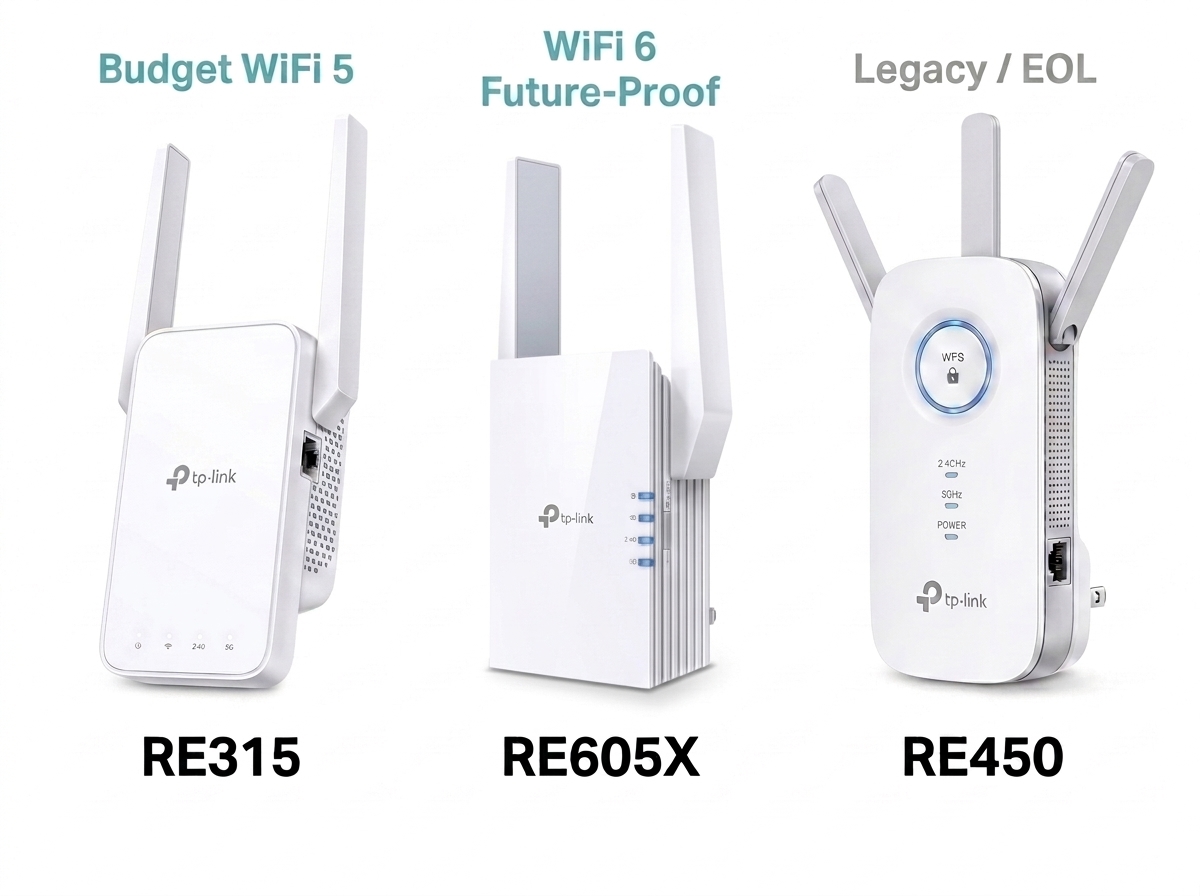
RE315 (AC1200 Mesh WiFi Extender) - The budget-friendly entry point for most Philippine homes. EasyMesh-compatible for single-SSID smart roaming when paired with a qualifying EasyMesh router. Dual-band WiFi 5 at 300 Mbps (2.4 GHz) and 867 Mbps (5 GHz). 1x 10/100 Mbps wired Ethernet port for connecting a wired device in the extended coverage zone. WPS setup takes under two minutes. Good for small to medium-sized homes or apartments with one dead zone.
TP-Link RE605X (AX1800) - The WiFi 6 step-up for homes on faster fiber plans (100 Mbps and above from Converge, PLDT Fibr, or Globe At Home). AX1800 dual-band WiFi 6 with OFDMA and MU-MIMO for better multi-device performance. If you have a WiFi 6 router, the RE605X is the best match for future-proofing your coverage extension. Handles more simultaneous devices with less congestion during peak hours (7 to 10 PM).
If you already own the RE450 (AC1750 WiFi Range Extender), it continues to work as an extender with any current router. For new purchases, the RE450 (AC1750 WiFi Range Extender) has been listed as end-of-life by TP-Link. The RE315 or RE605X are the current alternatives, depending on whether you want to stay on WiFi 5 or upgrade to WiFi 6.
Enhancing your Wi-Fi speed and connectivity is straightforward with any of these devices. Browse the full Wi-Fi extenders and boosters catalog to find the right model for your router, home size, and budget.
Frequently Asked Questions
Is a WiFi booster the same as a WiFi extender?
In most consumer contexts, yes. "WiFi booster" is a broad marketing term applied to any device that improves WiFi coverage or signal, which in practice includes the same range extenders and repeaters sold under that name. No major manufacturer, including TP-Link, sells a distinct product category called a WiFi booster that uses fundamentally different hardware from a range extender. Boosters are typically described as improving signal strength in a weak spot, while extenders are described as extending coverage to an unreached area.
Which is better for a Philippine concrete home - an extender or a booster?
For thick-walled concrete homes common across Philippine subdivisions and condos, an EasyMesh-compatible WiFi 6 extender like the RE605X is the strongest single-device solution. It handles the multi-wall signal degradation better than entry-level models thanks to WiFi 6 protocols, and EasyMesh compatibility eliminates the need to manually switch networks as you move through your home. For multi-floor homes with persistent dead zones on upper floors, consider whether a mesh system (see Mesh WiFi vs. WiFi Extender) is a better long-term answer.
Do WiFi extenders slow down internet speed?
A single-band extender reduces throughput on the extended band by up to 50 percent because it uses the same band to receive from the router and transmit to your devices simultaneously. Dual-band extenders manage this better by using one band for the router link and the other for device connections. WiFi 6 extenders reduce this impact further through more efficient protocols. Investing in a Wi-Fi extender with dual-band or WiFi 6 support is the best way to minimize speed loss on the extended signal.
Where is the best place to put a WiFi extender or booster in a Philippine home?
Place it halfway between your router and the dead zone, within a clear line of sight of the router if possible. In a concrete home, avoid placing it directly behind a thick wall, as this defeats the purpose. The ideal spot is in a hallway, stairwell landing, or room adjacent to the dead zone where it can still receive a strong signal from the router and rebroadcast into the weak area. The RE315 and RE605X both have signal indicator lights to help you find the optimal spot.
What is the difference between a WiFi repeater, extender, and booster?
All three terms typically describe the same category of device. A repeater retransmits the existing signal (older term). A range extender receives and rebroadcasts the signal into a new coverage area. A booster amplifies signal strength (it can be the same device or historically referred to as an amplifier that does not create a new SSID). In 2026, consumer products have collapsed into one device category sold under all three names interchangeably.
Can I use a WiFi extender with my PLDT, Globe, or Converge router?
Yes. TP-Link range extenders are compatible with any standard WiFi router, including the gateway modems provided by PLDT Fibr, Globe at Home, and Converge ICT. Connect via the WPS button or the Tether app. If you want EasyMesh functionality (single SSID and smart roaming), check whether your ISP-provided modem supports EasyMesh; many do not, in which case the extender will create a separate network name. If seamless roaming matters to you, pairing an EasyMesh-compatible TP-Link router with an EasyMesh extender is the cleaner solution.
Is a mesh WiFi system better than an extender or booster?
For homes with more than one dead zone or more than two floors, yes. A mesh system distributes coverage through multiple nodes under one unified network name, with automatic seamless roaming and self-healing if a node fails. An extender is a faster, cheaper fix for one isolated dead zone. The full comparison is in Mesh WiFi vs. WiFi Extender: Which Is Better.
Final Thoughts
WiFi extender, WiFi booster, range extender, repeater: these are largely different names for the same category of devices. The real decision is not about the label but about your specific problem: one dead zone versus multiple, a single floor versus three stories, a casual browsing household versus a WFH or OFW family relying on the connection daily.
For most Philippine homes with one or two problem areas, an EasyMesh-compatible WiFi 6 extender covers the issue cleanly and affordably. For homes where coverage has been a persistent whole-home problem, a mesh system is the more durable long-term fix, and the Mesh WiFi vs. WiFi Extender comparison will help you decide.
Browse TP-Link's range of Wi-Fi extenders and boosters to find the right device for your home, router, and ISP plan.