
How Internet Boosters Work and How to Choose One
Published: September 2, 2022 · Last Updated: September 21, 2026
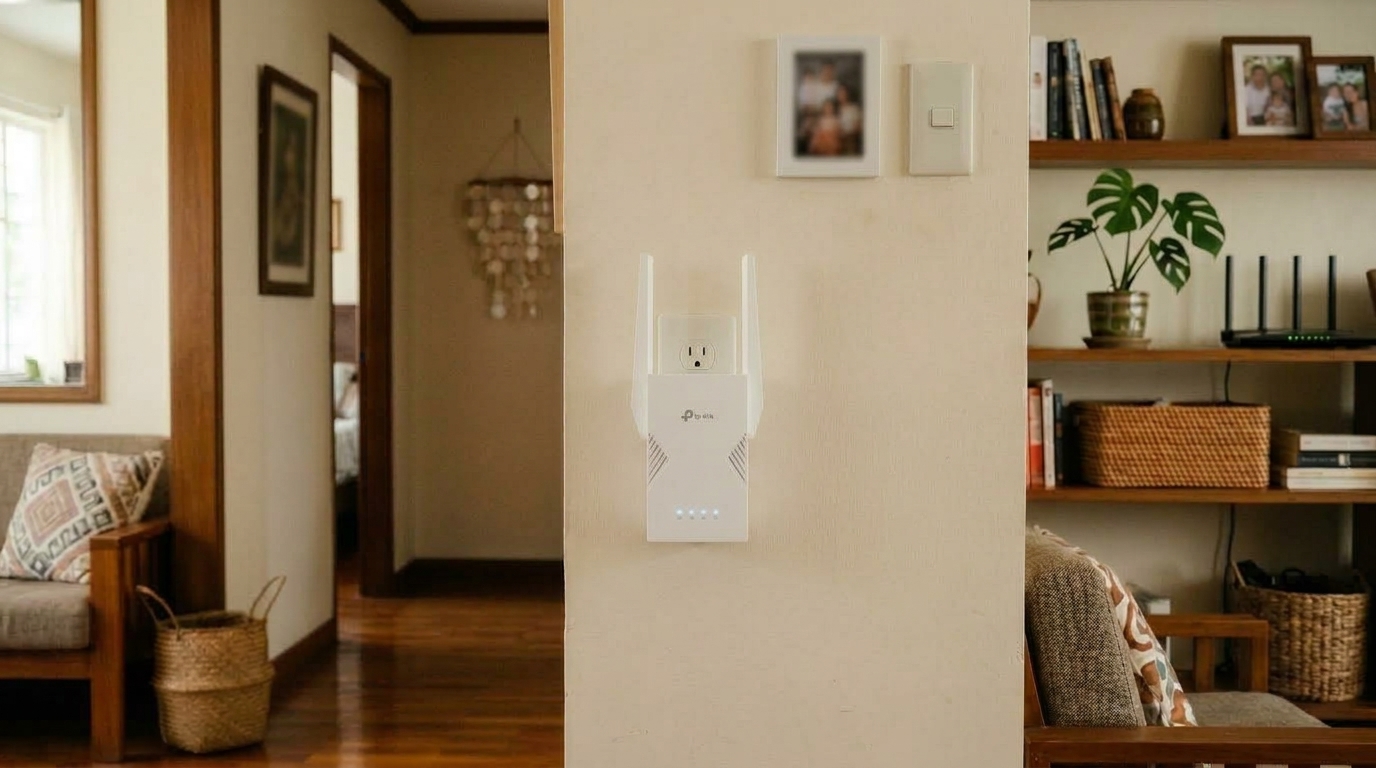
Quick Answer
-
An internet booster extends your existing WiFi signal into dead zones; it does not increase the speed coming from your ISP.
-
Range extenders are generally more affordable and easier to set up; repeaters with Ethernet ports work better for larger homes with multiple wired devices.
-
Match the booster to your router's WiFi standard and your home's size, since an underpowered booster won't meaningfully fix a large coverage gap.
An internet booster strengthens and extends your existing WiFi signal into areas your router can't reach on its own, and choosing the right one depends mainly on your home's size, the dead zones you're trying to fix, and your budget.
Table of Contents
How Does an Internet Booster Work
Simple Tips to Boost Your WiFi
An internet booster is easy to install, but some things should be considered before buying one. It is important to look at the brand and model carefully before making your decision because there are different types available in the market today.
The first step in choosing an Internet Booster is understanding how it works and why people choose them, as well as what kind of performance level they offer consumers like yourself who want nothing more than better connections so they can enjoy watching videos or playing games on their devices without having any technical issues with bandwidth being too slow.
What Is WiFi
WiFi (short for Wireless Fidelity) is a technology that allows devices to connect to the internet or communicate with each other wirelessly using radio waves. Instead of using cables, WiFi transmits data between your devices (like phones, laptops, and TVs) and a router, which is connected to your internet service provider (ISP).
What Is a WiFi Booster
A Wi-Fi booster is a device that helps strengthen and extend the range of your existing wireless internet signal. It's also called a WiFi extender or WiFi repeater. If you have areas in your home or office where the WiFi signal is weak or drops out (also known as dead zones), a WiFi booster can help bring the signal there.
WiFi boosters don't increase your internet speed from your ISP; they help maintain signal quality across longer distances. Several factors can result in poor internet access in the first place, and a booster addresses the coverage side of that problem specifically, not your underlying connection speed.
How Does an Internet Booster Work
The objective of an internet booster is to make your current internet connection faster in areas where it currently struggles. If you have a weak signal, it will be hard for you to access web pages on the internet; this results in poor speed.
An internet booster is a gadget that may enhance or expand your wireless signal to trouble areas where it is weak. To establish a better connection with your wireless devices, such as smartphones, tablets, and laptops, it pulls the current wireless signal from the router, amplifies it, and then rebroadcasts it.
Kinds of Internet Booster
-
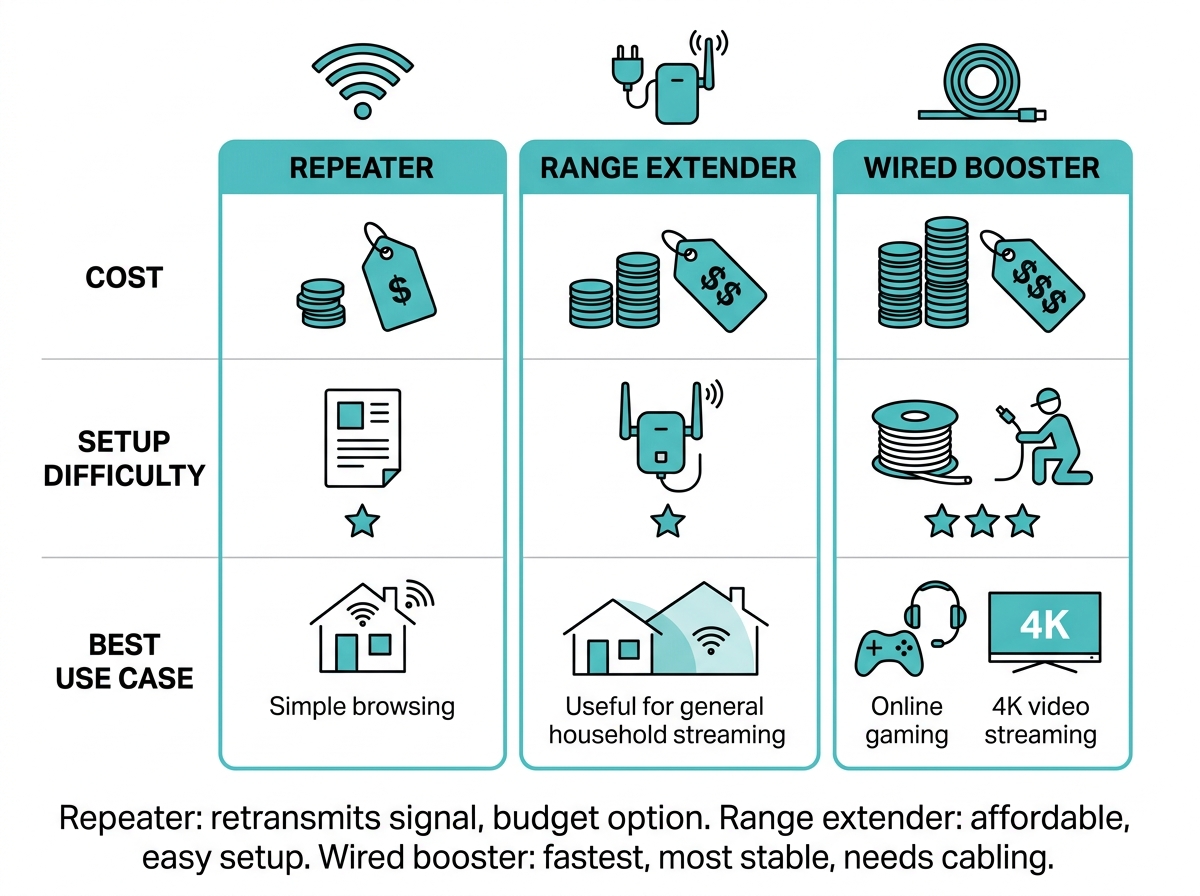
Repeater: It retransmits the signal from your router to an area where the signal is weak.
-
Range Extender: They receive signals from your router and extend them beyond its signal range. Generally, WiFi range extenders are more affordable and can be easily connected to the network. However, repeaters are better for large houses. They often come with a wired Ethernet LAN port so you can connect multiple devices to them simultaneously.
Types of Internet Booster
Wireless Internet Booster. A wireless internet booster establishes a wireless connection to your current network. Internet boosters or WiFi extenders are easy to set up because they include a setup button that makes installation simple. The best site for a wireless WiFi booster is wherever it can clearly pick up the router's signal. It is crucial to avoid obstructions like thick walls and electronics, which are especially common in concrete Philippine homes.
Wired Internet Booster. A wired internet booster is the best option for fast connection speeds without lag or interruptions. A wired internet booster attaches to the existing coaxial cable to extend your wireless network to weakly signaled regions of your house or workplace. This ensures the connection is stable even through thick walls and other technology.
Choosing an Internet Booster
When looking for an internet booster, you want to consider the following:
- Compatibility: Your internet booster should be compatible with the wireless network you're using. This is the most important thing to consider when buying an internet booster. Not all boosters are compatible with each router, so make sure that you check if it's going to work before purchasing one.
- Efficiency: It's important that your internet booster is efficient and can optimize your WiFi signal without causing any extra interference or buffering problems on your devices.
- Cost: The cost of an Internet Booster will vary from device to device, so make sure you're comparing apples to apples before making a purchase decision based only on price, because sometimes a higher-priced product can have more features than a lower-priced one does, which may justify paying more for it.
Simple Tips to Boost Your WiFi
Here are simple tips to boost your Wi-Fi for a stronger and faster internet connection:
- Move your router: Place it in the center of your home, high up, and not near walls or appliances.
- Restart your router: Unplug it for 10 seconds, then plug it back in.
- Use 5GHz WiFi (if available): Connect to the WiFi name that ends in _5G for faster speeds (if your router has it).
- Disconnect unused devices: Remove old phones, smart bulbs, or tablets that are not being used.
- Use a Wi-Fi booster: Plug a WiFi extender halfway between your router and the area with a weak signal.
- Update router software: Go to your router's settings page and check for firmware updates.
- Secure your Wi-Fi: Set a strong password so others don't slow down your internet.
- Point antennas (if you have them): One antenna up, one sideways helps spread the signal better.
- Use a wired connection: For smart TVs or PCs, connect using a LAN (Ethernet) cable for faster and more stable speeds.
- Upgrade your router (if old): If your router is older than 5 years, get a newer model (Wi-Fi 6 is best).
Frequently Asked Questions
Does an internet booster increase my internet speed? No. An internet booster extends your existing WiFi signal into areas it doesn't currently reach, but it can't increase the speed your ISP delivers to your router. If your base connection is slow, a booster will extend that same slow speed further, not make it faster.
What's the difference between a range extender and a repeater? A range extender receives your router's signal and rebroadcasts it further, typically at a lower cost and with simpler setup. A repeater does the same basic job but is generally positioned for larger homes and often includes a wired Ethernet port for connecting multiple devices directly.
Where should I place my WiFi booster? Ideally, plug it in roughly halfway between your router and the dead zone you're trying to fix, somewhere it can still pick up a strong signal from the router itself. Avoid thick walls, large appliances, and enclosed cabinets, since these are common causes of weak placement in Philippine homes with concrete construction.
Do I need a booster if I already have a mesh WiFi system? Not usually. A mesh system is designed to cover your whole home with multiple connected units from the start, so adding a separate booster is typically unnecessary and can sometimes create signal conflicts. A booster makes more sense when you have a single router and just need to patch one or two weak spots.
How many boosters do I need for a large home? It depends on your home's layout and how many dead zones you have, but most homes need only one well-placed booster to solve the majority of coverage gaps. Larger, multi-story homes with several dead zones may need two, though at that point a mesh system is often the more practical long-term solution.
Final Thoughts
Still dealing with a dead zone your router just can't reach? Now that you know how internet boosters work and what to look for in one, it's time to go out there and get a good one. Using the tips above, you should be able to make a more informed decision on which booster suits your needs best. Access a quick and dependable internet connection wherever you are in your home with a booster from TP-Link's WiFi range.
Consider these TP-Link range extenders for your Philippine home:
- TP‑Link RE215 (AC750): Entry-level dual-band extender (300 Mbps + 433 Mbps), OneMesh-ready, plug-in design with signal indicator light for easy placement. Pricing varies by retailer and typically falls in the budget range for range extenders in the Philippines; check current listings before buying.
- TP‑Link RE550 (AC1900): Offers excellent coverage (up to 1,115 m² per TP-Link's official rating) and consistent performance, ideal for large homes in the PH.
- TP‑Link RE705X (AX3000): Compact plug design, WiFi 6, OneMesh, Gigabit port. Well suited for modern PH homes with smaller spaces.