What Is Internet Speed? Bandwidth, Latency, and Mbps Explained
Published: May 3, 2024 · Last Updated: July 2026
Published: May 3, 2024 · Last Updated: July 2026
Quick Answer: What Is Internet Speed?
-
Internet speed is the rate at which data travels between your device and the internet, measured in megabits per second (Mbps) or gigabits per second (Gbps).
-
Bandwidth controls how much data moves at once; latency controls how fast your connection responds. Both determine how your internet actually feels when in use.
-
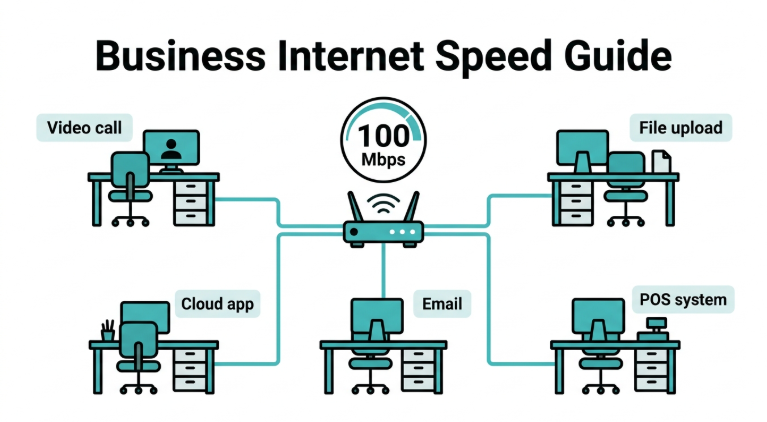
For most Philippine households in 2026, 100 Mbps is the practical minimum for a family doing HD streaming, video calls, and online gaming simultaneously on multiple devices.
A reliable internet connection is no longer optional for Philippine households. Whether you are working from home, streaming movies with your family, joining a video call, or playing Mobile Legends after work, your internet speed determines the quality of every one of those experiences. Understanding what internet speed is and what it means for your household is the first step toward making sure you have the connection you actually need.
Table of Contents
How Internet Speed Is Measured
Upload Speed vs. Download Speed: What Is the Difference?
Factors Affecting Internet Speed
How Much Internet Speed Do I Need?
How to Choose the Right Internet Plan
How to Improve Your Internet Speed
What Is Internet Speed?
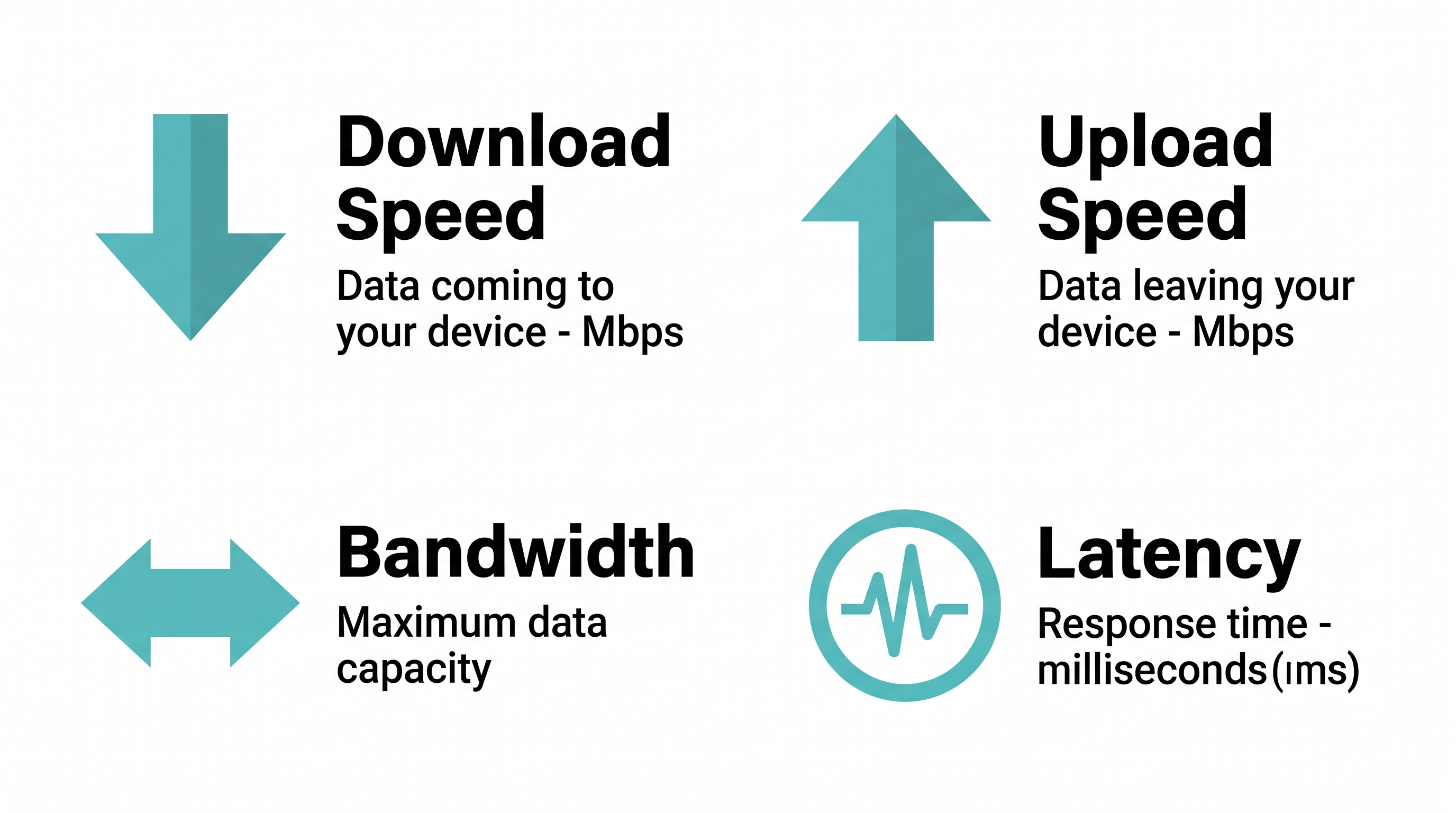
Internet speed is the rate at which data travels between your device and the internet. It is quantified in terms of bandwidth and latency.
Bandwidth refers to the maximum amount of data that can be transferred in a given amount of time, typically measured in megabits per second (Mbps) or gigabits per second (Gbps). Latency refers to the time it takes for data to travel from its source to its destination and back, often measured in milliseconds (ms).
These two metrics, bandwidth and latency, play important roles in determining the overall speed and responsiveness of your internet connection. Bandwidth determines how much data can move at once. Latency determines how quickly that movement begins. A plan with high bandwidth but high latency can still feel frustratingly slow for video calls and gaming. A plan with lower bandwidth but very low latency will feel snappy for browsing but will struggle with 4K streaming.
For a full technical breakdown of latency, how it differs from ping and jitter, and what causes it in Philippine homes, see our guide on bandwidth and latency.
How Internet Speed Is Measured
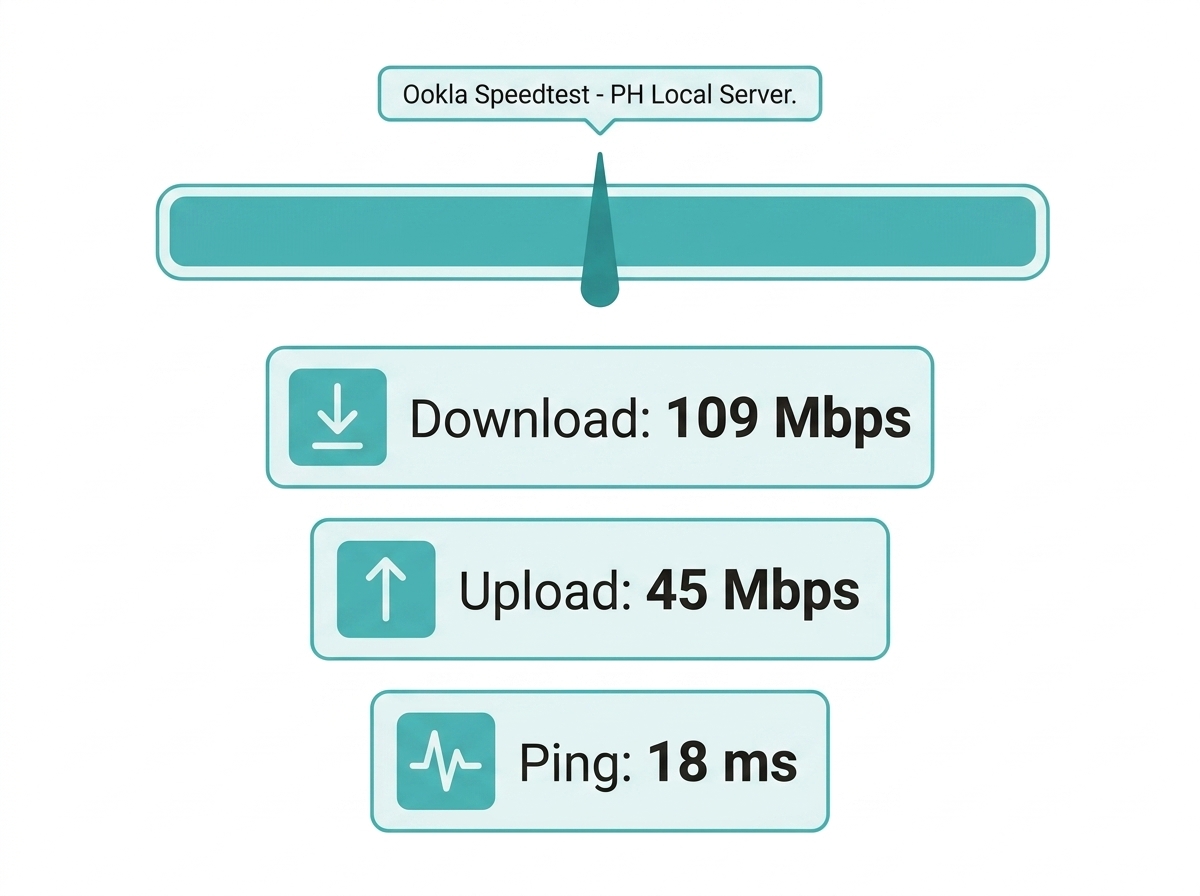
Internet speed measurement primarily revolves around bandwidth and latency. Bandwidth dictates the maximum data transfer rate and is crucial for activities such as streaming high-definition videos or downloading large files. Latency, often referred to as ping, measures the delay between sending a request and receiving a response, which is particularly crucial for online gaming and video conferencing.
To gauge internet speed accurately, various tools and methodologies are available, including online speed test websites, built-in diagnostic tools provided by internet service providers, and specialized software applications.
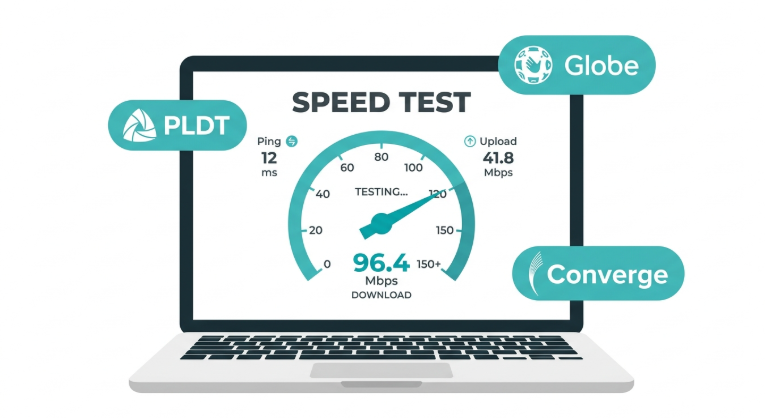
For Philippine households on PLDT, Globe, or Converge, Ookla Speedtest (speedtest.net) is the most accurate starting point because it uses local servers. Run your test during off-peak hours (before 7 PM) and again during peak hours (7–10 PM) to see how congestion affects your real-world speed.
Upload Speed vs. Download Speed: What Is the Difference?
Download speed is how fast data comes to your device, like when you stream movies, browse websites, or download files. It is the most important speed metric for everyday internet use.
Upload speed is how fast data goes from your device to the internet, like when you send emails, upload videos, post on social media, or join video calls. For Filipino freelancers and OFW families making regular video calls abroad, upload speed is just as important as download speed.
Download speed is much higher than upload speed because most people consume more content than they send. But if you work from home, upload large files, or livestream, a fast upload speed matters.
|
Speed Type |
What It Affects |
Typical PH Home Ratio |
|---|---|---|
|
Download |
Streaming, browsing, file downloads |
Faster (e.g., 200 Mbps) |
|
Upload |
Video calls, cloud backup, livestreaming |
Slower (e.g., 20–50 Mbps) |
|
Ping (Latency) |
Gaming responsiveness, call quality |
Measured in ms, not Mbps |
Factors Affecting Internet Speed
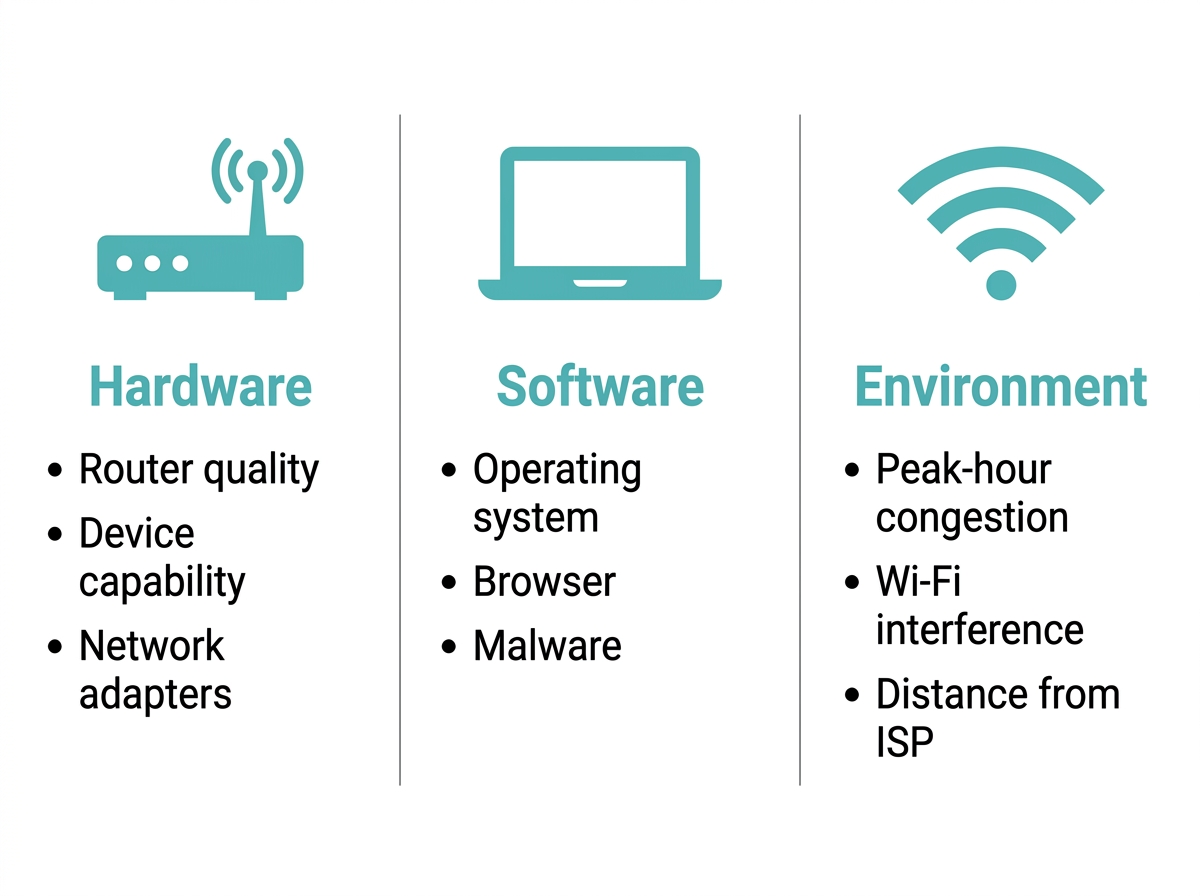
Numerous factors can influence internet speed, including the following:
Hardware Factors
-
Quality of the router and modem. The performance and capabilities of your router and modem directly impact internet speed. Older or lower-quality hardware may not be able to handle high-speed connections efficiently.
-
Device capability. The processing power and network capabilities of your device can affect internet speed. Older devices or those with outdated network hardware may experience slower speeds.
-
Network adapters. The type and quality of network adapters used in your devices can influence internet speed. Wired Ethernet connections typically offer faster internet speeds than wireless connections.
Software Factors
-
Operating system of the device. The efficiency of the operating system in managing network connections and data transmission can impact internet speed. Outdated or poorly optimized operating systems may result in slower speeds.
-
Web browser being used. Different web browsers may handle internet connections differently, affecting speed. Some browsers are more optimized for speed and performance than others.
-
Presence of malware or viruses. Malware or viruses on your device can consume bandwidth and processing power, leading to slower internet speeds. Regularly updating and running antivirus software can help mitigate this issue.
Environmental Factors
-
Network congestion during peak usage times. High demand on the network during peak hours results in congestion and slower speeds. In the Philippines, this is most pronounced between 7 and 10 PM, when PLDT, Globe, and Converge all experience a higher shared load. Wireless networks and wired connections alike are affected.
-
Signal interference from other electronic devices. Wireless networks can be susceptible to interference from devices operating on similar frequencies, such as microwaves or cordless phones. This interference can degrade Wi-Fi signal strength and lead to slower speeds. In Philippine condominiums, signal competition from dozens of neighboring routers sharing the 2.4 GHz channel is a common culprit.
-
Geographical location and proximity to internet infrastructure. The physical distance between your location and the internet infrastructure can affect internet speed. Users in remote or rural provinces served by mobile broadband rather than fiber will typically see lower and less consistent speeds than Metro Manila households on fiber plans.
How Much Internet Speed Do I Need?
The internet speed you need depends on your online activities and the number of devices connected to your network. The table below is a practical reference for Philippine households.
|
Activity |
Minimum Speed Needed |
Notes for PH Households |
|---|---|---|
|
Web browsing and email |
1–5 Mbps |
Sufficient for 2 users on basic tasks |
|
Social media and short video |
5–10 Mbps |
Covers TikTok, Facebook, YouTube SD |
|
Online shopping and banking |
5–10 Mbps |
Lightweight; speed is rarely the bottleneck |
|
Streaming HD video |
5–40 Mbps |
Netflix HD = 5 Mbps; 4K = 25 Mbps per stream |
|
Video conferencing |
5–40 Mbps |
Zoom HD = ~5–8 Mbps upload and download |
|
Online gaming |
25+ Mbps download, under 50 ms ping |
Ping matters more than raw download speed |
|
Large file downloads and uploads |
100 Mbps+ |
For shared connections of 10+ devices |
|
Cloud computing and remote work |
25–100 Mbps |
Varies by cloud tools and file sizes |
Here are the specific requirements in detail:
-
Web browsing and email. Basic web browsing, email correspondence, and performing Google searches require minimal bandwidth. A download speed of 1–5 Mbps is enough to support this type of usage for at least two people.
-
Streaming high-definition video. Streaming HD video requires a minimum download speed of 5–40 Mbps for a fast internet connection without interruptions. Insufficient bandwidth leads to buffering, pixelation, or lower video quality.
-
Video conferencing and online meetings. You need a minimum of 5 Mbps for standard-definition video calls and 5–40 Mbps for HD calls. Low internet speeds result in choppy video, delayed audio, or dropped calls.
-
Online gaming. Low latency and consistent bandwidth are critical. For a smooth gaming experience, aim for a minimum download speed of 25 Mbps and a ping below 50 ms. Slow speeds or high latency result in lag, delays, and a poor gaming experience. For gaming-specific fixes, see our dedicated guide.
-
File downloads and uploads. Consider speeds of at least 100 Mbps if the connection is shared among 10 or more people or devices. Faster speeds enable quicker transfers, while slower speeds prolong the process.
-
Online shopping and banking. A speed of around 5–10 Mbps is generally sufficient for these activities. Shopping and banking platforms have lightweight interfaces and low data requirements.
-
Social media and video sharing. A speed of 5–10 Mbps reduces buffering and load times across TikTok, Facebook, and YouTube.
-
Cloud computing and remote work. Cloud-based services and remote work tools rely on consistent connectivity to access and transfer data. Slow speeds hinder productivity and cause delays in accessing files or collaborating with colleagues.
For a full breakdown of what internet plan fits your household size and work setup, see our guide on the best WiFi routers for faster internet speed.
How to Choose the Right Internet Plan
Choosing the right internet plan is crucial to ensuring that you have the speed, reliability, and affordability you need for your online activities.
-
Assess your internet needs. Determine your typical internet usage patterns, including activities such as streaming, gaming, browsing, and video conferencing. Consider the number of devices connected to your WiFi network and how they will be used simultaneously. Identify any specific requirements, such as high-speed internet for gaming or 4K streaming.
-
Understand different types of internet connections. Research the types of internet connections available in your area, such as DSL, cable, fiber-optic, or satellite. In the Philippines, most urban households have access to PLDT Fibr, Globe At Home Fiber, or Converge FiberX, all fiber-optic plans starting at 25 Mbps.
-
Compare internet plans. Research internet service providers in your area and compare plans based on advertised speeds, data caps, contract terms, and pricing. For a comprehensive guide on evaluating providers, see our full guide on selecting a reliable internet connection.
-
Consider speed and bandwidth. Choose a plan with sufficient speed to accommodate your online activities. Higher speeds typically come with higher costs, so prioritize based on your actual usage.
-
Check for data caps and usage limits. Determine if the plan has any data caps or throttling policies that may apply when you exceed your data allowance.
-
Evaluate contract terms and fees. Review the length of the contract and any early termination fees. Be cautious of promotional pricing that increases after an introductory period. Understand any additional fees, such as installation fees, equipment rental fees, or modem/router purchase requirements.
-
Check for bundling options. Explore bundling options that combine internet service with TV, phone, or home security to see if they offer cost savings.
-
Read the fine print. Pay attention to any hidden fees, restrictions, or limitations that may impact your experience.
-
Seek recommendations. Ask friends, family, or neighbors who are satisfied with their internet service, or consult online forums for unbiased advice.
How to Improve Your Internet Speed
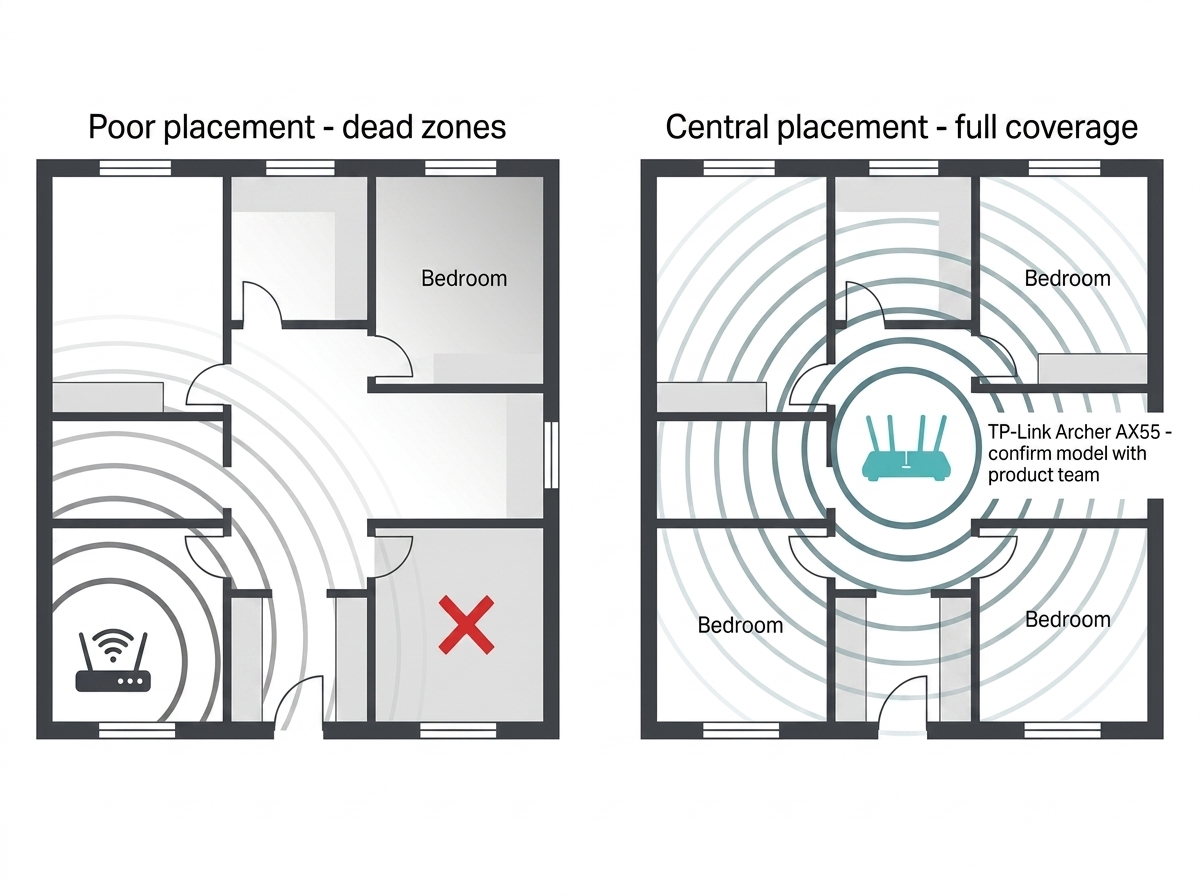
If you are experiencing sluggish internet speeds, here are several strategies you can employ to boost your internet connectivity and enhance your online experience. For the complete 12-step guide, see our Wi-Fi speed hacks article.
-
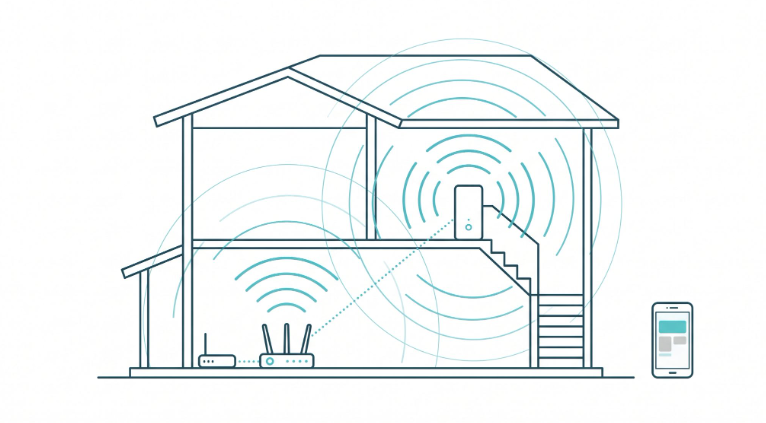
Place your router in a central location within your home. In Philippine households with thick concrete walls between rooms, placement makes a significant difference in coverage.
-
Avoid obstructions and interference sources like microwaves or cordless phones.
-
Consider upgrading to a modern router with advanced features such as Wi-Fi 6 or Wi-Fi 7, beamforming, and MU-MIMO.
-
Select the least congested Wi-Fi channel. In dense condos and apartment buildings, switching to a less-used channel on the 5 GHz band can meaningfully improve speeds.
-
Keep electronic devices like baby monitors away from your router.
-
Check for firmware updates through the router's administration interface and install them to improve performance and security.
-
Use strong encryption (WPA2 or WPA3) to prevent unauthorized devices from consuming your bandwidth.
-
Create a unique, complex password for your Wi-Fi network.
-
Use Ethernet connections for devices that stay in one place, such as desktop computers, smart TVs, and gaming consoles. Wired connections offer faster internet speeds and more stable latency than Wi-Fi.
-
Close unnecessary applications and browser tabs to free up bandwidth.
-
Disable automatic updates and cloud syncing services temporarily when you need maximum throughput.
-
Use reputable speed-testing websites or applications to monitor your connection baseline and track changes over time.
-
If you are still experiencing slow speeds, consider seeking assistance from an IT technician or network specialist.
Frequently Asked Questions
How can I test my internet speed?
Open Ookla Speedtest (speedtest.net) in your browser; no sign-up is needed, and results are under 30 seconds. For Philippine users on PLDT, Globe, or Converge, Ookla is the most accurate option because it uses local servers. Connect via a wired Ethernet connection before testing for the cleanest reading, and run tests both before 7 PM and during peak hours (7–10 PM) to see how congestion affects your real-world speeds. See our full guide to online speed test websites for a full tool comparison.
How do download and upload speeds differ?
Download speed measures how fast data arrives at your device; streaming, browsing, and file downloads all draw from it. Upload speed measures how fast data leaves your device. It determines the quality of your video calls, cloud backups, and file sharing. In most Philippine home internet plans, download speeds are significantly faster than upload speeds. If you work from home or make regular international video calls, your upload speed matters as much as your download speed.
What should I do if my internet speed is slower than expected?
Run a speed test on a wired connection and compare the result to your ISP plan's advertised speed. If the gap is significant, restart your router, check which devices are consuming background bandwidth, and test again. If speeds drop every evening at the same time, the cause is ISP peak-hour congestion, not your equipment. If speeds are consistently low regardless of time of day, document your test results and contact your ISP directly as grounds for a service review.
How much internet speed do I need?
For a Philippine household of four people doing HD streaming, video calls, and online gaming simultaneously, 100 Mbps is the practical minimum. Single users doing basic browsing and email can be managed at 5–25 Mbps. The key variable is not just speed but how many devices are active at once. Every additional stream or active device draws from the same shared bandwidth pool. Add 25 Mbps per heavy user as a reliable planning rule.
What is a fast internet speed?
100 Mbps or higher is considered fast for most Philippine households. At this speed, you can stream in 4K, play online games, attend HD video calls, and download large files simultaneously across multiple devices. As of 2026, the median fixed broadband speed in the Philippines is 109.86 Mbps (Ookla, 2026), meaning many households are now at or above this threshold. Whether that speed actually reaches your devices depends on your router and home network setup.
Does internet speed affect smart home devices and IoT?
Smart home devices do not consume much individual bandwidth, but they all connect between your device and the internet and add to the total number of simultaneous connections your router must manage. A household with 20 or more connected devices benefits more from a router with strong multi-device handling, Wi-Fi 6 or Wi-Fi 7, than from a faster ISP plan. Router capacity, not raw Mbps, is the limiting factor for smart home performance.
Will 5G home internet give me faster speeds than fiber?
5G home internet can deliver speeds competitive with entry-level fiber plans in covered areas, with real-world downloads of 100–300 Mbps depending on tower proximity and congestion. Fiber remains more consistent for heavy users because it is a dedicated physical connection unaffected by radio interference. For a full comparison of 5G vs. fiber for Philippine households, see our guide on how fast 5G home internet is.
What is the difference between bandwidth and internet speed?
Bandwidth is the maximum capacity of your connection, the theoretical ceiling for how much data can move. Internet speed is what you experience in practice, after accounting for latency, congestion, router hardware, and the number of connected devices. A 500 Mbps plan does not guarantee 500 Mbps on your laptop; it means the connection can carry up to 500 Mbps under ideal conditions. For more details on this distinction, see our full guide on bandwidth.
Final Thoughts
Understanding internet speed is the foundation for making smart decisions about your connection, whether you are choosing a plan, troubleshooting lag, or upgrading your home network. The Philippines now has a median fixed broadband speed of 109.86 Mbps (Ookla, 2026), which is more than enough for most households. The question is whether that speed is actually reaching your devices.
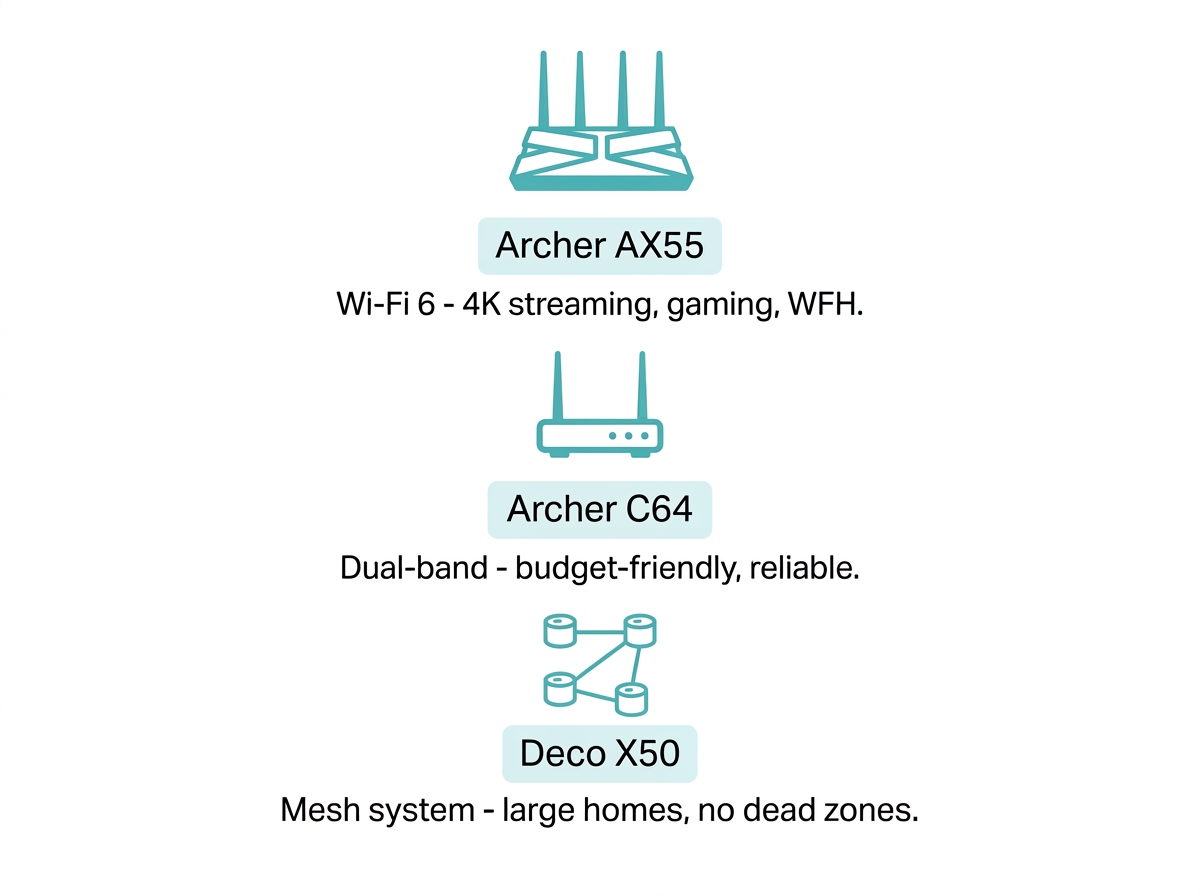
If you are looking to increase your internet speed, consider upgrading your modem or router. TP-Link offers routers built for every plan tier and home size, ensuring smoother online experiences for streaming, gaming, and browsing.
Consider these options to boost your internet speed:
-
TP-Link Archer AX55 - A Wi-Fi 6 router that delivers ultra-fast speeds, ideal for 4K streaming, online gaming, and work-from-home setups.
-
TP-Link Archer C64 - For budget-conscious users, the TP-Link Archer C64 offers solid dual-band performance without breaking the bank.
-
TP-Link Deco X50 - If you live in a larger home, the TP-Link Deco X50 mesh system is perfect for eliminating dead zones and ensuring seamless Wi-Fi coverage throughout your space.
_20260112111606z.jpg)