Download voor InSight PTZ5425
Vx.0=Vx.6/Vx.8/Vx.9(eg:V1.0=V1.6/V1.8/V1.9)
Vx.x0=Vx.x6/Vx.x8/Vx.x9 (eg:V1.20=V1.26/V1.28/V1.29)
Vx.30=Vx.32/Vx.33 (eg:V3.30=V3.32/V3.33)
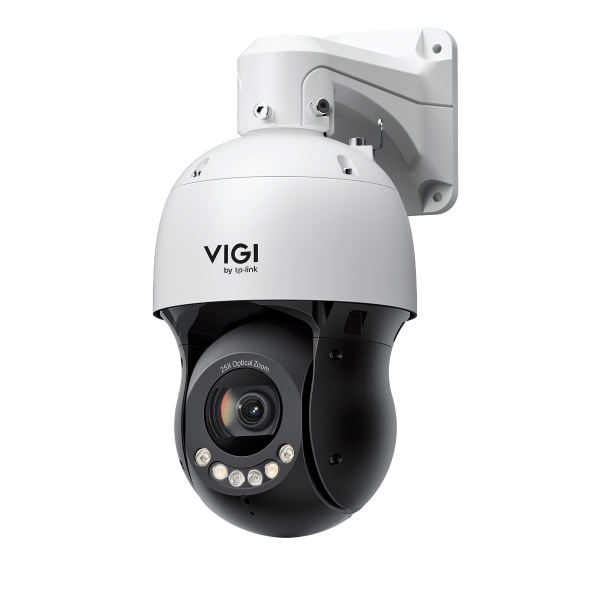 VIGI 5-inch 4MP 25X Full-Color Network Speed Dome
VIGI PC Client
|
VIGI PC Client_x64_2.1.25 |
Download | |
|---|---|---|
| Publicatiedatum: 2026-01-21 | Taal: Meertalig | Bestandsgrootte: 148.86 MB |
Besturingssysteem: Windows 10/11 |
||
|
New features and Enhancements: |
||
Setup Video
-
How to Set Up InSight Pan & Tilt Cameras via VIGI App
This video shows how to set up InSight PTZ cameras, covering both hardware installation and app configuration. For app configuration, you will see three methods: Method 1: Scan/Add Device Method 2: Auto Discover Method 3: Manually Add
More Fold -
How to Set Smart Detection on Speed Dome PTZ
The VIGI InSight PTZ5425 is a 4MP 25× Optical Zoom Full-Color Network Speed Dome camera with 3D Detection Regions, ensuring detection areas remain aligned with actual targets during PTZ movement. This video shows how to set smart detection on your speed dome PTZ camera.
More Fold
FAQs
- How to Use RS-485 controller for PTZ control
- How to use Park function
- How to Use Manual Tracking
- How to use VIGI Cameras with Third-Party NVR, NAS or Software
- How to Set Privacy Mask on Speed Dome PTZ
- How to Use VIGI Pan/Tilt/Zoom Function
- How do I log in to the web management page of VIGI IPC and NVR
- How to discover and manage devices using VIGI Config Tool
- How to configure Alarm Server
- How to use Power Up Action function
- How to configure Capture and view captured images on VIGI camera
- VIGI Series Camera Installation Guide
- How to configure the PTZ limit of VIGI cameras using the web UI
- How to Use Smart Tracking
- Why does the HTTPS web interface of VIGI IPC and NVR show a “Not Secure” warning in some browsers?
- How to use the Home Position Function
- How to set Smart Detection on Speed Dome PTZ
- How to use the Preset, Patrol and Pattern Scan