How to Choose the Right VIGI Accessory for Your Camera
Contents
Product Overview and Comparison
Factors to consider when choosing a VIGI camera accessory
Factor 1: Installation Location
Factor 3: Size Matching and Cable Storage Capacity
Introduction
When deploying a VIGI surveillance system, selecting the correct mounting accessory is just as important as choosing the camera itself. Different VIGI accessories are designed for different installation scenarios, such as wall mounting, ceiling mounting, pole mounting, or cable management.
This FAQ helps you identify which VIGI accessory is compatible with your camera and select the most suitable mounting solution for your project.
For a complete list of compatible IPC models for each accessory, please refer to the “Device Compatible with VIGI Accessories” compatibility list.
Product Overview and Comparison
VIGI currently provides several commonly used camera accessories:
|
Accessory |
Positioning |
Typical Scenario |
Compatible Camera Types |
|
VMB-350 |
Pole Mount Bracket |
Pole installations |
Selected Bullet and PT Cameras |
|
VJB-240 |
Wall Mounting Junction Box |
Indoor/Outdoor wall mounting |
Dome, Turret, Fisheye Cameras |
|
VJB-300 |
Universal Junction Box |
General-purpose cable management |
Most VIGI Cameras |
|
VJB-305 |
Large Junction Box |
Specific camera installations requiring larger internal space |
Selected Dome, Turret and Bullet Cameras |
Factors to consider when choosing a VIGI camera accessory
Factor 1: Installation Location
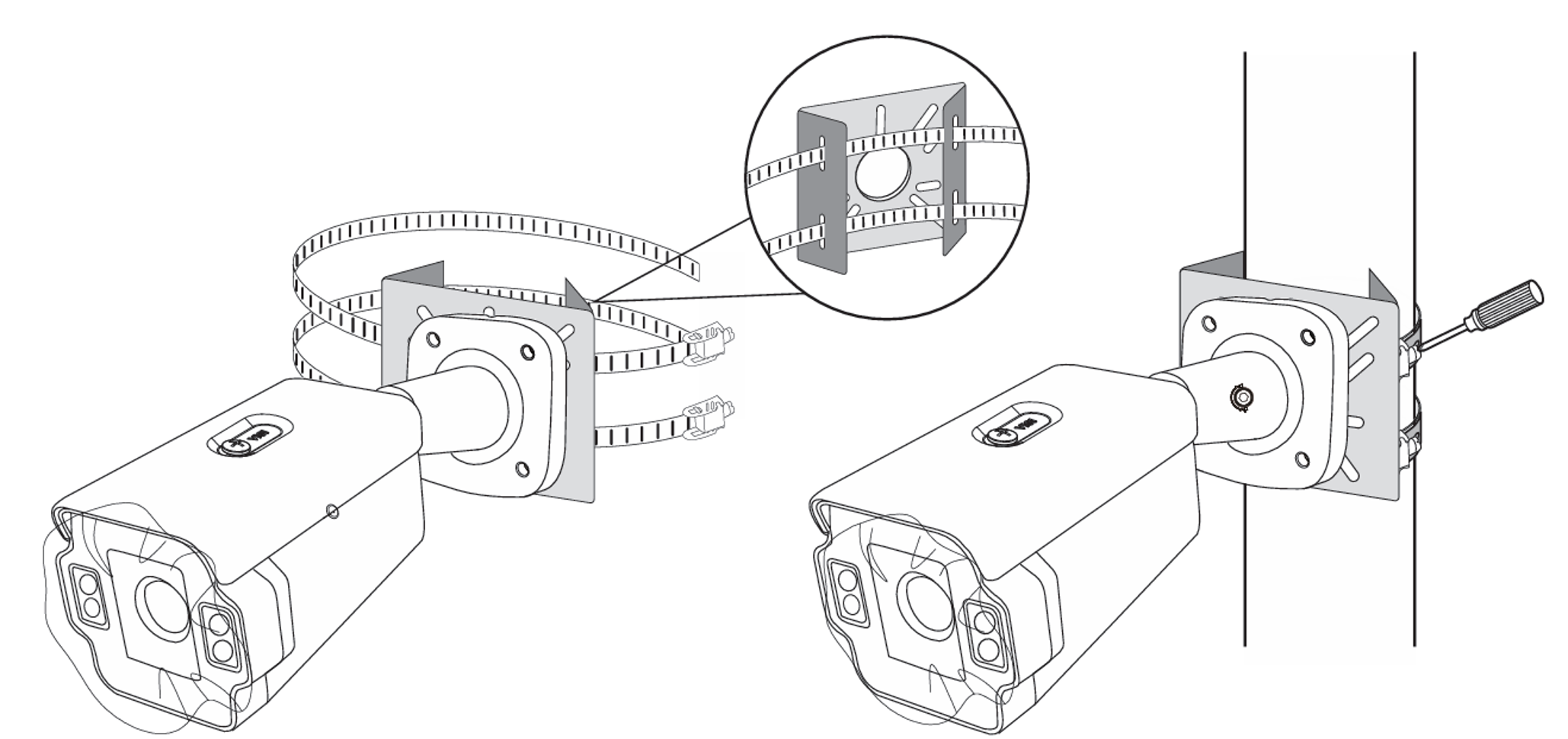
- For installations on poles or columns, a pole mounting bracket is required.
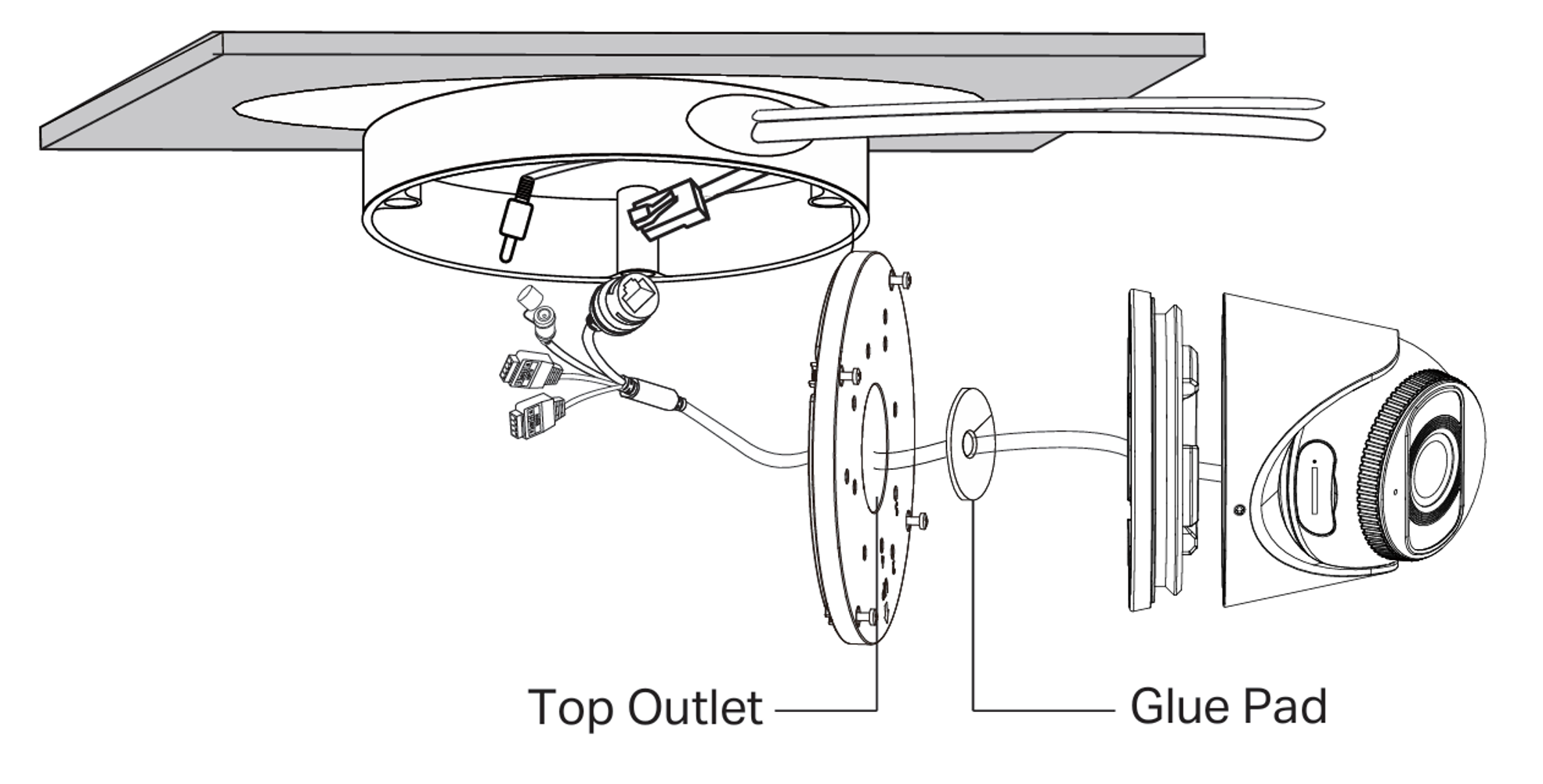
- For wall or ceiling installations where network cables need to be hidden, a junction box is recommended.
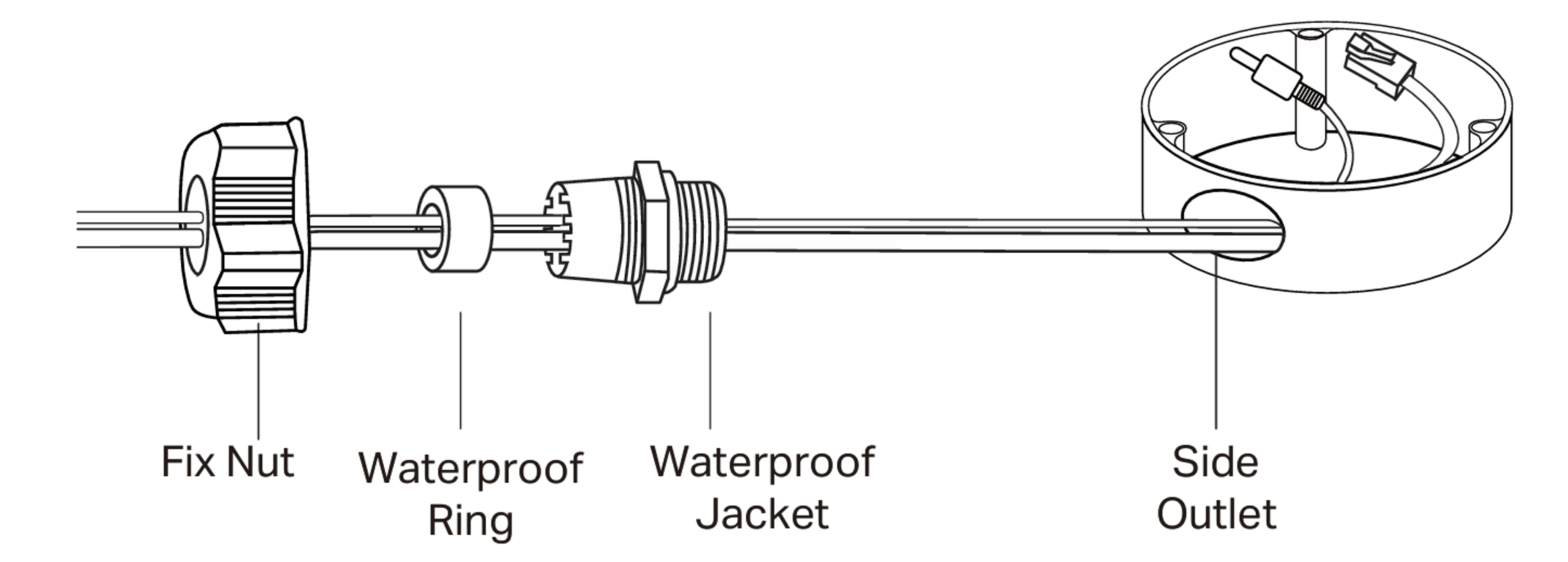
- Outdoor deployments typically benefit from waterproof junction boxes to protect cable connections.
Factor 2: Camera Type
|
Camera Family |
Typical Accessory |
|
Dome (2xx) |
VJB-240 / VJB-300 |
|
Bullet (3xx) |
VMB-350 / VJB-300 |
|
Turret (4xx) |
VJB-240 / VJB-300 |
|
PT (5xx) |
VMB-350 / VJB-300 |
- The "2" in VJB-240 corresponds to Dome cameras (2xx series).
- The “4” in VJB-240 corresponds to Turret cameras (4xx series).
- The “3” in VMB-350 mainly targets compatible Bullet cameras (3xx series).
- The “5” in VMB-350 mainly targets compatible PT cameras (5xx series).
- The “5” in VJB-305 indicates a larger design with additional cable storage capacity compared to VJB-300.
- VJB-300 is designed as a more universal junction box and supports a broad range of VIGI camera models.
Factor 3: Size Matching and Cable Storage Capacity
When selecting a junction box, users should consider both size matching and cable storage capacity. A properly matched accessory not only provides a cleaner and more integrated appearance after installation but also ensures sufficient space for cable routing and connector storage.
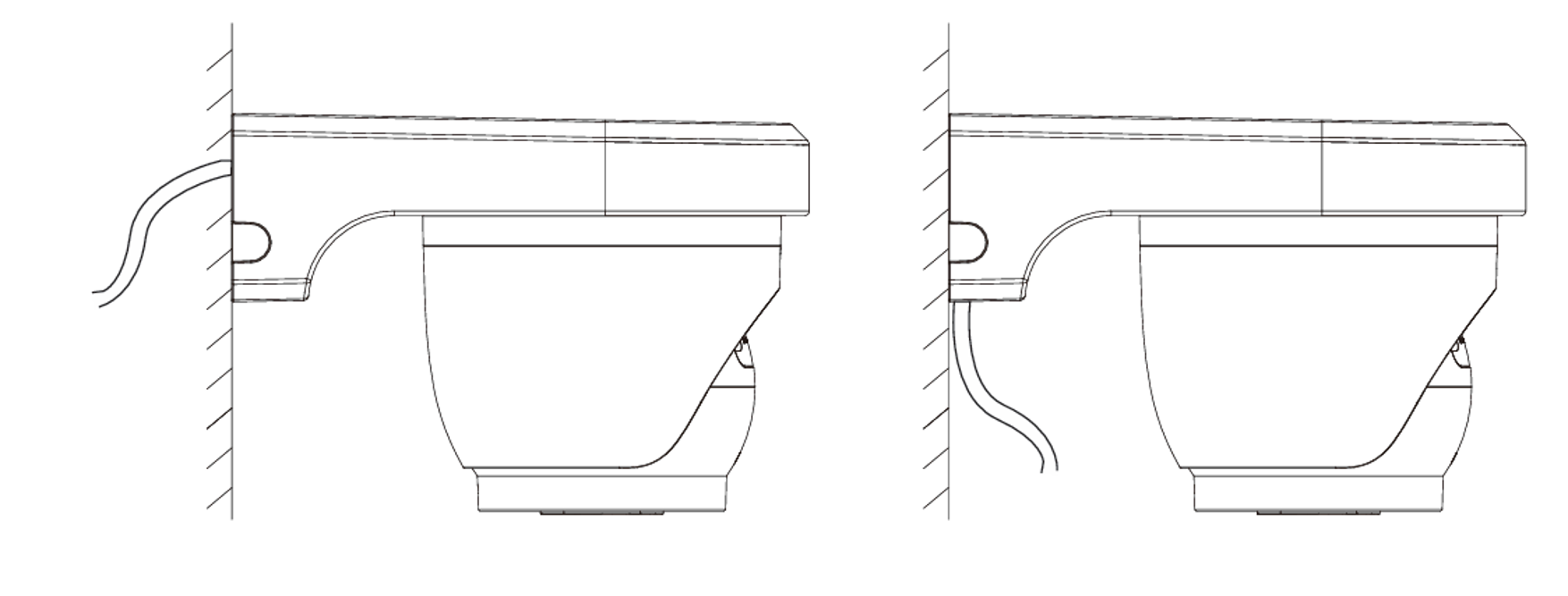
- VJB-240 is primarily designed for wall-mounted installations of compatible Dome, Turret, and Fisheye cameras. Its core purpose is to convert ceiling-mounted camera designs into wall-mounted deployments, rather than to provide additional cable storage capacity.
- VJB-300 features a more compact design and generally provides better visual integration with compatible cameras, while VJB-305 offers a larger internal space for cable routing and connector storage. If multiple cables such as Ethernet, power, audio, or alarm cables need to be accommodated, VJB-305 may provide a better installation experience.
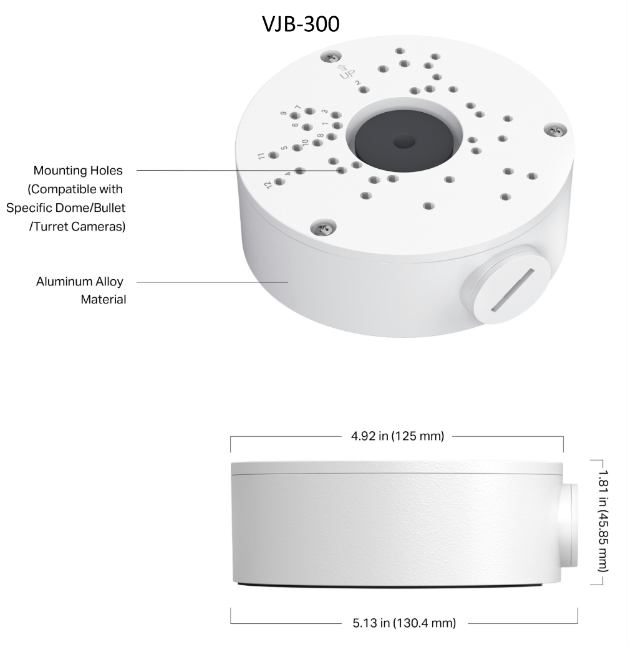
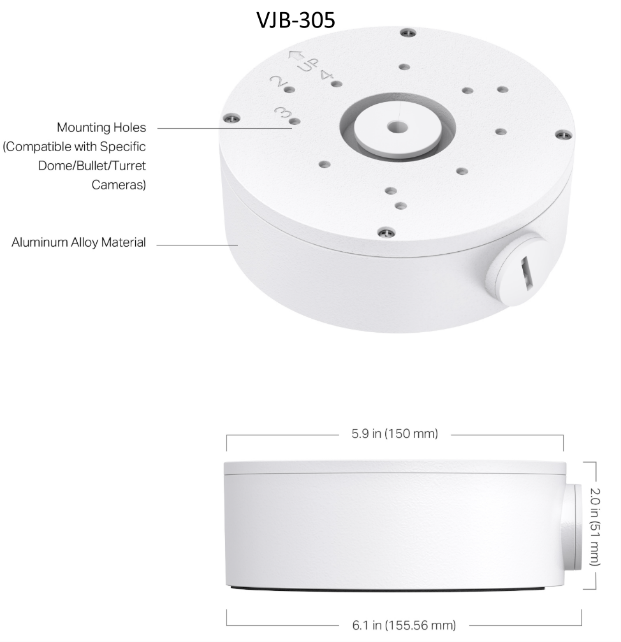
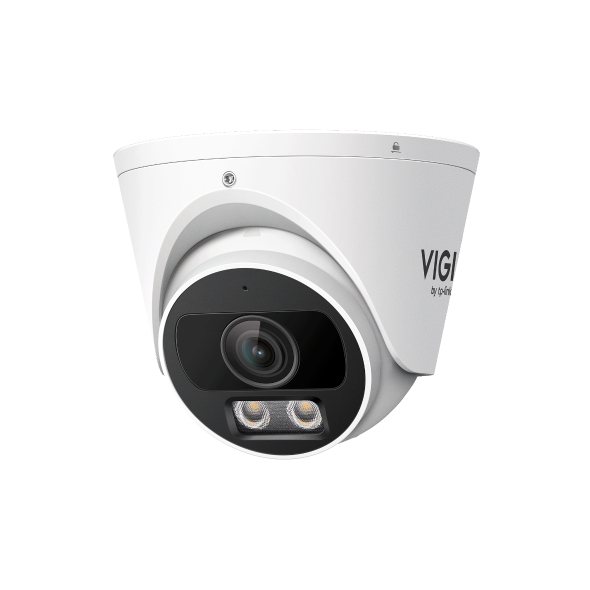
For example, when deployed with InSight S445S, VJB-300 provides better size matching and a cleaner appearance, whereas VJB-305 offers more cable storage space and easier cable management, though with a slightly larger overall footprint.
Conclusion
The ideal VIGI accessory depends on the camera type and installation environment.
- Choose VMB-350 for compatible pole-mounted Bullet or PT cameras.
- Choose VJB-240 for Dome, Turret, or Fisheye camera installations.
- Choose VJB-300 for most standard VIGI camera deployments.
- Choose VJB-305 when specifically required by the camera model.
For the most up-to-date compatibility information, refer to the official Device Compatible with VIGI Accessories list.
To learn more about each function and configuration, please visit Support Home to download or check the manual for your product.
QA
Q1: Can I use any VIGI accessory with any VIGI camera?
A1: No. Each accessory supports specific camera models. Always verify compatibility before purchasing.
Q2: Can I use a junction box together with a pole mounting bracket?
A2: Yes, in certain deployment scenarios. VJB-305 includes dedicated mounting holes designed to work with VMB-350, allowing the two accessories to be used together for compatible camera installations.
In contrast, VJB-300 does not provide dedicated mounting holes for VMB-350. Combining these two products may require non-standard installation methods and could introduce installation risks, so it is not recommended.
Note: When using a junction box together with a pole mounting bracket, users should also ensure that all cable entry points and connections are properly sealed to maintain adequate waterproof protection for outdoor deployments.
Q3: Are there any considerations when choosing VJB-300 for compatible camera models?
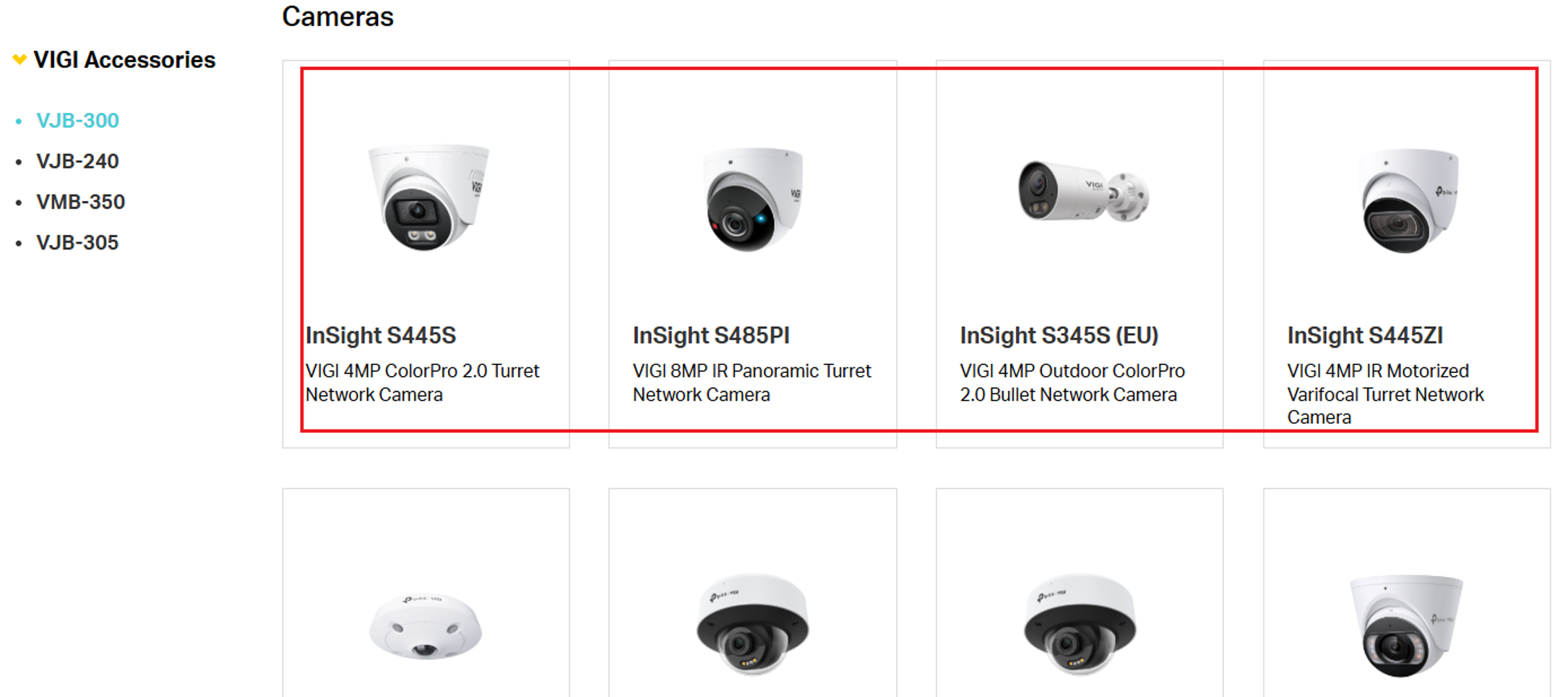
A3: Yes. Some models compatible with VJB-300, such as InSight S445S, InSight S485PI, InSight S345S (EU), and InSight S445ZI, have three or more cable interfaces. When all interfaces are connected simultaneously, the available space inside VJB-300 may become limited, making cable routing and installation more challenging. In such cases, users may consider VJB-305, which provides additional internal space for cable management. However, users should also consider the larger size of VJB-305 and the overall appearance after installation when selecting an accessory.
Ищете больше информации?
Полезен ли этот FAQ?
Ваши отзывы помогают улучшить этот сайт.



TP-Link Community
Still need help? Search for answers, ask questions, and get help from TP-Link experts and other users around the world.
From United States?
Получайте информацию о продуктах, событиях и услугах для вашего региона.