Download untuk InSight LPR345Z
Vx.0 = Vx.6/Vx.8/Vx.9(eg:V1.0=V1.6/V1.8/V1.9)
Vx.x0 = Vx.x6/Vx.x8/Vx.x9 (eg:V1.20=V1.26/V1.28/V1.29)
Vx.30 = Vx.32/Vx.33 (eg:V3.30=V3.32/V3.33)
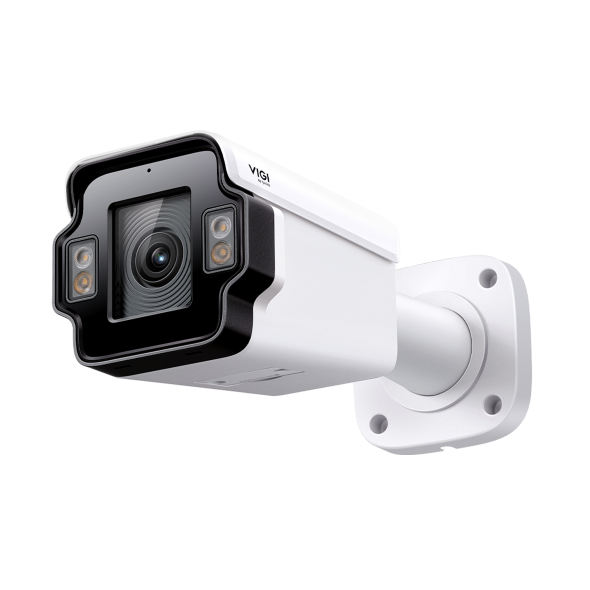 VIGI 4MP Outdoor License Plate Recognition Bullet Network Camera
Setup Video
-
How to Set Up an InSight License Plate Recognition Bullet Network Camera
VIGI delivers integrated solutions for smarter, more efficient video surveillance. In this step-by-step tutorial, learn how to deploy and configure the VIGI InSight License Plate Recognition (LPR) Bullet Camera for reliable vehicle identification and access management. Designed for smart parking, campuses, business premises, and vehicle access control, the VIGI InSight LPR Camera delivers fast and accurate license plate recognition to help streamline vehicle monitoring and security operations. In this video, you’ll learn: • How to install and deploy the VIGI InSight LPR Bullet Camera • How to configure License Plate Recognition (LPR) settings • Key setup considerations for accurate plate recognition • How to optimize the camera for parking and vehicle access scenarios For more deployment guidance, configuration tips, and best practices, visit the VIGI official website: https://www.vigi.com/ #VIGI #LicensePlateRecognition #LPRCamera #SecurityCamera #VideoSurveillance #ParkingManagement #AccessControl #SmartSurveillance
More Fold
FAQs
- How to Unbind a VIGI Device from a TP-Link Account
- Getting Started with VIGI Cameras
- How to Troubleshoot Camera Addition Failures in the VIGI App
- Which Ports Does VIGI Local VMS Use
- How to Add VIGI Devices to VIGI Local VMS
- How to Find the IP Address of My VIGI Device
- What Should I Do if There Is Audio Noise or Feedback on My VIGI Camera
- How to Waterproof VIGI Outdoor Security Cameras
- How to Fix Green or Pixelated Images on VIGI Cameras via the VIGI App
- How to Fix a Flickering Issue on Live View of the VIGI Camera
- How to Connect VIGI Cameras to Third-Party NVRs, NAS Devices, and Software Using ONVIF or RTSP Software Using ONVIF or RTSP
- How to Use DORI Standards to Evaluate VIGI Camera Viewing Capabilities
- What Is VIGI? A Complete Introduction to the VIGI Security System
- What Should I Do if My VIGI Camera Detects Rain, Snow, Insects, or Other Unwanted Motion
- How to Discover and Manage Devices Using VIGI Config Tool
- How to Adjust the Image for a License Plate Recognition Camera
- How to Choose and Install an External Fill Light
- How to Connect and Configure External Devices when Using a License Plate Recognition Camera
- Getting Started with the VIGI App
- How to Download Videos from Omada Guard on an Omada Fusion Pro Gateway
- VIGI Series Camera Installation Guide
- Why Does the HTTPS Web Interface of VIGI IPC and NVR Show a “Not Secure” Warning in Some Browsers
- How Do I Log In to the Web Management Page of VIGI IPC and NVR
- How to Batch Configure Allow and Block Lists for VIGI LPR Cameras Using VIGI Config Tool
- How to Configure Alarm Server on VIGI Camera
- How to Configure SMTP Server on VIGI IPC to Send Event Notification E-mails
- How to Configure TP-Link DDNS on VIGI Cameras
- How to Allow or Deny Access to Your VIGI Camera Using IP/MAC Restrictions