下載 InSight PTZ5425
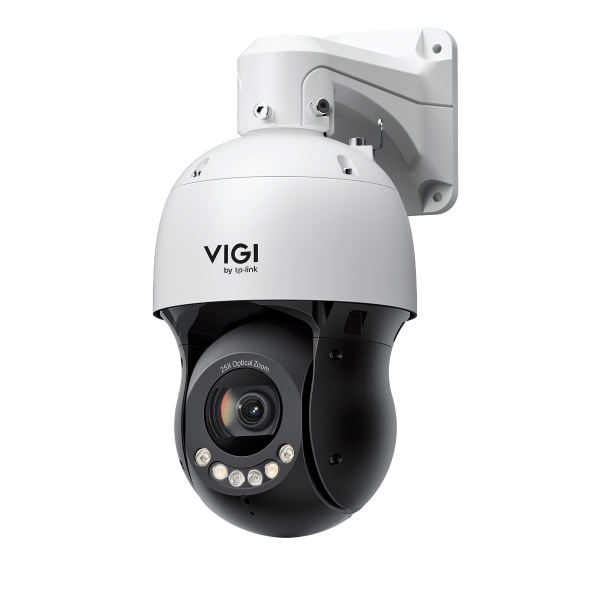 VIGI 5吋 4MP 25倍光學變焦全彩快速球網路攝影機
VIGI PC Client
|
VIGI PC Client_x64_2.1.40 |
下載 | |
|---|---|---|
| 發佈日期: 2026-10-16 | 語言: 多語言 | 檔案大小: 148.93 MB |
作業系統: Windows 10/11 |
||
|
新功能和加強: |
||
|
VIGI PC Client_x64_2.1.37 |
下載 | |
|---|---|---|
| 發佈日期: 2026-07-15 | 語言: 多語言 | 檔案大小: 148.90 MB |
作業系統: Windows 10/11 |
||
|
新功能和加強: |
||
設定影片
-
How to Set Up InSight Pan & Tilt Cameras via VIGI App
This video shows how to set up InSight PTZ cameras, covering both hardware installation and app configuration. For app configuration, you will see three methods: Method 1: Scan/Add Device Method 2: Auto Discover Method 3: Manually Add
更多 折疊 -
How to Set Smart Detection on Speed Dome PTZ
The VIGI InSight PTZ5425 is a 4MP 25× Optical Zoom Full-Color Network Speed Dome camera with 3D Detection Regions, ensuring detection areas remain aligned with actual targets during PTZ movement. This video shows how to set smart detection on your speed dome PTZ camera.
更多 折疊
常見問題
- 如何在 Omada Fusion Pro 上透過 ANR 備份攝影機 SD 卡錄影
- VMS 使用哪些通訊埠?
- 如何將 VIGI 設備添加到 VIGI Local VMS。
- 如何找到 VIGI 攝影機的 IP 位址?
- VIGI攝影機的收音有雜訊怎麼辦?如何調整攝影機的收音雜訊功能?
- 如何讓 VIGI 戶外型監控攝影機達到防水功能
- 如何修正 VIGI 攝影機畫面出現綠屏或畫面異常狀況
- 如何修正 VIGI 攝影機即時畫面所出現的閃爍現象?
- 如何將 VIGI 攝影機與他牌 NVR 或 NAS 搭配使用
- 如何依觀看距離選擇攝影機焦距?
- How to Use Power Up Action Function
- VIGI 簡介
- 如何減少因為雨、雪或昆蟲等等造成的移動偵測功能通知
- 如何使用 VIGI Config Tool 來發現和管理設備
- 如何在 Omada Fusion Pro 路由器上從 Omada Guard 下載影片
- Getting Started with the VIGI App
- How to Configure VIGI Cameras and NVRs for Sentinel ARC Integration
- VIGI Series Camera Installation Guide
- How to Use Preset, Patrol, and Pattern Scan
- How to Configure Smart Detection on Speed Dome PTZ
- How to Use Home Position Function
- Why Does the HTTPS Web Interface of VIGI IPC and NVR Show a “Not Secure” Warning in Some Browsers
- How to Use Smart Tracking
- How to Configure PTZ Limit on VIGI Cameras Using the Web UI
- How Do I Log In to the Web Management Page of VIGI IPC and NVR
- How to Set Privacy Mask on Speed Dome PTZ
- How to Use Manual Tracking
- How to Use Park Function
- How to Use RS-485 Controller for PTZ Control
- How to Configure PTZ Scheduled Task
- How to Configure Alarm Server on VIGI Camera
- How to Configure TP-Link DDNS on VIGI Cameras
- How to Use VIGI Pan/Tilt/Zoom Function
韌體
韌體更新可以解決前版韌體可能有的一些問題並改善它目前的效能。
若要更新
重要:若要防止韌體升級失敗,請在繼續在升級程序前閱讀以下內容
- 請在您購買地點的當地官方網站下載韌體並對您的TP-Link設備進行升級,否則將違反保固條款。如果有需要,請點選 這裡 以變更網站。
- 為了合適的韌體版本,請確認您設備目前的硬體版本。錯誤的韌體更新可能會損壞您的設備並使保固失效。( 一般來說,V1.x=V1)
- 非常重要,更韌體升級期間請勿關閉設備的電源, 因為這很可能會導致產品的永久性損壞。
- 除非在TP-Link設備沒有LAN/Ethernet連接埠的狀況下,否則請不要使用無線連接更新韌體。對於LTE-MiFi,建議您透過USB連接埠進行升級。
- 建議您停止電腦上所有的網際網路應用程式,或在升級前簡單地中斷網際網路線路即可。
- 在升級前請使用解壓縮軟體,例如:WinZIP 或 WinRAR 解壓縮您下載的檔案。
|
InSight PTZ5425(UN)_V1_1.0.2 Build 260810 |
下載 | |
|---|---|---|
| 發佈日期: 2026-09-10 | 語言: 多語言 | 檔案大小: 29.30 MB |
|
新功能和加強: |
||
|
InSight PTZ5425(UN)_V1_1.0.0 Build 260519 |
下載 | |
|---|---|---|
| 發佈日期: 2026-06-09 | 語言: 多語言 | 檔案大小: 29.31 MB |
|
First firmware released. |
||
若要在TP-Link產品上使用第三方韌體
一些TP-Link產品的官方韌體可以被第三方韌體替換,例如:DD-WRT。TP-Link沒有義務提供任何維護或支持,也不保證第三方固件的性能和穩定性。使用第三方韌體後,將使產品的保固失效。
供程式人員的開放原始碼(GPL)
請注意:TP-Link的產品部分包含由第三方開發的程式碼,包括:受GNU通用公共許可證(“GPL”),版本1 /版本2 /版本3或GNU較寬鬆通用公共許可證(“LGPL”)制約的程式碼。您可以使用相應的軟體條件來遵循GPL許可條款。
在此您可以查看、列印與下載對應的GPL許可條款。 您將收到TP-Link產品中用於直接下載的相關軟件的GPL原始以及進一步的資訊,包含在GPL碼中心下包含GPL程式碼的TP-Link軟體列表。
各自的程序分發沒有任何擔保; 甚至沒有對適銷性或特定用途的適用性的暗示保證。請參閱各自的GNU通用公共許可證了解更多詳情。
模擬器
韌體版本 |
運作模式 |
語言 |
|
|---|---|---|---|
260519(UN)_Emulator |
- |
英語 |
註:
1. 此模擬器是虛擬的設定頁面,您可以體驗設定 TP-Link 產品的畫面。
2. 模擬器頁面可能與最新的韌體版本頁面不同。
3. 顯示的功能僅供參考,某些功能可能受當地法規而限制使用。若需要更多資訊,請參考產品規格表(datasheet)或產品頁面。