How to Change the Password and Password Reset Email on a VIGI NVR
Contents
Introduction
This FAQ explains how to update a user password and password reset email address through the graphical user interface of a VIGI NVR. You may need to update these settings when login credentials change or when password recovery emails must be sent to a different address.
Requirements
- VIGI NVR
Configuration
Step 1. On the Live View screen, right-click and select Settings.
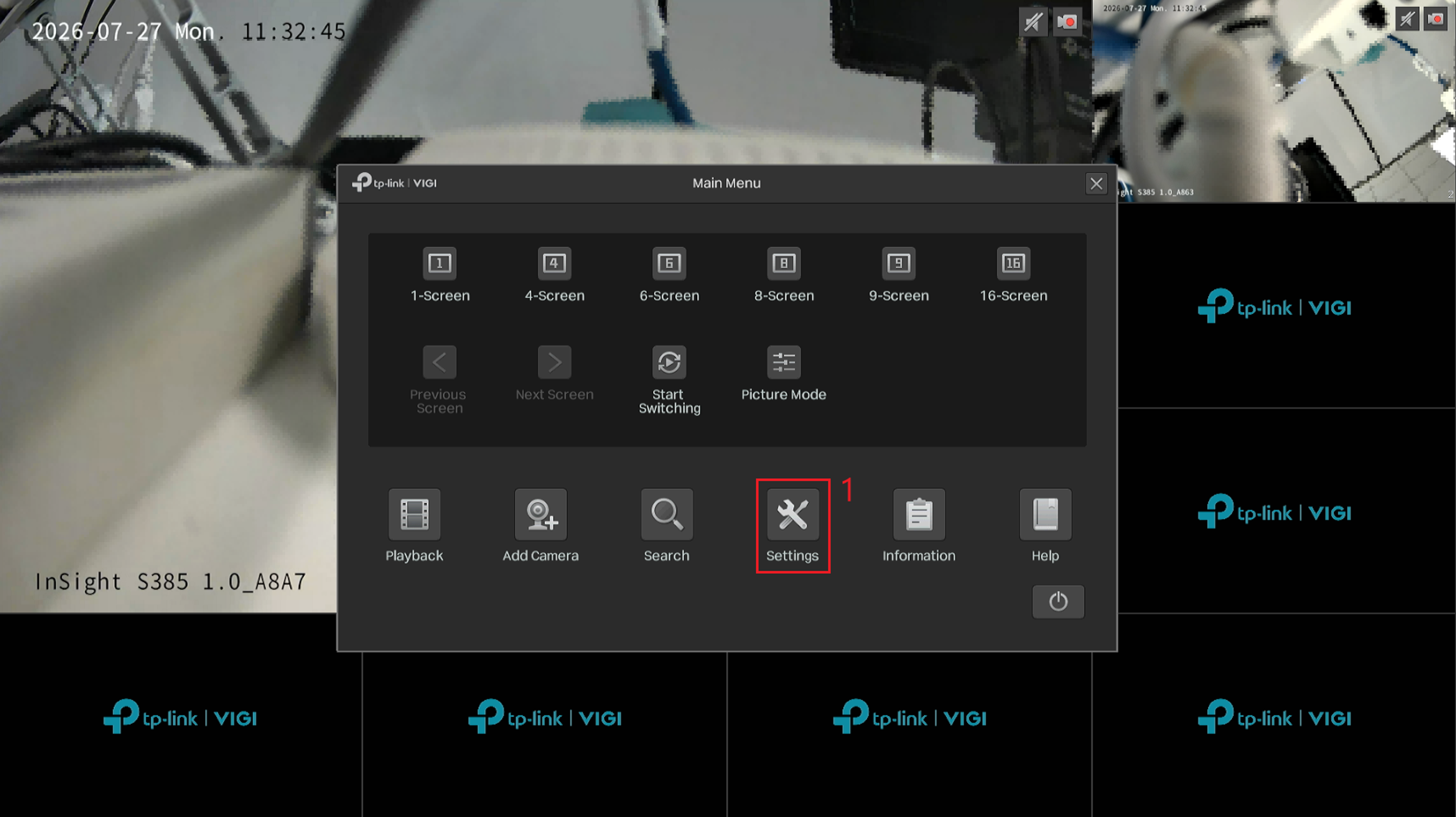
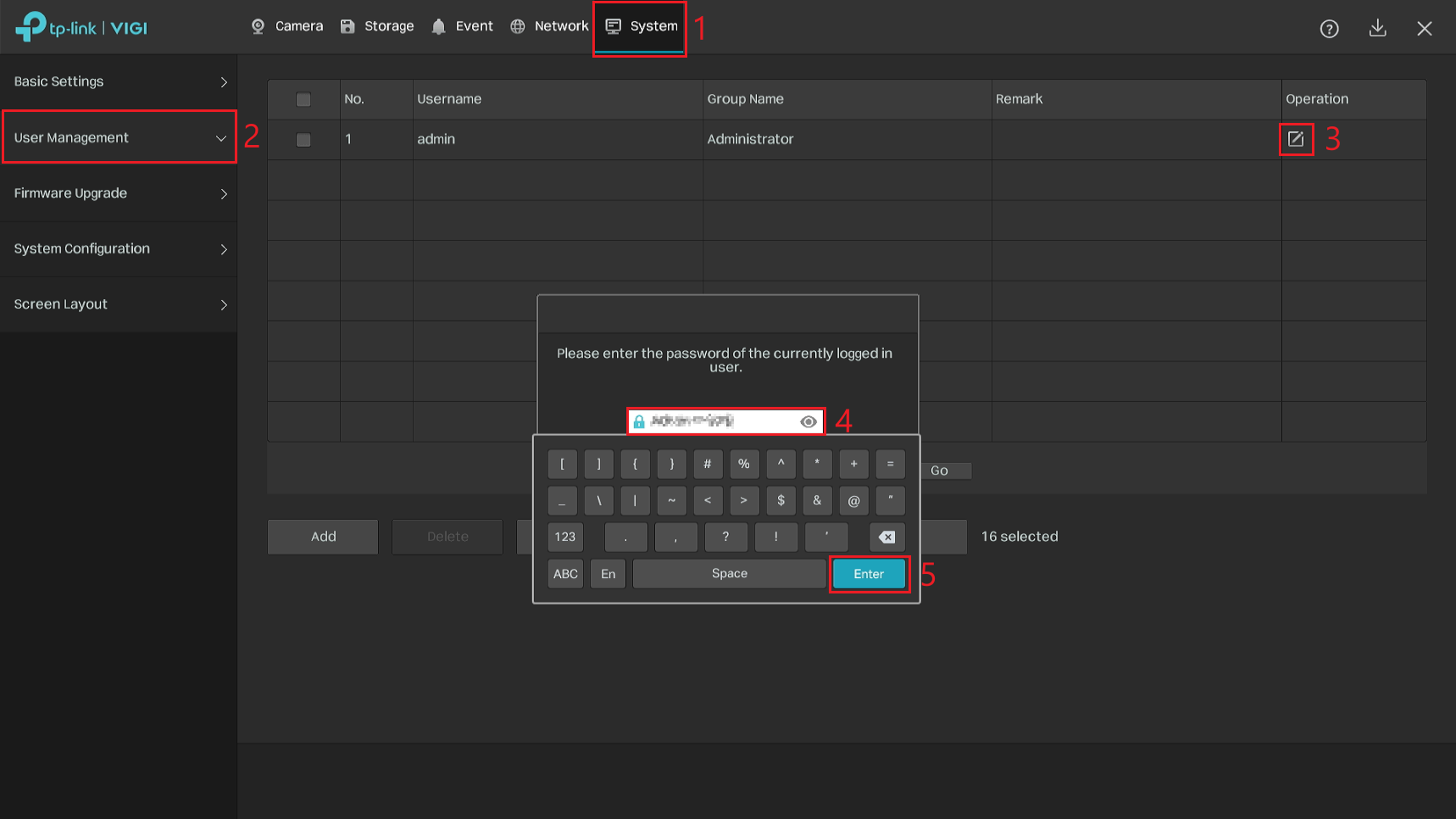
Step 2. Go to System > User Management. Select the Edit icon, enter the administrator password, and select Enter. When the confirmation message appears, select OK.
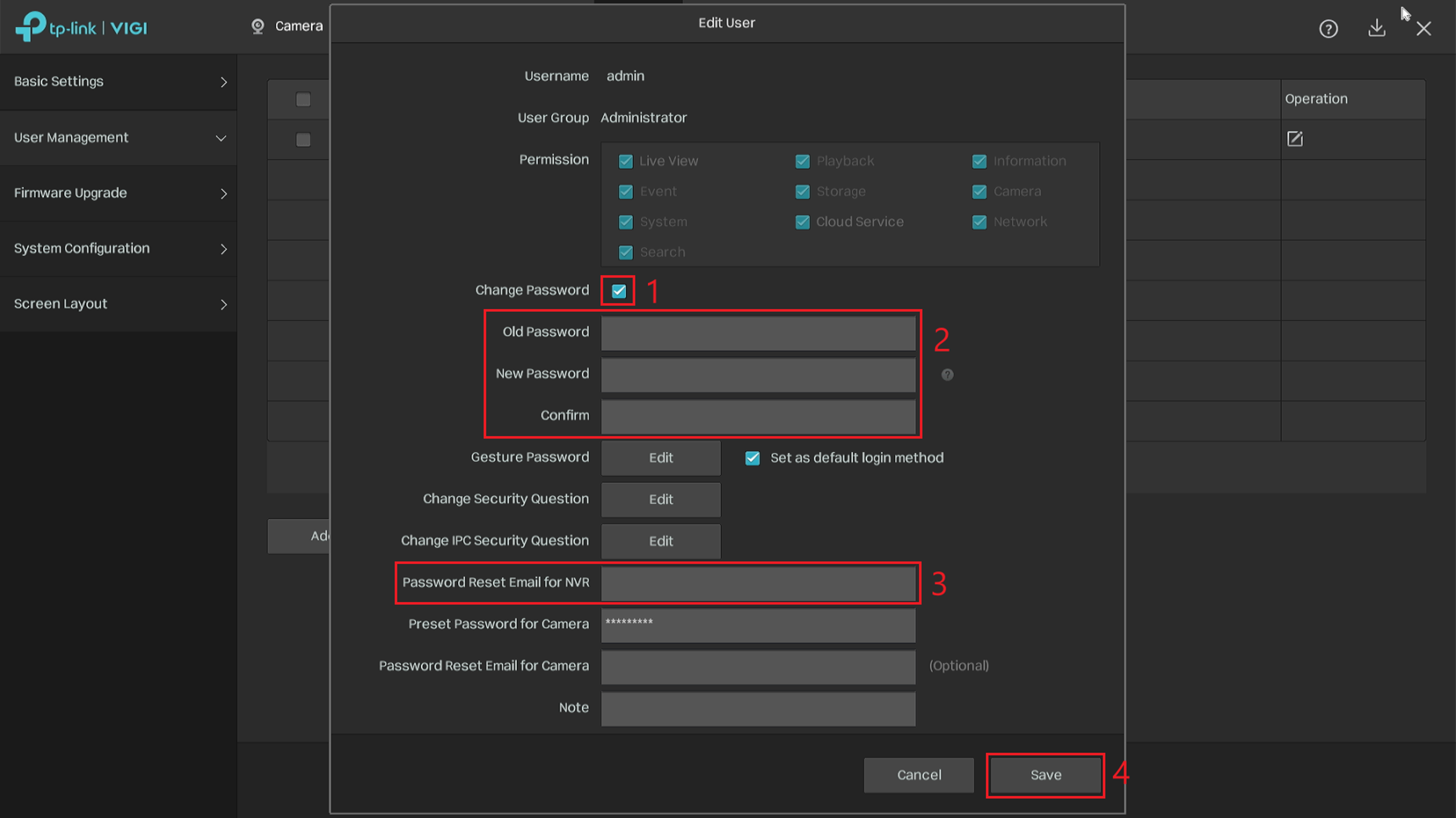
Step 3. In the Edit User window, select Change Password. Enter the Old Password, New Password, and Confirm values. To update the password reset email address, edit the Password Reset Email for NVR field. Select Save to apply the changes.
Conclusion
You have successfully updated the user password or password reset email address through the VIGI NVR graphical user interface. The updated email address can be used to receive verification codes if the NVR password is forgotten.
To learn more about each function and configuration, please visit Support Home to download or check the manual for your product.
Q1: Why am I prompted to enter the administrator password before editing the user account?
A1: The administrator password is required to verify your identity before account or security settings can be changed.
Q2: Can I change the password for a user other than the administrator?
A2: Select the applicable user account under System > User Management, then select Edit. The available options depend on the account permissions.
Q3: Can I update the password reset email without changing the password?
A3: Yes. Update the Password Reset Email for NVR field and select Save without selecting Change Password.
Q4: What is the password reset email used for?
A4: The password reset email address receives the verification code required to reset a forgotten NVR password.
Q5: Why am I not receiving a password reset verification code?
A5: Confirm that the NVR has internet access, verify the configured email address, and check the email account’s spam folder and filtering settings.
ค้นหาเพิ่มเติม
คำถามที่พบบ่อยนี้มีประโยชน์หรือไม่?
ความคิดเห็นของคุณช่วยปรับปรุงเว็บไซต์นี้



TP-Link Community
Still need help? Search for answers, ask questions, and get help from TP-Link experts and other users around the world.