How to Set Recording Schedule?
 11
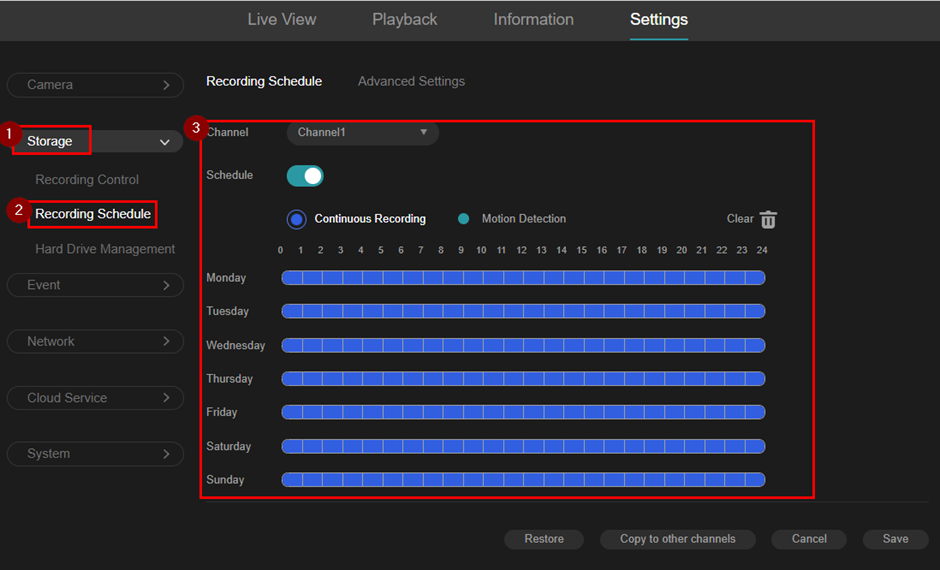
11- Go to "Storage" > "Schedule Schedule".
- Select the camera.
- Choose the recording mode: Continuous or Motion Detection.
- Drag and draw the schedule on the timeline.
- Click "Save".
Is this faq useful?
Your feedback helps improve this site.

TP-Link Community
Still need help? Search for answers, ask questions, and get help from TP-Link experts and other users around the world.


