How to share VIGI devices to your staff.
 11
11-
- Make sure the firmware of VIGI device and VIGI App are both up to date.
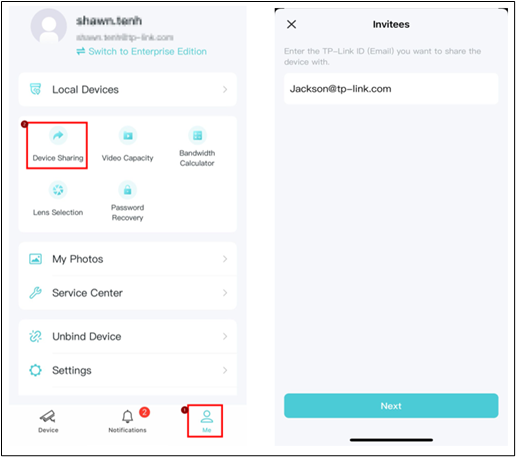
- Tap Share. Enter the invitee’s TP-Link ID, then tap Next.
If the invitee is new to TP-Link, please refer to the link to register your TP-Link ID.
Is this faq useful?
Your feedback helps improve this site.

TP-Link Community
Still need help? Search for answers, ask questions, and get help from TP-Link experts and other users around the world.