How to add VIGI and NVR into cloud
 151
151- Go to Settings > Cloud Service. 2. Click Go to Bind.
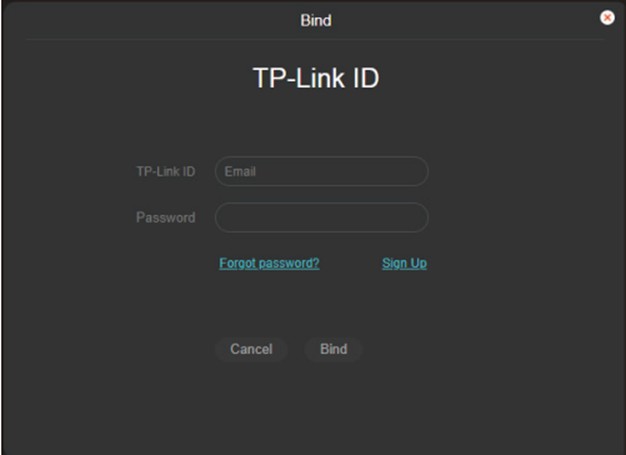
- Enter your TP-Link ID and password and click Bind. If you do not have a TP-Link ID, click on Sign Up to register.
- After binding your TP-Link ID, download the VIGI app.
- Log in with your TP-Link ID.
- Then you can monitor the live view and manage the camera remotely on your computer or mobile phone.
Is this faq useful?
Your feedback helps improve this site.

TP-Link Community
Still need help? Search for answers, ask questions, and get help from TP-Link experts and other users around the world.