How to Waterproof VIGI Outdoor Security Cameras
Contents
Install waterproof cable attachments
Install waterproof protection for power connectors
Install waterproof tape for other interfaces
Introduction
VIGI outdoor cameras are built with a weather-resistant design to ensure reliable performance in outdoor environments. To maintain the camera's intended waterproof protection, VIGI outdoor cameras include waterproof components.
Proper installation is essential to prevent water ingress and protect the camera from moisture-related damage. This article provides step-by-step instructions on how to install the waterproof accessories for your VIGI camera, helping ensure optimal waterproof performance and long-term reliability in outdoor applications.
Requirements
- VIGI Camera with waterproof cable attachments
Configuration
Install waterproof cable attachments
Install the waterproof cable attachments for the network interface when the camera is installed outdoors.
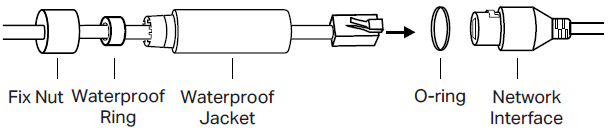
Step 1. Route the network cable through the following components in order: the fix nut, the waterproof ring, and then the waterproof jacket.
Step 2. Insert the waterproof ring into the waterproof jacket.
Step 3. Fix the O-ring to the network interface of the camera and connect to the network cables.
Step 4. Attach the network interface to the waterproof jacket, then twist to lock. Rotate the fix nut to secure it to the waterproof jacket.

Install waterproof protection for power connectors
Install the waterproof seal for the power connectors when the camera is installed outdoors.
Powered by the adapter
Method 1. Install the Waterproof Seal.
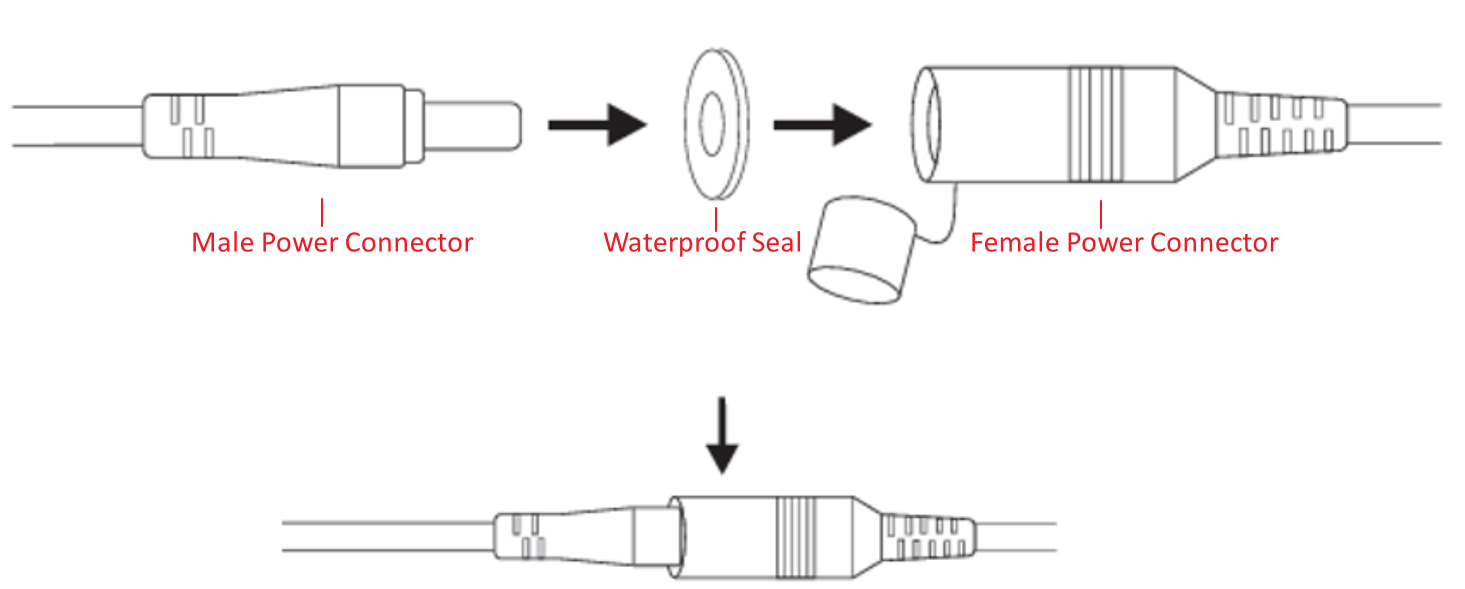
Method 2. Seal the Connections with Insulation Tape
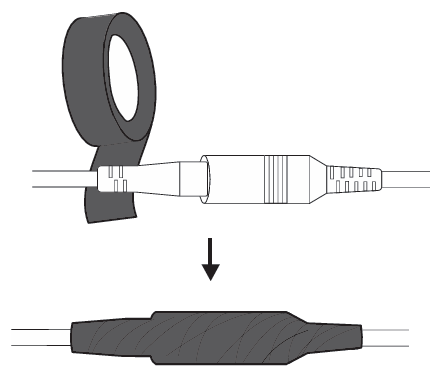
Powered by PoE
If you power on the camera via PoE, just connect the network cable using waterproof cable attachments.
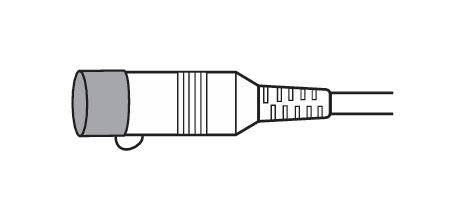
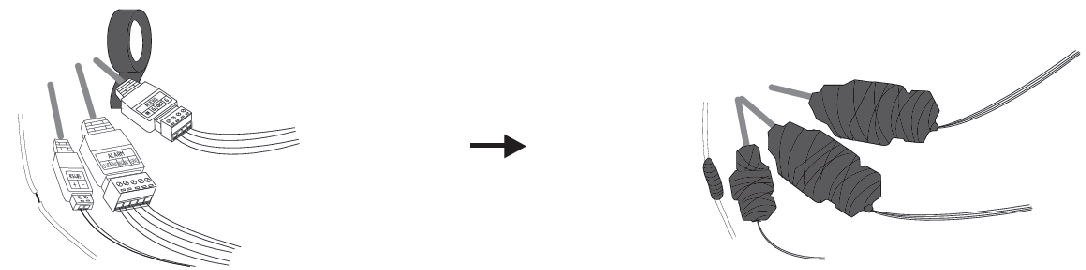
Install waterproof tape for other interfaces
You can wrap the connector with waterproof tape to provide additional waterproof protection.
Conclusion
You have now learned how to properly install the waterproof accessories for your VIGI camera, ensuring reliable waterproof protection for outdoor use.
To learn more about each function and configuration, please visit Support Home to download or check the manual for your product.
Is this faq useful?
Your feedback helps improve this site.



TP-Link Community
Still need help? Search for answers, ask questions, and get help from TP-Link experts and other users around the world.