
Best Security Camera for Your Home or Office in 2026
Published: September 11, 2024 · Last Updated: September 16, 2026
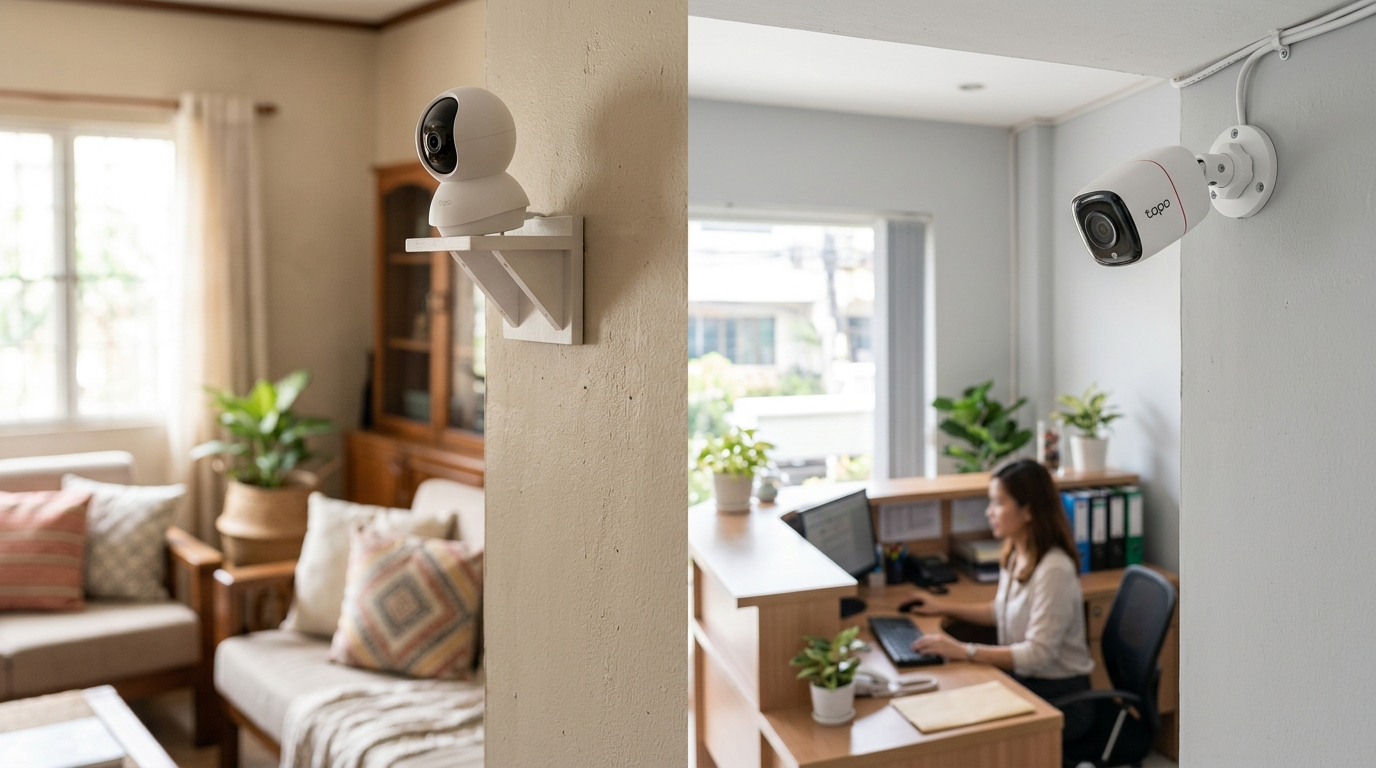
Quick Answer
-
The best security camera matches video quality, night vision, field of view, and storage type to your specific space, not the highest spec sheet.
-
Indoor and outdoor cameras are built differently; putting the wrong type in the wrong environment can significantly shorten its lifespan.
-
Regular maintenance, firmware updates, lens cleaning, and periodic testing keep any camera system reliable over the long run.
The best security camera for your home or office depends on video quality, night vision, field of view, and storage type working together, not on any single spec or brand name.
Table of Contents
Which Indoor and Outdoor Cameras Work Best
How Do I Choose the Right Camera for My Space
How Should I Install and Place My Cameras
How Do I Maintain My Security Camera System
What Is a Security Camera
You can monitor and record activity in a specific area to enhance safety with security cameras, without needing to watch your property around the clock. Wired, wireless, internet-connected, indoor, and outdoor models are all widely available. Modern security cameras detect motion, offer night vision, and send notifications straight to your phone when they pick up suspicious activity; finding the best home security camera for your situation comes down to matching these features to your actual space rather than chasing the highest spec sheet.
Choosing well starts from the understanding that a security camera is only as useful as its placement and upkeep, which this guide covers in full below, alongside how to weigh features and where to install your cameras for the best coverage. If you're weighing security cameras for a home office specifically against a standard residential setup, understanding how surveillance and security systems differ is worth settling first.
Which Indoor and Outdoor Cameras Work Best
For indoor spaces:
|
Model |
Why it works indoors |
|
Affordable pan-and-tilt coverage, motion detection, two-way audio, local microSD storage |
|
|
2K resolution for sharper detail across a wider range of motion |
|
|
Built for outdoor use but performs reliably indoors too |
The C200 remains a strong entry point for most homes; This Tapo WiFi camera is capable of detecting motion and two-way audio, as well as supporting local storage using microSD cards.
For outdoor spaces:
|
Model |
Why it works outdoors |
|
2K resolution, color night vision, flexible Ethernet or WiFi connection |
|
|
No constant power needed, ideal where wiring is impractical |
|
|
Enhanced resolution and security features for business or advanced home use |
For a step-by-step breakdown of how these outdoor security cameras compare to each other in real Philippine conditions, our Tapo camera model comparison breaks down the C200, C310, and C325WB side by side.
Key takeaway: Match the location, not just the budget, to the camera. An indoor-rated camera placed outdoors will fail faster regardless of price.
How Do I Choose the Right Camera for My Space
Start by understanding your specific security needs, since a small office in a busy area might need multiple high-resolution cameras covering several entry points, while a suburban home might only need one at the front door. Deciding on the best home security cameras for a multi-camera setup is a different exercise than picking a single unit for a front door.
Before buying, ask yourself:
- Do you need indoor or outdoor coverage? That distinction shapes almost every other decision that follows.
- How large is the area you want to monitor?
- Are you concerned about a specific threat, like theft or vandalism?
- Do you want a visible deterrent or a more discreet option?
Your answers determine whether a basic single-camera setup is enough or whether you need a more advanced multi-camera system. A scalable system can save money over time as your needs grow.
What Features Actually Matter
Video quality. Look for at least 1080p resolution; 2K or 4K gives better detail for larger areas. A frame rate of 30fps or higher matters for identifying fast-moving subjects.
Night vision. Infrared or low-light capability is essential for nighttime footage. Color night vision improves detail further on higher-end models, and this is crucial for outdoor CCTV cameras especially, since most incidents happen after dark.
Field of view. A wider field of view means fewer cameras needed to cover the same space. Look for at least 120 degrees; Pan, tilt, and zoom (PTZ) features help cover larger areas with one unit.
Motion detection. A must-have feature. Customizable detection zones cut down on false alarms from pets or passing traffic, saving both storage space and your attention.
Two-way audio. Useful for front-door cameras where you want to speak with visitors or delivery riders, and it doubles as a deterrent by alerting anyone nearby that they're being watched.
Storage options. Cloud storage gives remote access but usually requires a subscription; local storage (SD card) is safer against subscription lapses but limited by card capacity. Cameras supporting both give the most flexibility.
Smart home integration. Voice control through Alexa, Google Assistant, or Apple HomeKit, plus compatibility with existing devices such as smart sensors, adds convenience without much added cost.
Power source. Wired cameras need professional installation for a solid connection; wireless cameras install more easily but run on battery or solar power, each with its own maintenance trade-offs.
Key takeaway: Video quality and night vision matter most for identification; motion detection and storage matter most for day-to-day usability.
How Should I Install and Place My Cameras
-
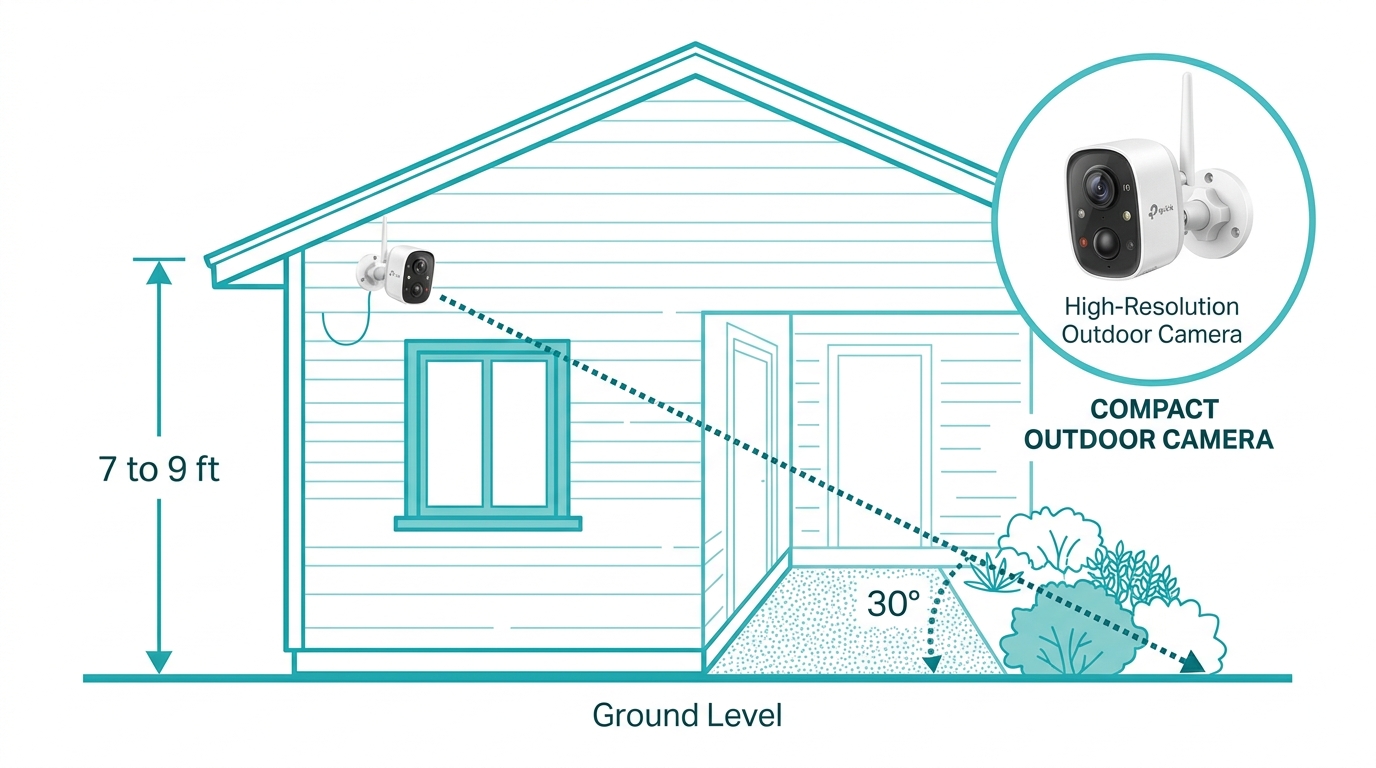
Height and angle: Mount cameras 7 to 9 feet high, angled slightly downward to capture facial features while staying out of easy reach for tampering.
-
Coverage overlap: Overlapping fields of view eliminate blind spots, particularly important for larger properties.
-
Entry points: Prioritize front and back doors, ground-floor windows, and garage doors, the most common entry points for intruders.
-
Weather considerations: For outdoor cameras, check the IP rating for dust and water resistance before mounting.
-
Connectivity: Keep WiFi cameras within reliable range of your router, since if you're using a WiFi camera far from your router, a weak signal degrades video quality or causes dropped footage; mesh Wi-Fi systems can extend coverage to distant entry points.
How Do I Maintain My Security Camera System
-
Keep firmware current. Regular updates patch security vulnerabilities and add features, and keeping firmware current is something TP-Link Philippines recommends checking at least quarterly.
-
Clear visibility. Dust and debris on the lens reduce image clarity, especially outdoors. Clean lenses regularly with a soft cloth.
-
Avoid downtime. For wireless cameras, check and replace batteries proactively; many models offer low-battery alerts.
-
Manage storage. Check local storage capacity periodically and clear old footage as needed, or confirm your cloud subscription tier still matches your needs.
-
Test regularly. Periodically verify motion detection, night vision, and two-way audio are functioning correctly, catching issues before they become critical during an actual incident.

With only this level of routine upkeep, most modern security cameras are built to run reliably for years, with no specialized technical skill required.
Frequently Asked Questions
What features should I look for in a good security camera? Prioritize high-resolution video (1080p or higher), night vision, motion detection, two-way audio, flexible storage options, and remote viewing through a mobile app. For offices, also look for multi-camera support and AI detection, since a single-camera setup rarely covers a whole workspace adequately.
Do security cameras need internet to work? Most smart cameras need internet to send alerts, stream live video, or store footage in the cloud. Some models support local SD card or NVR storage and can record offline, useful during ISP outages when connectivity briefly drops.
Can I monitor my security camera from my phone? Yes. Most modern cameras include a mobile app for live viewing, motion alerts, and remote settings control from your smartphone or tablet, so you can check in from anywhere with a data connection.
Are subscription plans required? Not always. Some brands offer optional cloud storage subscriptions for extended video history and advanced AI detection, but local storage options let you skip recurring fees entirely and still get reliable footage.
How is a home security camera setup different from an office setup? Offices typically need more cameras to cover multiple entry points and often benefit from multi-camera NVR systems and AI features like people counting, while a single home usually needs just one or two well-placed units to cover the essentials.
How often should I update my camera's firmware? TP-Link Philippines recommends checking quarterly at minimum, and immediately after any security advisory, since outdated firmware is one of the more common ways cameras get compromised by outside actors.
Final Thoughts
Ready to stop guessing and start protecting your space properly? The right camera setup isn't about buying the most expensive model; it's about matching video quality, night vision, and storage to your actual space, then installing and maintaining it correctly so it actually works when it matters. Browse TP-Link's range of surveillance cameras for real internet connection options across every price point, so take the next step and find the setup that fits your home or office today.