
Modem vs Router: Which Do You Need in 2026?
Published: May 3, 2024 · Last Updated: September 16, 2026
Quick Answer
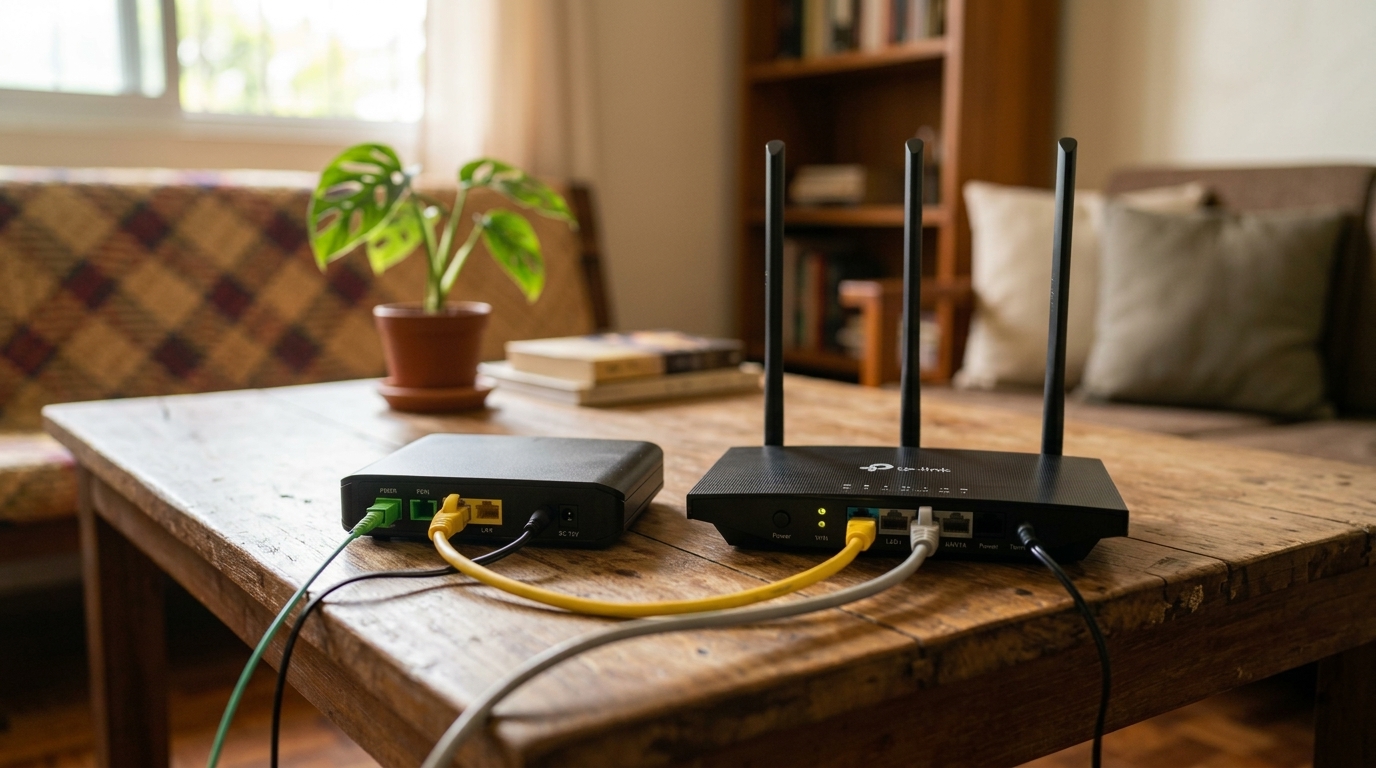
- A modem connects your home to your internet provider; a router shares that connection across your devices, wired or wireless.
- Most PLDT, Globe, and Converge plans in the Philippines ship with a combo device that does both.
- A separate modem and router gives you more control over your network, at the cost of a bit more setup.
A modem connects your home to your internet provider, while a router shares that connection across your devices, wired or wireless, and most home setups in the Philippines need both working together.
Table of Contents
Modem vs Router: What's the Actual Difference
How Do I Choose Between a Modem and a Router
Which TP-Link Devices Should I Consider
What Is a Modem
"Modem" stands for modulator-demodulator. To have a functional home network, you need a modem and a router, and at its core, a modem serves as the gateway between your home network and the internet. Whether you're streaming, browsing, or facilitating faster downloads, the modem establishes and maintains the connection from your ISP to your home.
A modem doesn't control your Wi-Fi; it converts the signal from your ISP into something your devices can use, letting you access the internet in the first place.
How a modem works, simplified:
- Modulation: Digital data from your device is converted into analog signals that can travel over your physical connection, telephone line, coaxial cable, fiber optic cable, or satellite link.
- Transmission: The modem sends those analog signals over the appropriate medium to reach your ISP's network. A DSL modem uses your phone line; a cable modem uses coaxial cable; a fiber modem uses fiber optic cable, one of several internet connection technologies available to Philippine households today.
- Demodulation: On the return trip, the modem converts incoming analog signals from the internet back into digital data your devices understand.
- Data exchange: That digital data passes to your connected devices, letting you access the internet and online services.
Types of modems:
|
Type |
How it connects |
|
DSL modem |
Telephone lines |
|
Cable modem |
Existing cable TV infrastructure |
|
Fiber optic modem |
Fiber optic cable, the standard for most current PLDT, Globe, and Converge fiber plans |
|
Satellite modem |
Communicates directly with orbiting satellites, for areas without wired options |
For households still on copper lines, DSL modems remain a practical, lower-cost option.
Key takeaway: The modem's only job is talking to your ISP. It has nothing to do with your Wi-Fi signal strength or coverage at home.
What Is a Router
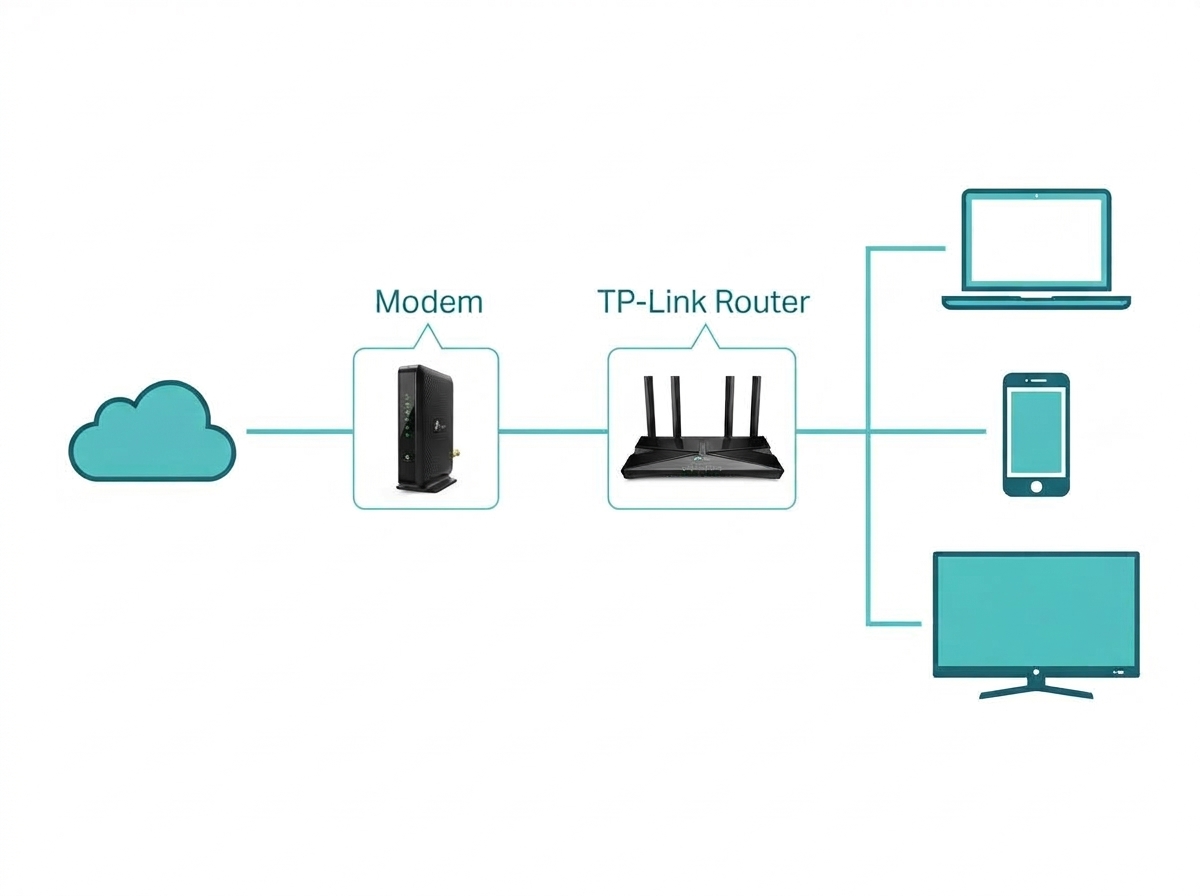
While a modem establishes your link to the internet, the router manages the flow of data within your home network, and understanding internet speeds starts with knowing which device is actually responsible for them. Think of it as the traffic controller, directing data to the right devices. A router's signal strength depends on distance and physical barriers, which is why larger homes often have dead spots.
If that's the case in your home, a Wi-Fi extender or, with more budget, a mesh Wi-Fi system can close those gaps.
Types of routers:
- Wired routers connect devices via Ethernet cable, offering a stable, high-speed connection, common where reliability matters most, especially for online gaming where every millisecond counts.
- Wireless routers use Wi-Fi to connect devices without physical cables, standard in most modern Philippine households.
Whatever the connection type, the router ensures that data reaches its destination efficiently, whether that's a laptop, a smart TV, or a gaming console.
Key takeaway: The router determines your Wi-Fi coverage and speed at home; the modem determines whether you're connected to the internet at all.
Modem vs Router: What's the Actual Difference
|
Factor |
Modem |
Router |
|
Primary function |
Connects to the internet via your ISP |
Distributes that connection across devices |
|
Connectivity |
Connects directly to your ISP |
Connects to the modem, then to your devices |
|
Physical appearance |
Fewer ports and antennas |
More ports and antennas |
|
Dependence |
Can't share a connection across multiple devices alone |
Needs a modem's internet connection to function |
A high-speed connection from your ISP only gets you halfway there; Wireless routers and their wired counterparts are what actually put that connection to use across every device in the house. The fundamental difference between modems and routers becomes clearer once you see them in action: the modem is the entrance gate to a highway; digital data flows in and out of the internet through it, while the router is the dispatcher inside that directs traffic to the right destination once it's already on your network.
How Do I Choose Between a Modem and a Router
Understand your internet service. Know whether you have DSL, cable, fiber, or satellite. Some ISPs provide a modem/router combo device; others require separate equipment. If you're shopping for a standalone modem, confirm it matches your specific connection type; a modem built for one technology generally won't work on another.
Check compatibility. Confirm the device is compatible with your ISP's network. PLDT, Globe, and Converge each publish lists of approved or supported devices; check before buying separately from what they provide.
Assess your networking needs. A modem alone is sufficient if you only need to connect a single device with a simple wired setup. A router becomes necessary once you have multiple devices connecting simultaneously, or want Wi-Fi coverage for wireless devices; wireless routers also let you set up parental controls, monitor network activity, and manage firewalls and guest network access. On top of that, using Wi-Fi technology like Wi-Fi 6 gets you Quality of Service (QoS) settings that prioritize traffic like video calls or gaming, and if a connection issue ever comes up, troubleshooting connectivity issues usually starts by isolating whether the modem or router side is at fault.
Consider future expansion. If you expect to add more devices or upgrade to faster internet speeds, a router with dual-band Wi-Fi and Gigabit Ethernet ports gives you more headroom.
Budget. Standalone modems and routers offer more flexibility; a modem/router combo is often cheaper and simpler, combining both functions in one box.
Consider long-term costs. ISP equipment rental fees add up over time. Purchasing your own modem and router combo devices upfront can save money over renting, depending on your ISP's monthly rental rate. A 5G modem is a different category worth knowing about too; it uses cellular data rather than a fixed line, useful as a backup connection or in areas without wired options.
Control and customization. Standalone routers typically offer more advanced settings, traffic prioritization, parental controls, and custom security than combo devices, which tend to have more limited options. Once you've picked the router you choose, you'll need a router login set up correctly from day one, since that's where most of the ongoing configuration happens. If you're comfortable configuring your own network, manage router settings directly for more control, and don't skip the basics: enhance security options like a strong admin password and updated firmware. Consider going further if privacy matters to you: many modern routers let you set up a VPN directly from the admin panel without any extra hardware.
Key takeaway: If you're happy with basic setup and simplicity, a combo device covers most needs. If you want granular control over your network, standalone devices are worth the extra step.
Which TP-Link Devices Should I Consider
TP-Link offers modems, routers, and combo devices that integrate both functions into a single unit, simplifying setup and management.
|
Model |
Type |
Good for |
|
Archer Air R5 |
Wi-Fi 6 router |
AX3000 speed, capacity, and coverage boost |
|
AX1500 Wi-Fi 6 Router (Archer AX12) |
Wi-Fi 6 router |
Up to 1.5 Gbps combined (1201 Mbps 5 GHz / 300 Mbps 2.4 GHz), easy setup |
|
TD-W8961N |
DSL modem router combo |
Bandwidth-heavy use like gaming, calls, and HD streaming |
For most homes upgrading from an aging combo unit, the Archer Air R5 is a strong pick since it can connect to the internet with enough headroom for several years of growing device counts. If your household still relies on a DSL line for Wi-Fi internet access, the TD-W8961N remains a dependable, budget-friendly all-in-one pick. Once your new setup is running, keep an eye on the status lights, since a router stuck on a blinking orange or red light usually points to a router-side issue rather than anything wrong with your modem or ISP connection.
Frequently Asked Questions
Do I really need both a modem and a router? It depends on your setup. If you're only connecting one device by cable, a modem alone may be enough. If you want to connect multiple devices or set up Wi-Fi, you'll need a router as well. Most ISPs in the Philippines provide a combo device that handles both, which is why it's the default setup for most homes.
Can I use a modem and a router separately? Yes, and doing so gives you more control over your network configuration. You'll need a modem to connect to your ISP and a router to distribute that connection, wired or wirelessly, to your devices. This setup suits anyone who wants to swap components independently as their needs change.
What are the benefits of a modem/router combo device? Combo devices are easier to set up, take up less space, and are often cheaper than buying separate devices. Since ISPs frequently provide them by default, they're the most common setup in Philippine homes, and most people never need anything more advanced.
Can I use my own router with my ISP's modem? In most cases, yes. Set your ISP's modem to bridge mode if it also functions as a router, then connect your own router to it. Check your ISP's support documentation, as the exact steps vary between PLDT, Globe, and Converge.
Will a faster router improve my internet speed if my modem is old? No. Your modem caps the maximum speed coming into your home based on your ISP plan and the modem's own specifications. A faster router improves Wi-Fi distribution and device handling, but it can't exceed what your modem and ISP plan deliver.
How do I know if my Wi-Fi dead spots are a router problem? If devices connect fine near the router but lose signal in other rooms, that's typically a router coverage issue, not a modem problem. A Wi-Fi extender or mesh system usually resolves it without needing to touch your modem or ISP connection.
Should I connect an extender directly to my modem instead of my router? No. A Wi-Fi extender repeats and extends an existing Wi-Fi signal, which only a router produces. Connect the extender within range of your router's Wi-Fi, not your modem, for it to work correctly.
What if my router's status light is stuck on orange or red? That's usually a separate issue from the modem-vs-router question entirely. It's almost always a router-side signal, not a modem problem, and is worth troubleshooting separately.
Can I add a VPN to my home network without buying separate hardware? Yes, most modern TP-Link routers support this natively, right from the router's admin panel, no extra device required.
Final Thoughts
Still unsure whether you need one device or two? If you're only plugging in a single computer, a modem alone gets you online. The moment you want Wi-Fi, multiple devices, or real control over your home network, you need a router too, and getting that pairing right is the difference between a network that just works and one you're constantly troubleshooting. Don't leave it to guesswork: explore TP-Link's full range of modems, routers, and combo devices built specifically for PLDT, Globe, and Converge connections, and set your home network up right the first time.