
How to log into the web-based management interface of TP-Link cable modem routers (new logo)
 134987
Here takes Archer CR700 as demonstration:
With a web management page, it is easy to configure and manage the modem router.
The web management page can be used on any Windows, Macintosh or UNIX OS with a Web browser, such as Microsoft Internet Explorer, Mozilla Firefox or Apple Safari.
Follow the steps below to log into your modem router.
1. If the TCP/IP Protocol on your computer is set to the static (fixed) IP address, you need to change it to obtain an IP address automatically. Refer to FAQ14 or FAQ41 to configure your computer.
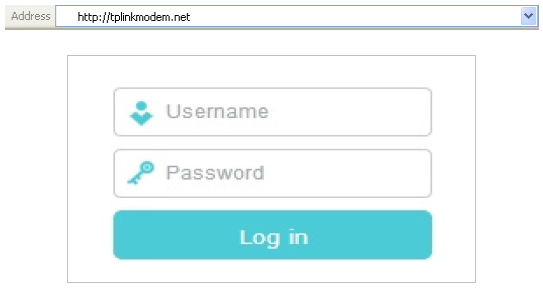
2. Launch a web browser and go to http://tplinkmodem.net or http://192.168.1.1. Use
admin for both username and password, then click Log in.
Get to know more details of each function and configuration please go to Download Center to download the manual of your product.
해당 FAQ가 유용했나요?
여러분의 의견은 사이트 개선을 위해 소중하게 사용됩니다.