


HX510-PoE
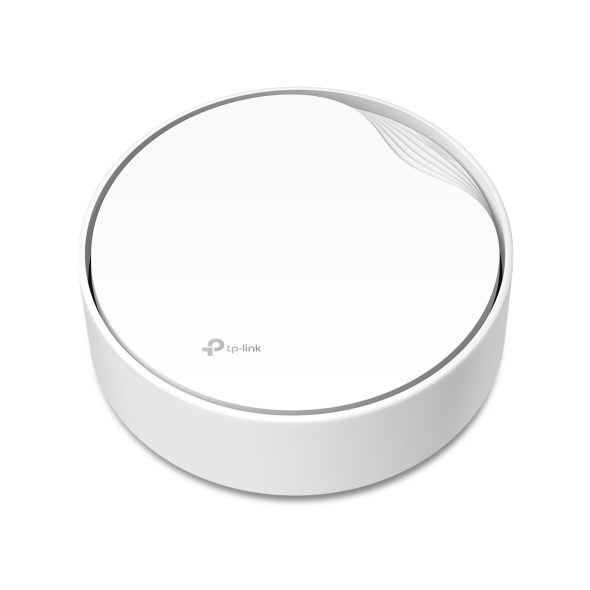
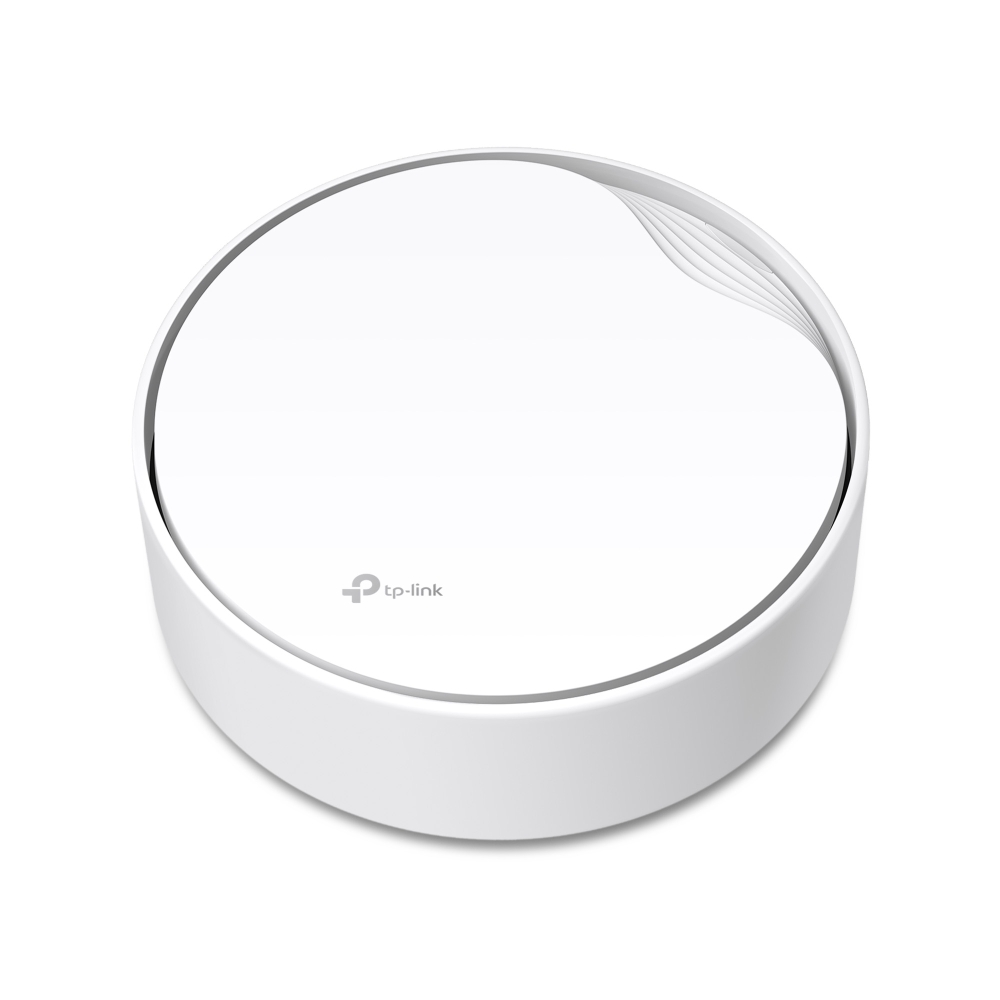
NewAX3000 Whole Home Mesh WiFi 6 AP with PoE
- Dual Band WiFi 6: Speeds up to 3000 Mbps—2402 Mbps on 5 GHz and 574 Mbps on 2.4 GHz.*
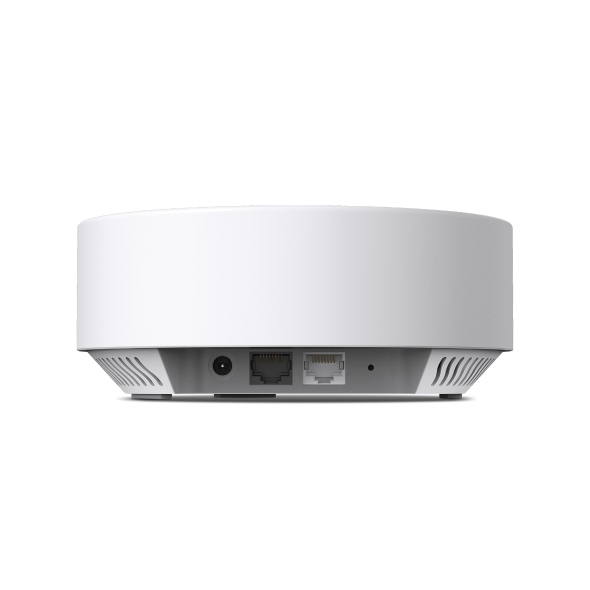
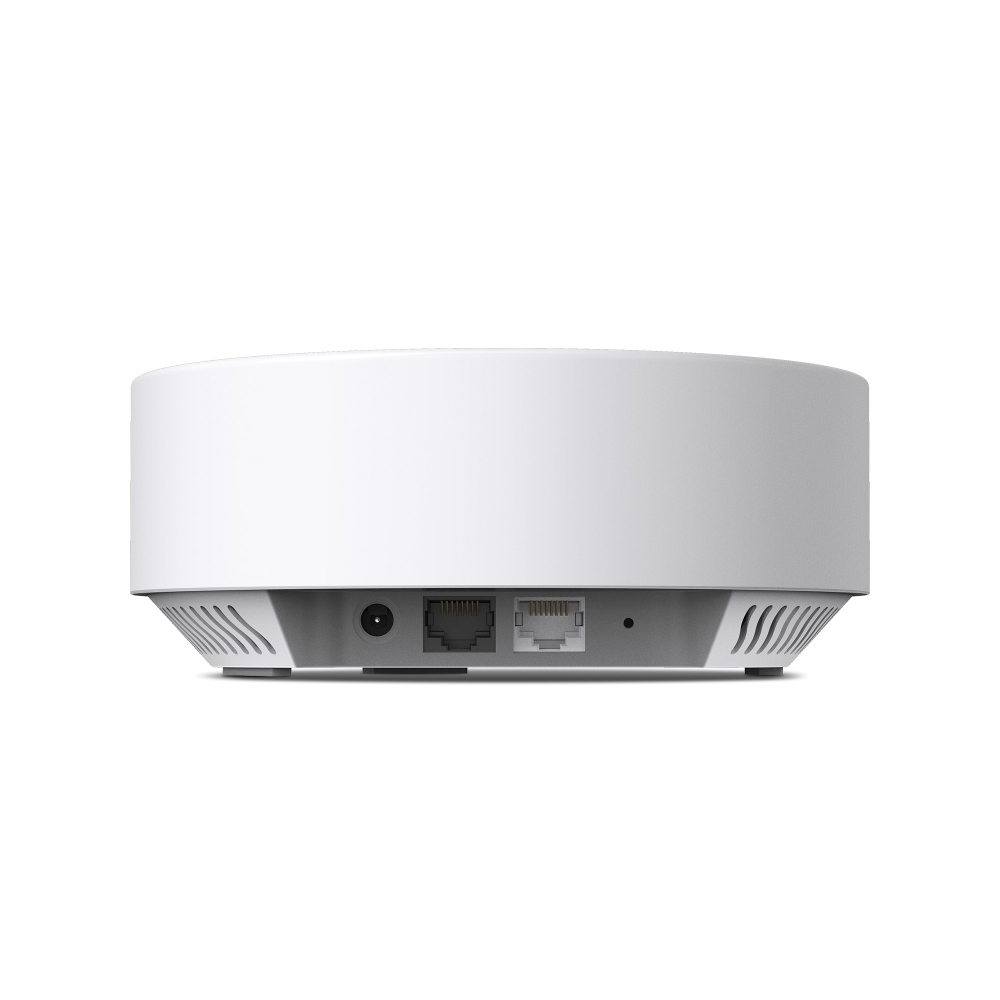
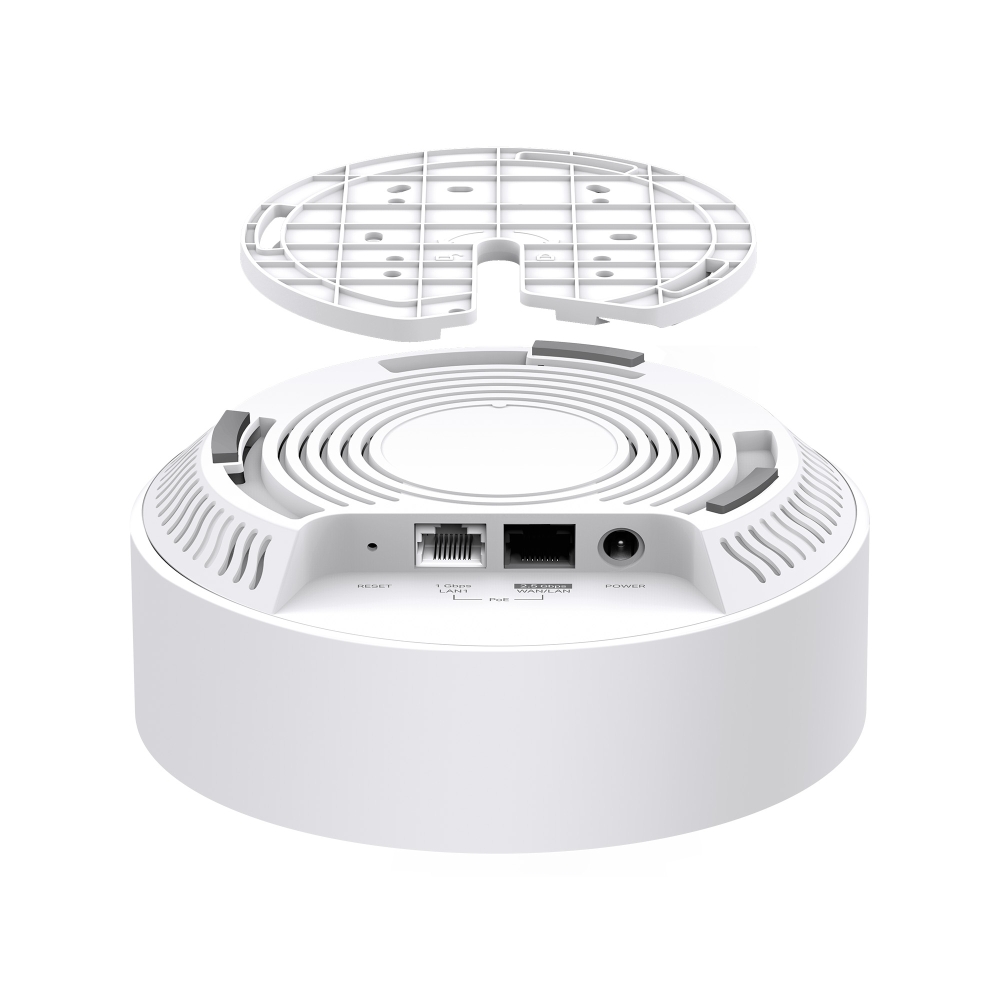
- Multi-Gig Connections: Break through the 1 Gbps bottleneck with a 2.5 GbE WAN/LAN port for ultra-fast internet access.△
- Boosted Coverage: High-performance antennas and beamforming technology combine to extend strong, reliable WiFi throughout your home.
- More Connections: OFDMA and MU-MIMO technologies increase capacity and enable simultaneous transmission to more devices.†
- EasyMesh Compatible: Create a unified smart mesh network with seamless coverage and greater flexibility based on standard mesh technology.§
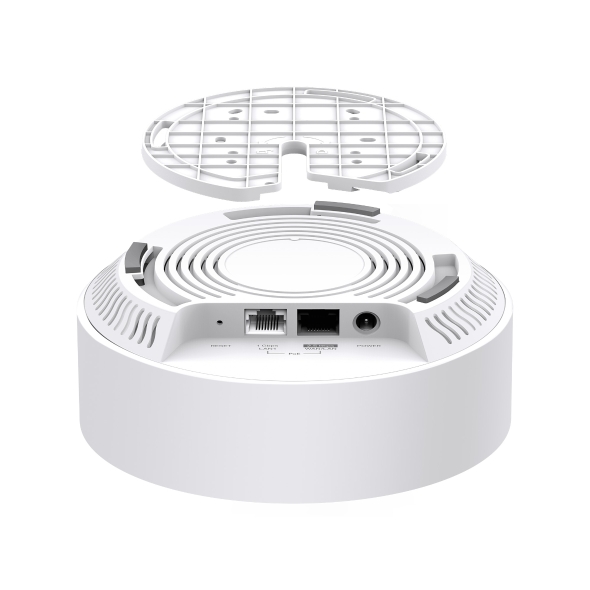
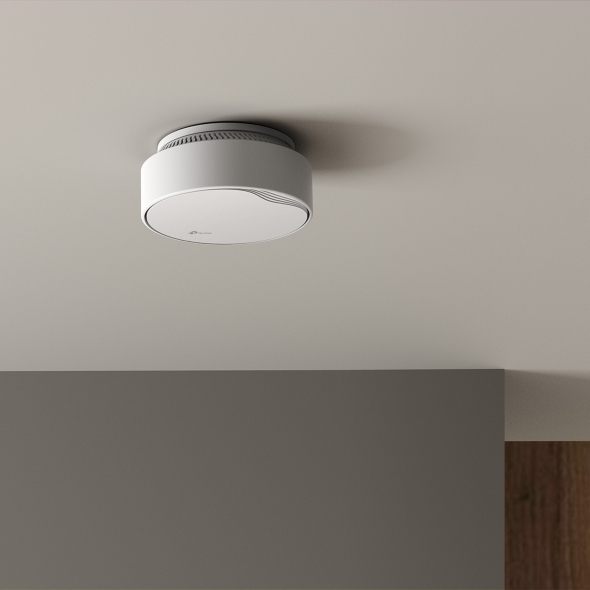
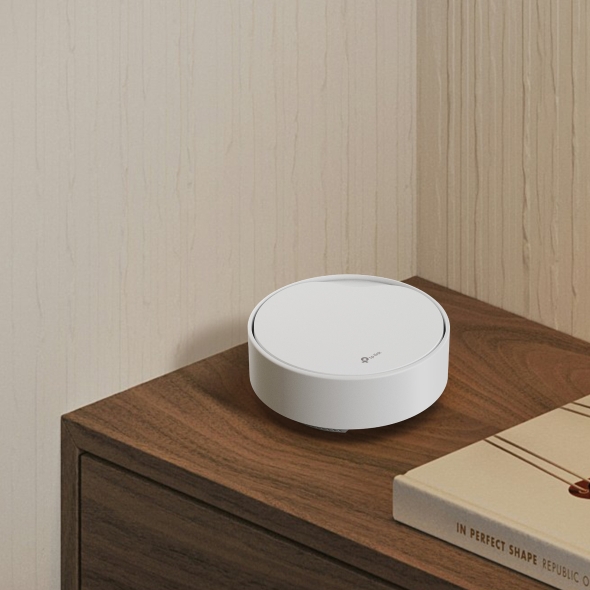
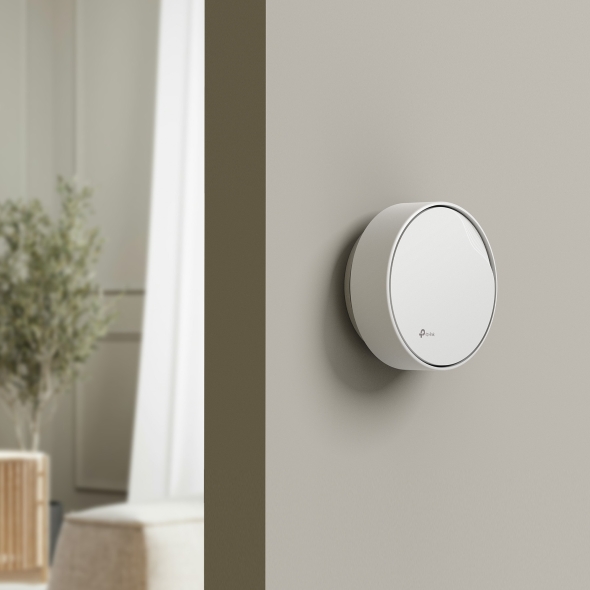
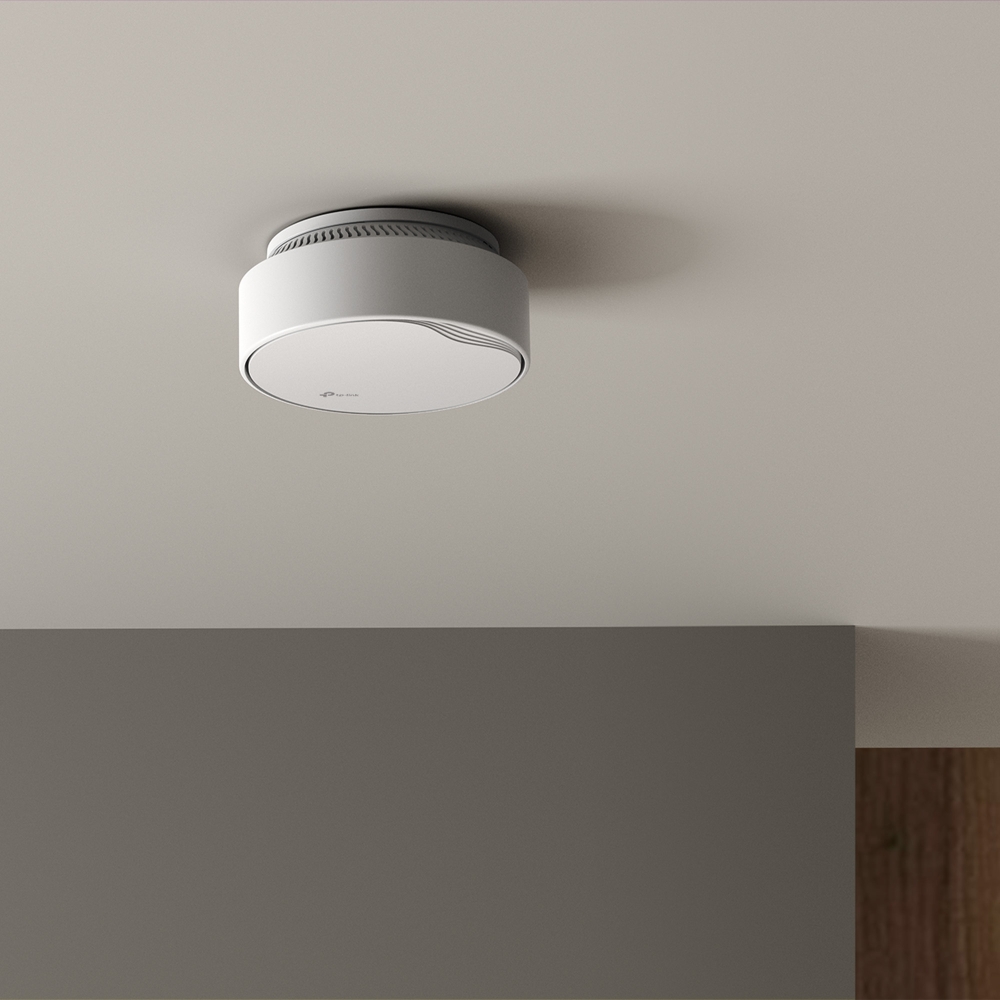
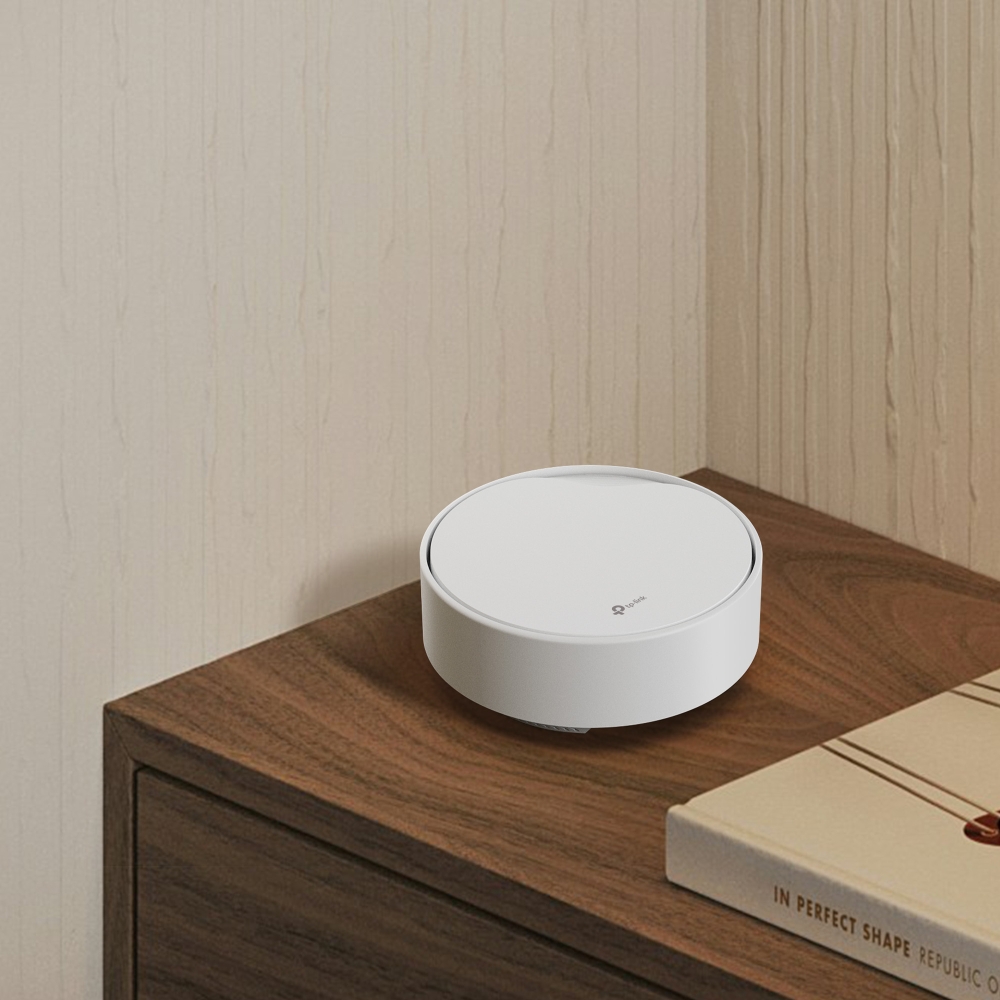
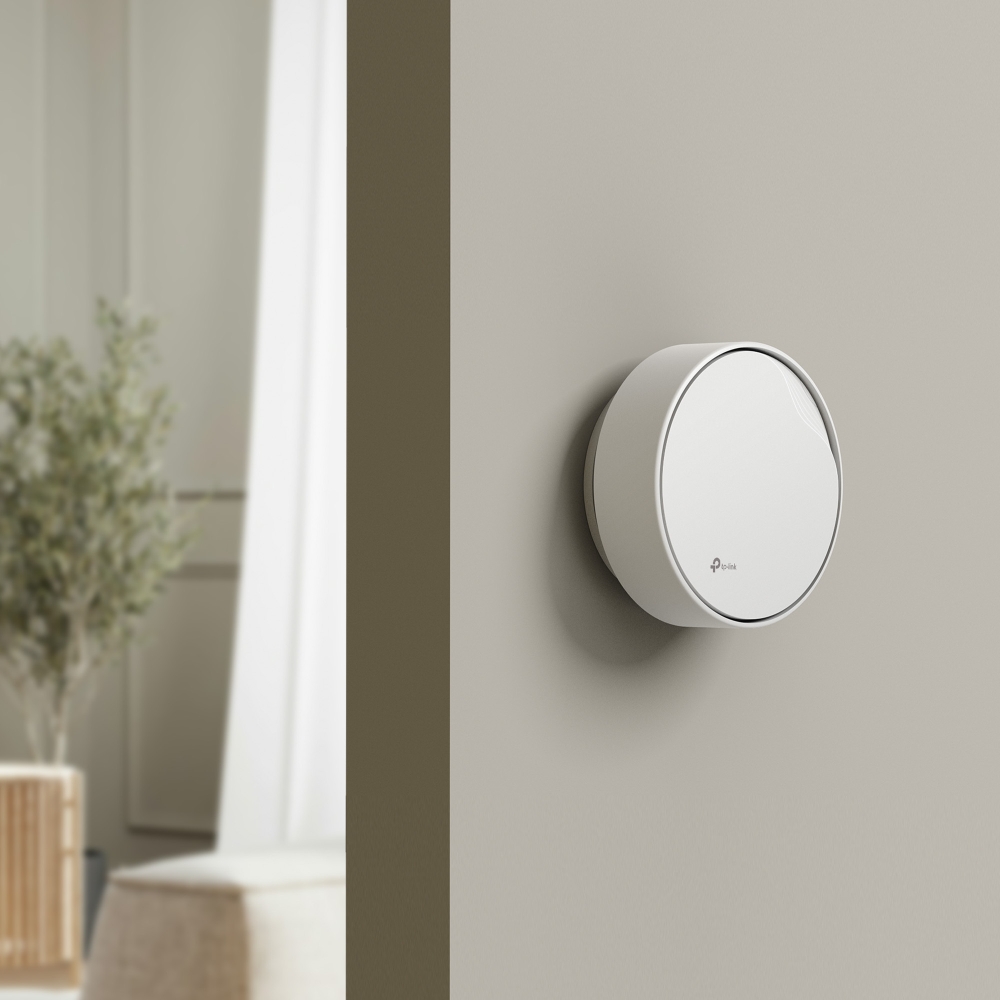
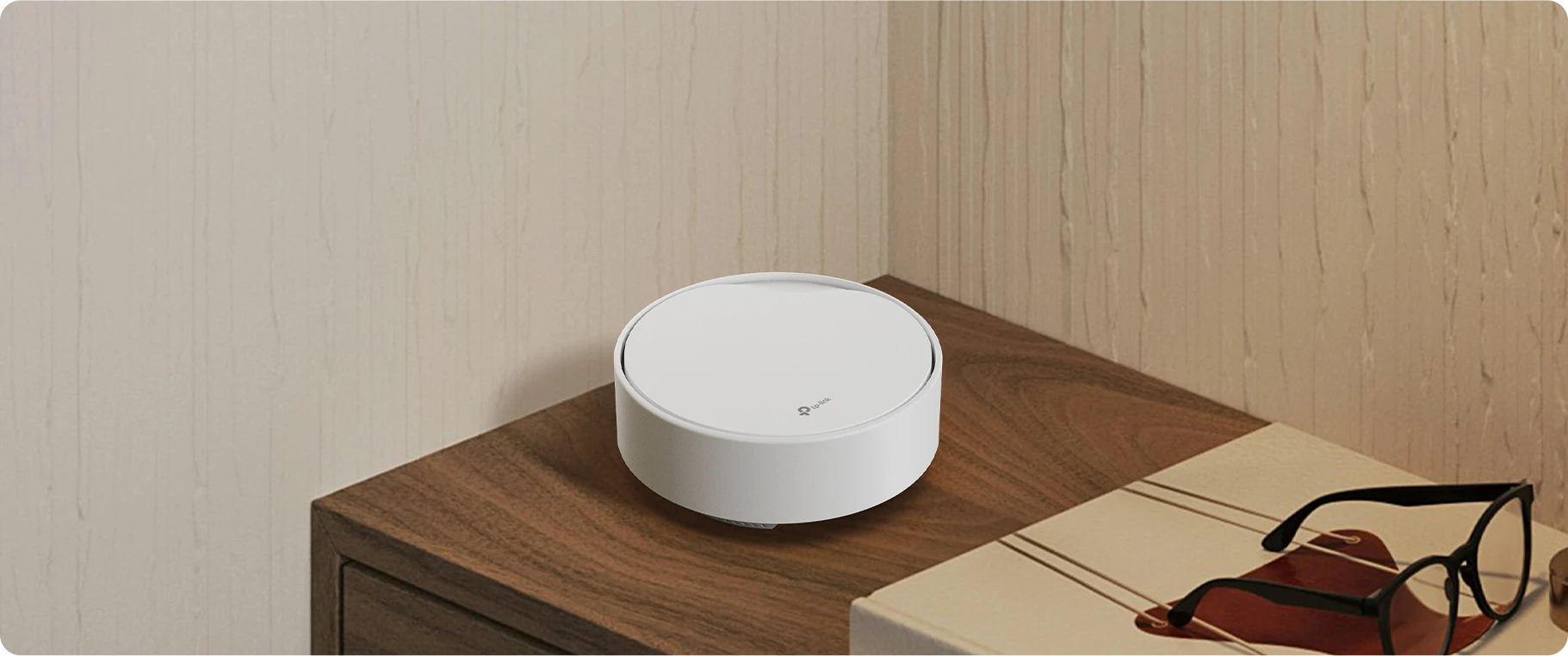
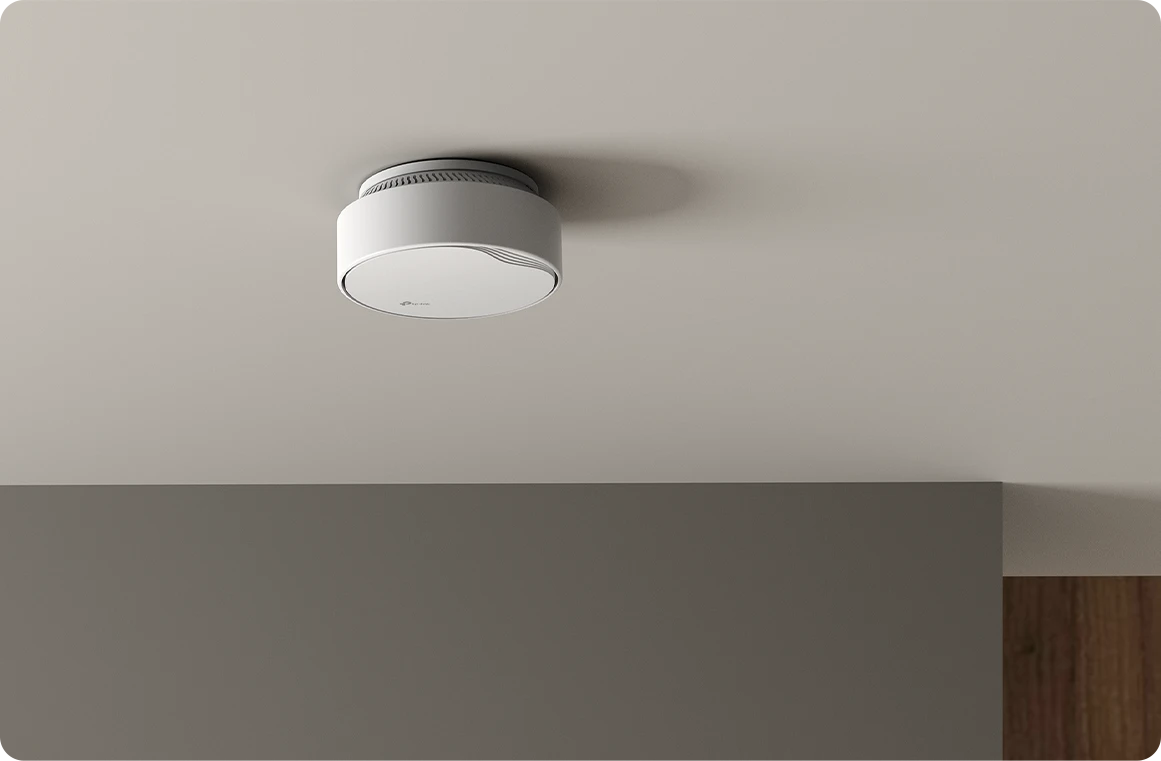
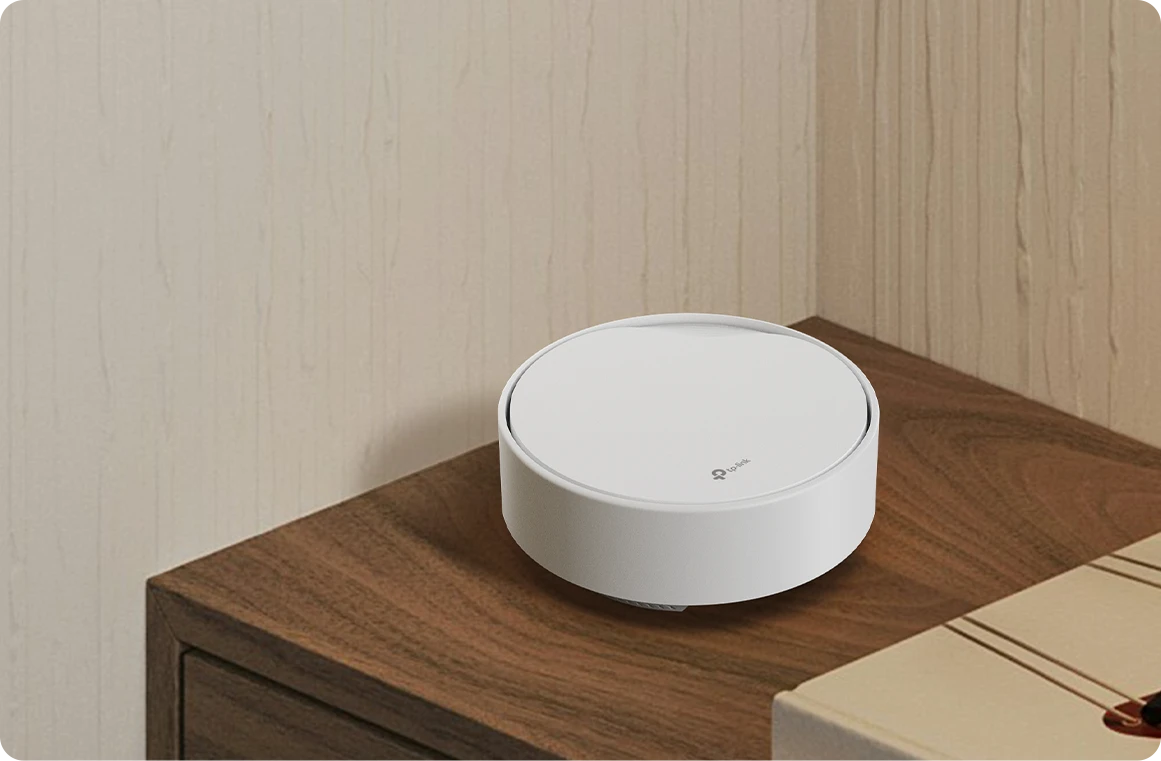
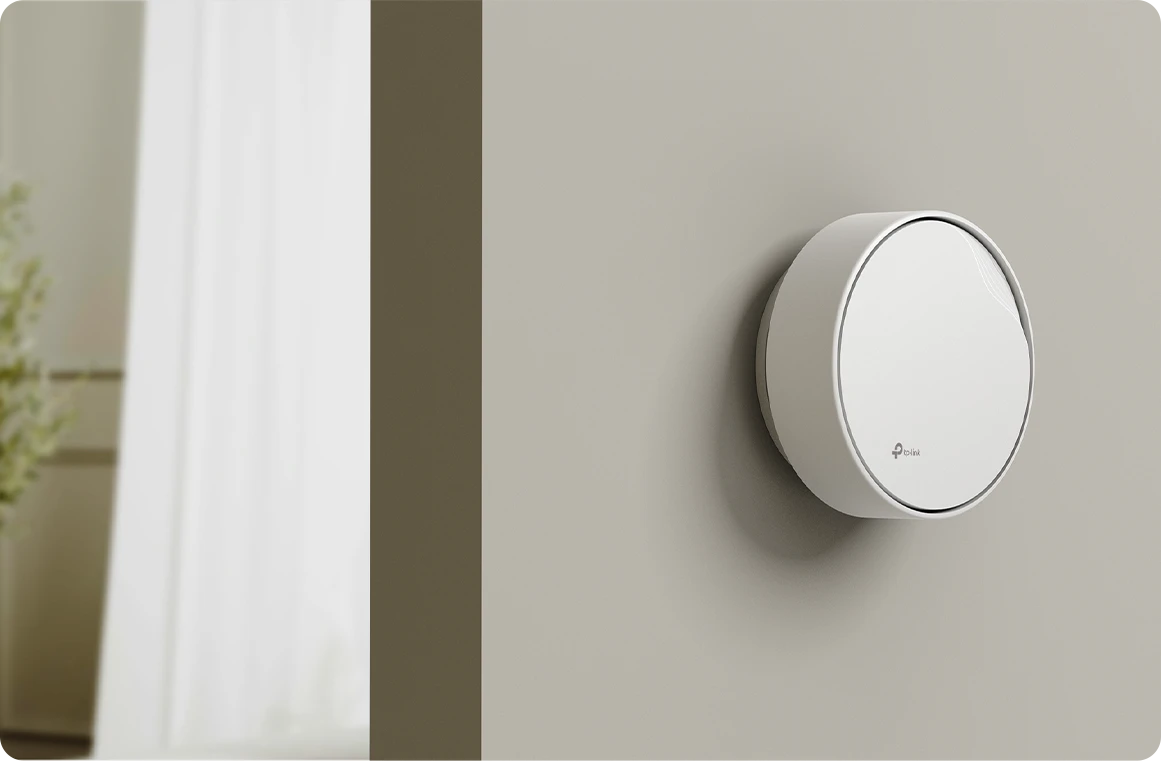
- Flexible Deployment and Installation: Supports both 802.3at Power over Ethernet (PoE) and DC power supplies with multiple installation options (ceiling mountable, wall mountable, and tabletop).
- Enhanced Security: WPA3 encryptions, multi-SSID, and parental controls combined ensure personalized and safer online experiences.†
- Easy Setup: Set up your mesh WiFi in minutes with the powerful Aginet app.
- Remote Management: TAUC (TP-Link Aginet Unified Cloud, based on TR-369), and TR-069, TR-098, TR-181, TR-111, and TR-143 protocols are supported.

Fast. Stable.
Everywhere.
AX3000 Whole Home
Mesh WiFi 6 AP with PoE
HX510-PoE


Mount
Mount
Connectivity
Power Supply
in One
Compatible
3 Gbps Dual-Band Speeds
2 + 2 Simultaneous Spatial Streams
Aginet Solution
Management Platform
Remote
Management
PoE-Powered with Flexible Mounting Options
HX510-PoE supports both PoE and DC power supplies, providing flexible setup and installation options to accommodate diverse deployment needs. It’s ideal for ceiling-mount, wall-mount, or tabletop placement. PoE delivers power and data through a single Ethernet cable, eliminating the need for additional power cabling.
Socket
Switch
802.3at PoE
Socket
Multi-Gig Internet Connectivity
Break through the 1 Gbps bottleneck and take full advantage of your broadband plan with speeds up to 2.5 Gbps via a 2.5G WAN/LAN port. The gigabit LAN port serves as a robust wired backhaul to ensure stronger and more stable mesh networking and enhance network flexibility at the same time.△
Dual-Band WiFi 6 up to
3.0 Gbps
Both the 2.4 GHz and 5 GHz bands have been upgraded to WiFi 6, delivering faster speeds, reduced lag, and higher capacity. Every application feels more fluid with drastically improved WiFi performance. Perfect for streaming, online gaming, and downloading.*
- 5 GHz 2×2 Spatial Streams
 2402 Mbps
 - 2.4 GHz 2×2 Spatial Streams
 574 Mbps
-
Larger Capacity
-
Lower Latency
-
1024-QAM
-
160MHz Channel
-
Target Wake Time

Extensive WiFi Coverage
A high-performance omnidirectional antenna array and beamforming work together to maximize and adapt WiFi coverage to fit every home and concentrate signals to every device.
BeamformingAntennas
Whole Home Coverage with Seamless Roaming
Empowered by EasyMesh technology, HX510-PoE works with other EasyMesh-compatible routers or mesh APs to deliver strong WiFi signals to every corner of your home for true seamless coverage. Want more coverage? Simply add another HX510-PoE wherever you want.‡
-
Whole Home Coverage
Eliminate weak signal areas with WiFi coverage for your entire home
-
Seamless Roaming
Stream flawlessly while on the move
-
One WiFi Name
No more changing WiFi networks when you move around
-
Robust Backhaul
Supports both wireless backhaul and Ethernet backhaul
-
Web Browsing
-
Smart Home Devices
-
IP Camera Streaming
-
High-speed Downloading
-
8K Streaming
-
Online Gaming
-
720p Streaming
-
1080p Streaming
-
4K Streaming
§Testing of multiple applications and devices is conducted in TP-Link labs with one unit. Actual results may vary.
More Connections,
Less Buffering
Connect more devices at once with WiFi 6 and OFDMA, offering more efficient performance without slowdowns.†
Connects up to
250+
devices§
§Testing of multiple wireless applications and devices is conducted in the TP-Link lab with one unit. Actual results may vary.
Robust Network Protection
-
WPA3 Security
Higher password safety and enhanced protection against attacks**
-
Parental Controls
Block inappropriate content and restrict time spent online
-
Multi-SSID
Create separate networks for visitors and keep your main network secure
2-in-1 Router and Access Point
The versatile and multi-purpose HX510-PoE functions as either a router or access point. Choose the mode that best suits your needs for flexible wireless and wired networking.
Router Mode
Create a private wireless and wired network
Access Point Mode
Create WiFi access for your existing wired network
Effortless Management, Smarter Operations
Integrated with the TP-Link Aginet Unified Cloud (TAUC) platform, service providers can remotely manage, configure, and monitor devices at scale, anytime, anywhere. Real-time mesh WiFi diagnostics, comprehensive network health checks, dynamic service provisioning, zero-touch firmware updates, and proactive alerts all help streamline operations, cut costs, and enhance customer satisfaction.
Supports TR-069/TR-369 Remote Management
ISPs can remotely configure and manage devices via their ACS (Auto-Configuration Server) system or the Aginet ACS. More operations are supported with compatibility for TR-181, TR-111, and TR-143, ensuring a more efficient service experience for home users.
TR-069/TR-369
Remote Management
TR-181 TR-111 TR-143

-
Basement

-
Yard

-
Garage

True Seamless Roaming
Deco units work together to form one unified network with a single network name. Your phone or tablet automatically connects to the fastest Deco as you move through your home. The switching takes less than 0.3 second and is smooth and unnoticeable, creating a truly seamless online experience.
-
Adaptive Path Selection
TP-Link Mesh Technology dynamically chooses the best route and band for your connections and applications, guaranteeing a fast Wi-Fi no matter where you are in the home.
-
Self-Healing
If one Deco has an issue, the system will automatically reroute data via the other Decos to make sure you stay online.
Wi-Fi + Powerline
Powerline connections utilize your home's electrical circuit to link Decos, bypassing even the thickest of walls and ceilings.
The dual-band Wi-Fi and powerline work together to transmit data between Deco units. The total network speed is greatly improved compared with using Wi-Fi only.
- Wi-Fi + Powerline:
- Hybrid Wi-Fi System Boosted Speeds
- Traditional Mesh Wi-Fi:
- Standard Wi-Fi System
- Powerline
- Note:Wi-Fi + Powerline is only for Deco P9
IoT Mesh
Unlike traditional smart hubs, TP-Link Mesh Technology provides whole-home IoT coverage with Wi-Fi, Bluetooth and Zigbee integrated into a single system.Enjoy the magic of your smart home in every room with TP-Link Mesh Technology. Say goodbye to countless hubs.
- - - - Wi-Fi
- - - - Zigbee
- - - - Bluetooth
Wi-Fi 6 Mesh
Armed with Wi-Fi 6 technology,
Deco whole home mesh Wi-Fi is designed to deliver a huge boost in coverage, speed, and total capacity. Get on the latest mesh Wi-Fi to enjoy the future network that loads faster and connects more.
-
Broader coverage
-
More Connections
-
Faster Wi-Fi 6 Speed
AI-Driven Mesh
Armed with AI Mesh technology, Deco automatically learns and improves itself from experience.
This provides the ideal mesh Wi-Fi unique to your home and network environment.
Walk through your home and enjoy seamless streaming at the fastest possible speeds.
Why TP-Link Mesh Technology
an industry leading solution?
| Compete Comparison | |||
| Model Number | TP-Link Deco | Netgear Orbi | Google WiFi |
| Wireless Backhaul | Tri-Band(2.4G+5G_1+5G_2)¹ | Single-Band(5G_1 Only) | Dual-Band(2.4G+5G) |
| Mesh Protocol Supported | IEEE 802.11k/v/r | IEEE 802.11k/v | IEEE 802.11s |
| True Seamless Roaming | ✔ | × | × |
| APS(Adaptive Path Selection) | ✔ | × | ✔ |
| IoT Mesh | ✔² | × | × |
| Wi-Fi 6 Mesh | ✔5 | ✔ | × |
| AI-Driven Mesh | ✔6 | × | × |
| Powerline Backhaul | ✔³ | × | × |
| Wireless + Powerline Bandwidth | ✔⁴ | × | × |
| Band Steering | ✔ | ✔ | ✔ |
| AP Steering | ✔ | ✔ | ✔ |
| Self-Healing | ✔ | ✔ | ✔ |
| Notes: 1&2 For Deco M9 Plus Only;5 for Deco X20;Deco X90;6 for Deco X90 only. Spec sourced by Dec. 2019 |
|||
Deco Series
Deco
-
 New
NewDeco X50-PoE
AX3000 Whole Home Mesh WiFi 6 System with PoE
-

Deco X60
AX5400 Whole Home Mesh Wi-Fi 6 System
-
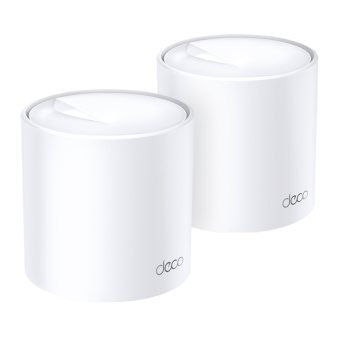 New
NewDeco X20
AX1800 Whole Home Mesh Wi-Fi 6 System
-
 New
NewDeco S7
AC1900 Whole Home Mesh Wi-Fi System
Deco Network Management at Your Fingertips!
The Deco app provides the easiest way to set up, manage and monitor your Deco Whole Home Mesh Wi-Fi System through your iOS or Android devices.
Setup Just Got a Lot Easier
Unbox Deco, install the app and then simply follow the on-screen directions. Deco app will take care of the rest and get your network up and running in minutes.
-
Connect Deco to your cable modem and turn on both devices
-
Download and launch the Deco app
-
Follow the in-app instructions to configure your Deco system.
Simple Management
Deco makes it easy to manage your Wi-Fi from anywhere, whether you’re on the couch, at work, or anywhere in between.
-
Simple Management Dashboard
View the working status of your network, check the connected devices and get all the features your router offers.
-
Multiple Decos, One App
The Deco app manages all your Deco networks and devices connected to your Deco Wi-Fi.
-
Check the Connected Devices
View a list of your connected devices with the ability to pause and resume internet access, test the internet speed and prioritize or block the devices.
-
Remote Management
Remotely take control of the network with a tap of your phone—no matter where you find yourself.
Powerful Parental Controls
Simple, intuitive parental controls make it easy to keep your children safe while they’re online.
-
Easily create a profile for each family member and set custom time limits and online time allowances. Assign devices to profiles so rules extend to individual devices as well as family members.
-
Keep your family safe online with one-touch security settings that block content based on age-appropriateness.
-
Set limits on how much time each person in your family can spend online.
-
With Insights, you can check out which sites your children visit and how much time they spend on each. It’s a great way to know your children are safe while they’re having fun online.
-
Take a break from Wi-Fi for dinner and family game nights. Just tap a button to suspend internet access for everyone in your home.
An Intuitive App Full of Features
Monthly Usage Summary
See a comprehensive list of your network details every month, including usage,
blocked content, security threats and more.
Home Automation
Make your life easy with powerful automation and voice control tools.
*Currently only for Deco M9 Plus
Flexible Shortcut
Flexibly control all devices from your phone or tablet with just one click.
*Currently only for Deco M9 Plus
Protect Your Network
Built-in Antivirus helps you defend against malicious website and guard your online payment.
*Currently only for Deco M9 Plus, Deco P7 and Deco M5
Prioritize Your Devices
Choose which devices always have the fastest connections
or set priority for a specific time duration.
Set Application Priorities
Allocate more bandwidth for the activities most important to you with simple controls.
*Currently only for Deco M9 Plus, Deco P7 and Deco M5
Share Wi-Fi with Friends
Set up separate Wi-Fi profiles for guests and share the password to
make it easier for them to hop online.
Check Your Speed
Run a speed test to ensure you’re getting the internet speeds you’re paying for.
View every device on your network and see how much bandwidth they’re using.
Our Support Always Has Your Back
Have questions about Deco? Help is always just a click away. Find the answers in Deco app and don’t hesitate to contact us with just a simple click.
Support| Interface | 1× 2.5 Gbps WAN/LAN Port1× Gigabit LAN Port (both support 802.3at PoE)*Per Unit |
|---|---|
| Button | Reset Button |
| External Power Supply | IEEE 802.3at PoE or 12V DC |
| Dimensions ( W x D x H ) | 6.1 × 6.1 × 2.7 in (154× 154 × 68.6 mm) |
| Quality of Service | WMM |
|---|---|
| Advanced Features | Parental Controls, QoS (Quality of Service), Address Reservation, Port Forwarding, WiFi Schedule, Wireless Statistics, Guest Network, Beamforming, MU-MIMO, Band Steering, Airtime Fairness |
| WAN Type | Dynamic IP/Static IP/PPPoE |
| Management Features | Local management: WebGUI, Aginet app (for end users)Remote management: TR-069, TR-098, TR-181, TR-369, TR-111,TR-143 for service providersAginet App for end users (need to log in wtih TP-Link ID and bind your device to it)Cloud management: TP-Link Aginet Unified Cloud (TAUC) |
| VPN | PPTP, OpenVPN, IPSec |
| Firewall Security | DoS, SPI Firewall, IP and MAC Address Binding |
| Protocols | IPv4 IPv6 |
| Working Modes | Router ModeAccess Point Mode |
| Wireless Standards | Wi-Fi 6IEEE 802.11a/n/ac/ax 5 GHzIEEE 802.11b/g/n/ax 2.4 GHz |
|---|---|
| Frequency | 2.4 GHz and 5 GHz |
| Signal Rate | AX30005 GHz: Up to 2402 Mbps (HE160)2.4 GHz: Up to 574 Mbps (HE40) |
| Wireless Security | WPA/WPA2/WPA3-Personal |
| Transmission Power | FCC:<30 dBm (2.4 GHz)<30 dBm (5 GHz)CE:<20 dBm (2.4 GHz)<23 dBm (5 GHz) |
| Multi-SSID | 2× 5 GHz Multi-SSID2× 2.4 GHz Multi-SSID |
| Mesh Technology | EasyMesh compatible, and support 802.11k/v/r |
| Package Content | HX510-PoE (1-Pack)1× HX510-PoE Unit1× RJ45 Ethernet Cable1× Power AdapterCeiling/wall-mounting KitQuick Installation Guide |
|---|---|
| Certifications | CE, FCC |
| Environment | Operating Temperature: 0℃–40℃ (32℉–104℉)Storage Temperature: -40℃–60℃ (-40℉–140℉)Operating Humidity: 10%–90% non-condensingStorage Humidity: 5%–90% non-condensing |
*Maximum wireless signal rates are the physical rates derived from IEEE Standard 802.11 specifications. Actual wireless data throughput and wireless coverage, and quantity of connected devices are not guaranteed and will vary as a result of network conditions, client limitations, and environmental factors, including building materials, obstacles, volume and density of traffic, and client location.
†Use of WiFi 6 (802.11ax), and other features including OFDMA, 1024-QAM, HE160, TWT, MU-MIMO, and WPA3 requires clients to also support the corresponding features. The 160 MHz bandwidth may be unavailable in the 5 GHz band in some regions/countries due to regulatory restrictions.
‡Mesh networking requires two or more devices. This product is compatible with standardized EasyMesh technology but has not obtained the Wi-Fi EasyMeshTM certification. It supports either wireless or wired backhaul, with wired backhaul taking priority. Seamless roaming/No-Drop WiFi refers to the WiFi roaming that supports IEEE 802.11 k/v protocol, helping connected devices search and shift from one AP to another within 0.3 seconds. Clients need to support 802.11 k/v and may require additional setup. Performance may vary depending on the client device.
△Multi-gig or 2.5 Gbps internet speeds require compatible service plans and equipment.
Actual network speed may be limited by the rate of the product's Ethernet WAN or LAN port, the rate supported by the network cable, Internet service provider factors and other environmental conditions.