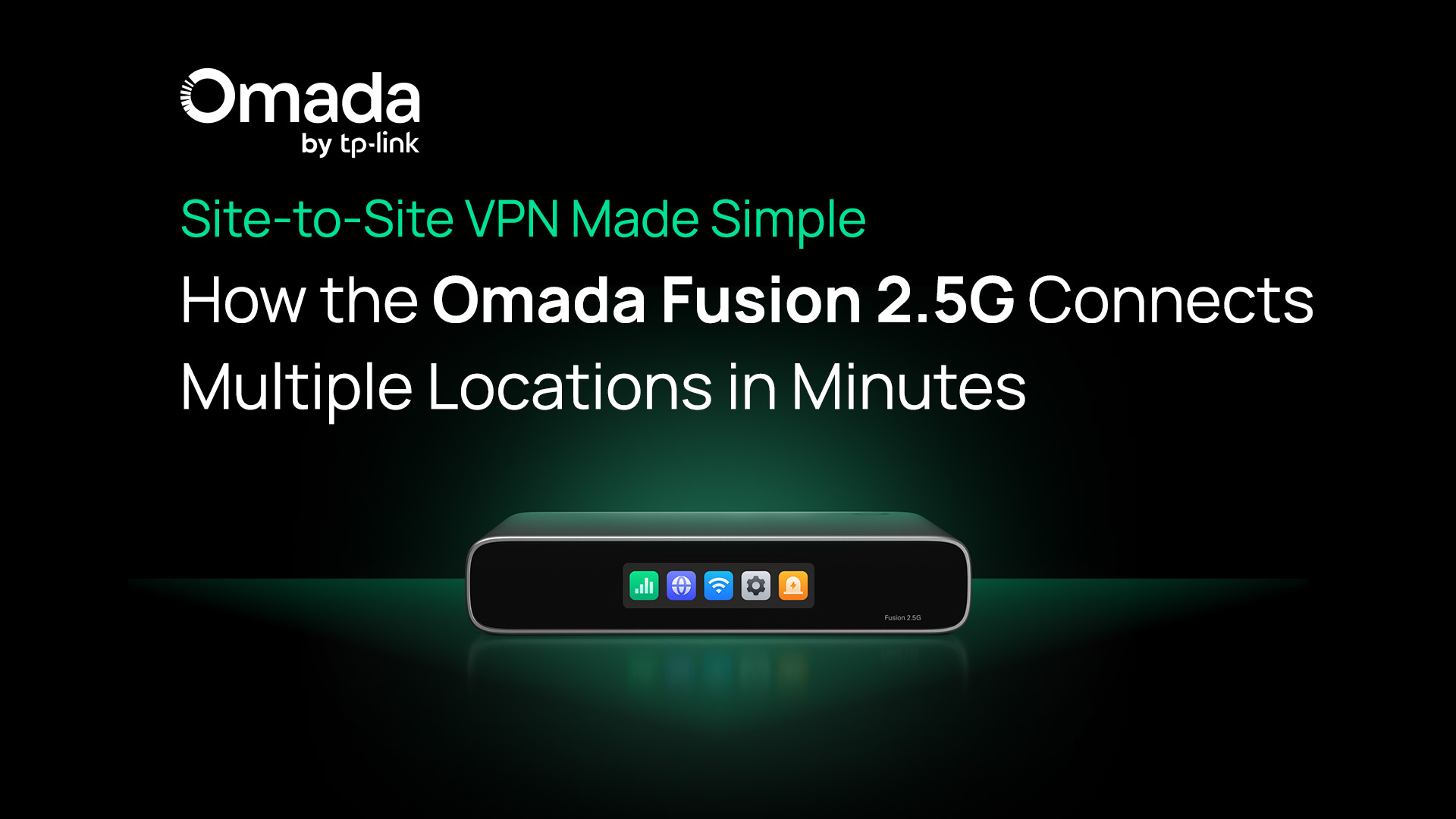
Site-to-Site VPN Made Simple: How the Omada Fusion 2.5G Connects Multiple Locations in Minutes
Managing multiple business locations shouldn’t mean dealing with disconnected systems or complicated networking setups. Yet for many small and midsized businesses (SMBs), connecting offices, stores, or clinics securely can quickly become overwhelming.
One common way to solve this challenge is with site-to-site VPN. It enables SMBs to easily connect multiple locations, allowing for shared systems, centralized operations, and secure communication.
But while the concept is powerful, the execution has historically been complex.
The Omada Fusion 2.5G Gateway changes that. By combining built-in VPN capabilities with full-mesh SD-WAN and cloud-based management, it allows SMBs to connect locations in minutes, where traditionally it could take hours or even days.
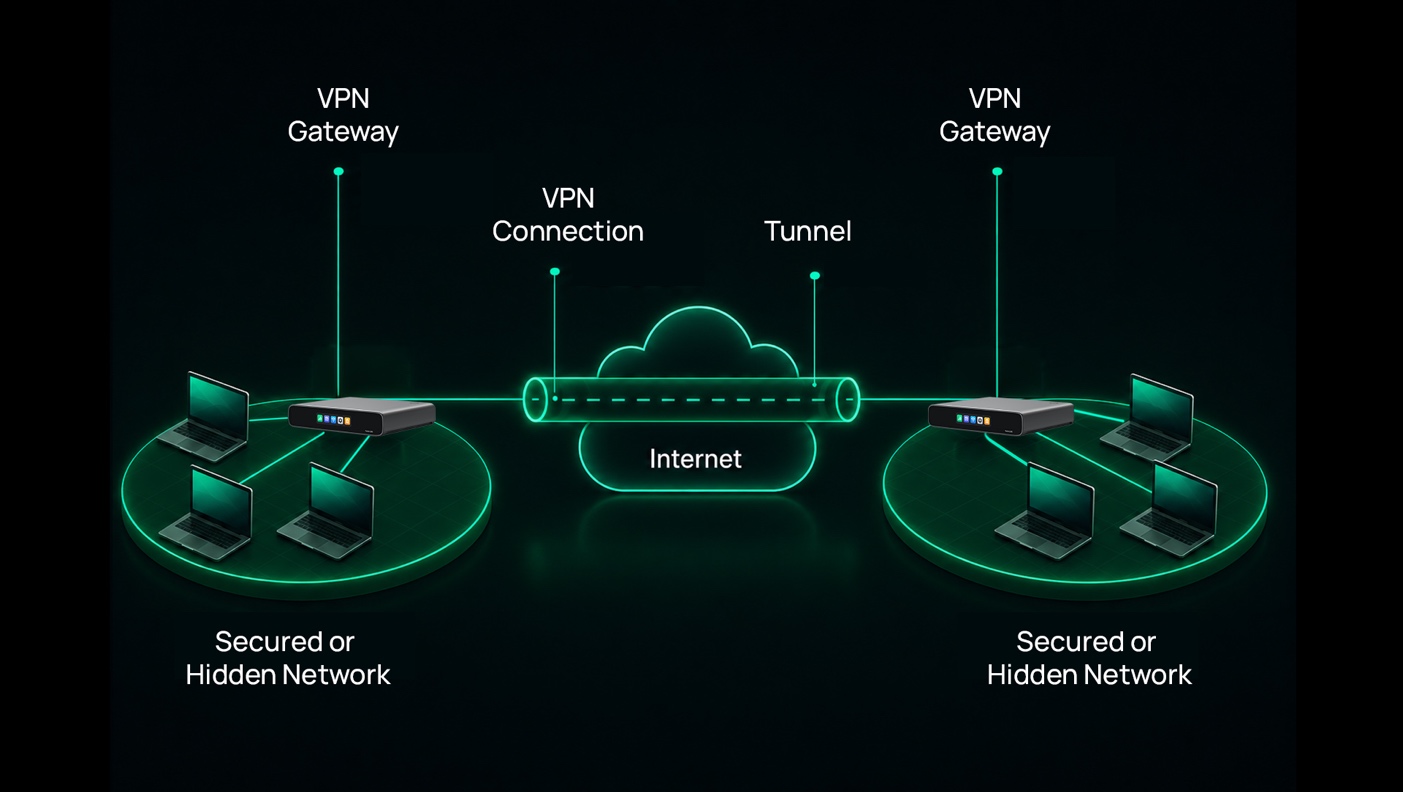
In traditional site-to-site VPN setups, a secure “tunnel” is created within the public internet to create a clear channel between sites. This often requires intricate manual setup and configuration, but with Fusion 2.5G’s built-in VPN capabilities this process is simplified and can be completed with just a few clicks.
What Is a Site-to-Site VPN (and How Does It Work for Small Businesses)?
A site-to-site VPN connects multiple physical locations, such as headquarters and branch offices, through secure, encrypted tunnels over the internet. Instead of each location operating independently, they become part of a single unified network.
For small businesses, this means:
- A retail chain can sync inventory and POS systems across stores
- Offices can securely access shared files and internal tools
- Clinics can connect systems across locations while keeping sensitive data protected
At a high level, a site-to-site VPN works by establishing an encrypted connection between gateways at each location. These gateways authenticate with each other and create a secure tunnel over the public internet.
Once the connection is established, data sent between locations is encrypted before it leaves one network. It then travels securely through the internet and is decrypted when it reaches the other site. This process happens automatically in the background, allowing users at each location to access shared systems and resources as if they were on the same local network.
The result is secure remote network access between locations, without needing expensive, carrier-provided private networks or complex infrastructure.
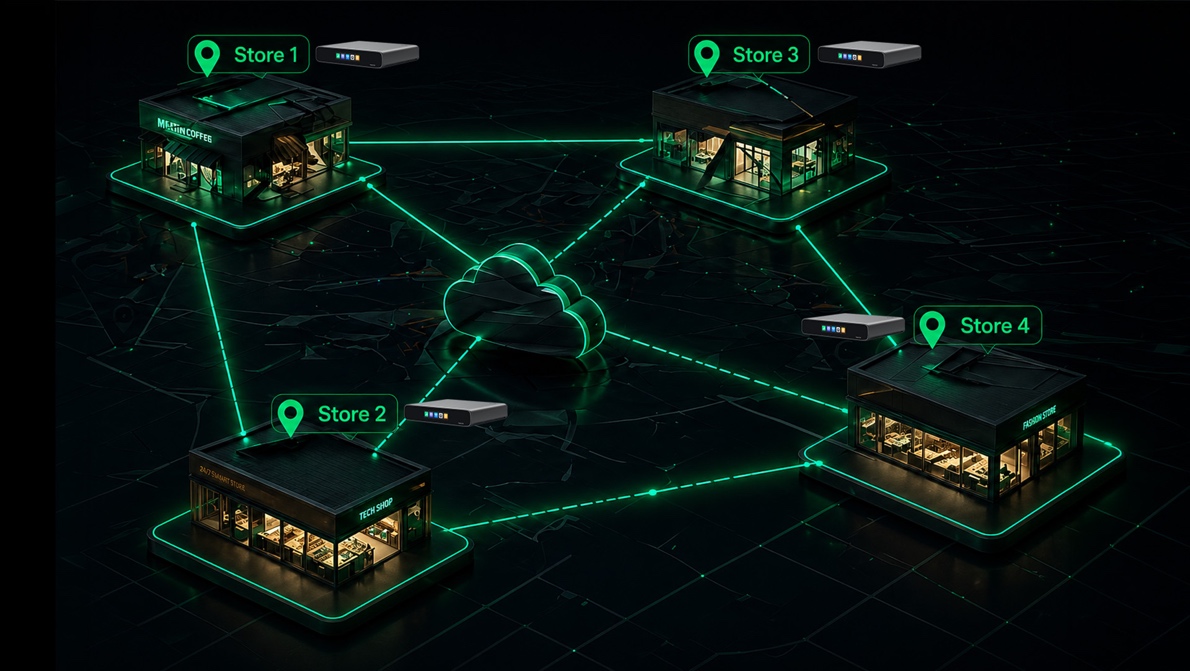
The Fusion 2.5G makes site-to-site connectivity easy by enabling full-mesh SD-WAN connections between locations. With just a few clicks, sites can be securely linked for reliable communication.
Why Site-to-Site VPN Matters for SMBs
For SMBs managing multiple locations, having disconnected networks can create inefficiencies, security risks, and operational challenges. A site-to-site VPN solves this by enabling consistent, secure connectivity across the business. Here are some of the benefits for SMBs:
It Centralizes Operations Across Every Location
With a unified network, businesses can manage systems centrally instead of handling each site separately. POS systems, inventory platforms, and internal applications can operate as if they’re all under one roof.
This reduces fragmentation and simplifies day-to-day operations.
It Connects Your Teams So They Can Work Together
Teams across different locations can access the same systems in real time, improving communication and coordination. Whether it’s shared files, reporting tools, or internal applications, employees stay connected without needing workarounds.
It’s Far More Secure Than the Public Internet
Rather than sending sensitive data over unsecured connections, site-to-site VPNs use encryption to protect communication between locations. This provides a safer alternative to relying solely on public internet connections or cloud-based workarounds.
It Keeps Remote and Distributed Teams Connected
Modern SMBs often operate across branches, home offices, and hybrid environments. A site-to-site VPN ensures consistent, secure access to company resources, no matter where teams are located.
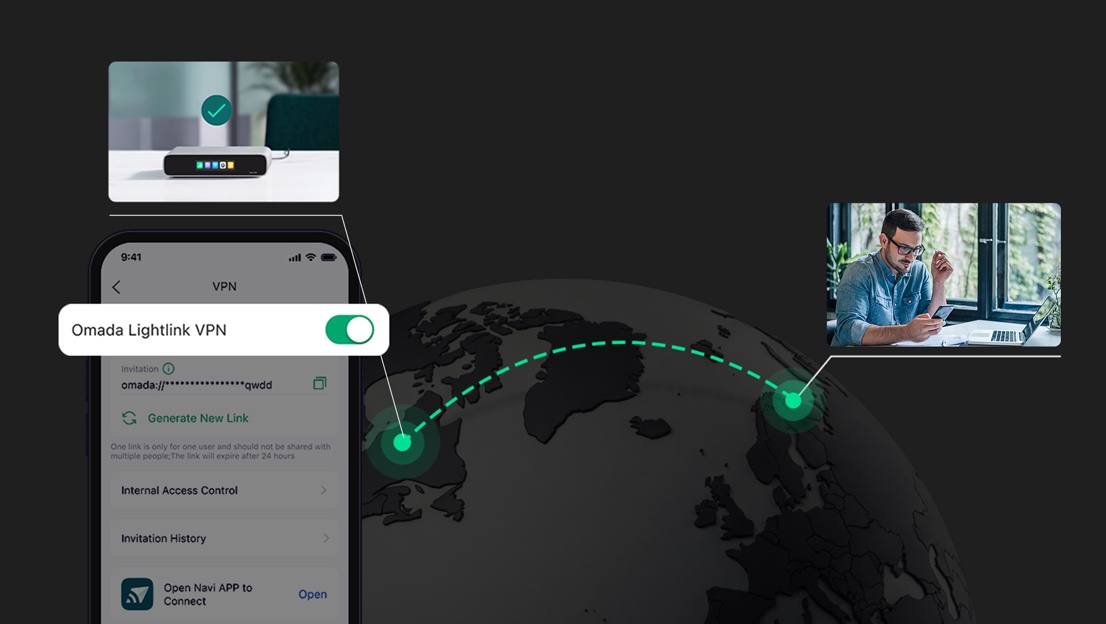
The Fusion 2.5G Gateway enables remote workers to connect securely with company networks using Omada LightLink VPN, a simple, one-click link sent from network administrators.
How the Fusion 2.5G Gateway Simplifies Site-to-Site VPN for Multiple Locations
While traditional VPN setups can be complex, the Omada Fusion 2.5G Gateway is designed to simplify the process for SMBs and installers alike.
By combining a gateway and controller into a single device, it eliminates the need for separate hardware and reduces deployment complexity, while delivering powerful site-to-site VPN and SD-WAN capabilities.
Here are some of the benefits of the new Fusion 2.5G Gateway:
It Deploys Multi-Site VPNs in Minutes
Setting up a traditional site-to-site VPN often involves manual tunnel configuration, static IP requirements, and careful coordination between locations. While the Fusion 2.5G offers industry-standard VPN technologies such as IPsec and WireGuard, it aims to make deployment even simpler.
With the Fusion 2.5G Gateway, site-to-site VPN setup is streamlined.
Key features:
- Full-mesh SD-WAN, automatically connects up to 20 locations without manual tunnel configuration. And during setup, there is no public IP required, making connectivity quicker and saving on costs.
- Omada LightLink VPN, for quick, easy, and secure client-to-server connections. Remote workers can connect to networks with a single click.
- Centralized control and topology visualization, making it easy to manage connections across all sites.
Instead of configuring each connection individually, businesses can implement multi-site connectivity in just a few clicks.
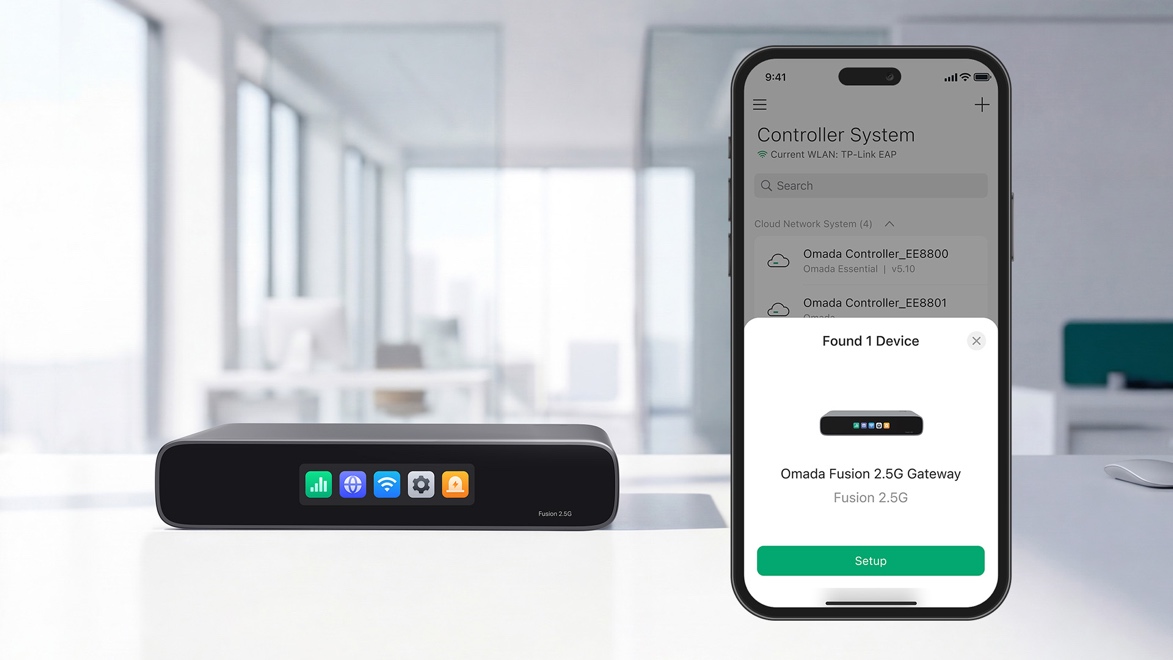
With the Omada App, The Fusion 2.5G Gateway will automatically discover and batch adopt all other Omada network devices at once, saving time and simplifying deployments.
It Sets Up Without Deep IT Expertise
Many SMBs don’t have dedicated networking specialists, making deployment a challenge.
The Fusion 2.5G Gateway addresses this with a simplified, user-friendly approach:
- Guided setup via the Omada app or web interface reduces configuration complexity
- Bluetooth enables easy onboarding without Wi-Fi pre-configuration, while batch adoption of Omada devices reduces setup time from hours or even days, to just minutes
- Gateway + controller reduces hardware requirements and simplifies deployment
This makes it ideal for installers, MSPs, and business owners who need reliable connectivity without deep technical expertise.
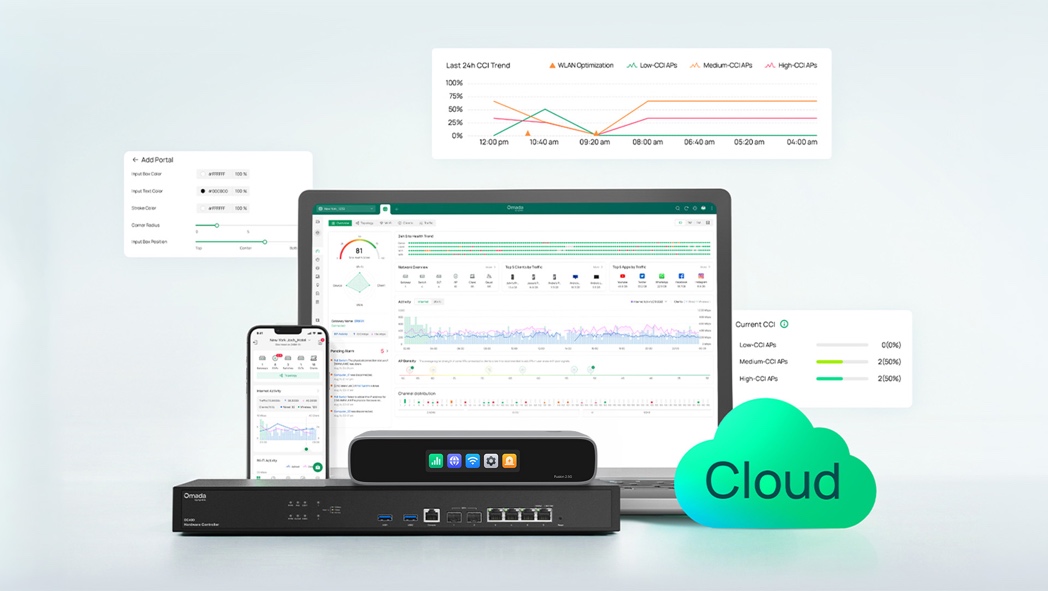
The Omada Fusion 2.5G Gateway offers license free cloud access to Omada Network, which offers a full suite of network management tools to remotely monitor and manage a multi-site network.
It Manages Every Site Frome One Cloud Dashboard
Managing VPN connections across multiple locations can quickly become complicated without a centralized system.
With license-free access to the Omada Network platform, businesses using the Fusion 2.5G can:
- Monitor and manage all VPN connections from a single interface
- View network topology and connection status across locations
- Apply updates and configurations remotely
- Do it all without recurring license fees
This centralized approach simplifies ongoing management and improves visibility across the network.
It Keeps Connections Reliable and Secure Across Locations
In addition to simplifying setup, the Fusion 2.5G Gateway ensures that connectivity remains stable and secure.
Capabilities include:
- Encrypted VPN tunnels for secure communication between sites
- Integration with multi-WAN connectivity for improved reliability
- Automatic failover support to maintain connectivity if a WAN link fails
This ensures businesses can rely on consistent, secure connections between locations, even in the face of network disruptions.
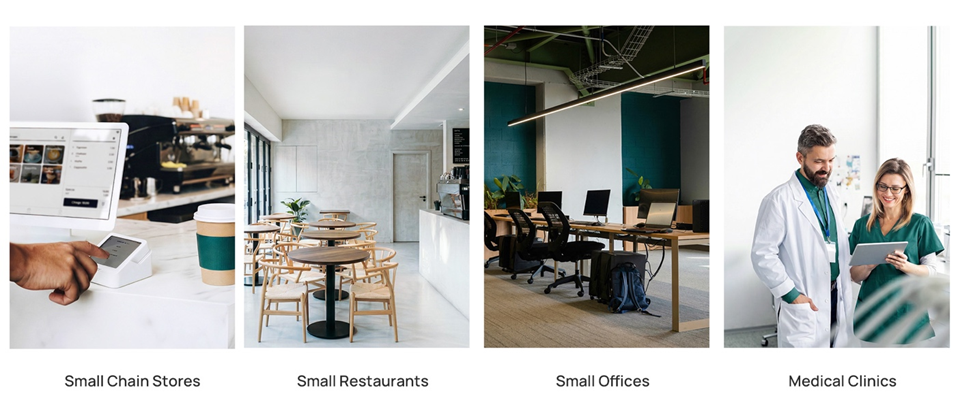
The Fusion 2.5G Gateway is ideal for a wide range of SMB scenarios. With built-in VPN capability, full-mesh SD-WAN, and license-free cloud access, businesses from retail stores to small clinics and more, can utilize the Fusion 2.5G for quick and efficient remote network monitoring and management.
Real-World SMB Use Cases
A site-to-site VPN becomes especially valuable in industries where multiple locations need to operate as one cohesive system.
Retail Stores
Retail businesses can connect stores through a secure network, allowing POS systems, inventory management, and reporting tools to stay synchronized across locations, without requiring on-site IT intervention.
Restaurants and Cafés
Restaurants can centralize ordering systems, sales data, and operational tools, ensuring consistency and visibility across all locations while maintaining secure communication between sites.
Small Offices
Businesses with multiple offices can enable seamless file sharing, system access, and communication between teams, reducing reliance on cloud workarounds and improving collaboration.
Clinics and Healthcare Offices
Healthcare providers can securely access patient systems and operational tools across multiple sites, helping maintain productivity while protecting sensitive data.
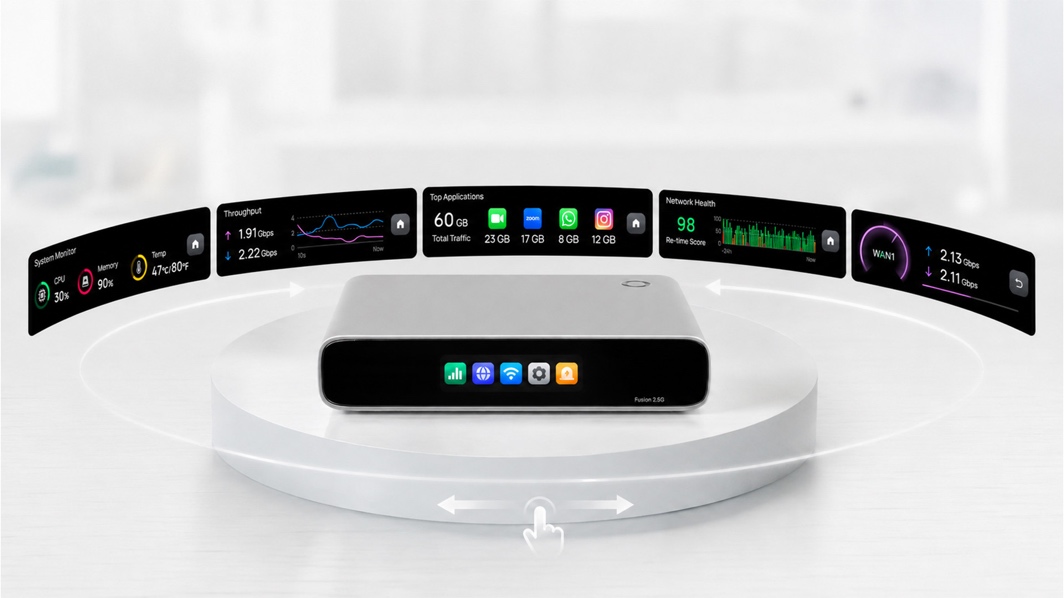
The Fusion 2.5G Gateway also offers a touchscreen display for simple diagnostics, which is great for quick on-site troubleshooting, giving you instant data on speed tests, traffic insights, and fault alerts at a glance.
Conclusion: Connecting Multiple Sites Doesn’t Have to Be Complex
A site-to-site VPN is essential for SMBs that need secure, reliable connectivity between locations. But traditional approaches often introduce unnecessary complexity, requiring time, expertise, and ongoing maintenance.
The Omada Fusion 2.5G Gateway offers a simpler alternative.
By combining full-mesh SD-WAN, simplified VPN deployment, and centralized cloud management, it enables businesses to connect locations quickly and manage them with ease.
Instead of dealing with complicated configurations, SMBs can focus on what matters most, running their business.
Connecting multiple locations no longer has to take hours or days. With the right solution, it can be done in minutes.
If you’re interested in learning more about the Fusion 2.5G, or have any questions regarding how to implement in a new deployment, reach out to our support team standing by to assist and help with any needs for your next installation.