
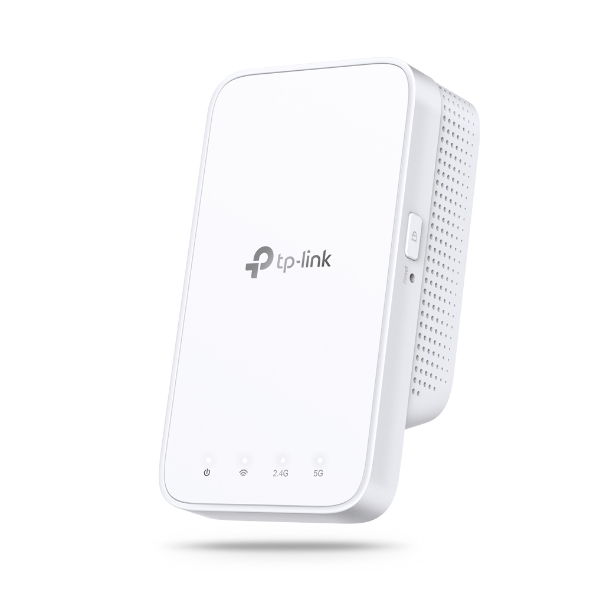
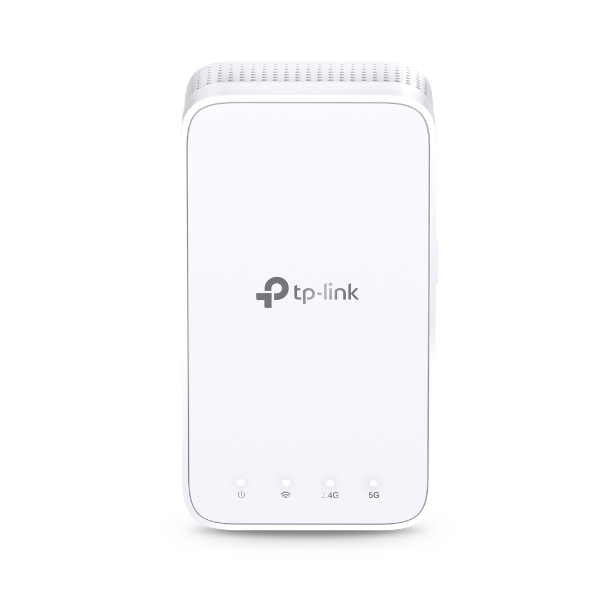
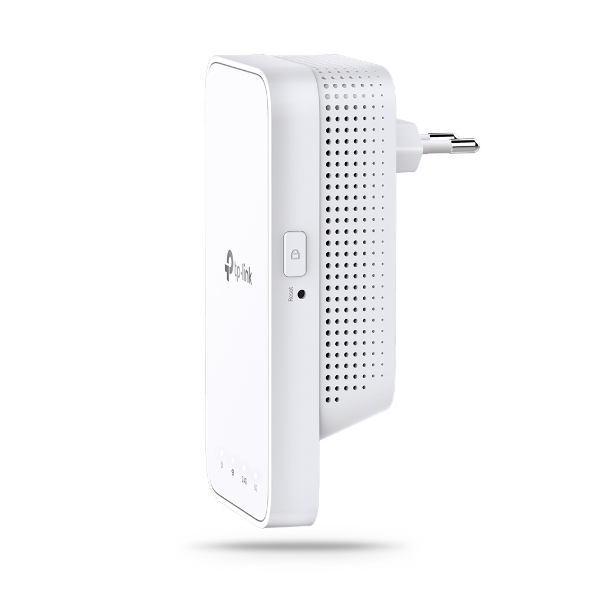


AC1200 Mesh Wi-Fi Range Extender
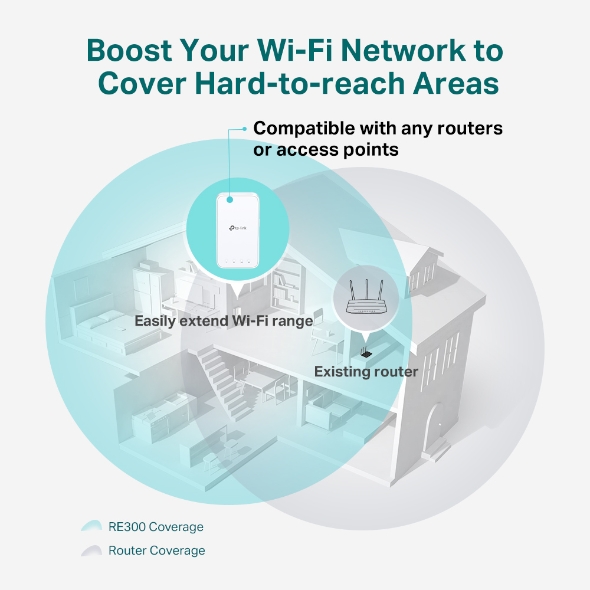
- Extends dual-band Wi-Fi across your home to eliminate Wi-Fi dead zones.
- EasyMesh-Compatible: Flexibly creates a Mesh network by connecting to an EasyMesh-compatible router for seamless whole-home coverage.◇
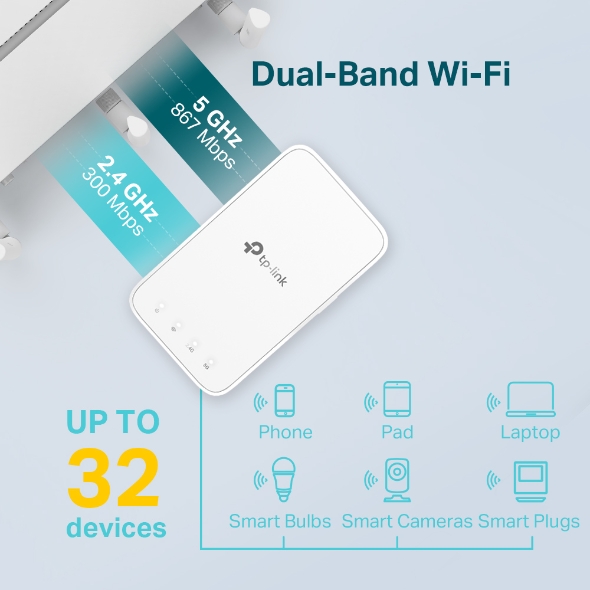
- Operates over both the 2.4 GHz band (300 Mbps) and 5 GHz band (867 Mbps) for more stable wireless experience.†
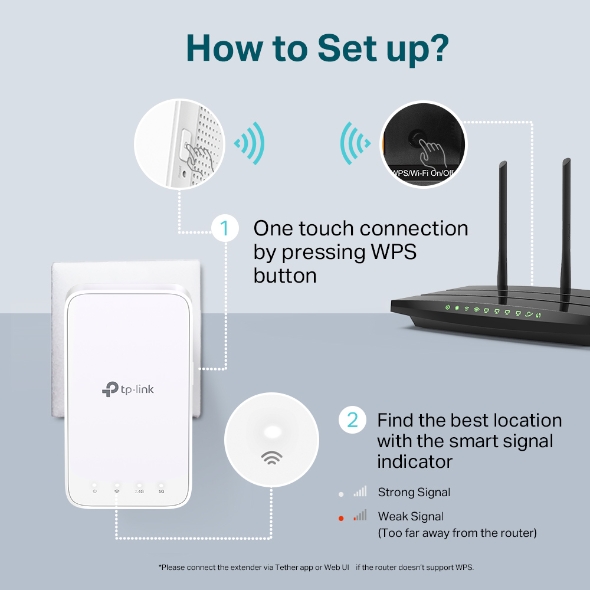
- Smart signal indicator helps to find the best location for optimal Wi-Fi coverage by showing the signal strength.
- Push the WPS button to easily set up a Mesh network you can uniformly manage from the Tether app or Web UI.
- Works with any Wi-Fi router or wireless access point.*
Çift Bant Wi-Fi'ı Evinizin Her Yerine Ulaştırın
AC1200 Mesh Wi-Fi Menzil Genişletici
RE300
Neden Bir Menzil Genişleticiye İhtiyacınız Var?
-
Yatak odanızda Wi-Fi
çekmiyor mu? -
Evde dolaşırken bağlantı
mu kaybediyorsunuz? -
Ağ kurulumu çok
karmaşık mı?
Tüm Evinizi Bağlı Tutun
RE300, Wi-Fi Router'ınıza kablosuz olarak bağlanarak sinyalini kendi başına ulaşamadığı alanlara güçlendirir ve genişletir. 2.4 GHz'de 300 Mbps'ye ve 5 GHz'de 867 Mbps'ye kadar hızlarla, her odaya güçlü, hızlı Wi-Fi taşıyın ve ölü bölgelere veda edin.†
ile Çalışır *
Esnek Bir Şekilde Tüm Evde Mesh Wi-Fi Oluşturun
Evinizde ölü bölgeler varsa, tüm evde mesh Wi-Fi ağınızı daha da genişletmek için EasyMesh uyumlu başka bir Router eklemeniz yeterlidir. Artık sabit bir bağlantı aramanıza gerek yok.◇
-
EasyMesh Cihazları
(Router + Menzil Genişletici) -
Genişletici Wi-Fi'lı
Geleneksel Router
-

Wi-Fi Ölü Bölge Yok Edici
Tüm ev için Wi-Fi kapsama alanı ile zayıf sinyal alanlarını ortadan kaldırın
-

Smart Roaming
Evinizde dolaşırken kesintisiz yayın§
-

Tek Wi-Fi Adı
Artık Wi-Fi ağ adlarını değiştirmeye son
Kolay Kurulum için Güvenli Tek Dokunuşla Bağlantı
Adım 1: Router'ınızdaki WPS düğmesine ve 2 dakika içinde RE300 üzerindeki WPS düğmesine basarak ağa bağlanın.
Adım 2: Bağlandıktan sonra, RE300'ü yeniden yapılandırma yapmadan en iyi konuma yerleştirin.
Notlar: Router'ınız WPS'i desteklemiyorsa, genişleticiyi Tether uygulaması veya Web UI üzerinden Router'a bağlayın.
Akıllı Sinyal Göstergesi ile En İyi Konumu Bulun
Akıllı sinyal göstergesi, mevcut Router'dan gelen sinyal gücünü bir bakışta görmenizi sağlar. Wi-Fi'nizi genişletmek için menzil genişleticinizi konumlandırmak üzere en iyi yeri kolayca bulun.
Beyaz
Güçlü sinyal
Zayıf sinyal
(Router'dan çok uzakta)
Beyaz
Güçlü sinyal
Zayıf sinyal
(Router'dan çok uzakta)
Kontrol Parmaklarınızın Ucunda: Özellik Dolu Uygulama
TP-Link Router'ları ve menzil genişleticileri de dahil olmak üzere Wi-Fi'nizi akıllı telefonunuzdan (Android, iOS) TP-Link Tether uygulaması aracılığıyla kurun ve yönetin.
Tether uygulaması hakkında daha fazla bilgi edinin
| Priz Tipi | EU, UK, US, AU |
|---|---|
| Arabirim | - |
| Buton | • WPS Button• Reset Button |
| Input Power | 100-240V~50/60Hz |
| Güç Tüketimi | 7.3W(max power consumption) |
| Boyutlar ( W X D X H ) | 4.9 x 2.7 x 2.0 in (124 x 69 x 52 mm) |
| Anten | 2 Internal Antennas |
| Kablosuz Standartlar | • IEEE 802.11a/n/ac 5GHz• IEEE 802.11b/g/n 2.4GHz |
|---|---|
| Frekans | 2.4GHz and 5GHz |
| Bağlantı Hızı | • 300Mbps at 2.4GHz• 867Mbps at 5GHz |
| Working Modes | Range Extender |
| Alıcı Hassasiyeti | 5GHz:11a 6Mbps:-91dBm11a 54Mbps: -74dBm11ac HT20 mcs8: -68dBm11ac HT40 mcs9: -63dBm11ac HT80 mcs9: -59dBm2.4GHz:11g 54Mbps: -79dBm11n HT20 mcs7: -77dBm11n HT40 mcs7: -74dBm |
| Kablosuz Fonksiyonlar | • Enable/Disable Wireless Radio• DFS (the latest firmware and hardware version is required)• Access Control• LED Control• Power Schedule• Wi-Fi Coverage |
| Kablosuz Güvenlik | • 64/128-bit WEP• WPA-PSK / WPA2-PSK• WPA3 |
| İletim Gücü | • 2.4 GHz< 17 dBm• 5 GHz< 17 dBm |
| Mesh Technology | EasyMesh |
| Network Services Enabled by Default | Web Server Manage and configure device through web (HTTP/HTTPS) • Port: 80/443 Protocol: TCP DHCP Server IP address assignment (DHCP) • Port: 67 Protocol: UDP App management Manage and configure device through app • Port: 20001 Protocol: TCP • Port: 20002 Protocol: UDP |
|---|---|
| Sertifika | CE, FCC, RoHS |
|---|---|
| Paket İçeriği | • AC1200 Mesh Wi-Fi Range Extender RE300• Quick Installation Guide |
| Sistem Gereksinimleri | Microsoft® Windows® 98SE, NT, 2000, XP, Vista or Windows 7, 8, 10, Mac® OS, NetWare®, UNIX® or Linux. |
| Ortam | • Operating Temperature: 0°C~40°C (32°F~104°F) • Storage Temperature: -40°C~70°C (-40°F~158°F)• Operating Humidity: 10%~90% non-condensing• Storage Humidity: 5%~90% non-condensing |
†Maximum wireless signal rates are the physical rates derived from IEEE Standard 802.11 specifications. Actual wireless data throughput and wireless coverage are not guaranteed and will vary as a result of 1) environmental factors, including building materials, physical objects, and obstacles, 2) network conditions, including local interference, volume and density of traffic, product location, network complexity, and network overhead, and 3) client limitations, including rated performance, location, connection quality, and client condition.
◇TP-Link EasyMesh-compatible products can network with other devices that use EasyMesh. Failed connections may be due to firmware conflicts of different vendors.
§Smart Roaming is designed for devices that support the 802.11k/v standard.
*The product may not be compatible with routers or gateways with firmware that has been altered, is based on open source programs, or is non-standard or outdated.
Actual network speed may be limited by the rate of the product's Ethernet WAN or LAN port, the rate supported by the network cable, Internet service provider factors and other environmental conditions.