What Is Piso WiFi and How Does It Work? A Complete Guide for Philippine Operators
Published: September 1, 2022 | Last updated: July 2026
Published: September 1, 2022 · Last Updated: July 2026
Quick Answer:
-
Piso WiFi is a coin-operated, prepaid WiFi vending business where customers insert as little as ₱1 to get timed internet access with no subscription, no SIM card, and no registration required.
-
As an operator, you supply the internet connection through PLDT, Globe, Converge, or a 4G LTE SIM, and the vending machine handles payment, session timing, and user access automatically.
-
A starter kit (router, coin acceptor, and LPB license) can be put together from ₱6,000 to ₱9,000; a complete plug-and-play vendo machine setup runs ₱15,000 to ₱30,000. Most operators at a good location recover their investment within 1 to 3 months.
Piso WiFi is one of the most accessible income-generating businesses in the Philippines today, with low startup costs, passive operation, and genuine demand in nearly every barangay. This guide covers the business model, how to set it up, which equipment to buy, where to place it, and how to manage sessions and pricing for maximum returns.
Table of Contents
How Much Can You Earn with Piso WiFi?
What Equipment Do You Need to Start a Piso WiFi Business?
How to Set Up Your Piso WiFi Machine
Managing Pause Time, Sessions, and Pricing
Best Locations for a Piso WiFi Business in the Philippines
Pros and Cons of Operating a Piso WiFi Business
Can I Build My Own Piso WiFi Machine?
Choosing the Right Router for Your Piso WiFi Business
What Is Piso WiFi?
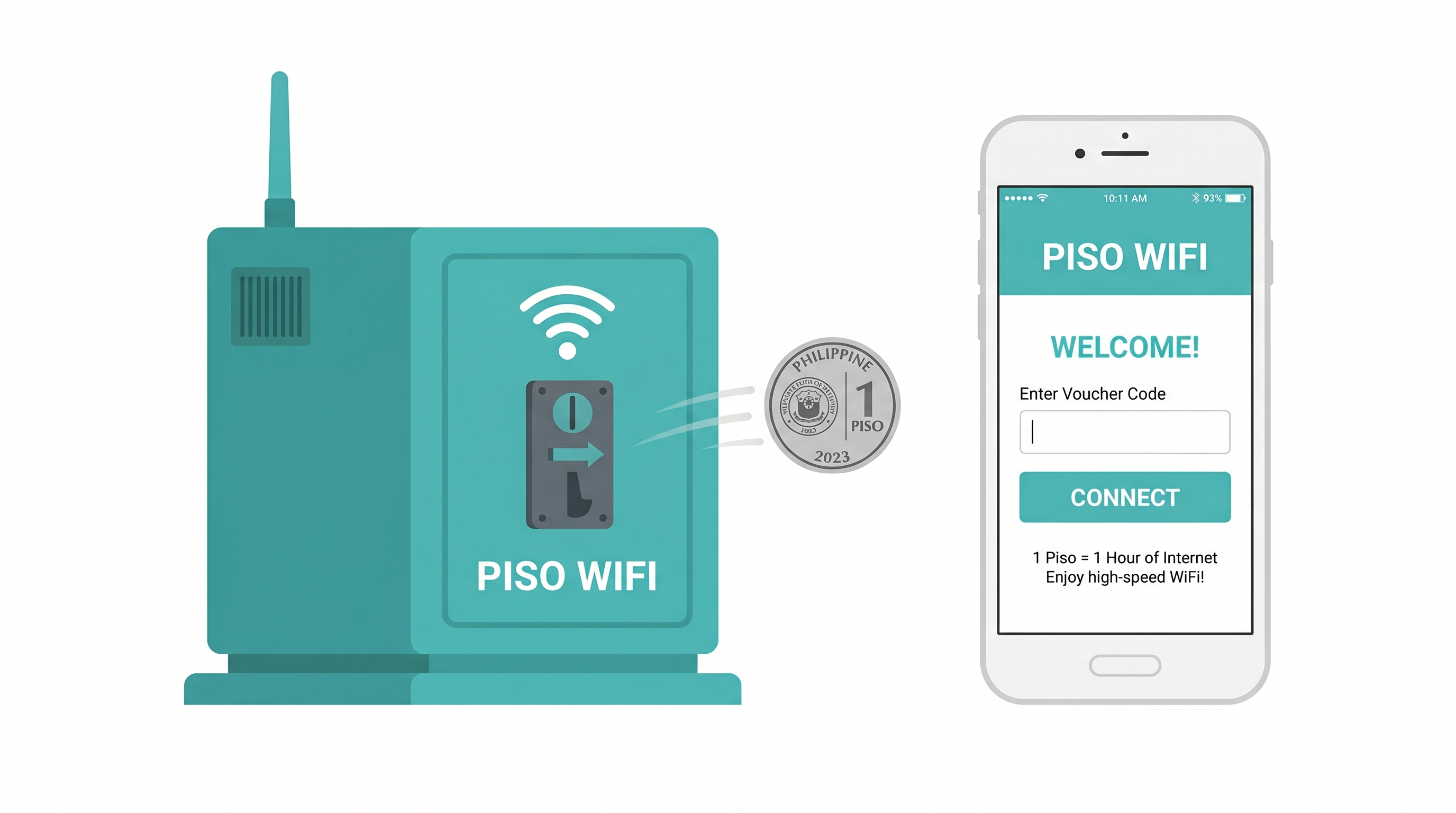
"Piso WiFi" is a portmanteau of "Piso," the Filipino word for one peso, and "WiFi." It is a pay-per-use internet access business model where customers connect to the internet by inserting coins into a vending machine.
No subscription, no registration, and no SIM card required. For those who want to understand what Piso WiFi is or how it works in terms of the underlying technology, Wi-Fi itself is a wireless communication standard. Piso WiFi simply layers a coin-payment system on top of a standard WiFi router setup.
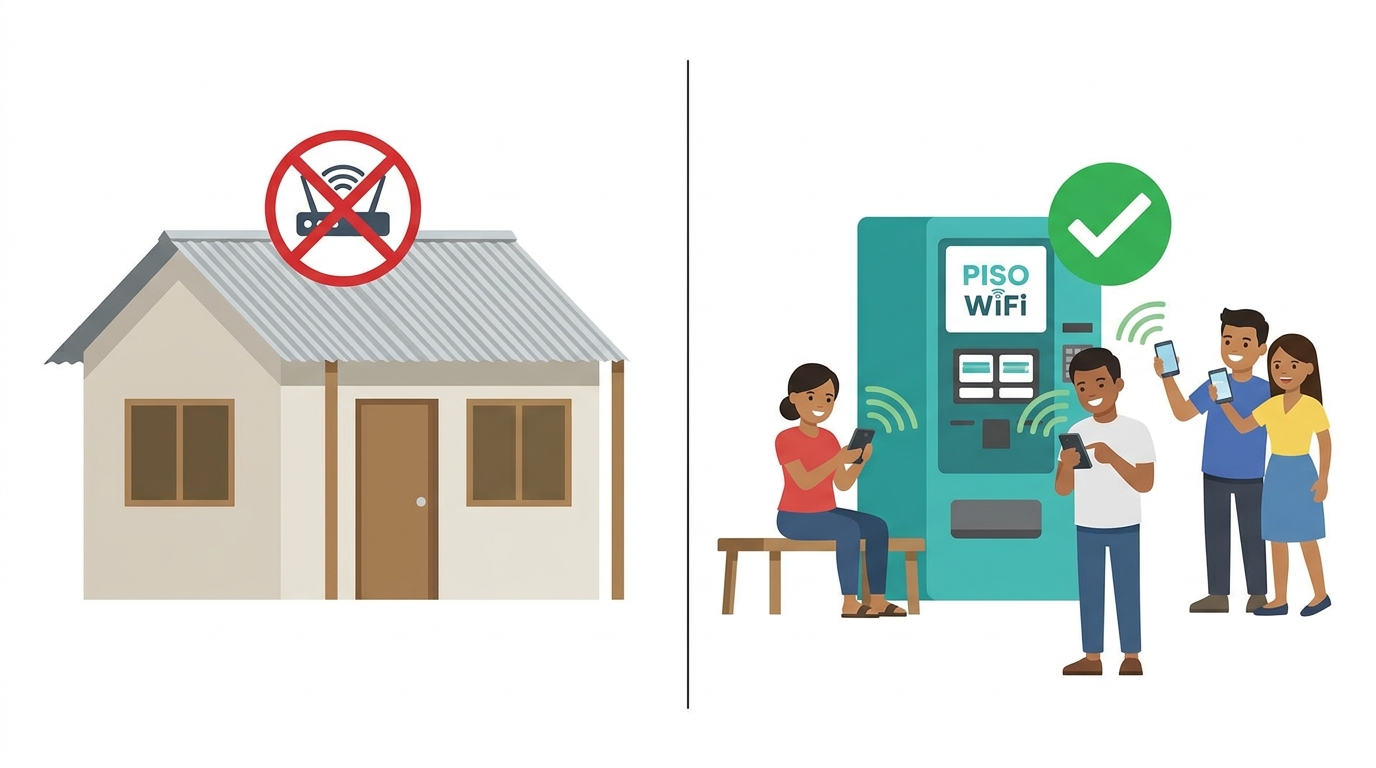
The business was built specifically for the Philippine market, where millions of Filipinos live in areas where personal broadband subscriptions are either too expensive or not yet available. Piso WiFi fills that gap, giving operators a low-barrier business and giving communities affordable, immediate internet access.
How Does Piso WiFi Work?
The service is built around a vending machine that combines a coin slot, a control board, and a WiFi router in one unit. Here is the flow:
-
The customer selects the Piso WiFi network on their phone or laptop.
-
They navigate to the login page of the captive portal.
-
They insert coins.
-
The machine credits time based on the amount inserted.
-
Internet access is granted for that duration.
-
When time runs out, they insert more coins to continue.
Sample rate card rates vary by operator:
|
Amount Inserted |
Internet Access Time |
Typical Use |
|---|---|---|
|
₱1 |
10 minutes |
Quick check, social media scroll |
|
₱5 |
1 hour |
Casual browsing, short video |
|
₱10 |
2 hours |
Streaming, video call |
|
₱20 |
5 hours |
Extended work or study session |
The operator controls session rules, time limits, pause windows, and pricing through the Piso WiFi firmware. The three most widely deployed firmware platforms in the Philippines are LPB Piso WiFi, AdoPiSoft, and JuanFi. Each has its own admin panel, but they all work with standard TP-Link routers.
How Much Can You Earn with Piso WiFi?
Here are realistic numbers by scale, based on operator-reported data. Actual earnings depend heavily on location, foot traffic, and hours of operation.
|
Setup Scale |
Daily Coins (est.) |
Monthly Revenue (est.) |
Startup Cost (est.) |
|---|---|---|---|
|
1 machine, sari-sari store / low traffic |
₱200-₱500 |
₱6,000-₱15,000 |
₱6,000-₱9,000 (DIY/LPB kit) |
|
1 machine, good location (terminal/school gate) |
₱400-₱1,000 |
₱12,000-₱30,000 |
₱15,000-₱30,000 (full vendo) |
|
2-3 machines, jeepney terminal / palengke |
₱1,000-₱3,000 |
₱30,000-₱90,000 |
₱35,000-₱60,000 |
|
5+ machines, high-density barangay |
₱3,000-₱8,000+ |
₱90,000-₱240,000+ |
₱80,000-₱150,000+ |
These are operator-reported estimates across community sources. Earnings are not guaranteed and vary widely by location, competition, and ISP uptime. Treat them as a planning reference, not a promise.
It is possible to operate a Piso WiFi for as little as ₱6,000 to start with a DIY kit, with most well-placed single machines recovering that investment within 1 to 3 months. The key variable is foot traffic, not the size of your investment.
What Equipment Do You Need to Start a Piso WiFi Business?
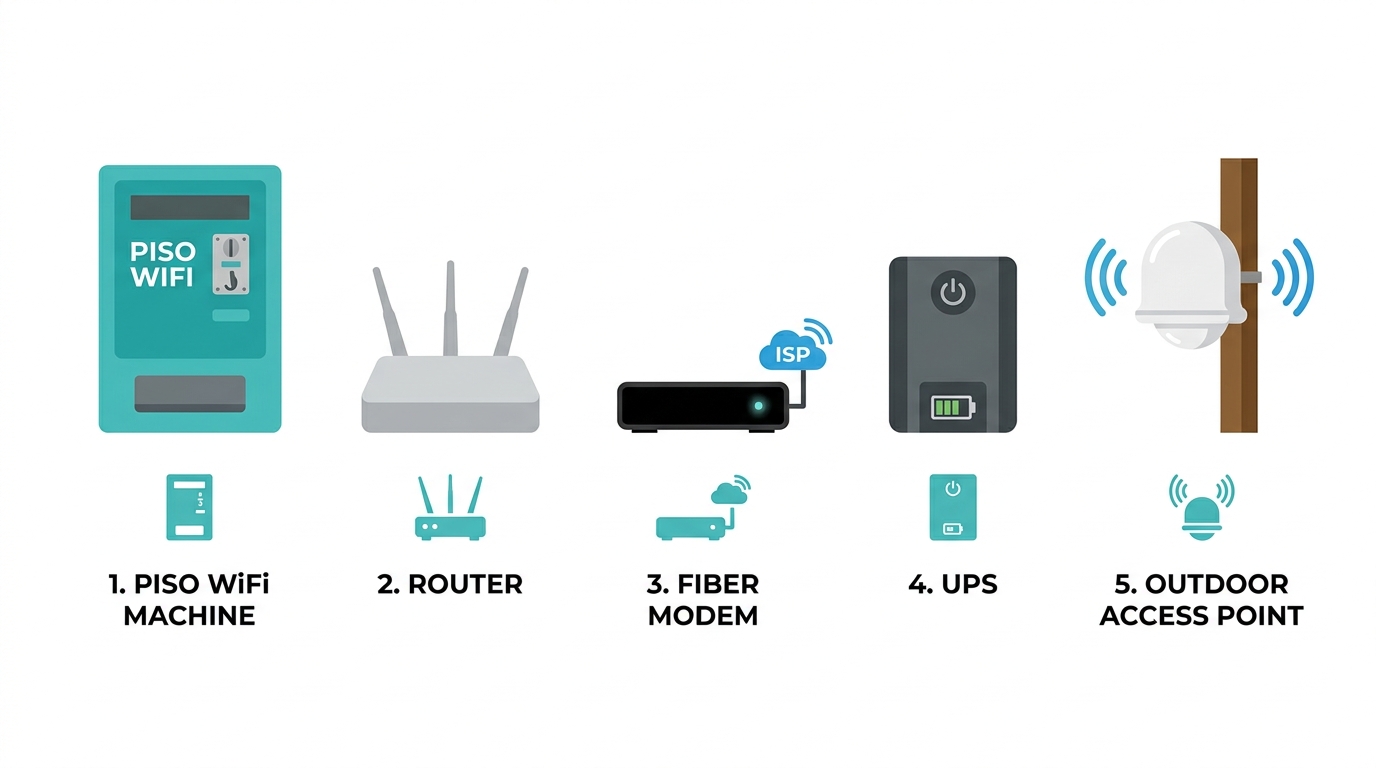
Here is the complete hardware list for a standard single-machine setup:
-
Piso WiFi vending machine - coin slot, control board, and enclosure
-
WiFi router - the TL-MR6400 is the standard operator choice (see router guide below)
-
Internet connection from a local ISP - PLDT, Globe Fiber, Converge, or a 4G/LTE SIM
-
Power source - stable outlet or UPS recommended
-
Secure, weatherproof location with accessible foot traffic
Optional add-ons for wider coverage:
-
Outdoor access point (EAP110-Outdoor) - helps spread WiFi to customers farther from the machine
-
Internet access solutions for whole-property coverage, including the accessible internet connectivity of the Deco BE22 for larger footprints
-
Higher-gain outdoor AP (EAP225-Outdoor) - for dense, dual-band locations
-
PoE switch (LS105LP or LS1005) - if you run multiple access points from one uplink
-
USB network adapter - for machines running off single-board computers
How to Set Up Your Piso WiFi Machine
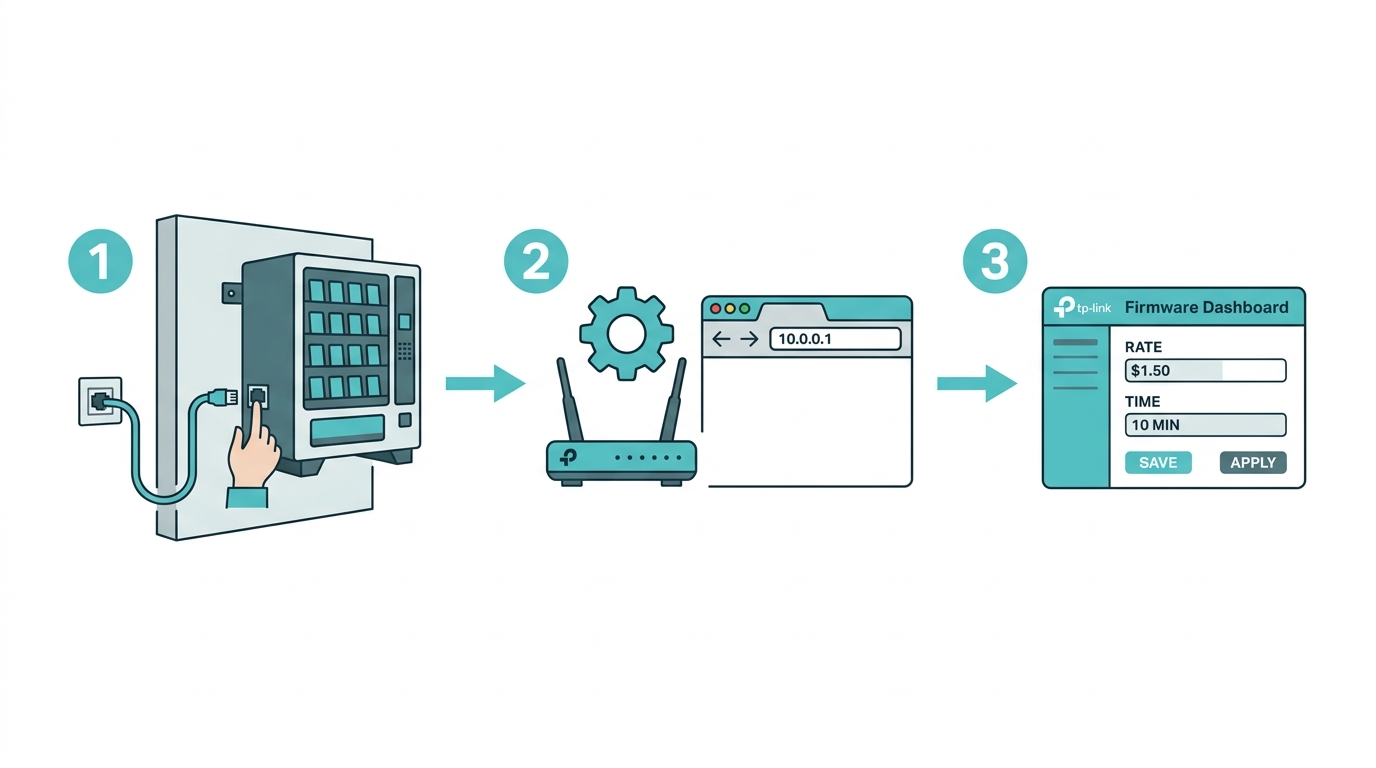
Setting up your machine involves three phases: hardware installation, router configuration, and firmware setup.
Phase 1: Hardware Installation
Mount the vending machine in your chosen location, ideally at eye level, near a power outlet, and sheltered from direct rain. Connect your ISP router or modem to your Piso WiFi router. For 4G/LTE connections, insert a SIM directly into the TL-MR6400's SIM slot; no separate modem is needed. Run a LAN cable from the Piso WiFi router to the coin slot control board.
Phase 2: Router Configuration
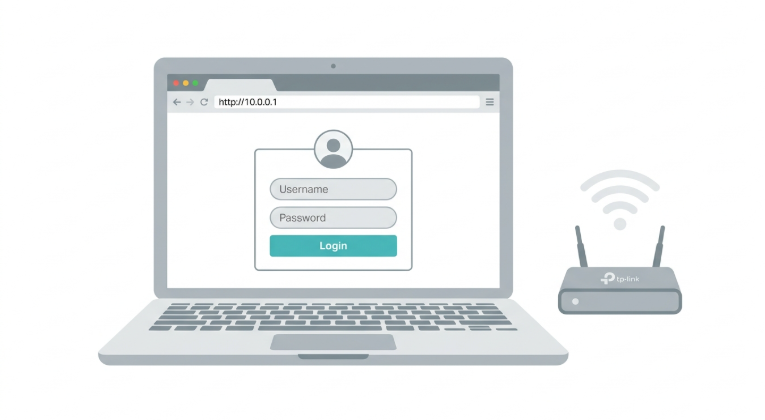
The router admin panel is accessed via the 10.0.0.1 admin interface. This is the dashboard where you set up your WiFi network name (SSID), configure the captive portal, and manage connected devices. Make sure to review and ensure the security settings after initial setup to protect your network and customers. For a full walkthrough of the purpose of Piso WiFi admin settings, see our dedicated 10.0.0.1 admin guide.
Phase 3: Firmware Setup (EAP Controller Voucher Method)
If you are using TP-Link EAP access points with the Omada controller, configure rate limits via the voucher portal:
-
Click the Settings icon on the upper right of the management interface.
-
Go to Wireless Control > Portal.
-
Click to configure the corresponding Voucher Portal.
-
Click Voucher Manager to manage vouchers.
-
On the Management page, go to Voucher and click Create Vouchers.
-
Specify the download and upload rate limits.
-
Click Apply.
For Local User Portal:
-
Click the Settings icon on the upper right.
-
Go to Wireless Control > Portal.
-
Click to configure the Local User Portal.
-
Click User Management to manage users.
-
On the Management page, go to User and click Create User.
-
Specify download and upload limits.
-
Click Apply.
Managing Pause Time, Sessions, and Pricing
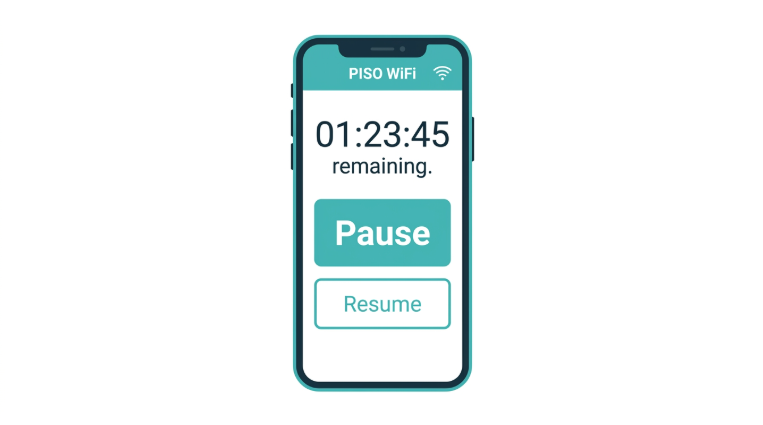
One of the most common operator questions after launch is how to pause a customer's session. Pause time lets operators temporarily suspend a customer's remaining session time without consuming it. For a complete guide on configuring pause time on your Piso WiFi machine, see Piso WiFi pause time settings and how to use them.
Beyond pause time, the main controls available to operators include:
-
Time-based sessions - customer buys a fixed duration (10 min, 1 hour, etc.)
-
Bandwidth throttling - set per-user upload/download speed caps
-
Device limits - cap how many devices one coin insertion can serve
-
MAC filtering - block specific devices from connecting
-
Scheduled access - automatically restrict access during maintenance or off-hours
Best Locations for a Piso WiFi Business in the Philippines
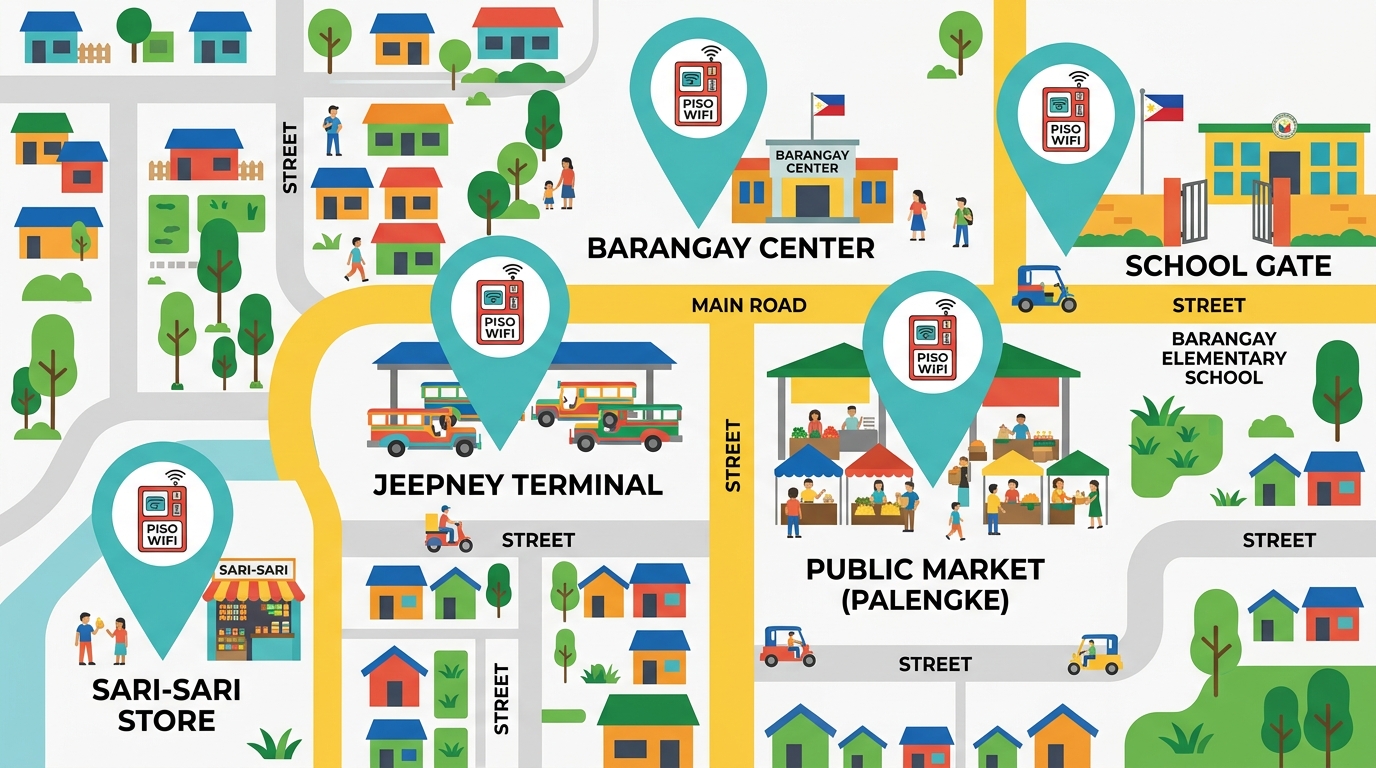
Location is the single biggest variable in Piso WiFi profitability. High foot traffic + limited free WiFi alternatives = maximum coin insertion rate.
Sari-Sari Stores and Neighborhood Variety Shops
Sari-sari stores are the most accessible entry point for first-time operators. You already have a structure, an electrical outlet, and a customer base walking past all day. A TP-Link TL-MR6400 running on a Globe or PLDT fiber line handles 20 to 30 simultaneous connections comfortably.
Jeepney, Bus, and Tricycle Terminals
Commuters waiting for the next trip are a captive audience. Sessions tend to be short, ₱1 to ₱5 insertions, but volume is high and consistent throughout operating hours. Outdoor coverage matters here; a weatherproof EAP110-Outdoor unit mounted above the waiting area gives you a 50 to 100-meter range.
Public Markets (Palengke)
Market vendors and buyers spend hours on-site daily. Early morning through mid-afternoon is the peak. The challenge is power stability; bring a UPS or negotiate with the market admin for a dedicated circuit.
Schools and Universities (Near-Campus Locations)
Student demand for affordable data is consistent and high. Install near school gates or canteens. Size your router for at least 50 concurrent connections to handle between-class spikes.
Dense Barangay Areas with Limited Broadband Penetration
Many barangays outside Metro Manila have residents who rely entirely on mobile data. A single well-placed machine in a barangay center can serve dozens of households. For operators in these areas, providing connectivity to remote locations is supported through TP-Link's full network expansion range.
For guidance on ensuring a stable and fast connection from your ISP line at high-density locations, see our speed guide.
Pros and Cons of Operating a Piso WiFi Business
|
Advantages |
Disadvantages |
|---|---|
|
Low startup cost (₱15,000-₱30,000 for a basic setup) |
Revenue depends heavily on location foot traffic |
|
Passive income: once installed, coins collect while you work elsewhere |
Equipment theft risk in unsecured outdoor locations |
|
No monthly subscription required from customers |
ISP line disruptions cut into uptime and earnings |
|
Scalable: add more machines as revenue grows |
Electricity costs increase with usage volume |
|
Serves an underserved market with genuine demand |
Firmware and router maintenance require basic technical knowledge |
|
Compatible with all major Philippine ISPs (PLDT, Globe, Converge) |
Competition is growing in high-traffic areas |
Can I Build My Own Piso WiFi Machine?
Yes, but most operators choose not to. Ready-made plug-and-play vendo machines from reputable Philippine suppliers are widely available, come with on-site support, and work with standard TP-Link routers out of the box. If you want to build your own, you will need:
-
A coin slot mechanism
-
A single-board computer, Raspberry Pi 3B+ or Orange Pi One, is a common choice
-
A WiFi router, TL-MR6400, is recommended
-
Wire cables, SD card, and power supply
-
Optional: an outdoor or indoor access point in Bridge Mode with DHCP disabled
Choosing the Right Router for Your Piso WiFi Business
The router is the most important hardware decision you will make. It determines connection stability, concurrent user capacity, and firmware compatibility.
Why Operators Choose the TL-MR6400
-
Dual-band (2.4 GHz + 5 GHz) - separates light and heavy users automatically
-
Built-in 4G LTE SIM slot - use any Philippine prepaid or postpaid SIM as a primary or failover connection; no separate modem needed
-
Compatible with LPB Piso WiFi, AdoPiSoft, and JuanFi firmware out of the box
-
Proven track record across thousands of Philippine Piso WiFi installations
-
No complex configuration; most firmware auto-detects the TL-MR6400
Browse the full TP-Link Philippines 5G/4G router lineup for Piso WiFi operators, or go directly to the TL-MR6400 product page for full specifications, pricing, and where to buy.
For operators not yet on a fixed fiber connection, a budget-friendly internet access option can serve as a temporary backhaul while you scale up. For a deeper look at pocket WiFi, it offers internet access at a very low cost, covering all the options.
If you are still comparing internet plans or mobile hotspots for your backhaul connection, that guide covers the options before committing to an ISP. For choosing the right plan, our specific service provider guide covers PLDT, Globe, and Converge plans side by side.
Once connected, see our tips on a stable and reliable internet connection from a local ISP to maximize uptime across all your machines.
With an operational Piso WiFi business in an accessible area that modem WiFi can cover, there is unlimited growth potential. TP-Link also offers a full range of Wi-Fi router options built for every setup size and budget in the Philippines.
Frequently Asked Questions
Is Piso WiFi legal in the Philippines?
Piso WiFi is fully legal in the Philippines when operated correctly. Use a legitimate ISP connection under your name or your registered business, register with the DTI or SEC, and comply with your local barangay or municipal ordinances. Most first-time operators in sari-sari stores or residential lots register as sole proprietors through the DTI for under ₱1,000.
How much does a Piso WiFi machine cost?
The setup cost depends on which route you take. A DIY starter kit, router, coin acceptor, and LPB license run ₱6,000 to ₱9,000 and are the most common entry point for first-time operators. A ready-made plug-and-play vendo machine from a Philippine supplier costs ₱15,000 to ₱30,000 all-in and includes the enclosure, control board, and installation support. The TL-MR6400 is the most widely used router at both price points and works with all major Piso WiFi firmware platforms.
Which ISP is best for Piso WiFi?
PLDT, Globe Fiber, and Converge are the three best ISP options in most Philippine cities and municipalities. Any of the three on a fiber plan will reliably handle 20 to 50 simultaneous Piso WiFi sessions. For rural or far-flung areas where fiber is unavailable, a 4G LTE SIM via the TL-MR6400's built-in SIM slot is the practical alternative, requiring no separate modem.
Can I run Piso WiFi on a smartphone hotspot?
A smartphone hotspot works for testing, but never for actual deployment. Mobile data plans carry throttling, daily caps, and SIM registration restrictions that make them unreliable as a paid business service. A dedicated ISP fiber line is preferred; 4G LTE as backup is the only stable backhaul for a real Piso WiFi machine. See our 10.0.0.1 admin guide for router setup after your line is live.
What firmware do Piso WiFi operators use?
The three most widely deployed platforms in the Philippines are LPB Piso WiFi, AdoPiSoft, and JuanFi. LPB and AdoPiSoft are commercial platforms with their own admin panels and licensing. JuanFi is open-source and MikroTik-based, popular with operators who want a free, customizable alternative. All three are compatible with TP-Link routers, including the TL-MR6400. Choose based on which local supplier or operator community you are getting support from.
Do I need a tech background to operate Piso WiFi?
No technical background is required to run a Piso WiFi business. The vending machine handles all customer-facing complexity automatically. You need one afternoon of learning: connecting cables, accessing the admin panel at 10.0.0.1, and setting your rate card. The full walkthrough is in our dedicated 10.0.0.1 admin guide.
How many users can one Piso WiFi machine support?
One machine running a TL-MR6400 on a 50 Mbps fiber line can comfortably handle 20 to 30 simultaneous sessions at ₱1-₱5 browsing speed tiers. For higher-density school canteens, jeepney terminals, or barangay centers with 50+ users, pair the router with an EAP225-Outdoor access point and upgrade to a 100 Mbps plan. Bandwidth throttling in the firmware ensures no single user can saturate the line.
What happens to a customer's session when power goes out?
Most Piso WiFi machines lose remaining session time during a power interruption because the session timer resets on reboot. To protect customer trust and reduce refund disputes, use UPS to maintain power for at least 15 to 30 minutes during outages, and configure your firmware to log remaining session time where supported.
Final Thoughts
Piso WiFi is one of the lowest-barrier income-generating businesses available to Filipinos today. The startup cost is recoverable within months, the customer demand is self-sustaining, and the operation is largely passive once set up in a good location. The main variables, foot traffic, ISP uptime, and router reliability, are all manageable with the right equipment and location research.
For operators at every stage, from a first single-machine sari-sari store setup to a multi-machine barangay network, TP-Link's router and networking lineup provides the hardware foundation that thousands of Philippine Piso WiFi operators already trust.
Start with the TL-MR6400 product page if you need 4G LTE backhaul, browse the full 5G/4G router lineup for Piso WiFi operators to compare models, or visit TP-Link Philippines for the complete range.
Last updated: July 2026 by Laviet Joaquin, Head of Marketing, TP-Link Philippines.