Por que a interface web HTTPS da Câmera VIGI e NVR exibe um aviso de "Não seguro" em alguns navegadores?
 13058
13058Conteúdo
Ao acessar a interface de um VIGI NVR ou Câmera usando o endereço IP do dispositivo através de um navegador web, o navegador exibirá uma mensagem de erro de certificado não confiável. Este artigo explica a causa desse problema.
- VIGI Câmera/NVR
- PC
Ao acessar um servidor HTTPS, como YouTube ou Facebook, o servidor apresenta um certificado. Seu navegador verifica este certificado usando Autoridades Certificadoras (CAs) confiáveis armazenadas em seu sistema operacional ou navegador. Se o certificado for emitido por uma CA confiável, o navegador confia no servidor.
Ao fazer login no Gerenciamento Local dos dispositivos VIGI via HTTPS para manter a segurança extra, alguns navegadores web ainda relatam como 'Não Seguro'. A mensagem de erro relatada por alguns navegadores para o Gerenciamento Local VIGI seria semelhante à imagem a seguir:
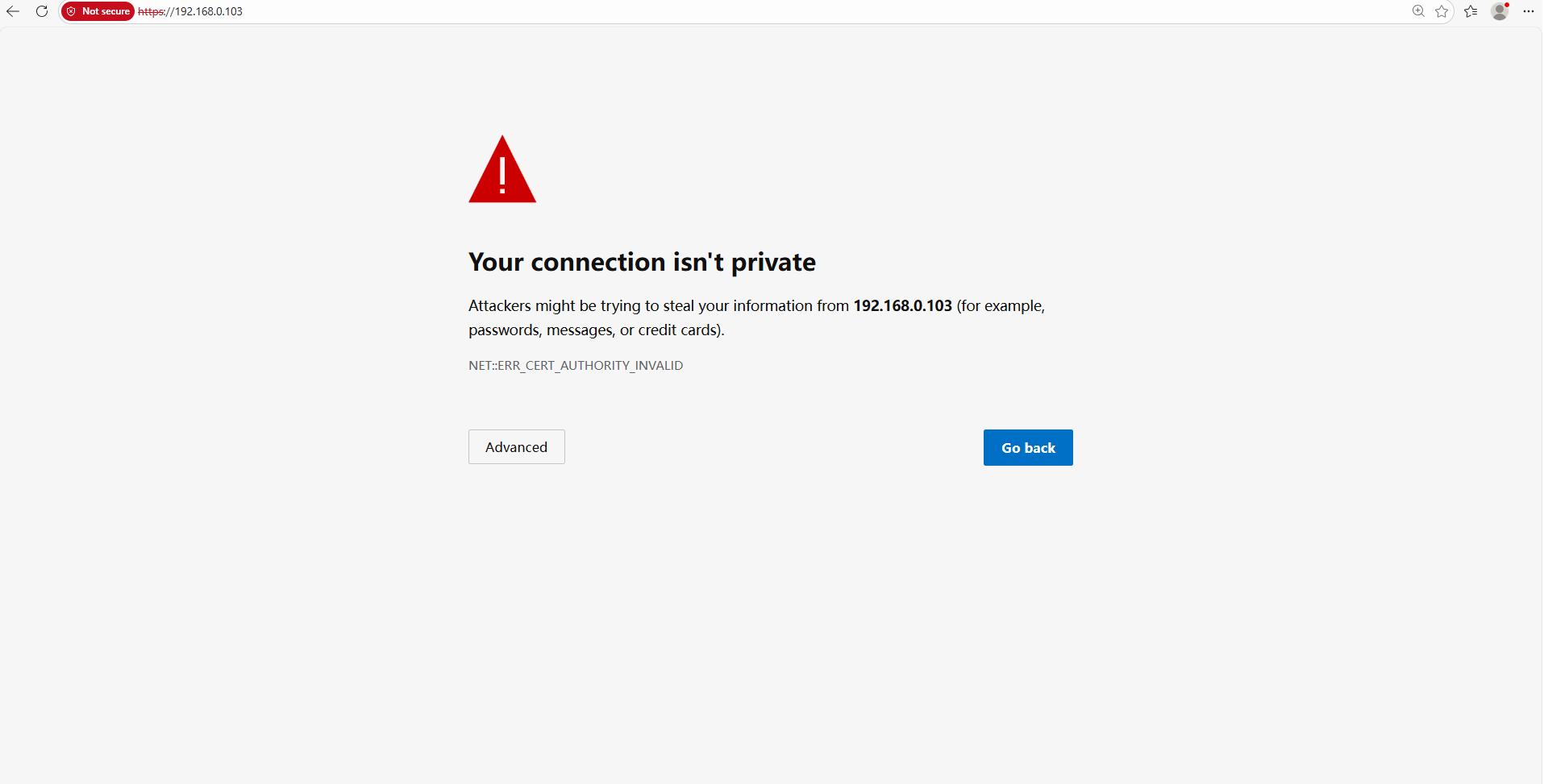
A razão pela qual nossos navegadores reconhecem o Gerenciamento Local VIGI como "não privado" é que o Certificado do Gerenciamento Local VIGI é autoassinado (self-signed). A maioria dos navegadores não aceita este tipo de certificado porque ele não provém de uma CA autoritativa.
No entanto, mesmo que nosso Certificado autoassinado não seja confiável, a conexão entre seu navegador e o Gerenciamento Local dos dispositivos VIGI é segura.
O propósito de um Certificado é apenas permitir que um cliente verifique um servidor desconhecido. Ele não tem relação direta com a criptografia da conexão. Os dados transmitidos entre o navegador (cliente) e o Gerenciamento Local VIGI (servidor) permanecem seguros e criptografados. Ninguém mais conseguiria descriptografar os dados exceto o cliente e o servidor, pois o Gerenciamento Local VIGI utiliza TLS v1.2 como construtor de conexão segura. O TLS v1.2 é um protocolo de conexão segura amplamente reconhecido.
Tomando o Chrome como exemplo, acesse o endereço IP do dispositivo VIGI e pressione "F12" no teclado, mude para a aba "Security" (Segurança) e você verá as seguintes informações:

Embora seja possível confirmar que a conexão do dispositivo de nossa empresa é segura, o uso de um certificado autoassinado ainda não é considerado completamente ideal por padrões de navegação. Se você deseja configurar o certificado para eliminar os erros, consulte este link: Como Configurar Certificado HTTPS para Evitar Erro de Certificado Não Confiável no VIGI NVR & Câmera | TP-Link.
Esta FAQ é útil?
Seu feedback ajuda a melhorar este site.


