
How to configure BabySnap for Tapo baby camera
 4728
4728Introduction
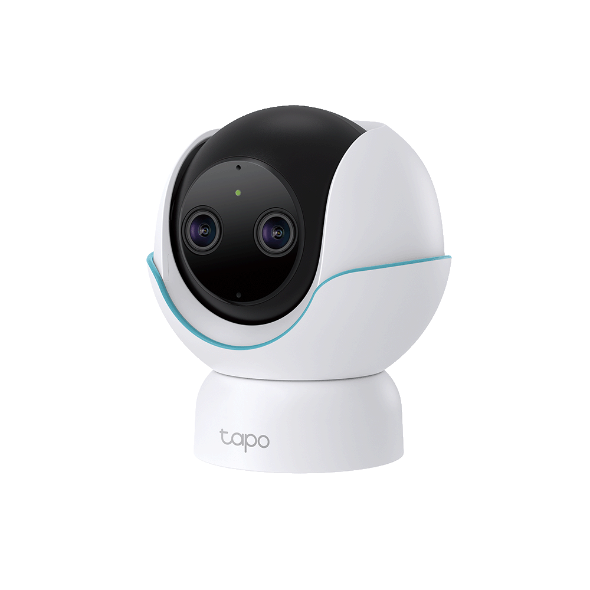
The BabySnap feature of Tapo C840 helps automatically capture precious moments of your baby. This article introduces BabySnap and provides step-by-step instructions for configuration.
Requirements
- Make sure you have set up your baby camera successfully. If you haven’t, set up your Tapo camera first.
- Prepare a compatible microSD card if you prefer not to have a subscription at any time.
Configuration
Step 1. In the app, tap the device card to enter the live view page, and then tap Moments.
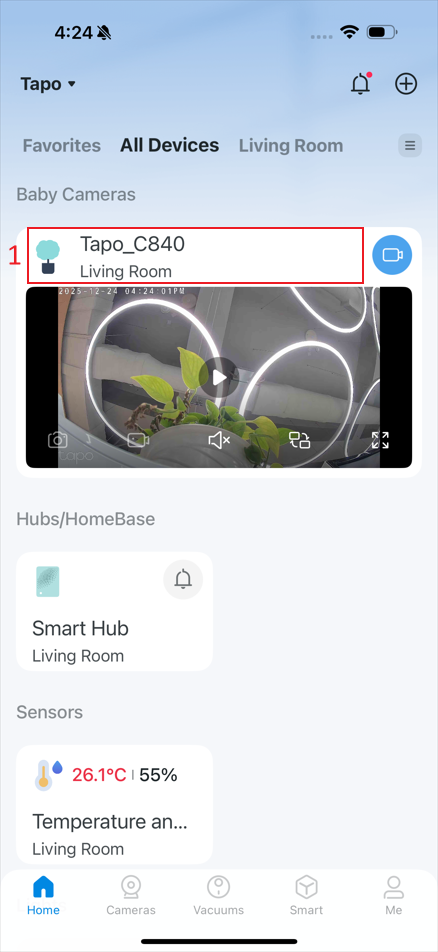
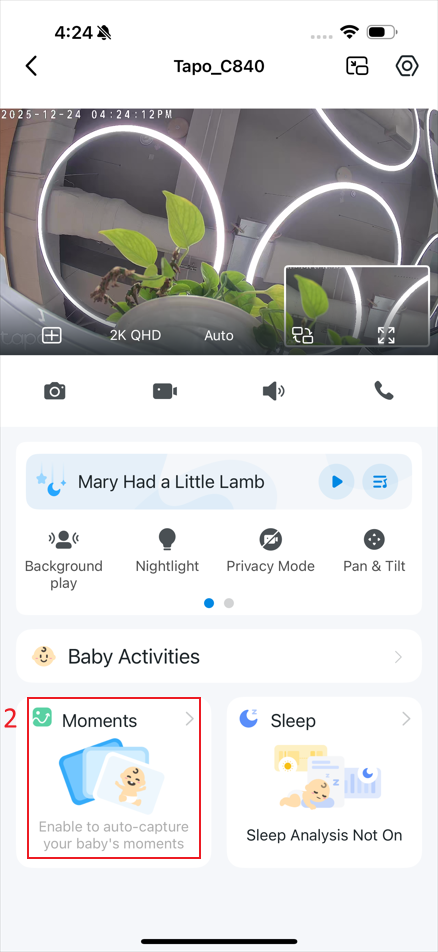
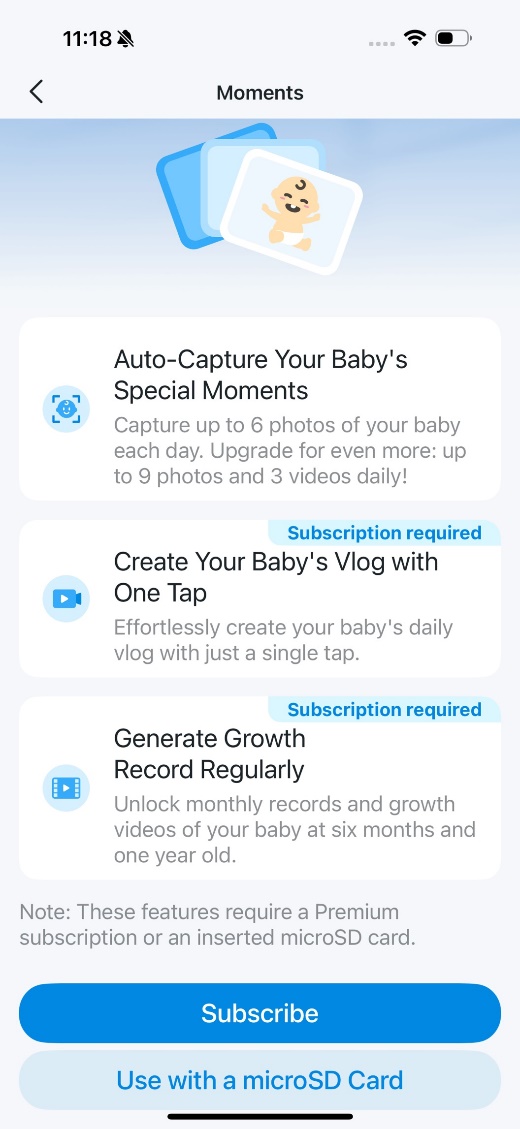
Step 2. The features require a Premium subscription or an inserted microSD card. Subscribe to a Tapo Care Premium Plan or set up Local Storage by following the app guidance.
Step 3. After setting up local storage or a Premium subscription, tap Complete Your Baby’s Profile to fill in your baby’s information.
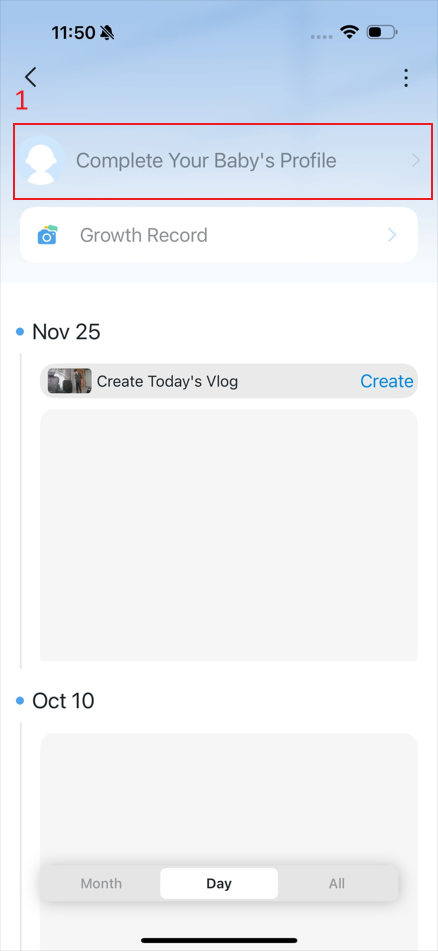
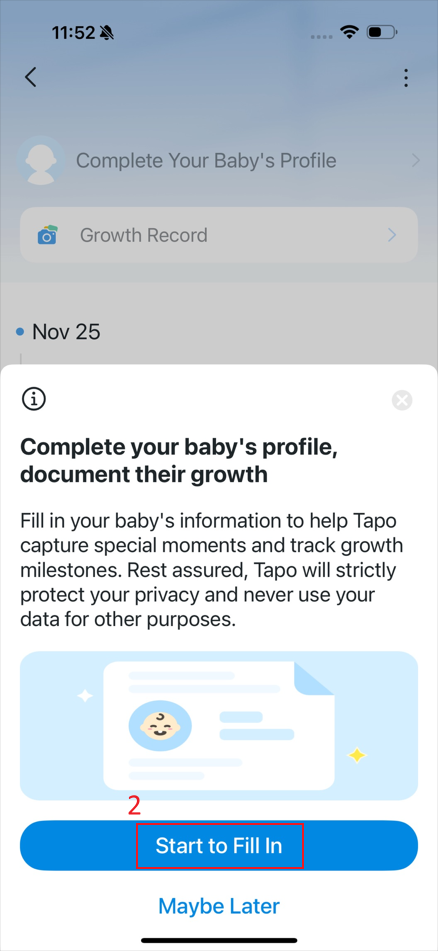
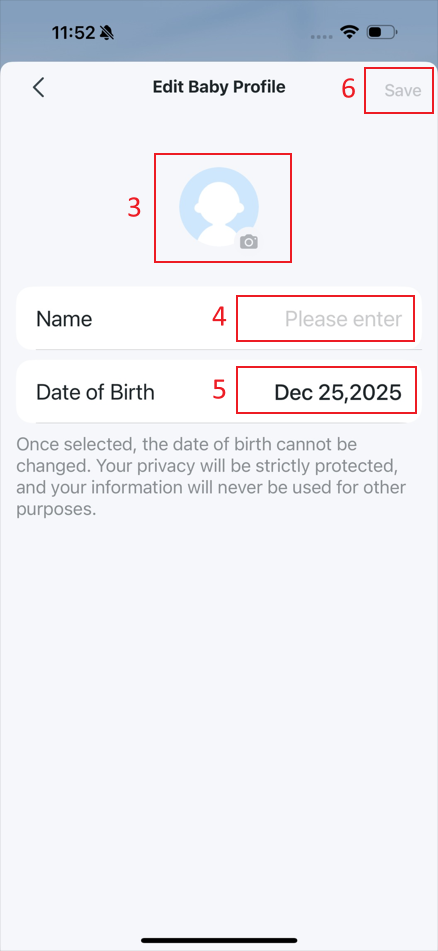
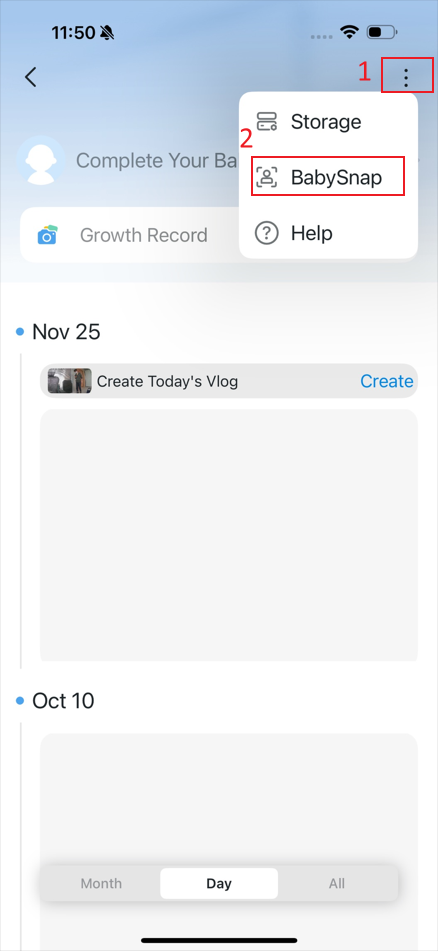
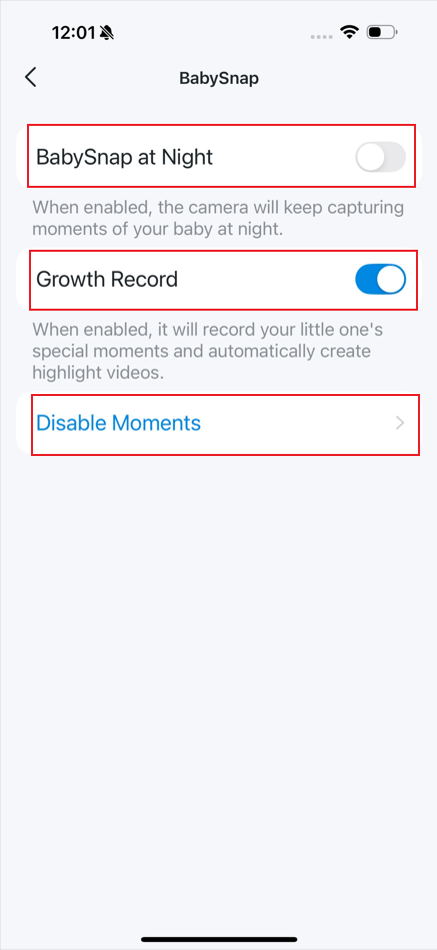
Step 4. Tap the kebab menu and then BabySnap to enable BabySnap at Night or Disable Moments. If you’ve subscribed to a Premium plan, you can enable Growth Record.
Get to know more details of each function and configuration please go to Download Center to download the manual of your product.
Czy ten poradnik FAQ był pomocny?
Twoja opinia pozwoli nam udoskonalić tę stronę.
z United States?
Uzyskaj produkty, wydarzenia i usługi przeznaczone dla Twojego regionu.