다운로드 함 InSight PTZ5425
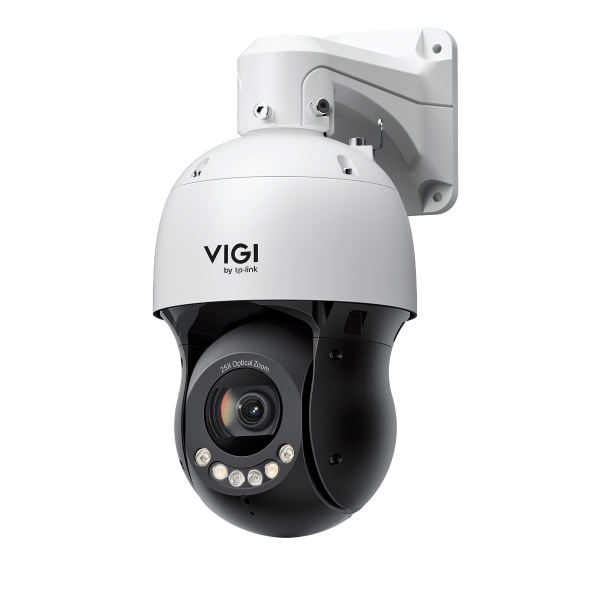 VIGI 5인치 4MP 25배 풀 컬러 네트워크 스피드 돔
VIGI VMS
VIGI VMS는 통합적이고 직관적인 방식으로 보안감시 장치와 여러 사이트의 사용자를 효과적으로 관리하도록 설계된 소프트웨어 플랫폼입니다.
|
VIGI VMS_1.8.84_32bits |
다운로드 | |
|---|---|---|
| 출시일: 2025-11-07 | 언어: 다중언어 | 파일 크기: 473.74 MB |
운영체제: Windows 7/10/11/Server 2008 32bits |
||
|
개선사항 |
||
VIGI PC Client
|
VIGI PC Client_x64_2.1.25 |
다운로드 | |
|---|---|---|
| 출시일: 2026-01-21 | 언어: 다중언어 | 파일 크기: 148.86 MB |
운영체제: Windows 10/11 |
||
|
새로운 기능 및 개선 사항: |
||
|
VIGI PC Client_x64_2.0.70 |
다운로드 | |
|---|---|---|
| 출시일: 2025-11-07 | 언어: 다중언어 | 파일 크기: 146.48 MB |
운영체제: Windows 7/10/11 |
||
|
수정된 버그 |
||
설정 동영상
-
How to Set Up InSight Pan & Tilt Cameras via VIGI App
This video shows how to set up InSight PTZ cameras, covering both hardware installation and app configuration. For app configuration, you will see three methods: Method 1: Scan/Add Device Method 2: Auto Discover Method 3: Manually Add
More Fold -
How to Set Smart Detection on Speed Dome PTZ
The VIGI InSight PTZ5425 is a 4MP 25× Optical Zoom Full-Color Network Speed Dome camera with 3D Detection Regions, ensuring detection areas remain aligned with actual targets during PTZ movement. This video shows how to set smart detection on your speed dome PTZ camera.
More Fold
자주 묻는 질문
- How to Use RS-485 controller for PTZ control
- 대기 기능 사용 방법
- How to Use Manual Tracking
- 타사 NVR, NAS, 또는 소프트웨어와 함께 VIGI 카메라를 사용하는 방법
- How to Set Privacy Mask on Speed Dome PTZ
- VIGI 팬/틸트/줌 기능 사용 방법
- 스마트 트래킹 사용 방법
- 웹 UI를 사용하여 VIGI 카메라의 PTZ 제한을 설정하는 방법
- 일부 브라우저에서 VIGI IPC 및 NVR의 HTTPS 웹 인터페이스가 ‘안전하지 않음'으로 표시되는 이유는 무엇인가요?
- VIGI 시리즈 카메라 설치 가이드
- Power Up Action 기능 사용 방법
- VIGI 카메라에서 캡처를 설정하고 캡처된 이미지를 확인하는 방법
- VIGI IPC 및 NVR의 웹 관리 페이지에 로그인하는 방법
- 알람 서버 설정 방법
- How to discover and manage devices using VIGI Config Tool
- How to use the Home Position Function
- How to set Smart Detection on Speed Dome PTZ
- How to use the Preset, Patrol and Pattern Scan