
How do I install TP-Link wireless adapter manually on Windows XP?
 1082428
This Article Applies to:
Note: This article applies to the situation that failed to install the adapter through .EXE program and the adapter has .inf file to download.
(please download the latest driver from TP-Link official site, and extract the zip file to see whether your adapter has .inf file.)
Before the installation, please make sure the adapter is connected to the computer and is detected by the system.
Step 1
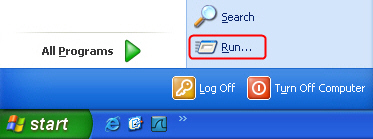
Click on Start, and go to Run…
Step 2
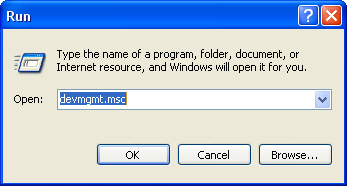
Input “devmgmt.msc” and click OK.
Step 3
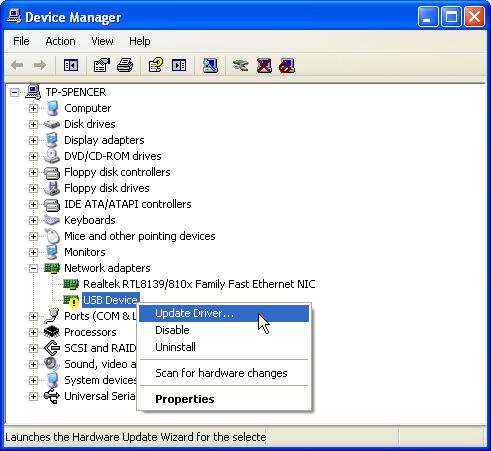
Find the new detected hardware, right click it and then click Update Driver…
Step 4
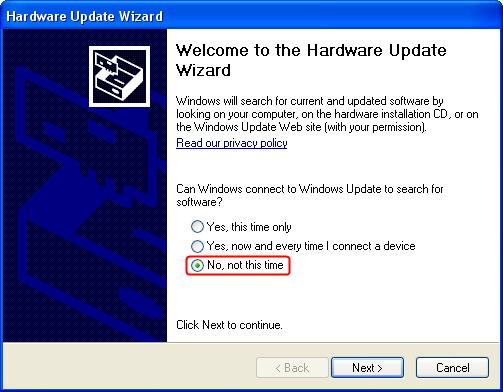
Select No, not this time.
Step 5
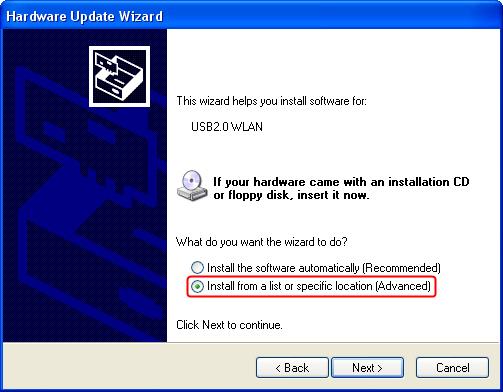
Select Install from a list or specific location (Advanced).
Step 6
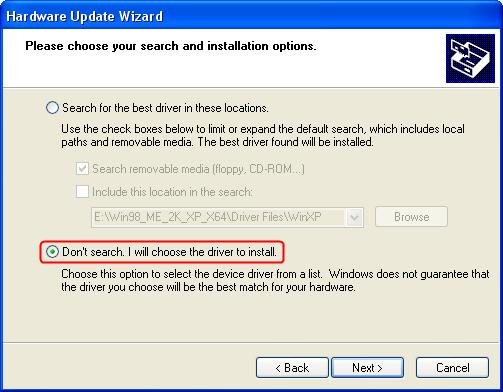
Select Don´t search. I will choose the driver to install.
Step 7
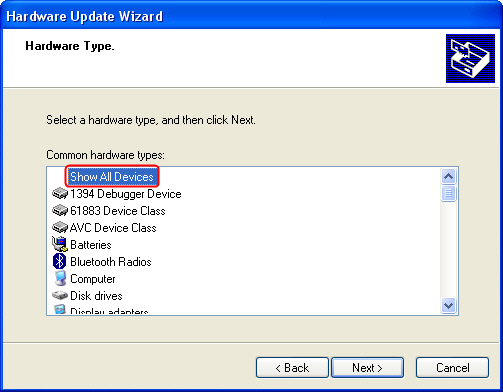
Select Show All Devices.
Step 8
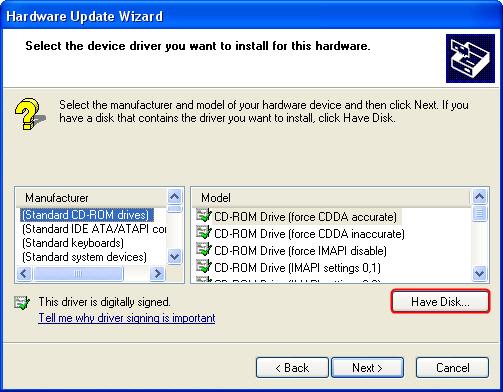
Click Have Disk.
Step 9
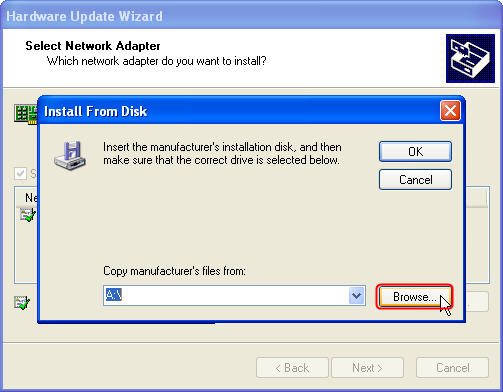
Click Browse....
Step 10
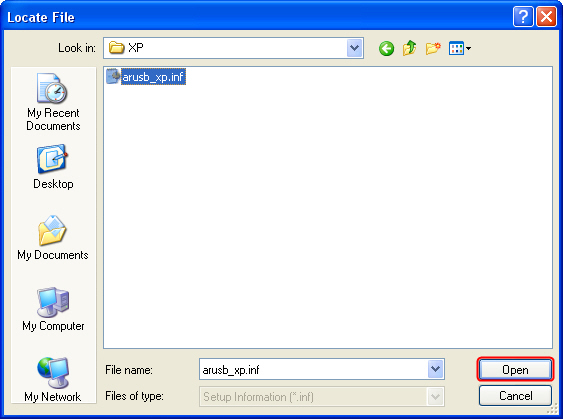
Point to the inf. file in the driver folder, and then click Open.
Note: Is your computer running the 32-bit or 64-bit version please click Start, right-click My Computer, and then click Properties.
-
If "x64 Edition" is listed under System, you’re running the 64-bit version of Windows XP.
-
If you don’t see "x64 Edition" listed under System, you’re running the 32-bit version of Windows XP.
The edition of Windows XP you're running is displayed under System near the top of the window.
Step 11
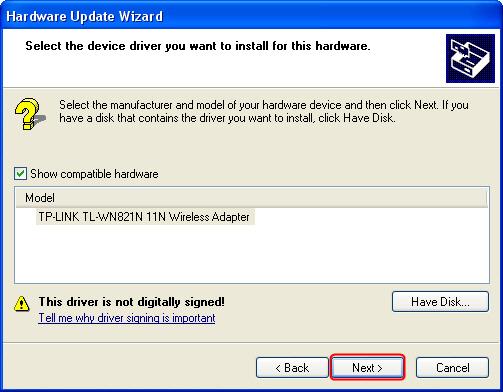
Click Next.
Step 12
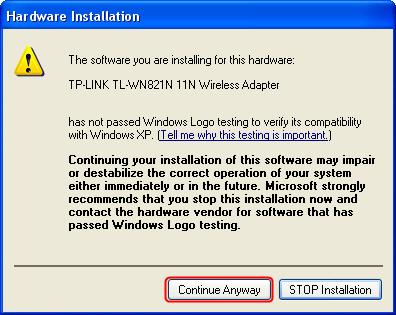
Click Continue Anyway.
Step 13
Click Finish.
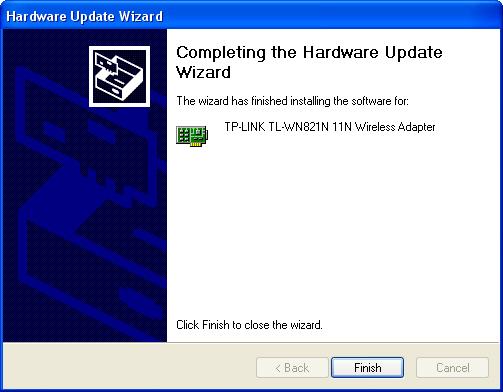
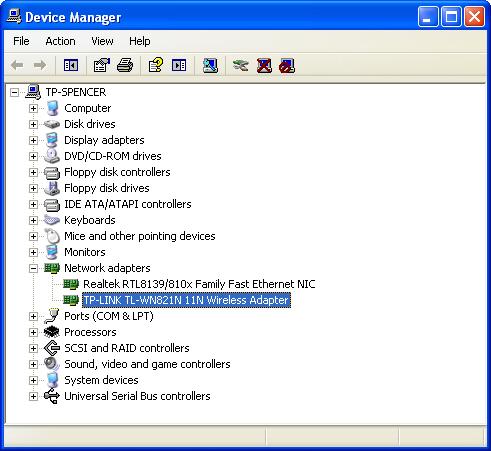
As yet, the adapter has been successfully installed. You can go to Device Manager and check Network Adapters.
Is this faq useful?
Your feedback helps improve this site.



TP-Link Community
Still need help? Search for answers, ask questions, and get help from TP-Link experts and other users around the world.