
How to install/update the driver of network adapter manually in Windows XP
 229680
NOTE
- This article applies to the situation that failed to install the adapter through .EXE program and the adapter has .inf file to download.
(Please download the latest driver from TP-Link official site, and extract the zip file to see whether your adapter has .inf file.)
- Old or useless drivers may affect the installation of the new driver, it is recommended to remove the old driver first, please refer to the FAQ 3769
- Before the installation, please make sure the adapter is connected to the computer and is detected by the system.
How to install/update
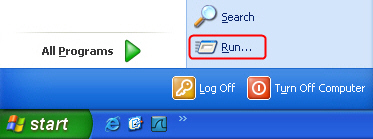
- Open Start Menu, and click Run…
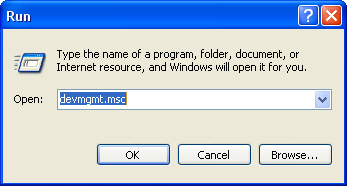
- Input “devmgmt.msc” and click OK.
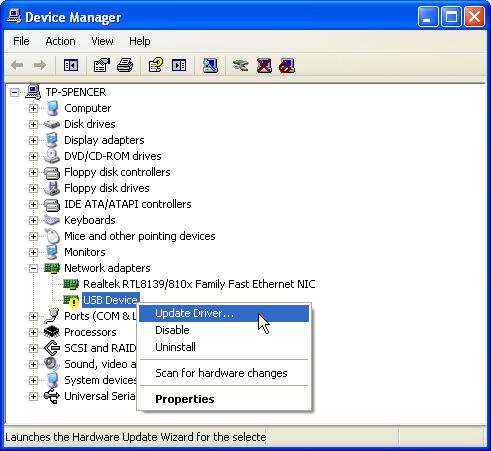
- Find the new detected hardware, right click it and then click Update Driver…
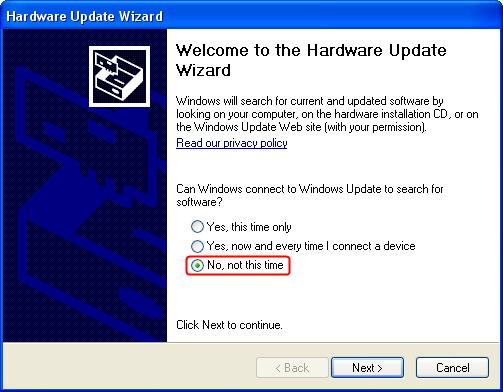
- Select No, not this time.
- Select Install from a list or specific location (Advanced).
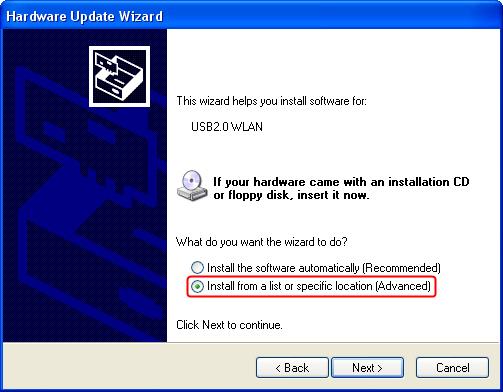
- Select Don´t search. I will choose the driver to install.
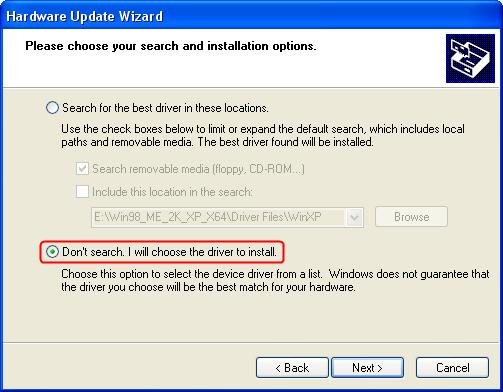
- Select Show All Devices.
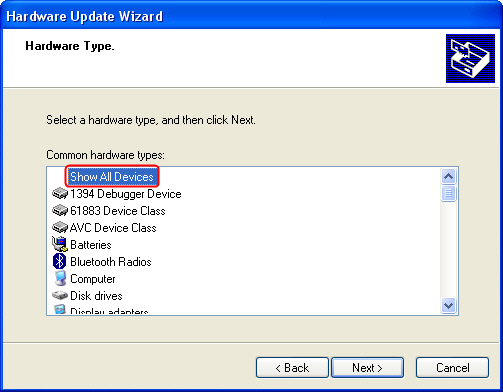
- Click Have Disk.
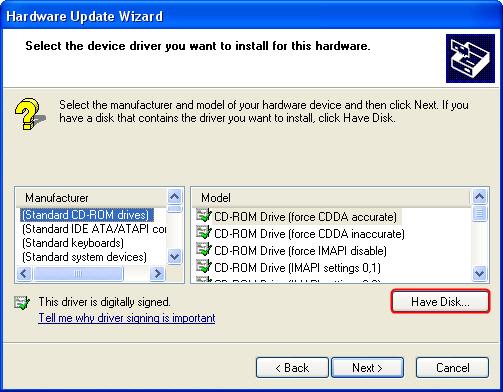
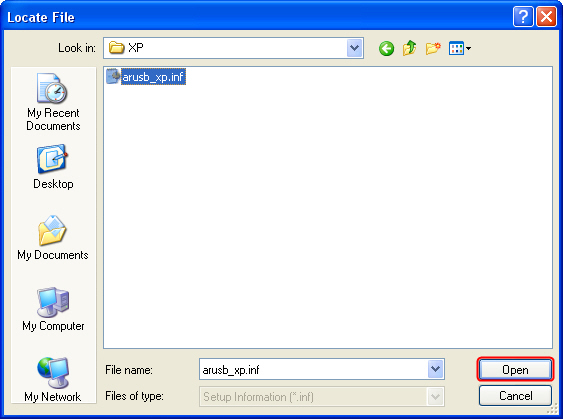
- Point to the inf file in the driver folder, and then click Open.
NOTE:
If your computer running the 32-bit or 64-bit version, please click Start, right-click My Computer, and then click Properties.
If "x64 Edition" is listed under System, you’re running the 64-bit version of Windows XP.
If you don’t see "x64 Edition" listed under System, you’re running the 32-bit version of Windows XP.
The edition of Windows XP you're running is displayed under System near the top of the window.
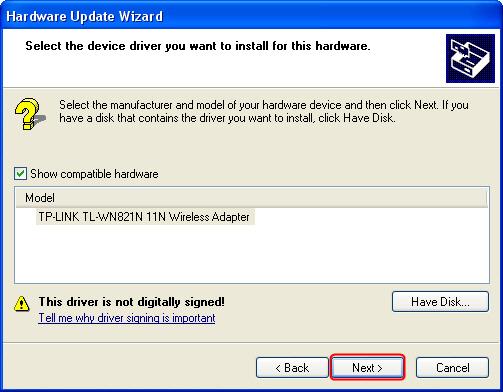
- Click Next.
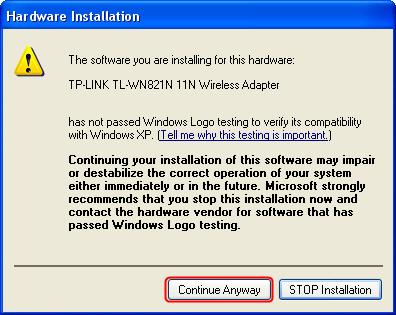
- Click Continue Anyway.
- Click Finish.
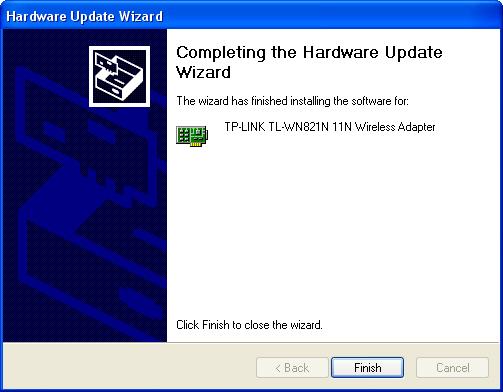
As yet, the adapter has been successfully installed. You can go to Device Manager and check Network Adapters.
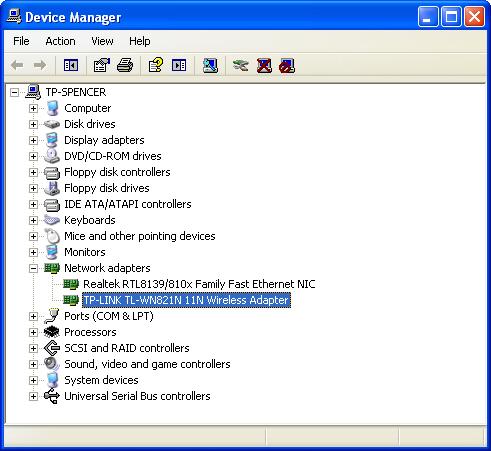
If there are any further problems, please visit our FAQ page or contact TP-Link support.
Finden Sie diese FAQ hilfreich?
Mit Ihrer Rückmeldung tragen Sie dazu bei, dass wir unsere Webpräsenz verbessern.
Von United States?
Erhalten Sie Produkte, Events und Leistungen speziell für Ihre Region