


What Is Smart Motion Detection? How AI Cuts False Alarms
Published: September 29, 2026
Quick Answer
-
Smart motion detection is a camera feature that uses on-board AI to classify a moving object as a person or a vehicle before it sends an alert, so rain, pets, and swaying leaves stop triggering your phone.
-
Basic motion detection reacts to any change in pixels, which is why it floods owners with false alarms on rainy nights and windy afternoons.
-
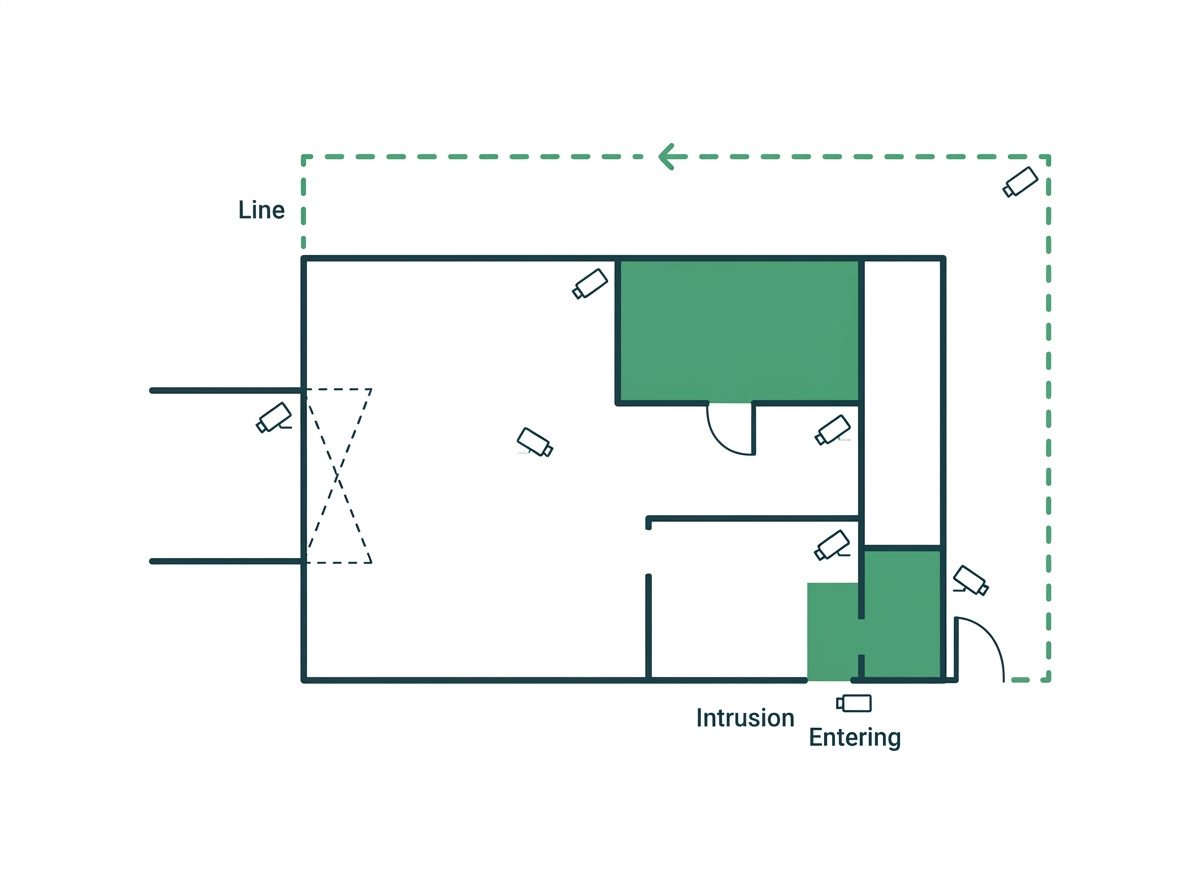
The most useful rules for a business are line-crossing on fences, intrusion for after-hours stockrooms, and region entering for cash rooms, each armed only for the hours that matter.
Smart motion detection is AI on the camera that decides what moved before it alerts you. Most owners who switch on basic motion alerts turn them off within a week, because the phone buzzes all night over rain, shadows, and stray cats. This guide covers how classification and detection rules work on VIGI cameras, which rule suits which spot, and how to set them up so every alert is worth opening.
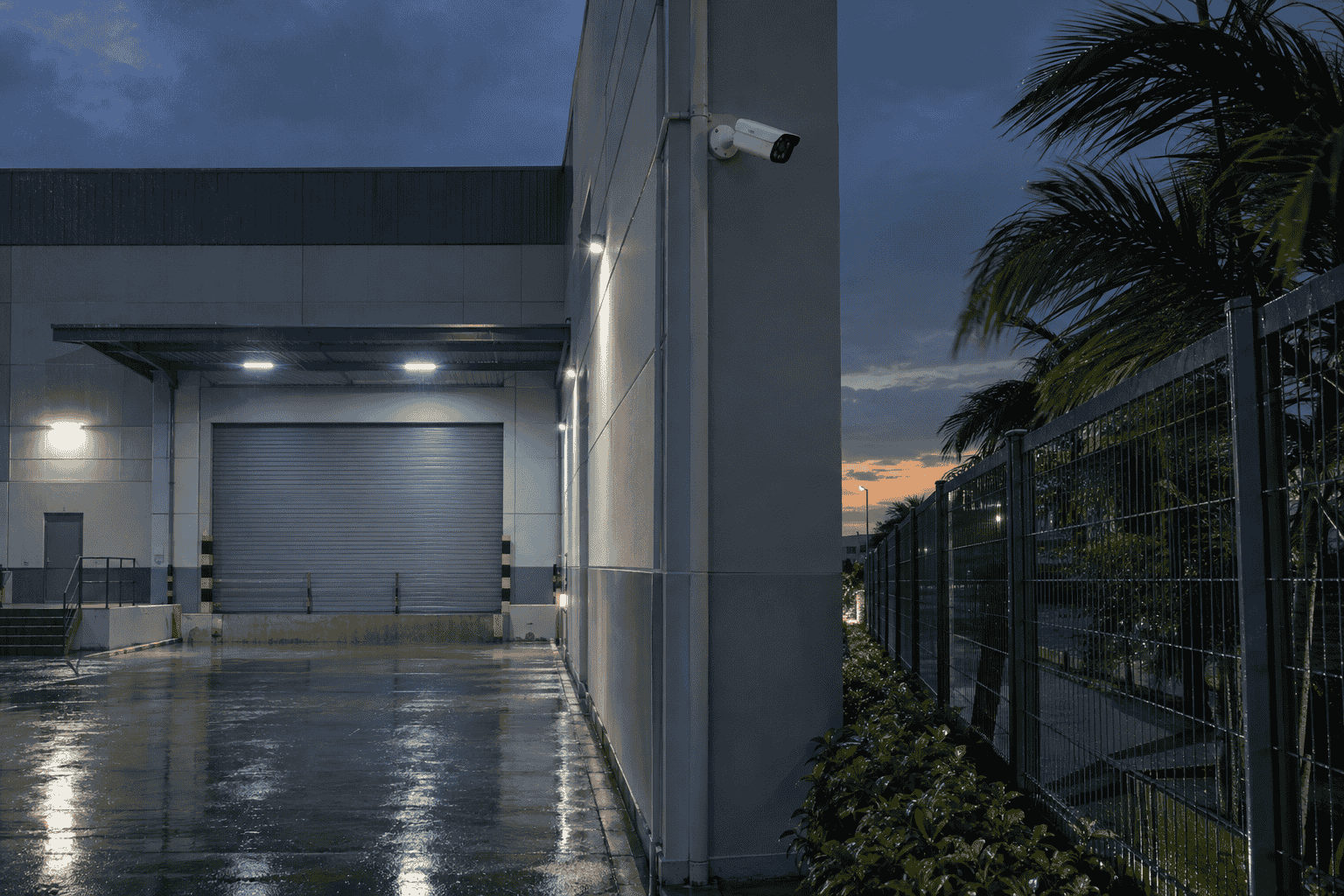
Table of Contents
What Is the Difference Between Basic and Smart Motion Detection?
Why Does Smart Detection Matter for Philippine Businesses?
Which VIGI Detection Rules Fit Which Parts of Your Business?
What Happens After the Camera Detects Someone?
How Do You Set Up Smart Detection Without Flooding Your Phone?
How Does Philippine Privacy Law Apply to Smart Detection?
What Is the Difference Between Basic and Smart Motion Detection?
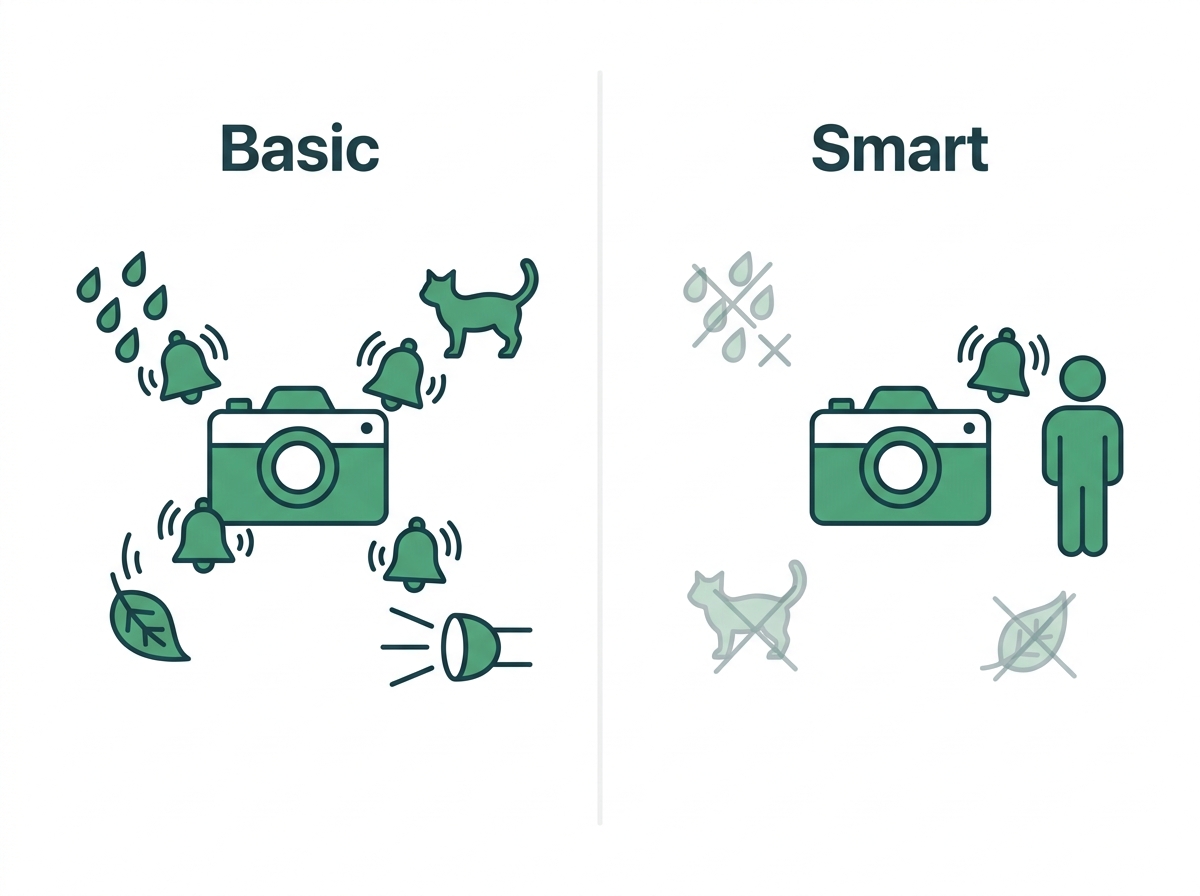
Basic motion detection compares one video frame to the next. When enough pixels change, the camera flags an event. It has no idea what caused the change.
That blind spot is the whole problem. Rain streaking past an IR light counts as motion. So does a moth on the lens, a tarp flapping on a bodega roof, or a tricycle's headlight sweeping across your gate.
Smart motion detection adds a classification step. A chip inside the camera checks whether the moving object is a person or a vehicle. Human & Vehicle Classification filters out non-target movement from animals, falling leaves, and changing light. Only after an object passes that check does the camera test it against the rules you set.
|
|
Basic Motion Detection |
Smart Motion Detection |
|
What triggers it |
Any pixel change |
A classified person or vehicle that breaks a rule you set |
|
Common false alarms |
Rain, insects, shadows, headlights, pets |
Far fewer, since non-target objects are filtered out |
|
Where the processing happens |
Simple frame comparison |
AI chip on the camera |
|
Best use |
Quiet indoor rooms |
Entrances, perimeters, parking, after-hours zones |
Our motion sensor guide explains how PIR and microwave motion sensors detect movement and how that compares with camera classification. It also covers adding classification to older cameras through a VIGI recorder, which runs on up to four channels at once. This article focuses on the detection rules themselves.
Why Does Smart Detection Matter for Philippine Businesses?
Because the things that cause false alarms are everywhere here. Wind-driven rain, insects drawn to IR light, tricycle headlights at the gate, and palm fronds moving in the breeze all register as motion on a basic camera. PAGASA tracks a long typhoon season every year, and those weeks of sideways rain are exactly when basic alerts become useless. Our guide to what Philippine weather does to outdoor cameras covers the hardware side of that problem.
Property crime is the other reason. Theft is still the largest category in the PNP focus-crime figures reported by the Philippine News Agency, and most of it targets property that nobody is watching live. Our breakdown of why theft keeps small business owners on alert walks through the numbers.
A camera that records everything but alerts on nothing useful won't stop a break-in at 2 a.m. One that pings you the moment a person crosses your back fence gives you a chance to act.
Which VIGI Detection Rules Fit Which Parts of Your Business?
VIGI cameras pair classification with a rule you draw on the camera view. The table maps each rule in VIGI's list of AI detection rules to a common Philippine business setup.
|
Detection Rule |
What It Does |
Where It Works Well |
|
Line-Crossing Detection |
Alerts when a person or vehicle crosses a virtual line, in one or both directions |
Back fences, loading bay edges, the doorway to a cash room |
|
Intrusion Detection |
Alerts when a target enters and stays inside a marked zone |
Stockrooms and yards that should be empty after closing |
|
Region Entering Detection |
Alerts the moment a target enters a zone |
Server closets, pharmacy dispensing areas, restricted aisles |
|
Region Exiting Detection |
Alerts when a target leaves a zone |
Staff exits, equipment storage |
|
Loitering Detection |
Alerts when someone stays in an area past a set time |
Side alleys, the corner outside a remittance center, parking at night |
|
Object Abandoned Detection |
Flags an item left behind |
Clinic lobbies, entrances, shared hallways |
|
Object Removal Detection |
Flags an item taken from view |
Display shelves, a sari-sari store's cigarette rack, parked equipment |
|
Camera Tampering Detection |
Flags a blocked, sprayed, or moved camera |
Any camera within arm's reach |
|
Automatic Tracking |
Follows a person or vehicle across the frame |
Large yards and lots, pan-tilt cameras only |
Rules vary by model and firmware. The VIGI C340S, for example, lists line-crossing, intrusion, region entering and exiting, object abandoned and removal, and loitering, while some entry models list a shorter set. Check the spec sheet for the exact camera before you buy it for a specific job. To see how smart detection affects which camera to buy, start with our buyer's guide.
What Happens After the Camera Detects Someone?
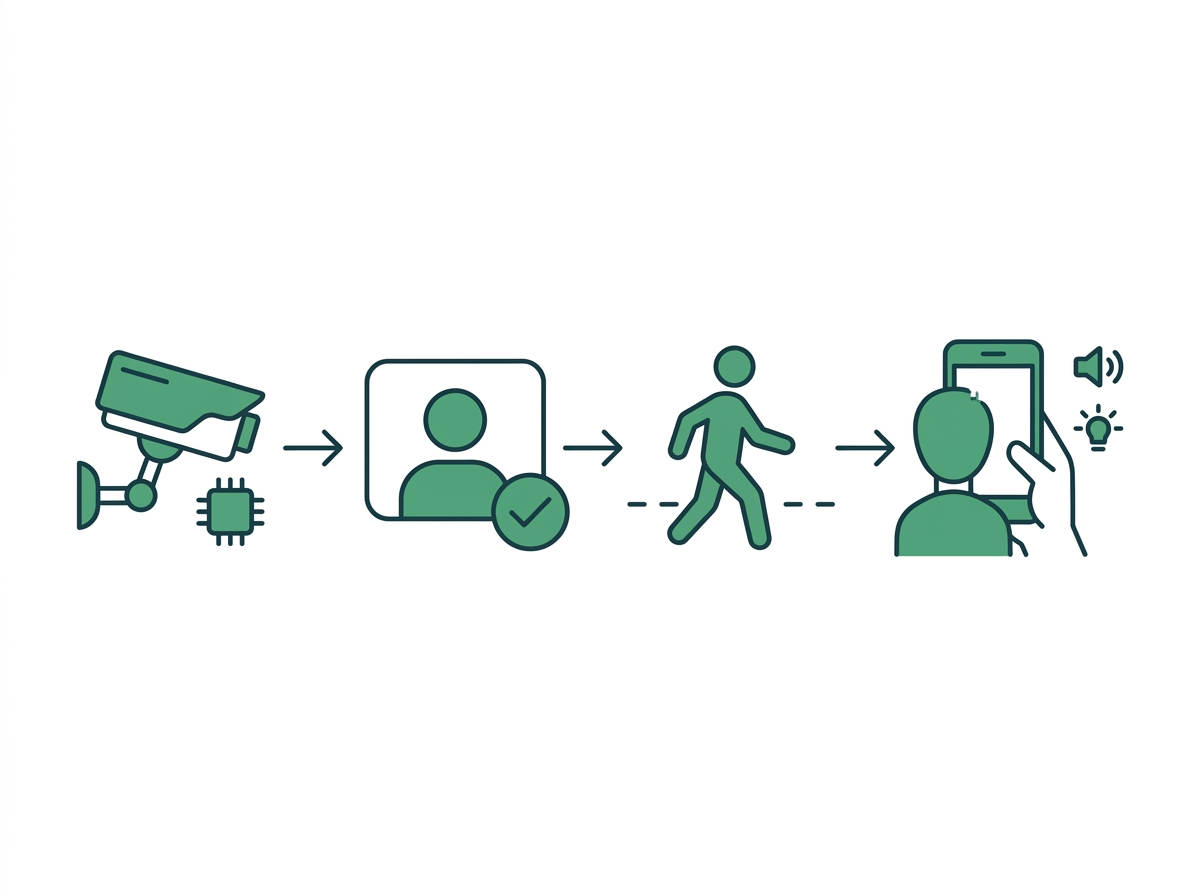
An alert is only half the job. What the system does next decides whether you stop the problem or just watch it later.
- Instant notifications. The VIGI App pushes an alert with the event type, so you can open live view in seconds. To make sure those alerts reach you off-site, set up remote access so smart detection alerts actually reach you.
- Active Defense. On models that support it, such as the C340S, a detection can trigger an audible warning and a flashing white light at the scene. A loud warning at the fence line sends most intruders running before they reach the door.
- Color evidence at night. Cameras with LightPro Night Vision switch from IR to color when a person or vehicle appears. See how to pick a night vision camera that still captures detail after dark to compare the options.
- Faster searching. On supported models, People & Vehicle Analytics lets you filter footage by person or vehicle attributes inside VIGI software instead of scrubbing through eight hours of timeline. Our guide to picking the right NVR for your cameras covers the recorder side of this.
How Do You Set Up Smart Detection Without Flooding Your Phone?
Good detection is mostly good setup. These habits come from the mistakes installers see again and again.
- Keep zones tight. Cover the gate, not the whole street beyond it. Every meter of public road inside your zone is a meter of jeepneys and pedestrians you'll hear about.
- Use direction on line-crossing. A fence line should alert on people coming in, not staff walking out.
- Set schedules. A stockroom intrusion alert at 3 p.m. is noise. The same alert at 11 p.m. is news.
- Start sensitivity in the middle. Raise it only if real events get missed. Lower it if shadows still get through.
- Test at night and in the rain. Walk the zone after dark, then check what fired after the next downpour. Adjust once and leave it.
- Update firmware. Detection improves between releases, and the VIGI App and VIGI Config Tool both handle updates. You can set detection rules during first-time camera configuration so nothing stays at default.
How Does Philippine Privacy Law Apply to Smart Detection?
The National Privacy Commission treats smart detection as video analytics. Under NPC Circular No. 2024-02, footage processed by analytics falls under the same data privacy rules as ordinary recording, and you're expected to run a privacy impact assessment to spot and reduce the risks.
Detection zones need one extra habit. Draw lines and zones only over your own property, never across a neighbor's yard, window, or doorway. The circular already bars using zoom or rotation to watch private spaces, and a zone that pulls a neighbor's movements into your alerts raises the same concern.
For notices, written policies, and who may view the feeds, read what the circular asks of every business running CCTV.
Frequently Asked Questions
Is smart motion detection the same as AI detection?
Mostly, yes. "Smart motion detection" is the everyday term, while VIGI splits the feature into two parts. Human & Vehicle Classification identifies what the moving object is. Smart Detection then applies the rule you drew, such as line-crossing or intrusion. You need both working together to get fewer, better alerts, so check that a camera lists classification as well as rules before you buy it for an outdoor spot.
What's the difference between intrusion and region entering detection?
Timing is the difference. Region entering alerts the moment a person or vehicle steps into the zone. Intrusion waits until the target has stayed inside for a set time, which cuts alerts from someone who only passes through a corner. Use region entering for spaces nobody should step into at all, like a server closet, and intrusion for yards or stockrooms where a brief crossing isn't worth waking you.
Will smart detection work at night?
Yes, as long as the camera can actually see the target. IR night vision handles most dark scenes in black and white, and classification works on that image. Cameras with color night vision add clothing and vehicle colors as well. The weak point is a person standing outside the camera's lit range, so compare the IR or white-light range on the spec sheet with your fence distance.
Can I use smart detection with an NVR?
Yes. VIGI cameras pass their detection events to a VIGI NVR, where you can play back by event and search recorded clips. You can manage detection rules from the NVR interface, the VIGI App, or the VIGI Config Tool. Setting rules at the NVR is handy when you run eight or more cameras, since you can review every camera's zones from one screen with a mouse.
Can smart detection tell my staff apart from strangers?
No. Human & Vehicle Classification separates people from vehicles and other objects, not one person from another. Recognizing specific individuals is facial recognition, which is a separate capability. NPC Circular 2024-02 treats facial recognition as video analytics, which means a privacy impact assessment and clear notice before you use it. For staff-versus-visitor alerts, lean on schedules and zones instead.
How many detection rules should I turn on per camera?
One or two is the sweet spot for most cameras. A back-gate camera needs line-crossing. A stockroom camera needs intrusion on an after-hours schedule. Stacking five rules on one view multiplies alerts without adding protection, and it makes the event list harder to scan when something actually happens. Add a rule only when you can name the incident it would have caught.
Why does my camera still alert on passing cars?
Because the rule is still watching for vehicles, or the zone reaches the street. On VIGI cameras with classification, each rule lets you choose people, vehicles, or both as targets. A back-fence rule rarely needs vehicles switched on. If the alerts continue, pull the zone's edge back from the road until only your own driveway sits inside it, then test again during evening traffic.
Final Thoughts
If your phone has buzzed three times tonight and every clip shows rain, the camera isn't broken. It just can't tell a person from a raindrop. Smart detection fixes that by classifying first and alerting second, then pairing each alert with a rule you set for the right hours.
Start with the entrances and the fence line, give each camera one clear rule, and test it through a real downpour. For how smart detection fits into the full buying decision, read the CCTV System Philippines Buyer's Guide (2026).
Tired of alerts you can't trust? Check the VIGI C340S spec sheet for a camera with classification, detection rules, and Active Defense in one unit. Browse VIGI cameras with AI detection, or book a site visit with a VIGI reseller.