


Multi-Branch Network Management: Hardware and Rollout
Published: September 22, 2026
Quick Answer
-
Multi-branch network management starts with clearly documenting who is responsible for purchasing, installing, configuring, supporting, and replacing equipment at each location, since this differs between company-owned branches and franchise locations governed by a franchise agreement.
-
A written hardware specification covering access points, PoE switches, gateways, controller organization, and cabling helps keep new branches compatible with centralized management, without requiring every branch to run identical hardware.
-
Omada's zero-touch provisioning can reduce the need to send an engineer on-site for routine controller configuration, but it does not remove the physical requirements, like internet service, power, cabling, and equipment placement, that still need to be ready before a branch goes live.
Running a network across multiple branches requires more than installing WiFi equipment at each location. Businesses also need to decide who purchases the equipment, who manages it, which technical standards each branch follows, and who handles support and replacement. These responsibilities are particularly important in franchise environments, where responsibility for network infrastructure may depend on the specific franchise agreement and operating model. Clarifying network responsibilities before deployment can help prevent inconsistent hardware purchases, support gaps, and branches that cannot be easily incorporated into centralized management later. This guide provides an operational framework for deploying and managing networks across company-owned, franchised, or mixed-location businesses, building on our Multi-Site Network Management pillar, which covers the centralized dashboard side of running many locations at once.
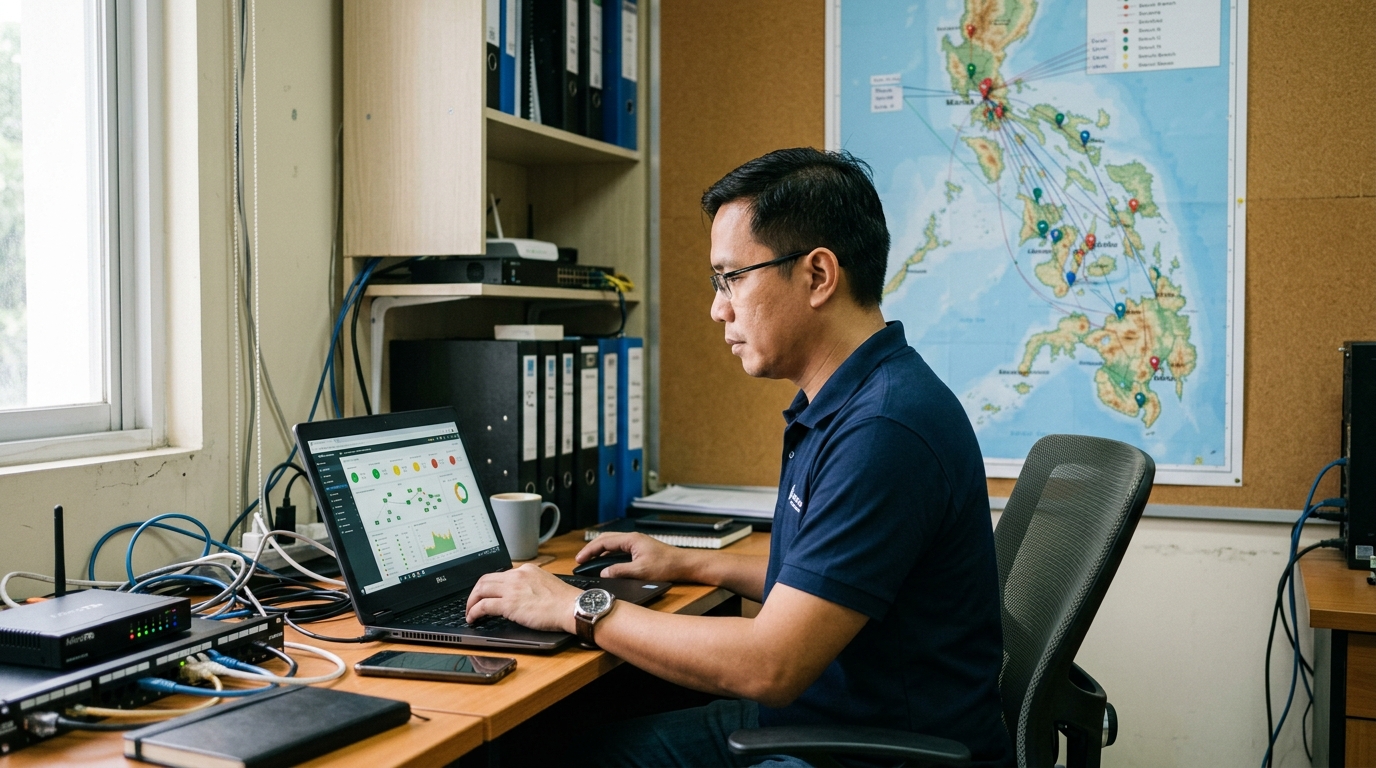
Table of Contents
Who Is Responsible for the Network at Each Branch?
What Should a Standard Hardware Specification Cover for Every Branch?
Why Hardware Logistics Matter Across the Philippines
How Do You Onboard a Branch Without an On-Site Engineer?
What's the Rollout Process for a New Branch?
Who Is Responsible for the Network at Each Branch?
Every organization should establish who is responsible for purchasing, installing, configuring, supporting, and replacing network equipment at each location.
For company-owned branches, these responsibilities can be documented through internal IT and operations policies.
For franchised locations, the allocation of responsibility depends on the franchise agreement and the organization's operating model. A franchisor might supply network hardware directly, require franchisees to purchase equipment from an approved specification, or use another arrangement.
Whatever model is chosen, network responsibilities should be documented clearly.
Without a common standard, individual locations may purchase different routers, access points, or switches, potentially making centralized administration and troubleshooting more difficult.
What Should a Standard Hardware Specification Cover for Every Branch?
A written network specification can help maintain compatibility and consistency as new locations are added.
|
Specification item |
What to standardize |
|
Access points |
Define an approved set of compatible AP models based on location size, capacity requirements, and deployment environment, and maintain supported firmware versions |
|
PoE switches |
Specify sufficient port capacity and PoE budget for the devices that need power, with appropriate capacity for expected growth |
|
Gateway |
Define routing, security, VPN, throughput, and WAN requirements; where connection redundancy is required, specify appropriate Multi-WAN or failover capabilities |
|
Controller |
Define how each branch will be incorporated into the organization's intended centralized controller, organization, and site structure |
|
Cabling |
Establish appropriate cable specifications, installation requirements, and a consistent labeling convention |
In plain terms, the table above covers the five areas a written specification needs to lock down: what access points are approved, how much power and port capacity each switch needs, what the gateway must support for routing and VPN, how each branch slots into the controller's site structure, and what cabling standard installers follow.
Standardization does not mean every branch must contain identical hardware. A small office and a large flagship location may require different AP counts, switch capacities, or gateway performance. The goal is to maintain an approved set of compatible equipment and configurations that IT teams can manage consistently.
Why Hardware Logistics Matter Across the Philippines
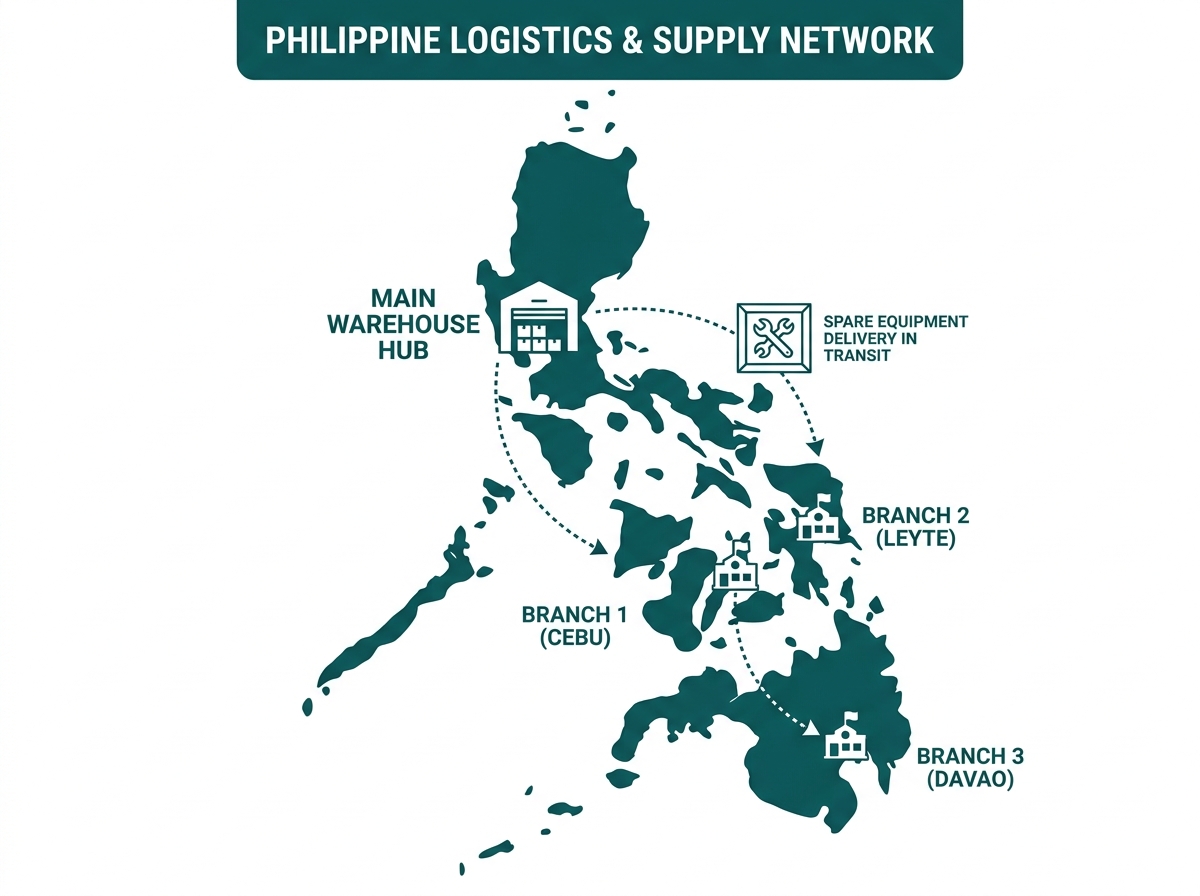
Businesses supporting geographically dispersed locations should account for regional differences in shipping, technician availability, and equipment replacement lead times. This can be particularly relevant for organizations operating across different islands or regions.
One possible mitigation is maintaining a small inventory of appropriate spare equipment that can be deployed when a device fails. The amount and location of spare equipment should depend on the organization's branch count, criticality requirements, warranty arrangements, and expected replacement lead times.
This approach can allow replacement equipment to be dispatched while a warranty or RMA process is handled separately.
How Do You Onboard a Branch Without an On-Site Engineer?
Zero-touch provisioning can reduce on-site configuration, but it doesn't remove every physical requirement, so onboarding a branch cleanly means separating what the controller can handle remotely from what still has to be ready on-site before activation.
Zero-Touch Provisioning Can Reduce On-Site Configuration
Omada supports zero-touch provisioning for compatible controller and device deployments. Compatible devices can be registered or prepared for the appropriate provisioning workflow so they can be remotely adopted and receive their configuration after they are installed, powered on, and connected.
This can reduce the need to send an engineer to a branch solely to perform routine controller configuration. Exact provisioning procedures and requirements depend on the Omada controller version, controller type, device model, and deployment configuration.
Physical Preparation Is Still Required
Zero-touch provisioning does not eliminate the physical requirements of opening a network location. Before deployment, the business should confirm that required infrastructure is ready. Depending on the site, this can include:
- Internet service
- Power
- Ethernet cabling
- Appropriate equipment locations
- Required racks or mounting hardware
- UPS or backup-power equipment where specified
- Correct WAN and LAN connections
Completing this work before final network activation reduces the risk of reaching deployment day with remotely prepared network equipment but incomplete physical infrastructure. Businesses connecting a new branch back to headquarters or other locations as part of this process can review our Business VPN Guide to plan a site-to-site tunnel alongside the rest of the physical setup.
What's the Rollout Process for a New Branch?
A standardized deployment process can make new locations easier to incorporate into an existing network.
1. Confirm responsibility and budget
Determine who is responsible for network hardware, installation, connectivity, support, and replacement. For a franchise location, check the applicable agreement and technology requirements.
2. Select hardware from the approved specification
Choose equipment that meets the branch's capacity requirements and is compatible with the organization's controller and network design. If substitutions are necessary, confirm their compatibility and required features before deployment.
3. Prepare the devices for the chosen provisioning workflow
Register, configure, or otherwise prepare supported hardware according to the controller and provisioning method being used.
4. Complete the site's physical infrastructure
Confirm internet service, power, cabling, equipment placement, and other required infrastructure before final activation.
5. Verify the deployment
After devices are online, confirm that they appear under the correct site in the centralized management interface. Check connectivity and the required configurations before the branch begins normal operation.
Frequently Asked Questions
Who should own the network hardware in a franchise: the franchisor or the franchisee?
There is no single arrangement that applies to every franchise. A franchisor might supply standardized network hardware directly, or require franchisees to purchase hardware from an approved specification and connect the location to a centrally managed network. The important point is to define the arrangement clearly in the applicable agreement, technology policy, or operating documentation.
What problems can arise when each branch is treated as an isolated network?
Independent branch deployments can result in different hardware models, inconsistent configurations, separate administrative credentials, and locations that are not incorporated into the organization's centralized management environment. Using an approved network design and repeatable deployment process can reduce these inconsistencies.
How do you handle hardware warranty or RMA claims across different islands or regions?
Organizations with locations spread across different regions can consider maintaining spare compatible equipment that can be dispatched while a formal warranty or RMA claim is processed. Whether this is appropriate depends on equipment criticality, branch location, available support, replacement lead times, and the cost of maintaining spare inventory.
Should every branch use identical hardware?
Not necessarily. Branches with different sizes, layouts, client densities, WAN requirements, or application workloads may require different equipment. Standardizing on a defined set of compatible models can still simplify troubleshooting, spare inventory, documentation, and staff training without requiring every branch to have an identical bill of materials.
How long should onboarding a new branch's network take?
There is no universal deployment time. The schedule depends on factors such as branch size, device count, cabling readiness, internet-service activation, equipment availability, configuration requirements, testing, and the amount of physical installation required. Zero-touch provisioning can reduce time spent on routine controller configuration on-site, but it does not eliminate these other deployment requirements.
Final Thoughts
A multi-branch network becomes easier to manage when responsibilities are defined, hardware follows an approved specification, and new locations use a repeatable deployment process. Centralized management and zero-touch provisioning can reduce repetitive configuration work, while standardized hardware and deployment practices can make troubleshooting and ongoing support more consistent.
For businesses operating locations across the Philippines, network planning should also account for the practical requirements of supporting equipment across geographically distributed sites. For a broader look at centralized management across multiple locations, see our Multi-Site Network Management guide.
Ready to standardize your branch network? Whether you're opening your next location or bringing your existing branches onto one framework, getting the hardware specification and responsibility model right from the start saves far more time than fixing it after the tenth branch is live. See Omada's full controller and hardware lineup built for standardized, zero-touch multi-branch deployment, or talk to an Omada specialist about building a hardware specification for your branch network.