


Surveillance Solutions for Philippine Businesses
Published: August 12, 2026 | Last Updated: August 12, 2026
Quick Answer
-
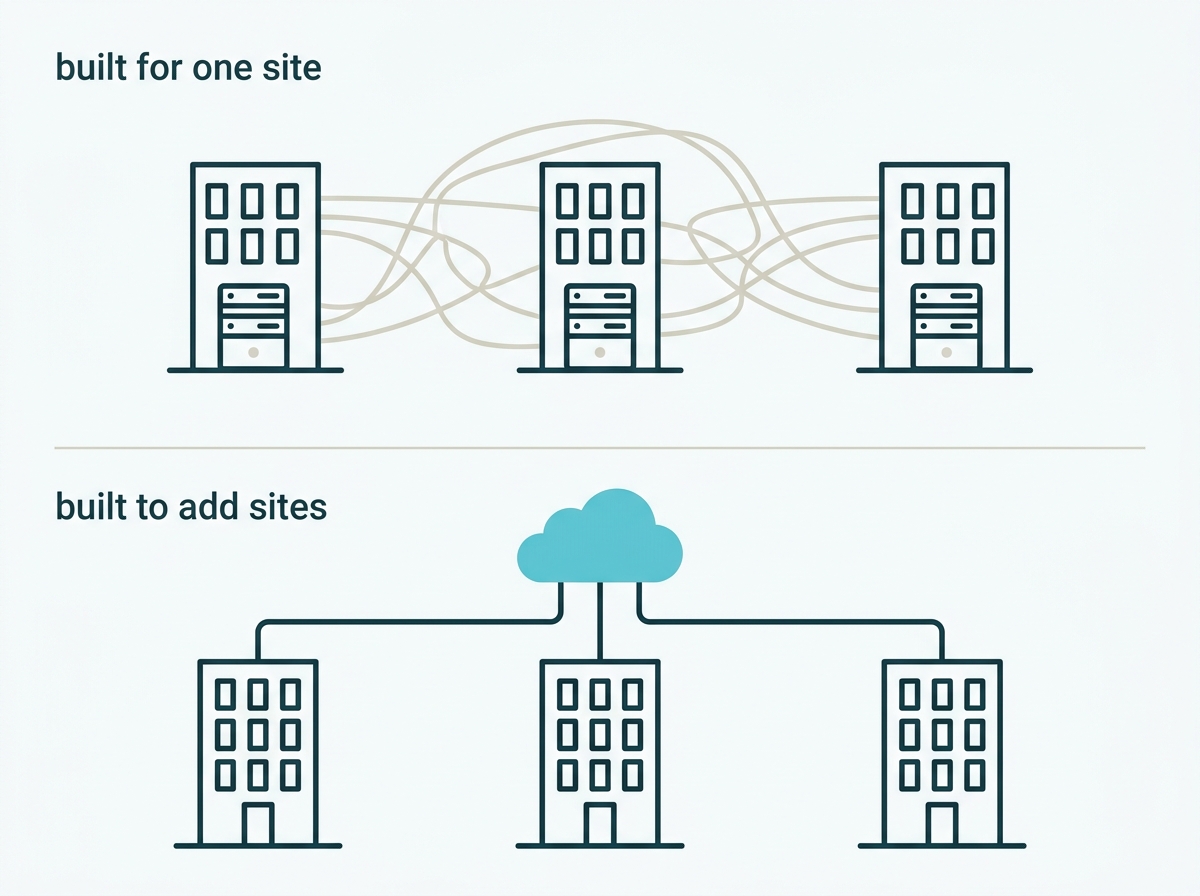
The scaling problem is management, not cameras. Any camera watches one place adequately. The question is whether adding a tenth site costs the same effort as adding the second.
-
VIGI offers two management routes: Local VMS on a Windows server for a self-contained network, and Cloud VMS for multiple sites with no local server, VPN, or on-site IT. Binding devices to Local VMS disconnects them from TP-Link Cloud.
-
Neither VMS stores footage. Recording happens on an NVR at each site, so every location still needs local storage regardless of how it is managed.
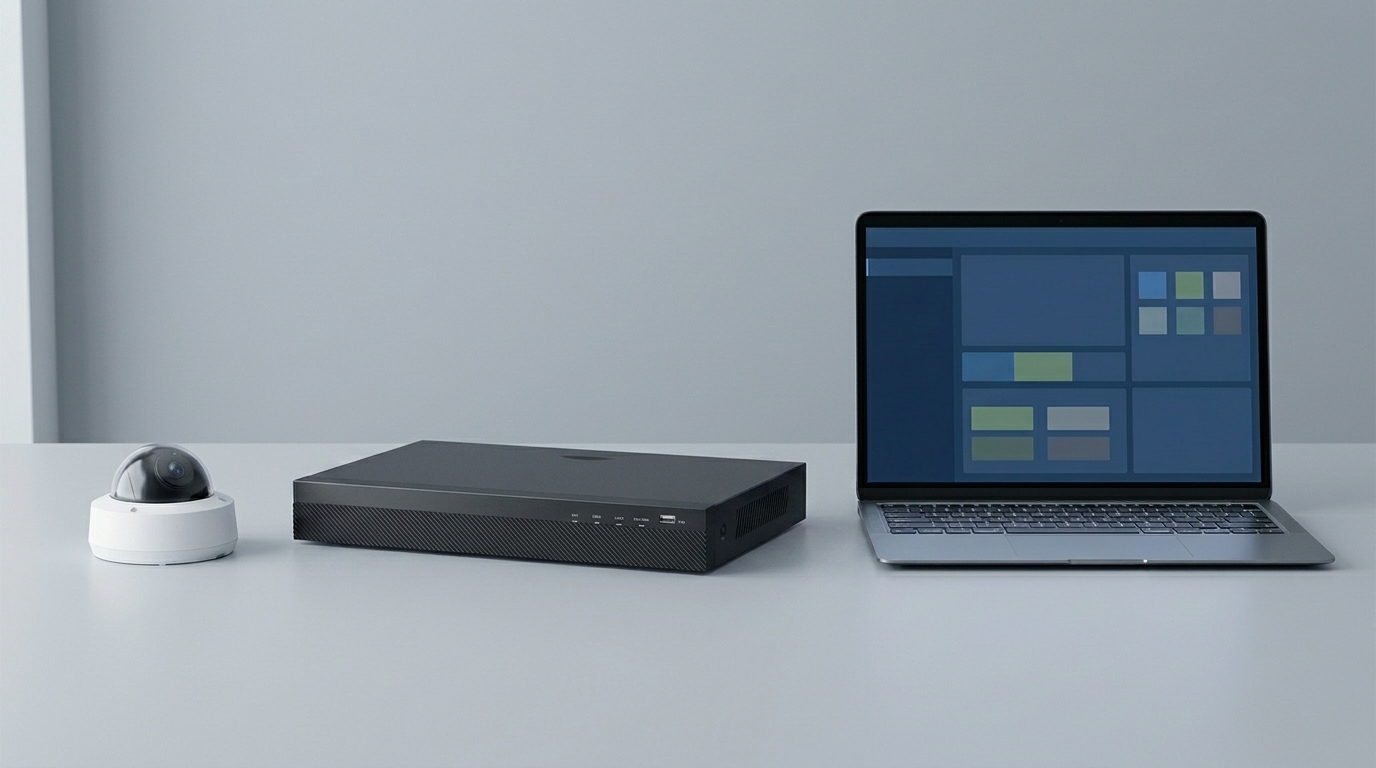
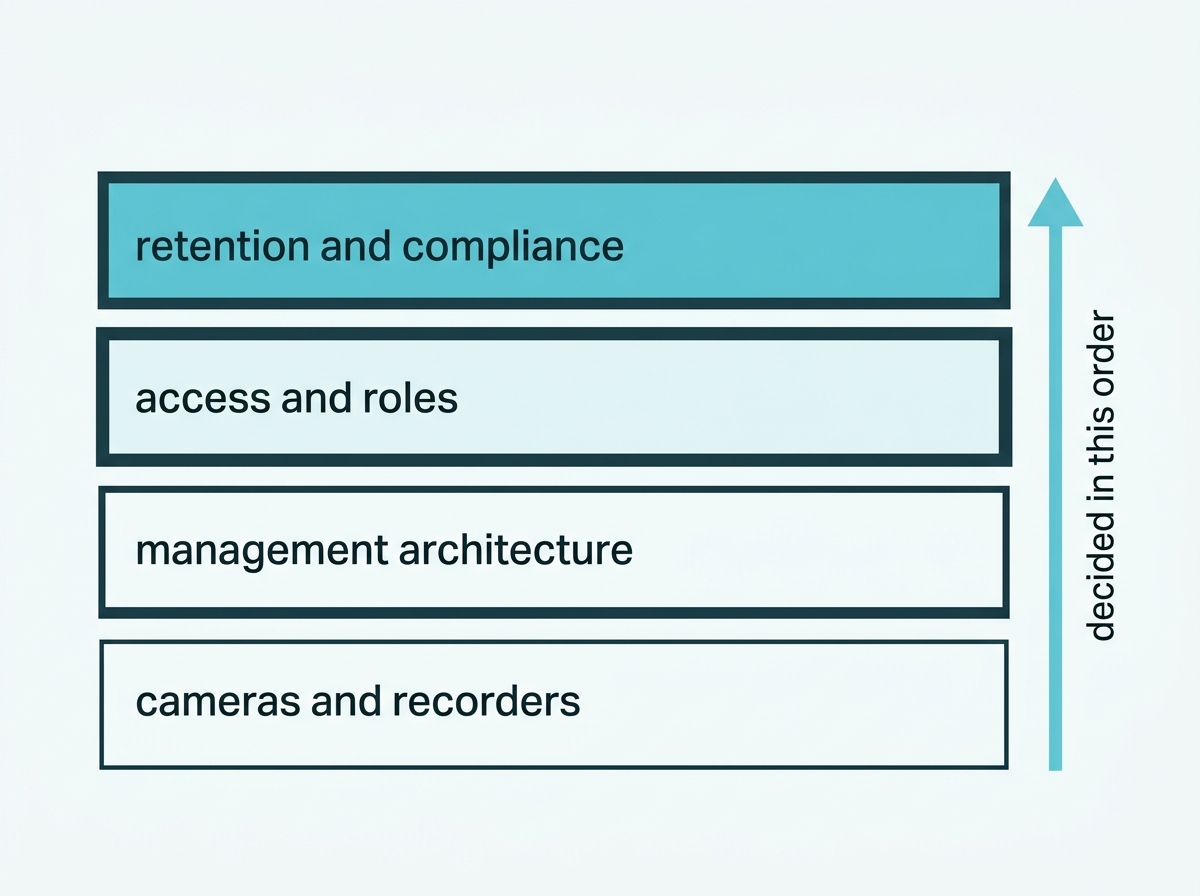
A business surveillance system is not a bigger version of a home one. A single shop can be run from an app, but once there are several sites, several people who need different levels of access, and a legal obligation to produce footage on request, the cameras stop being the hard part. What decides whether the system works is the layer above them: how devices are managed, where recordings live, who can see what, and whether adding a location means sending someone there. This guide covers those decisions and points to the detail on each.
Table of Contents
What Makes a System a Business System?
How Do You Manage Cameras Across Several Sites?
Where Does the Footage Actually Live?
How Do You Control Who Sees What?
What Does Philippine Law Require of a Business?
What Does Each Type of Business Need?
How Do You Avoid Rebuilding It Later?
What Makes a System a Business System?
Not the cameras. A capable camera watches one location, whether it belongs to a household or a chain. What separates a business deployment is everything that has to work when there are more cameras than one person can check, more sites than one person can visit, and more people who need access than should have all of it.
Four things change once a system crosses that line.
Management stops being per-device. Configuring five cameras individually is an afternoon. Configuring eighty across four branches individually is a job nobody does properly. Centralized platforms answer this with batch configuration and rules, though it is worth knowing the limit up front: on Cloud VMS, batch configuration can switch a feature on across many devices but cannot set specific parameters such as detection sensitivity, which still has to be tuned per device where it matters.
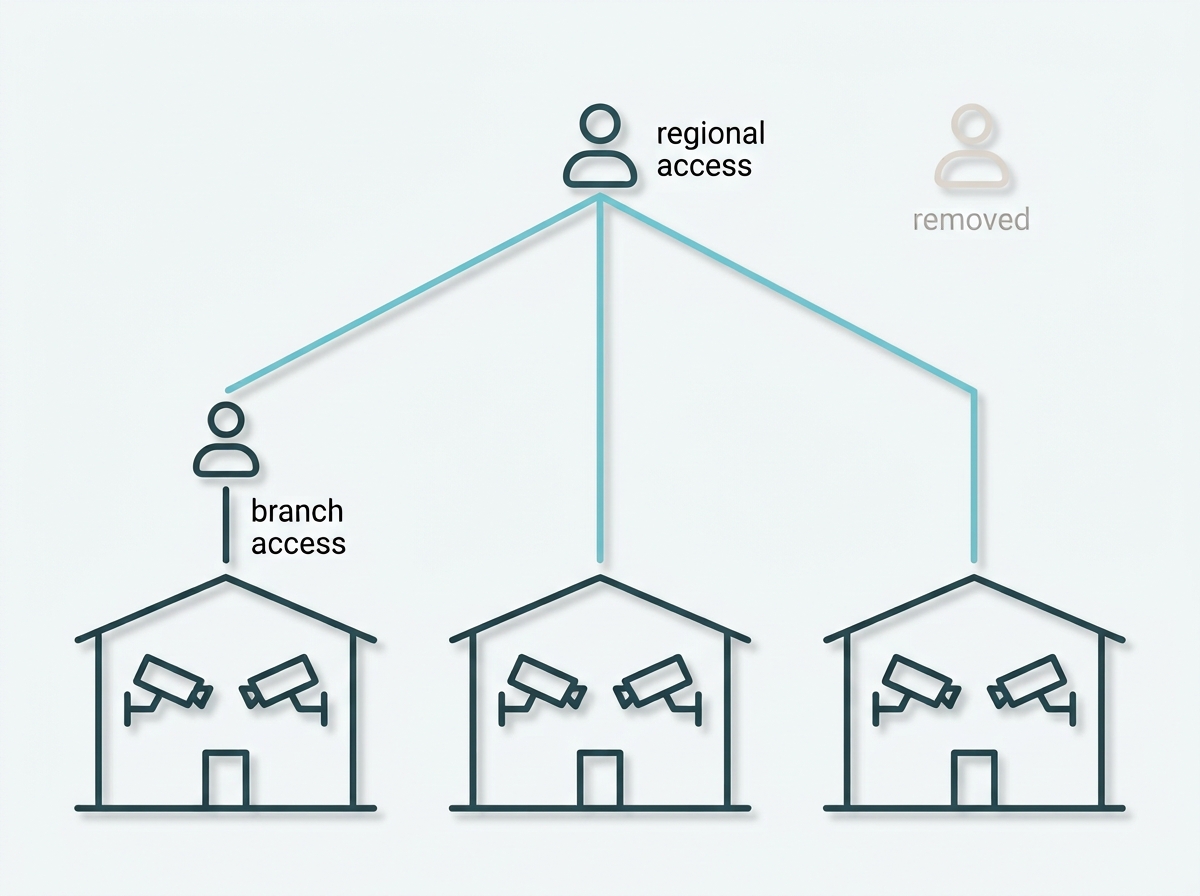
Access becomes a question rather than a given. In a home, whoever owns the system sees everything. In a business, a branch manager should see their branch and not head office, and someone who leaves should stop seeing anything.
Storage becomes a plan. Retention stops being whatever the drive holds and becomes a number you have decided, documented, and can defend.
The law applies. A business recording people in a space open to the public is bound by rules a household mostly is not.
The rest of this page covers those in turn. If you are still choosing hardware rather than architecture, our camera and system selection guides cover that side: CCTV System Philippines Buyer's Guide sets out specifications and compliance, and Video Storage & Recording Systems for CCTV covers recording and retention, and Best IP Camera in the Philippines covers reading a datasheet when you are comparing specific models.
What it means for you: count sites and people before counting cameras. Those two numbers decide the architecture, and the camera choice follows from it rather than the other way round.
How Do You Manage Cameras Across Several Sites?
Through a video management system, and VIGI offers two with genuinely different architectures. The choice is close to permanent, so it is worth making deliberately.
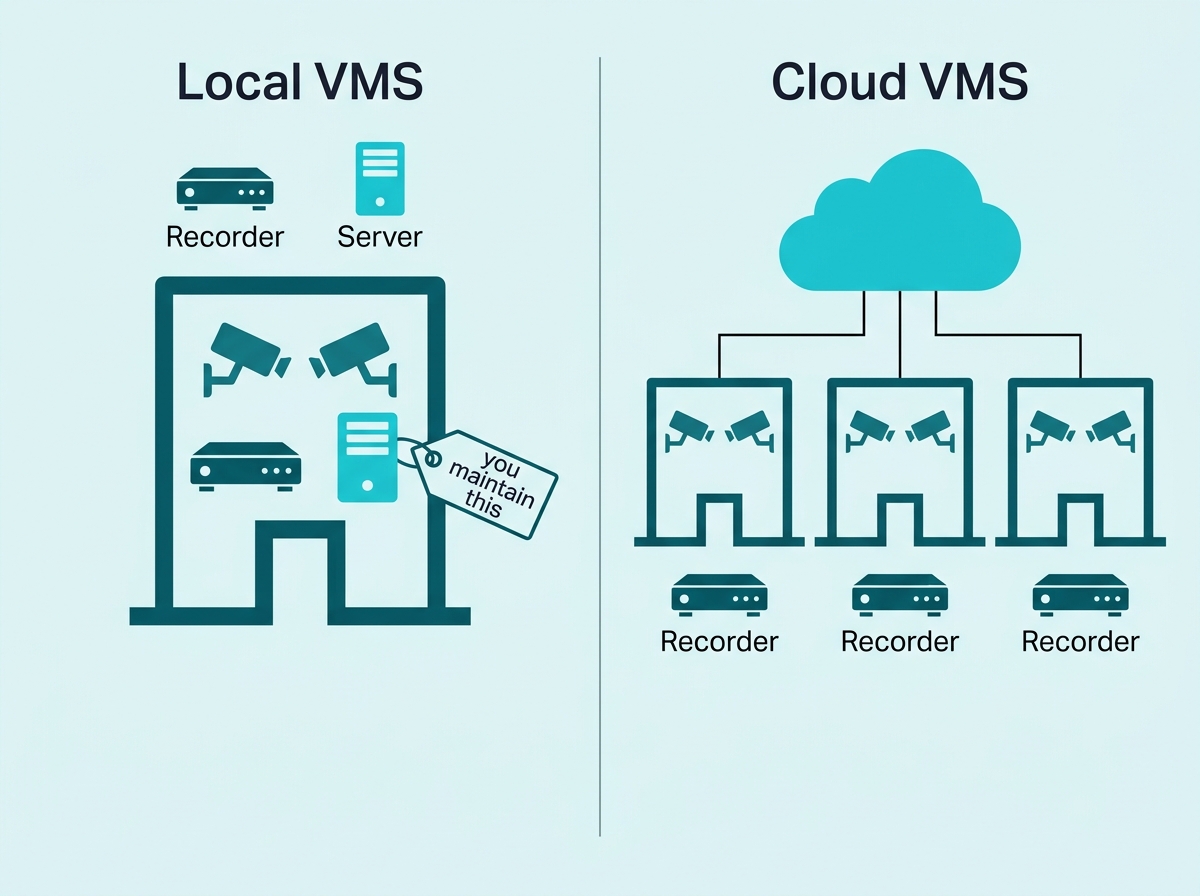
Local VMS installs on a Windows machine on your own network. TP-Link recommends it where there is no need to connect the surveillance system to an external network, and it is built for centralized management of medium-scale projects such as supermarkets, hotels, and schools. It mainly manages devices on the local network, though it also supports adding cross-network devices, and it supports cloud account binding so it can be reached remotely.
Cloud VMS runs on TP-Link's cloud infrastructure. It requires no local server deployment, no VPN, and no on-site IT maintenance, which is what makes adding a site a configuration task rather than a hardware project. It comes in a free tier covering organization, site, user, video, and alarm management, and a paid tier adding features including heatmaps, customer flow analytics, and crowd and queue management.
One condition matters more than any feature comparison. TP-Link states that once an account is bound to Local VMS, all VIGI devices are disconnected from TP-Link Cloud and completely managed by Local VMS. That makes this an architectural decision rather than a preference you can toggle, and it should be made before deployment rather than during it.
Feature-to-Benefit: Local VMS Against Cloud VMS
|
|
Local VMS |
Cloud VMS |
|
Where the server runs |
A Windows machine you own and maintain |
TP-Link's cloud, nothing to deploy |
|
Suits |
A self-contained network, single or few sites |
Multiple sites, branches, franchises |
|
Adding a site |
New server deployment at that location |
Add the site, no new server hardware |
|
Remote access |
Supported through cloud account binding |
Built in, no VPN required |
|
The catch |
Binding disconnects devices from TP-Link Cloud |
Free tier is basic; advanced analytics are paid |
Local VMS puts the management server in your building, which suits an operation that does not need outside connectivity and is prepared to maintain a machine. At the same time, Cloud VMS removes the server entirely, which is what makes a multi-branch rollout practical. Both centralize management. The difference is who runs the infrastructure and what happens to your devices' cloud connection when you choose.
What it means for you: decide this before deployment, not after. If you expect to add locations, the cloud route removes the per-site server that otherwise makes each new branch a project.
Where Does the Footage Actually Live?
On a recorder at each site, not in the management platform. This is the assumption that most often turns out to be wrong, and it is expensive to discover late.
TP-Link's documentation is explicit that VIGI Cloud VMS does not support cloud storage, and recommends using a VIGI NVR to manage cameras and hold recordings, with backup to an FTP server available depending on the recorder model and firmware version. A separate paid VIGI Cloud Storage subscription exists in some markets and is a different product from the management platform.
So a business running Cloud VMS across six branches has six recorders holding six sets of footage, centrally managed but locally stored. Each site needs storage sized to your retention period, and the recorder is what you would go to if a branch's footage were needed.
That is not a shortcoming, and there is a case for it: local recording continues through an internet outage, which a cloud-dependent recording setup would not. But it has to be budgeted rather than assumed. The economics of storing footage off-site, and what the paid service involves, are covered in our guide to cloud storage for security cameras, and sizing storage to a retention period is covered in Video Storage & Recording Systems for CCTV.
What it means for you: budget a recorder and drives for every location, even if management is centralized. A multi-site rollout is not a way of avoiding local storage.
How Do You Control Who Sees What?
Through per-site roles rather than a shared login, and this is the part of a business system that a home system has no equivalent for.
Cloud VMS is organized around organizations and sites, with users and managers assigned to them, which means a branch manager can be given their own location while a regional manager sees several and neither holds access beyond their role. The platform supports up to 5,000 users, and system logs are retained for 90 days.
Three practices matter more than the feature list.
Give access by site, not by system. The default of one shared account that everyone uses is what makes access reviews impossible later.
Remove people who leave. Nothing prompts this, so it has to be part of a departure process rather than an intention.
Know that the log exists and what it holds. Ninety days of system logs is a real record, and it is worth knowing its length when deciding what your own record-keeping needs to cover.
There is a compliance dimension here too, covered in the next section: access to recorded footage has to be limited to authorized personnel, and logs of viewing, copying, and transfers have to be maintained.
What it means for you: set the roles up at deployment, while the list of people is short. Retrofitting per-site access onto a system everyone shares one login for is a project nobody schedules.
What Does Philippine Law Require of a Business?
More than most operators expect, and it applies from the day the first camera goes up. NPC Circular 2024-02 governs CCTV use, and a business recording in a space open to the public during operating hours is inside its scope.
At framework level, it requires visible notice that cameras are operating, a declared legitimate purpose, coverage proportionate to that purpose, and accountability for the footage. It prohibits cameras in areas carrying a heightened expectation of privacy, and it requires a documented retention period set by purpose rather than by how much storage you happen to have. It requires access to be limited and logged, and it gives deadlines for producing footage when someone requests images of themselves.
None of that is onerous, and most of it is decided at design time rather than retrofitted. What makes it worth reading before buying is that several requirements are equipment requirements in disguise: whether a camera can mask part of its view, whether a recorder can log who viewed what, and whether you can find and export a specific clip quickly.
The full requirements, and which of them change what you buy, are covered in the CCTV System Philippines Buyer's Guide
What it means for you: decide your retention period and your declared purpose in writing before ordering equipment. They are the two answers everything else depends on, and they are also the two you would be asked for first.
What Does Each Type of Business Need?
The same architecture, weighted differently. What changes between industries is which problem dominates, not which technology applies.
|
Business type |
The dominant problem |
What that changes |
|
Retail chains |
Many identical sites, high foot traffic, staff turnover |
Cloud management, per-site access, identification-grade coverage at tills and entrances |
|
Hotels |
Guest privacy alongside coverage of shared areas, multiple buildings |
Careful placement and masking, camera travel limits, coverage of back-of-house |
|
Schools |
Large grounds, duty of care, sensitive placement rules |
Wide-area coverage, strict placement compliance, restricted access to footage |
|
Warehouses and yards |
Large open areas, few people, long distances |
Long-range coverage, movement-capable cameras, careful lens selection by distance |
|
Small single-site businesses |
One location, no dedicated IT |
A recorder and a handful of cameras managed from an app, no VMS required |
A retail chain's problem is repetition across sites, a hotel's is balancing coverage against guest privacy, a school's is scale plus strict placement rules, a warehouse's is distance, and a small shop's is that none of this should require an IT department. The equipment overlaps heavily. The design does not.
Detailed guidance for each sits in the cluster below this page, covering hotels, schools, retail, and small business specifically, along with how to choose cameras for your business size and layout. To see how VIGI groups its offering by industry, browse solutions by industry.
What it means for you: read the guidance for your own sector before generalizing from another. The camera list will look similar and the placement decisions will not.
How Do You Avoid Rebuilding It Later?
Design for the second site while you are building the first. Almost every painful surveillance estate started as a single-location system that was never meant to grow and then did.
Three decisions carry most of that risk.
The management architecture. A system built around a per-site server means every new location is a server deployment. One built around centralized cloud management means a new location is a configuration task. Choosing the second is cheap at the start and expensive to retrofit.
Storage sized from a decided retention period. If retention was never decided, it will be whatever each site's drive happened to hold, and those will differ. That is a compliance problem as well as an operational one.
Access structured by site from day one. Shared logins are easy to create and hard to unwind.
None of these costs meaningfully more at the outset. All three cost real work later, which is the definition of a decision worth making early.
To see the components a business system is built from, browse VIGI cameras and VIGI network video recorders, or explore VIGI's software and VMS and VIGI's business surveillance solutions.
What it means for you: if there is any prospect of a second location, choose the architecture that assumes one. It costs nothing now, and it is the difference between adding a branch in an afternoon and adding one as a project.
Frequently Asked Questions
What makes a business surveillance system different from a home one?
The management layer rather than the cameras. A business system has to handle more devices than one person can configure individually, more sites than one person can visit, access levels that differ by role, storage planned against a documented retention period, and legal obligations that apply to recording people in spaces open to the public.
What is the difference between VIGI Local VMS and Cloud VMS?
Local VMS runs on a Windows machine on your own network and suits a self-contained setup, while Cloud VMS runs on TP-Link's cloud and needs no local server, VPN, or on-site IT, which is what makes multi-site management practical. Note that binding devices to Local VMS disconnects them from TP-Link Cloud, so the choice is architectural rather than a setting.
Does VIGI Cloud VMS store my recorded footage?
No. TP-Link states that Cloud VMS does not support cloud storage and recommends a VIGI NVR to manage cameras and hold recordings, with FTP backup available depending on the recorder model and firmware. A separate paid VIGI Cloud Storage subscription exists in some markets and is a different product.
Can different staff have different access across sites?
Yes. Cloud VMS is organized around organizations and sites with users and managers, so a branch manager can be limited to their own location while a regional manager sees several, and access can be withdrawn when someone leaves. System logs are retained for 90 days.
Do I need a VPN to manage cameras across multiple locations?
Not with Cloud VMS, which is built for remote multi-site access without VPN configuration. Local VMS mainly manages devices on its own network, though it supports adding cross-network devices and can be reached remotely through cloud account binding.
What does Philippine law require of a business running CCTV?
NPC Circular 2024-02 applies to businesses recording in public or semi-public spaces, requiring visible notice, a declared purpose, proportionate coverage, restricted and logged access, and a documented retention period that is not simply whatever the storage holds. It also prohibits cameras in areas with a heightened expectation of privacy.
How many cameras can one system manage?
More than most businesses need, and the practical limits sit on the recorder rather than the management platform. Each recorder has a channel count and a total bandwidth figure that constrain how many cameras it can take, while VIGI VMS offers up to 64-channel live views and Cloud VMS supports up to 5,000 users, with four able to watch live simultaneously.
Final Thoughts
Choosing a business surveillance system in the Philippines is mostly not a camera decision. Cameras are the visible part and the easy part. What determines whether the system still works at the fourth branch, with eleven people needing different access and a retention period you have to defend, is the architecture chosen at the first branch.
Three decisions carry it. How devices are managed, which on VIGI is Local VMS on your own server or Cloud VMS with none, and which is close to permanent once devices are bound. Where footage lives, which is on a recorder at each site regardless of how it is managed. And who can see what, which is far easier to structure at deployment than to unwind later.
The compliance layer runs alongside all three rather than after them, because a documented retention period and restricted, logged access are requirements as much as they are good practice.
If you are designing rather than researching, bring a VIGI specialist four things: how many sites you run now and expect to run in two years, how many people need access and at what level, how many days of footage you are required to keep, and whether any site needs to operate without an internet connection. You will get back a management architecture that fits the second number rather than the first, storage sized per site to your retention period, and a straight answer on whether your operation needs a VMS at all or whether a recorder and the app will do. Or explore VIGI's business surveillance solutions to see the cameras, recorders, and management tools behind the architecture above.