


Hotel WiFi Design: Building Three Separate Networks Under One Roof
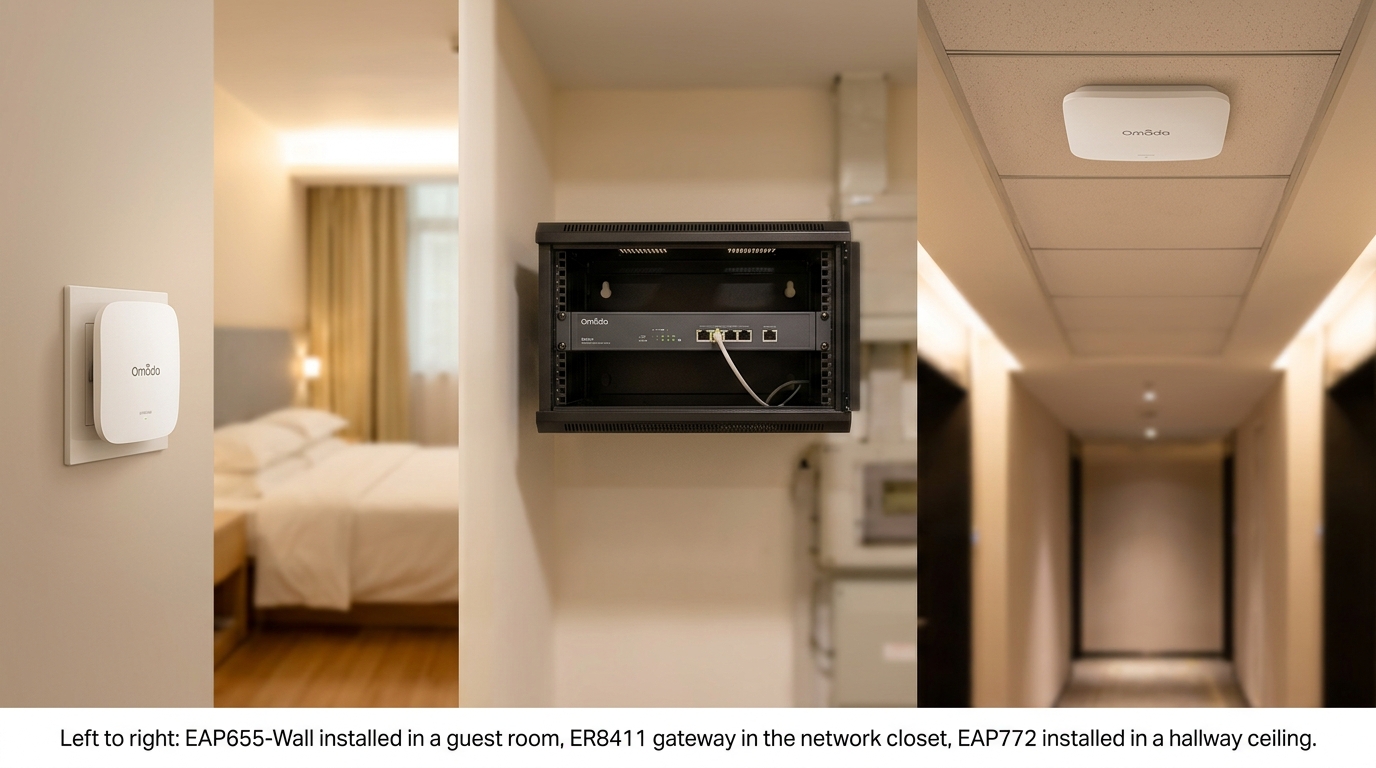
Published: July 14, 2026 | Last Updated: July 14, 2026
A hotel guest deciding between two properties increasingly checks WiFi reviews before checking room rates, and a weak signal in one wing or a captive portal that won't load is the kind of complaint that shows up online within the hour. Designing hotel WiFi well means treating it as three separate networks under one roof, not one signal stretched across guest rooms, the front desk, and the door lock system all at once.
This guide covers the Philippine-specific aspects of that design: what local tourism accreditation actually expects, how guest data collected at check-in should be handled, and how to keep the network running during a rotating brownout.
The general hardware and access point math behind any of this lives in our full business WiFi setup guide and Business WiFi Solutions Philippines overview.
Quick Answer
-
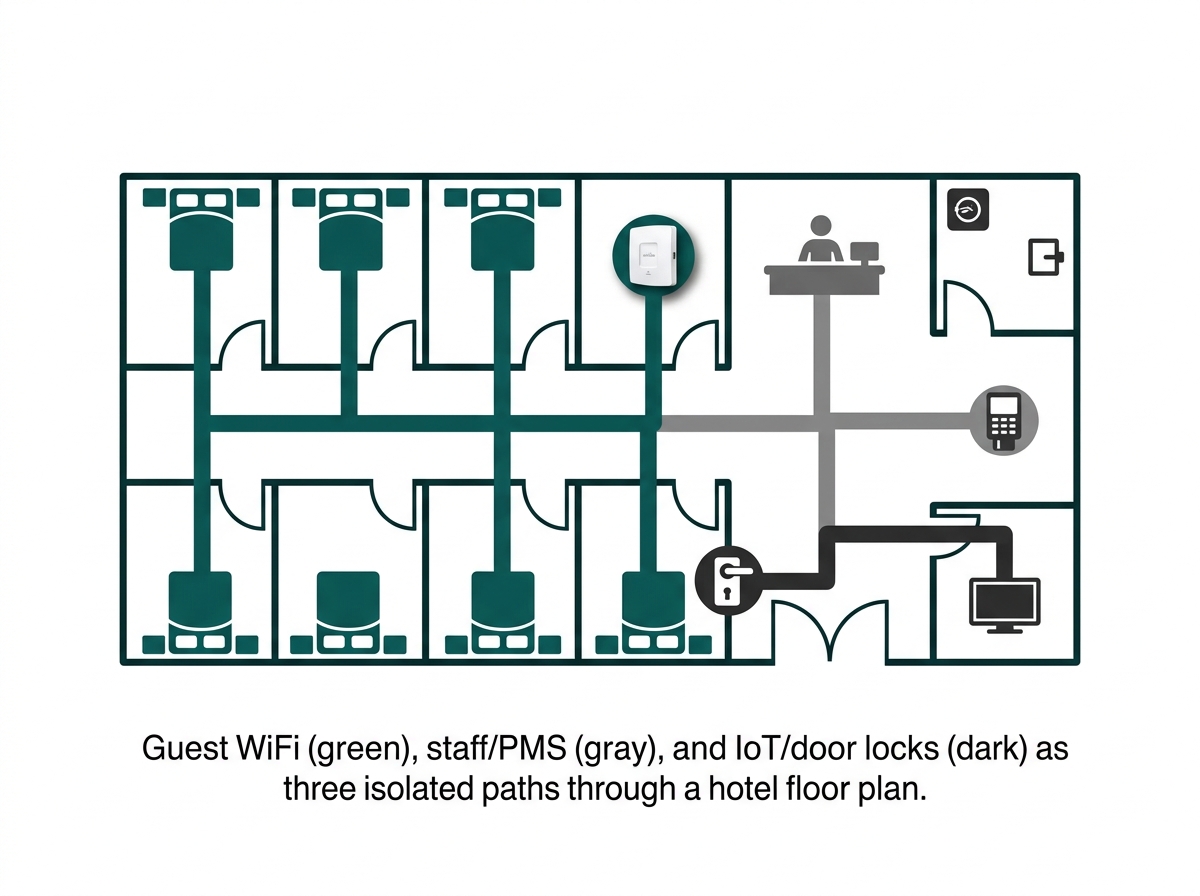
Hotel WiFi design requires three isolated networks: guest WiFi, staff/PMS (property management system and payment terminals), and IoT/building systems (door locks, IPTV, HVAC, and cameras).
-
Philippine hotels, resorts, and apartment hotels need DOT accreditation under the Tourism Act of 2009 (RA 9593), and reliable connectivity has become a baseline guest expectation evaluated alongside facilities and services.
-
Guest data collected through a captive portal is subject to the same Data Privacy Act consent rules as any business, and hotel networks need multi-WAN failover to survive rotating brownouts without losing the front desk along with the lights.
Table of Contents
Hotel WiFi Design Starts With Three Separate Networks
Why WiFi Quality Is Tied to a Hotel's Department of Tourism Standing
How Do You Handle Guest Data Collected at Check-In
How Do You Design the Network Itself
Does Hotel WiFi Need to Support Guest Room Smart TVs and Streaming
Hotel WiFi Design Starts With Three Separate Networks
Every hotel network, regardless of size, needs to keep three types of traffic from ever touching each other.
Feature-to-Benefit: The Three Hotel Networks
|
Network |
Carries |
Isolation Requirement |
Practical Benefit |
|---|---|---|---|
|
Guest WiFi |
Room and common-area internet access for guests |
No access to any other network segment |
Keeps a guest's compromised or malware-carrying device from ever reaching hotel systems |
|
Staff / PMS |
Front desk, property management system, payment terminals |
Isolated from guest WiFi entirely |
Protects payment card data and reservation records from guest-side exposure |
|
IoT / building systems |
Door locks, IPTV, HVAC controls, security cameras |
Separate the VLAN from both the guest and staff networks |
Prevents a compromised smart TV or door lock from becoming a path into guest or staff data |
The reasoning is the same as for any business guest network, just with more at stake: a hotel's staff network carries the property management system and payment terminals, and its IoT network increasingly includes electronic door locks. The isolation principles are covered in more depth in our Guest WiFi Best Practices guide.
Why WiFi Quality Is Tied to a Hotel's Department of Tourism Standing
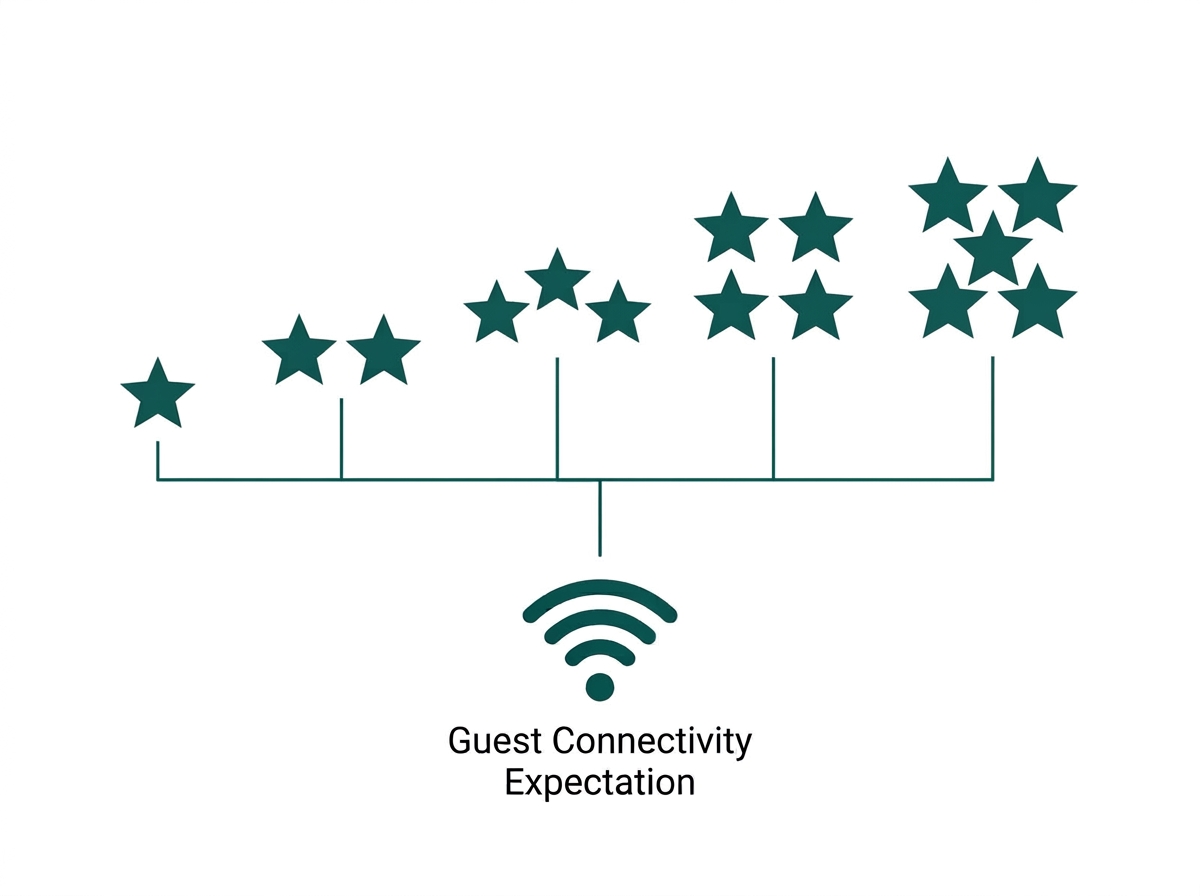
Accommodation establishments in the Philippines, including hotels, resorts, and apartment hotels, are required to hold Department of Tourism accreditation under the Tourism Act of 2009 (RA 9593), administered through the DOT's National Accommodation Standards and star-rating system. Facilities and services are part of what's evaluated, and connectivity has become a baseline guest expectation across every tier, from budget tourist inns to five-star resorts.
Business-oriented hotels in particular are expected to offer fast, reliable WiFi as a core amenity alongside workstations and meeting space, which makes network design a factor in a property's market positioning and accreditation standing, not just an IT line item. A property investing in real coverage and reliability is protecting both its guest reviews and its formal DOT classification at the same time.
How Do You Handle Guest Data Collected at Check-In
A hotel's guest WiFi captive portal often doubles as a marketing tool, capturing names, emails, or social logins alongside internet access. That data collection is subject to the same Data Privacy Act (RA 10173) and NPC consent guidelines that apply to any business captive portal: specific, unbundled consent, no pre-checked marketing boxes, and a clear notice of what's collected and why.
The full breakdown of compliant captive portal design, including a table of what requires what kind of consent, is in our Guest WiFi Best Practices guide.
Front desk registration data and WiFi login data are often collected by different systems for different purposes; a hotel should be able to explain both clearly if a guest asks what's being done with their information. Treating these as two separate data flows, rather than one blended pool, also makes it easier to answer a data privacy act inquiry cleanly if one ever comes up.
How Do You Design the Network Itself
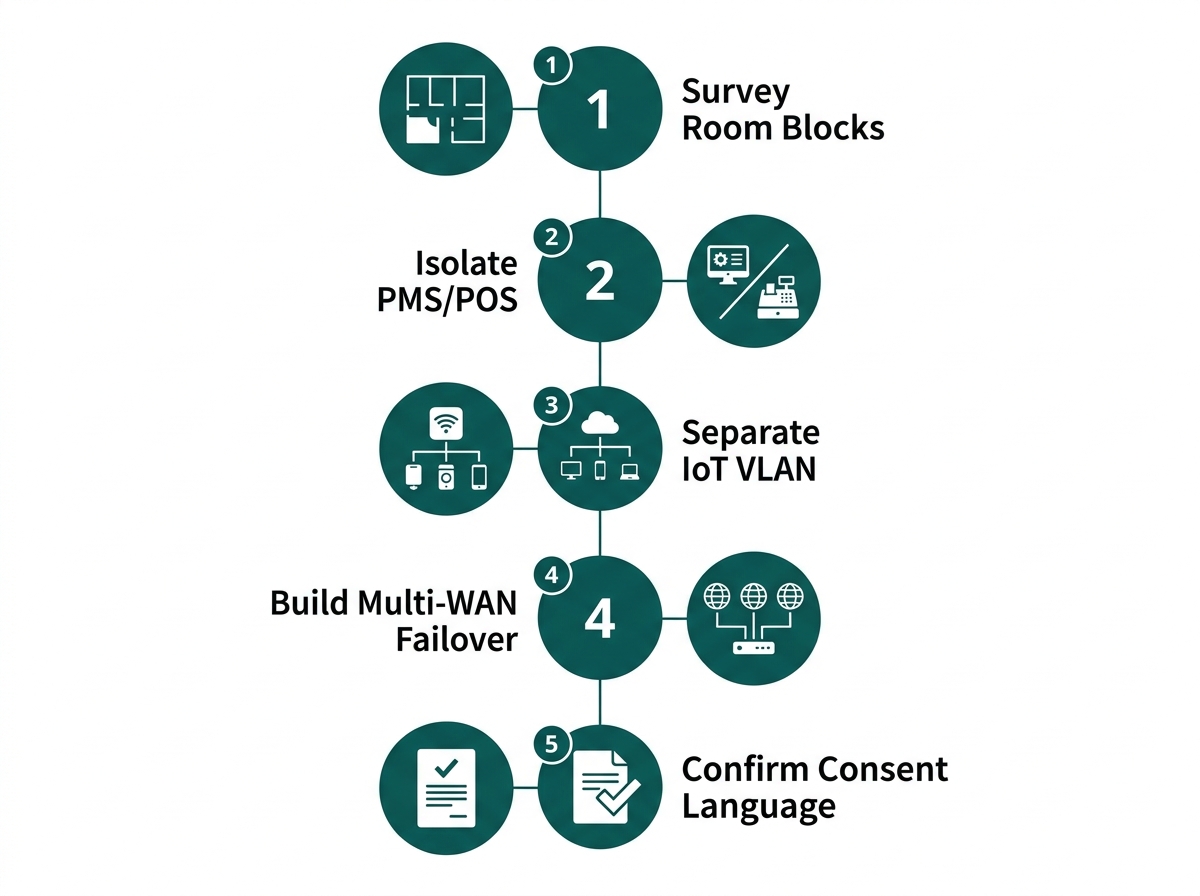
Hotel network design comes down to five practical steps beyond the standard access-point math.
-
Survey each guest room block separately. Concrete floor slabs and walls between rooms, standard in most Philippine hotel construction, mean coverage often needs one access point per one or two rooms rather than one per open floor area.
-
Keep the PMS and payment terminals on a dedicated VLAN with no path to guest WiFi, following the same isolation principle used for any point-of-sale system.
-
Put door locks, IPTV boxes, and building automation on their own IoT VLAN, separate from both guest and staff traffic, since these devices are common targets for lateral movement if compromised.
-
Built-in multi-WAN failover. Manila's grid has run repeated rotating brownouts during 2026 red alerts, and a hotel losing connectivity mid-stay affects both guest experience and staff operations at the front desk simultaneously.
-
Confirm captive portal consent language meets NPC requirements before launch, particularly if the portal is also used to capture marketing data for the property's own outreach.
Does Hotel WiFi Need to Support Guest Room Smart TVs and Streaming
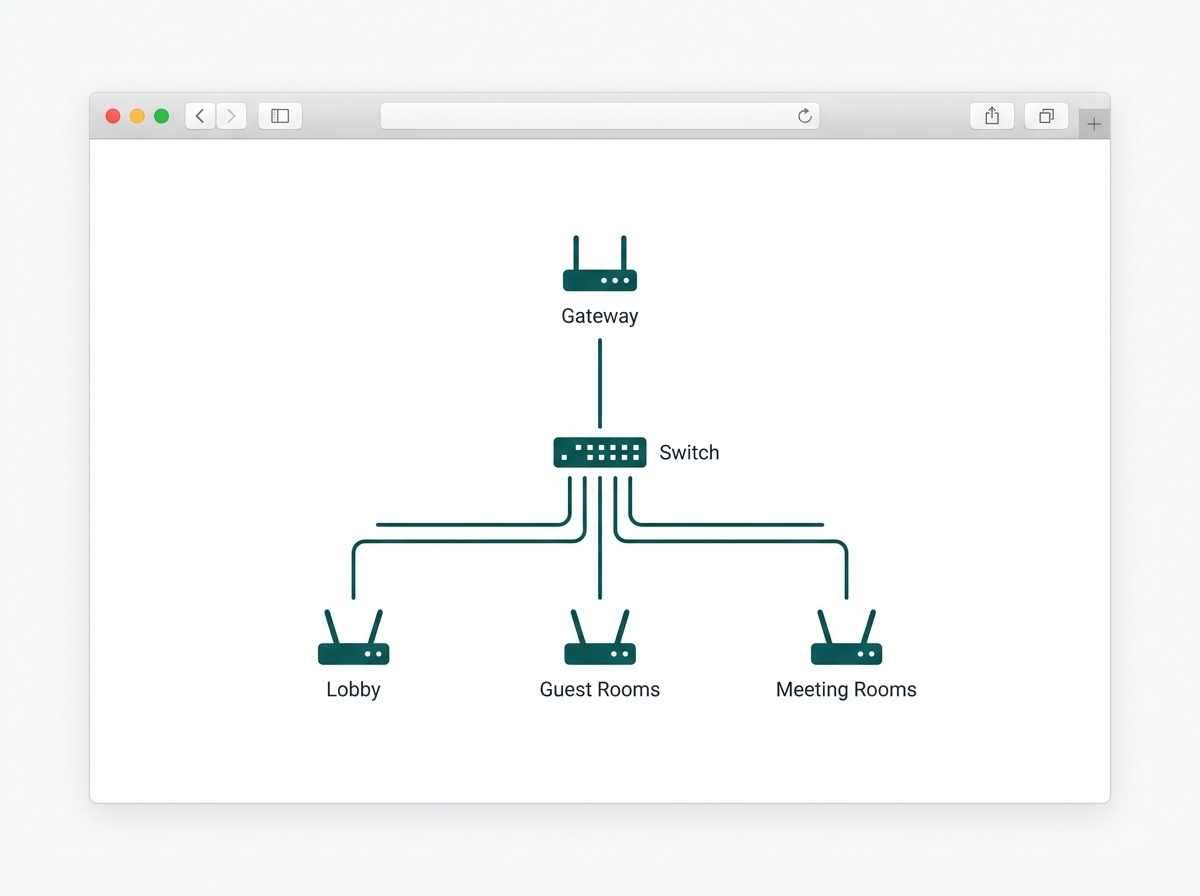
Increasingly, yes. Guests routinely expect to cast or stream to the in-room TV from their own devices, which requires the network to support IGMP snooping and IPTV compatibility so that streaming traffic doesn't flood the entire guest VLAN.
This is one of the features included in Omada's hospitality-specific solution, alongside seamless roaming, so a guest's connection doesn't drop when moving from the lobby to their room. A property advertising in-room casting or smart TV features to guests needs this network-level support in place first, or the feature will feel broken rather than premium.
Frequently Asked Questions
How many access points does a hotel need per floor?
More than an open office of the same size, because guest rooms are individually walled and often concrete. Expect roughly one access point per one to two rooms rather than the open-floor estimate used for offices, and a per-floor site survey is the only reliable way to confirm the count for a specific property.
Can the same WiFi network serve both guests and hotel staff?
No, not on the same SSID or VLAN. Staff devices, the PMS, and payment terminals should sit on a completely separate, isolated network from guest WiFi. This is the same principle covered in our Guest WiFi Best Practices guide, just applied with a third IoT segment on top since hotels carry more device types than a typical office.
Is a hotel required to offer free guest WiFi in the Philippines?
There's no general legal mandate forcing every private hotel to offer free WiFi, though it has become a near-universal market expectation and factors into DOT accreditation scoring. DICT has run public initiatives to fund free internet access in major tourist destinations, which is a government connectivity program for public areas rather than a requirement for individual hotel operators.
Does a hotel captive portal need a data protection officer?
It depends on the scale and nature of data processing; larger accommodation groups collecting guest data across multiple properties are more likely to need a designated DPO under NPC guidance. Smaller independent hotels should still meet the core consent and transparency requirements even without a formally designated DPO, since the consent obligations apply regardless of company size.
What happens to hotel WiFi during a power outage?
Properly designed hotel networks pair PoE-powered access points with UPS backup on the switch and gateway, and increasingly a secondary WAN connection for failover. Guest and front-desk connectivity survives short grid interruptions rather than dropping the moment power cuts out, which matters during Metro Manila's rotating brownout periods.
Do hotel guest rooms need a different access point than the lobby?
Yes, typically. Guest rooms are individually walled and lower-traffic, suiting a wall plate access point per room or every couple of rooms, while lobbies and meeting rooms are higher-density and benefit from a ceiling-mount access point built for concurrent connections. Mixing access point types by area, rather than using one model property-wide, usually delivers better coverage per peso spent.
Final Thoughts
Hotel WiFi design in the Philippines means three isolated networks, guest room construction that behaves differently from an open office floor, guest data handled under the Data Privacy Act, and enough power resilience to survive a rotating brownout without losing the front desk along with the lights. Getting each of those right protects both the guest experience and the property's accreditation standing.
Omada's hospitality-specific solution covers high-density access points, seamless roaming, multi-WAN gateways, and captive portal tools built for exactly this kind of deployment, all managed from the same Omada controller, whether the property has 50 rooms or 300.
By Laviet Joaquin, Head of Marketing, TP-Link Philippines