


Wi-Fi 6 vs Wi-Fi 7: Which Standard Should Your Business Network Run?
Published: July 13, 2026 | Last Updated: July 13, 2026
Wi-Fi 7 access points are already shipping, but for most Philippine business networks, the right question isn't which standard is faster on a spec sheet; it's whether your office's internet plan, device density, and budget can actually put that extra speed to work. Wi-Fi 6 remains the practical default for most Philippine offices in 2026, while Wi-Fi 7 earns its place in a narrower set of high-density or latency-sensitive setups.
Quick Answer
-
Wi-Fi 6 (802.11ax) tops out at 9.6 Gbps theoretical and remains the practical default for most Philippine offices in 2026, since it already outpaces typical business internet plans and device counts.
-
Wi-Fi 7 (802.11be) adds wider 320MHz channels, 4K-QAM, and Multi-Link Operation (MLO), which matter most for high-density floors, heavy local file transfers, and latency-sensitive traffic like VoIP or live video.
-
The National Telecommunications Commission opened the 5,925-6,425 MHz band for indoor Wi-Fi use in the Philippines in July 2024, clearing the regulatory path for both Wi-Fi 6E and Wi-Fi 7 hardware.
Table of Contents
Wi-Fi 6 vs Wi-Fi 7: The Core Spec Comparison
Why the Gap Matters More on Paper Than in Most Philippine Offices
What Does Wi-Fi 7's Multi-Link Operation Change for a Business Network
Is Wi-Fi 7 Legal to Deploy in the Philippines
Which Offices Should Choose Wi-Fi 6 vs Wi-Fi 7
Do Wi-Fi 7 Access Points Cost More Than Wi-Fi 6 Models
Wi-Fi 6 vs Wi-Fi 7: The Core Spec Comparison
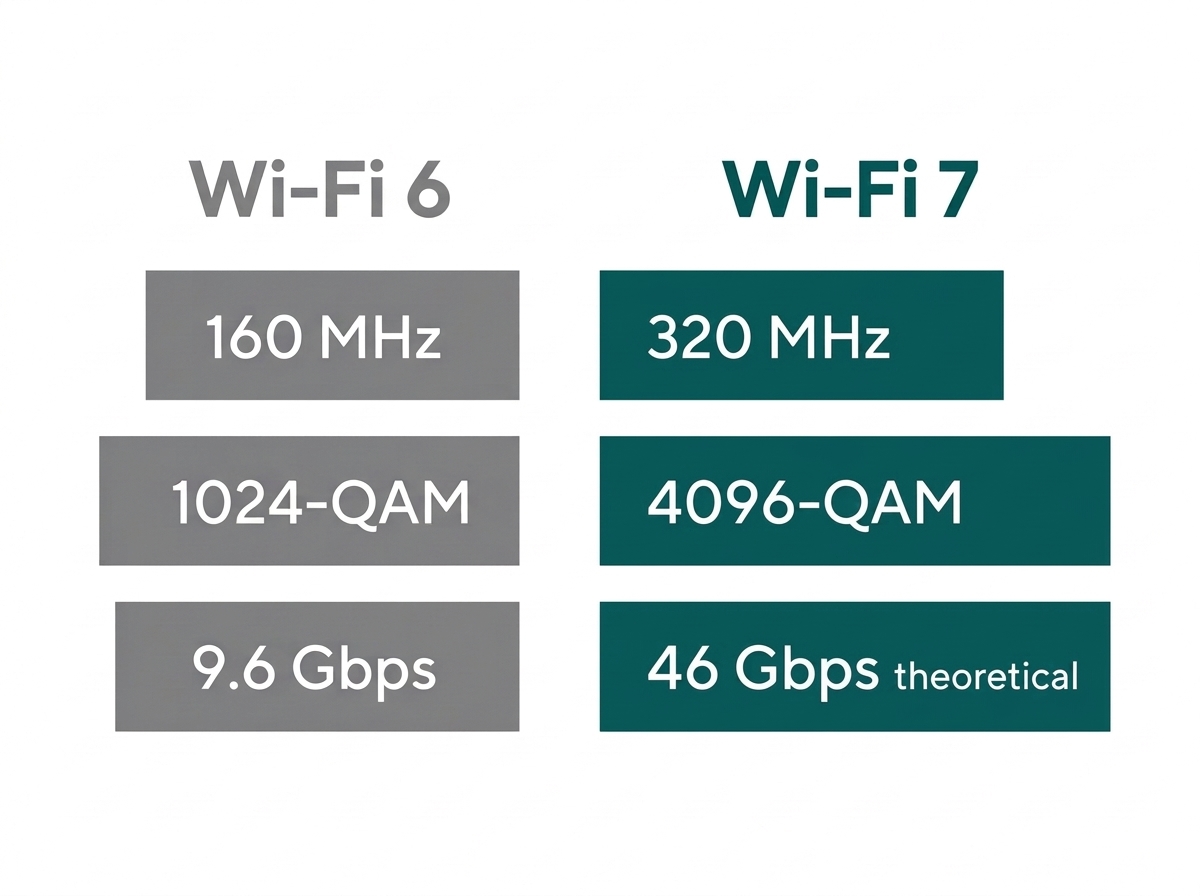
Wi-Fi 7 (802.11be) widens channels, adds a denser modulation scheme, and lets a device use multiple bands at once. Wi-Fi 6 (802.11ax) has already made Wi-Fi efficient for crowded offices with OFDMA and multi-user MIMO. The table below lines up the core specs.
Feature-to-Benefit: Wi-Fi 6 vs Wi-Fi 7 for Philippine Offices
|
Spec |
Wi-Fi 6 (802.11ax) |
Wi-Fi 7 (802.11be) |
Practical Benefit |
|---|---|---|---|
|
Certification |
Wi-Fi Alliance cert. began in 2019; IEEE ratified in Feb 2021 |
Wi-Fi Alliance Release 1, Jan 2024; IEEE finalized Jul 2025 |
Wi-Fi 6 has five-plus years of real-world deployment history in PH offices; Wi-Fi 7 is newer and still building that track record. |
|
Max channel width |
160 MHz |
320 MHz |
Wider channels help most in dense environments with many APs close together, not a typical single-office deployment. |
|
Modulation |
1024-QAM |
4096-QAM |
Roughly 20% more data per transmission on Wi-Fi 7, useful for large local file transfers between office devices. |
|
Theoretical max speed |
9.6 Gbps |
Up to 46 Gbps (multi-stream); ~5.76 Gbps for a typical 2x2 client |
Both far exceed what a typical PH business fiber plan (up to 1 Gbps) can actually deliver to the internet. |
|
Multi-user technology |
OFDMA + up to 8x8 MU-MIMO |
OFDMA + Multi-Link Operation (MLO) |
MLO adds resilience during peak-hour congestion on a crowded office floor, not just raw speed. |
|
Bands used simultaneously |
One band at a time per connection |
Two or three bands at once via MLO |
Matters most for VoIP-heavy floors and live video, where a mid-call band switch previously meant a dropped connection. |
Why the Gap Matters More on Paper Than in Most Philippine Offices
Median fixed broadband download speed in the Philippines was about 94 to 105 Mbps as of late 2025, according to BusinessWorld's coverage of Ookla and DICT connectivity data, and even a business-grade fiber plan tops out at 1 Gbps for most providers without a custom enterprise contract. Both figures sit far below Wi-Fi 6's 9.6 Gbps theoretical ceiling, let alone Wi-Fi 7's.
What it means for you: the extra headroom in either standard mostly benefits local traffic and transfers between a laptop and an in-office file server or backup device. A BPO floor moving large call-recording files internally will notice Wi-Fi 7's ceiling; a standard office running email, browsing, and video calls almost certainly will not, since the internet connection itself is the limiting factor either way.
The access point count and coverage math behind either choice are covered in our full business Wi-Fi setup guide.
What Does Wi-Fi 7's Multi-Link Operation Change for a Business Network
Multi-Link Operation (MLO) lets a single device send and receive data across two or three Wi-Fi bands (2.4GHz, 5GHz, and 6GHz) at the same time, instead of locking onto one band per connection, the way Wi-Fi 6 does. That changes both throughput and reliability, not just top speed.
What MLO actually does: if one band gets congested or hits interference, a Wi-Fi 7 device can shift traffic to another band mid-session without dropping the connection, and it can combine bandwidth across bands for a single high-throughput task. This is a structural difference from Wi-Fi 6, where a device picks one band and stays there until it disconnects.
Where it matters most: MLO's benefit shows up most clearly in latency-sensitive, always-on traffic: VoIP-heavy call center floors, live video production, or environments running dozens of concurrent video calls. A typical office running email, browsing, and occasional video calls is unlikely to notice the difference in daily use, since Wi-Fi 6's OFDMA already handles that traffic pattern well.
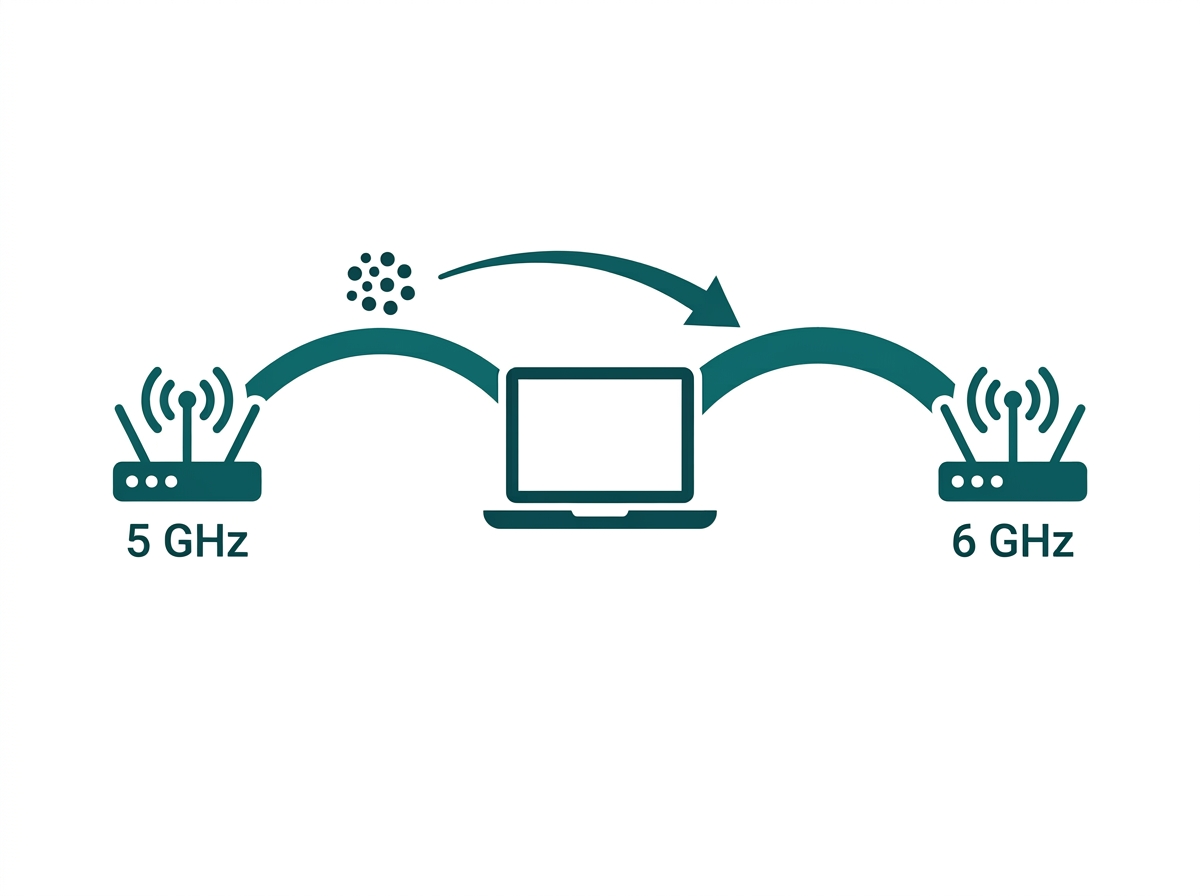
What it means for you: a hotel front desk running constant VoIP calls to housekeeping and a BPO floor with dozens of simultaneous video calls are the clearest cases where MLO earns its cost. A standard back-office team checking email and joining the occasional Zoom call is not.
Is Wi-Fi 7 Legal to Deploy in the Philippines
Yes. The National Telecommunications Commission opened the 5,925-6,425 MHz band for indoor Wi-Fi use in the Philippines through Memorandum Circular No. 002-07-2024, effective July 2024. That clears the regulatory path for Wi-Fi 6E and Wi-Fi 7 hardware operating in the 6GHz band.
What it means for you: because that opening is relatively recent, it's still worth confirming that a specific imported access point model carries NTC type approval before ordering it for a Philippine deployment, rather than assuming every Wi-Fi 7 device sold internationally is automatically cleared for local use. Omada's Philippine product listings reflect models that are cleared for local deployment, which removes this guesswork for anything sourced directly through Omada PH.
Which Offices Should Choose Wi-Fi 6 vs Wi-Fi 7
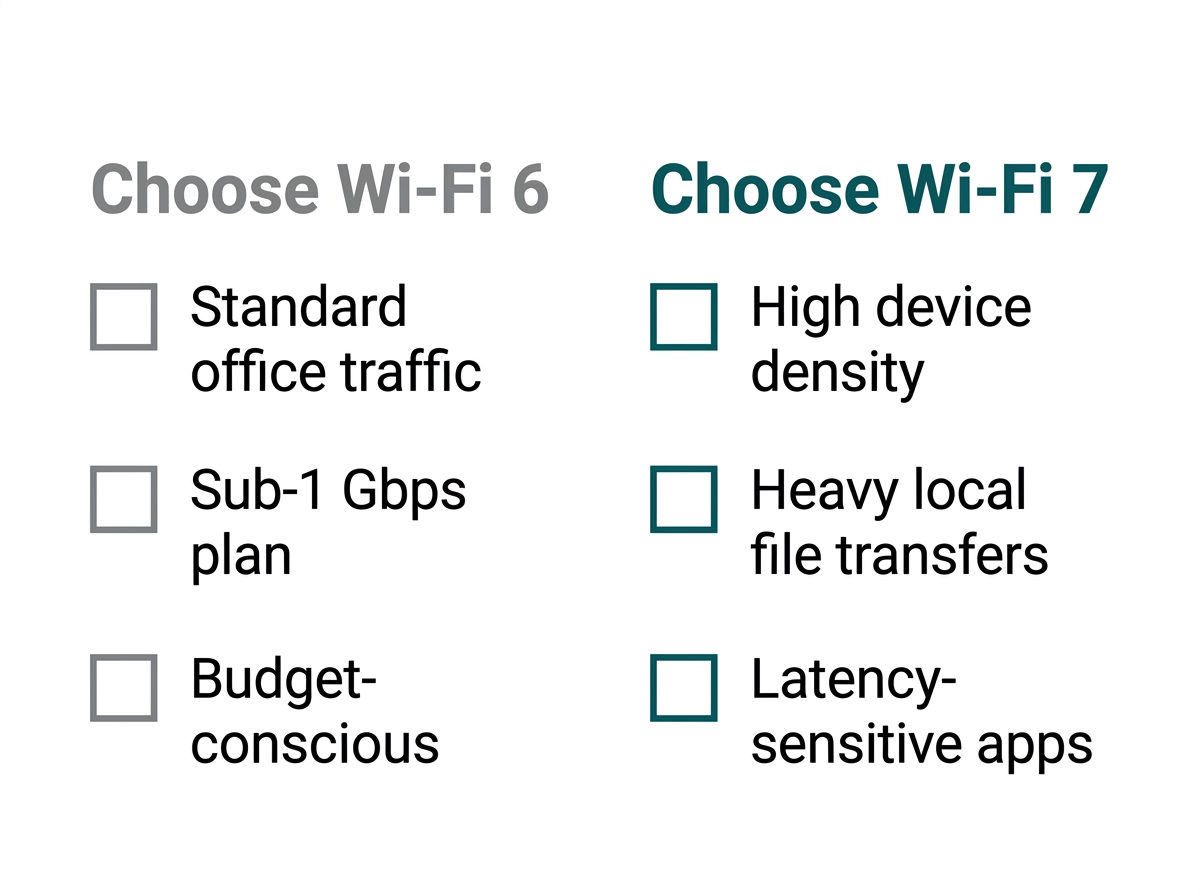
Wi-Fi 6 covers the large majority of Philippine business networks well. Wi-Fi 7 is worth the premium for a smaller set of cases.
Wi-Fi 6 is the better fit when the office runs standard business traffic (email, browsing, video calls, and POS systems); the internet plan tops out well under a symmetric 1 Gbps; and budget is a bigger constraint than future headroom.
Wi-Fi 7 is worth considering when the floor has heavy concurrent device density; the business regularly moves large files across the local network (video production, large backups, and design files); latency-sensitive applications run continuously; or the deployment is meant to stay in place for five or more years with room to grow into faster internet plans later.
Both Wi-Fi 6 and Wi-Fi 7 access points connect back through a PoE switch and are managed from the same Omada controller, so mixing standards during a phased upgrade doesn't require separate management systems.
Do Wi-Fi 7 Access Points Cost More Than Wi-Fi 6 Models
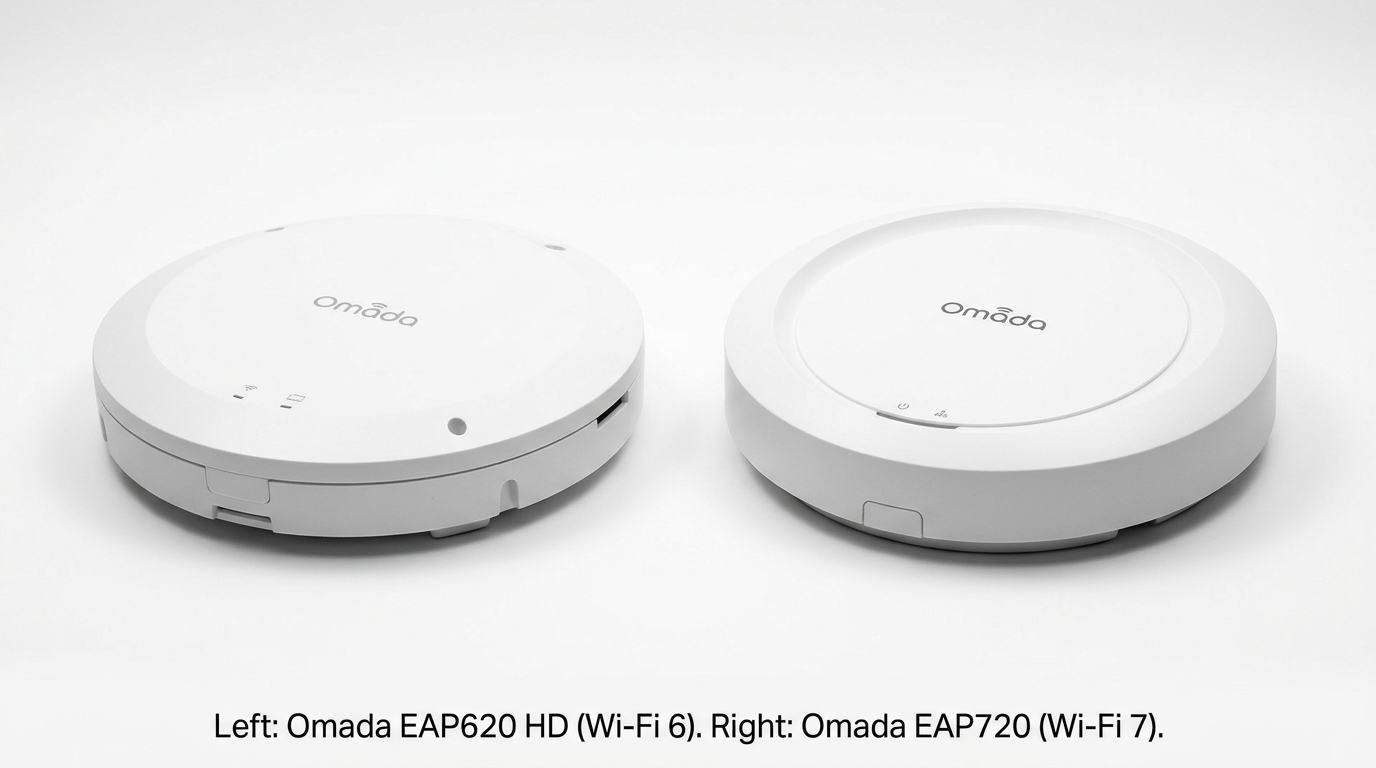
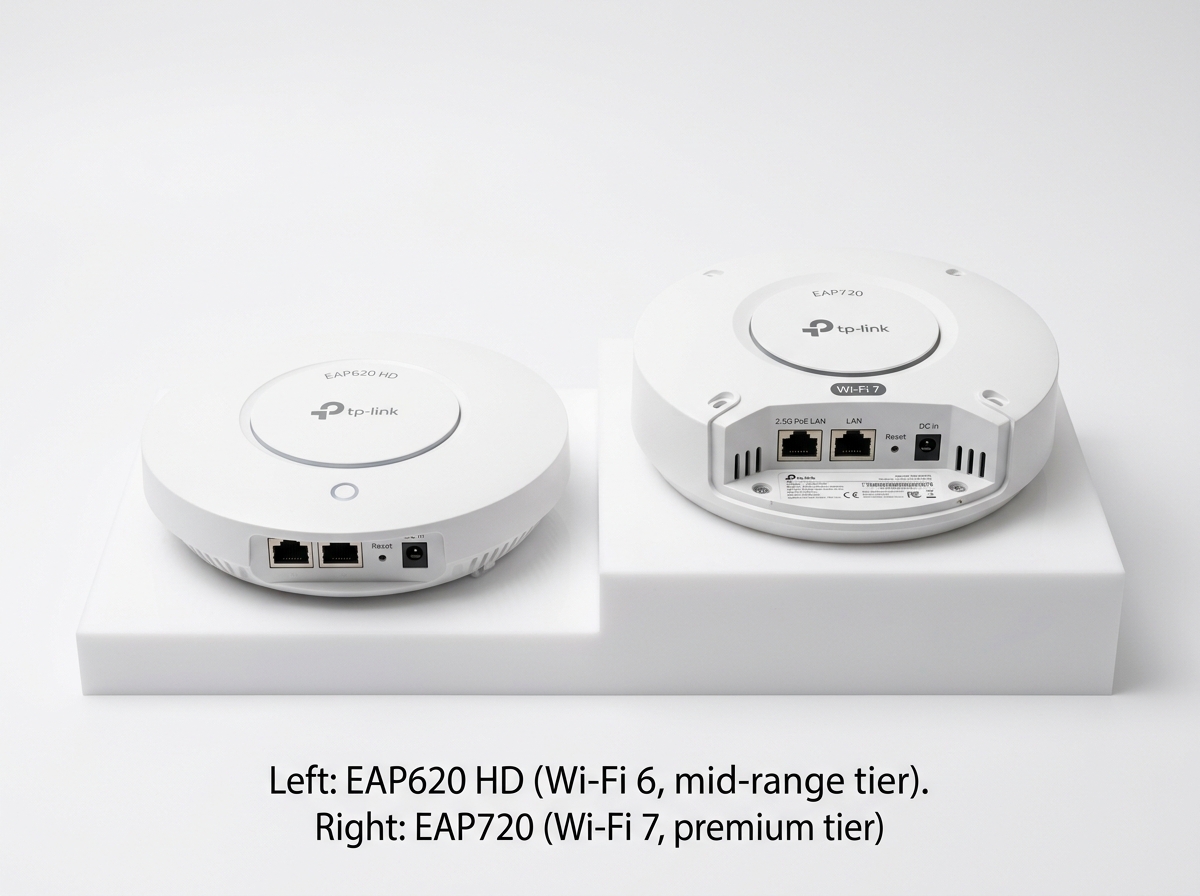
Yes, generally. Comparing Omada's own published specs, the EAP620 HD (Wi-Fi 6, AX1800, up to 1775 Mbps combined) sits in the mid-range Wi-Fi 6 lineup, while the EAP720 (Wi-Fi 7, BE5000, up to roughly 5 Gbps combined, 2.5GbE port, 240 MHz bandwidth support) sits a tier above it.
Exact Philippine retail pricing shifts over time and by reseller, so it's worth checking current pricing directly rather than relying on a fixed figure here. Wi-Fi 7 hardware carries a price premium over comparable Wi-Fi 6 models in exchange for the added bandwidth, ports, and MLO support, which is worth budgeting for only if your office actually falls into one of the Wi-Fi 7 use cases above.
Frequently Asked Questions
Should a small Philippine office upgrade to Wi-Fi 7 right now?
Not urgently, for most small offices. Wi-Fi 6 access points remain well matched to typical device counts and internet plans in the Philippines today. Wi-Fi 7 makes more sense when a new deployment is being planned from scratch, and the budget allows for the premium, since it adds headroom for future device density and faster internet plans rather than solving an urgent problem today.
Does Wi-Fi 6 still make sense for new deployments in 2026?
Yes. Wi-Fi 6 access points remain widely available, well supported, and priced lower than Wi-Fi 7 equivalents. A new office fit-out today can standardize on Wi-Fi 6 without feeling behind, since it still comfortably outperforms what most Philippine business internet plans and typical office device density actually require.
Do I need a special internet plan to benefit from Wi-Fi 7?
Yes, to notice a meaningful difference in internet-bound traffic, since typical Philippine business fiber plans top out around 1 Gbps. Without a multi-gigabit plan, Wi-Fi 7's extra ceiling mainly benefits local network transfers rather than anything going out to the internet, so pair the upgrade with a plan review, not just a hardware swap.
Can Wi-Fi 6 and Wi-Fi 7 access points work on the same network?
Yes. Both standards are backward compatible, and an Omada SDN controller can manage a mix of Wi-Fi 6 and Wi-Fi 7 access points on the same network. This makes a gradual, room-by-room upgrade practical instead of requiring a full hardware swap at once, so the budget can be spread across a fiscal year or two rather than one large purchase.
Is Wi-Fi 7 hardware widely available and NTC-approved in the Philippines yet?
Wi-Fi 7 access points are on the market, but since the Philippines only opened the required 6GHz spectrum in mid-2024, it's worth confirming NTC type approval for a specific model before ordering. Sourcing Wi-Fi 7 hardware directly through Omada's Philippine product lineup removes this guesswork, since those listings reflect models already cleared for local deployment.
Will upgrading to Wi-Fi 7 reduce the number of access points my office needs?
No, not directly. Coverage and device-capacity math stays essentially the same regardless of Wi-Fi generation. Wi-Fi 7's wider channels help with interference management in dense deployments, but they don't change the underlying square-meter or client-count calculation for how many access points a floor plan needs.
Final Thoughts
For most Philippine business networks in 2026, Wi-Fi 6 remains the sound default. It outpaces typical office internet plans and device density at a lower price point. Wi-Fi 7 earns its premium in denser, more latency-sensitive environments or for deployments meant to stay in place well past the next few years of device and bandwidth growth, now that NTC regulation has cleared the spectrum it needs.
Offices ready to move to Wi-Fi 7 can start with the Omada EAP720 Wi-Fi 7 access point, which integrates into the same Omada controller managing any existing Wi-Fi 6 hardware already on the network.
By Laviet Joaquin, Head of Marketing, TP-Link Philippines