What Is a Network Router? Functions, Types & How It Works
A network router is a device that connects different networks and directs data between them. In most business environments, it links a local network to the internet and determines where incoming and outgoing traffic should go. Every time a device sends a request, such as loading a page, syncing a file, or processing a transaction, the router determines the path that data takes to reach its destination and come back.
Routers are foundational to modern networking. Whether in a small office, restaurant, or multi-location business, the router sits at the edge of the network and manages how devices communicate both internally and externally.
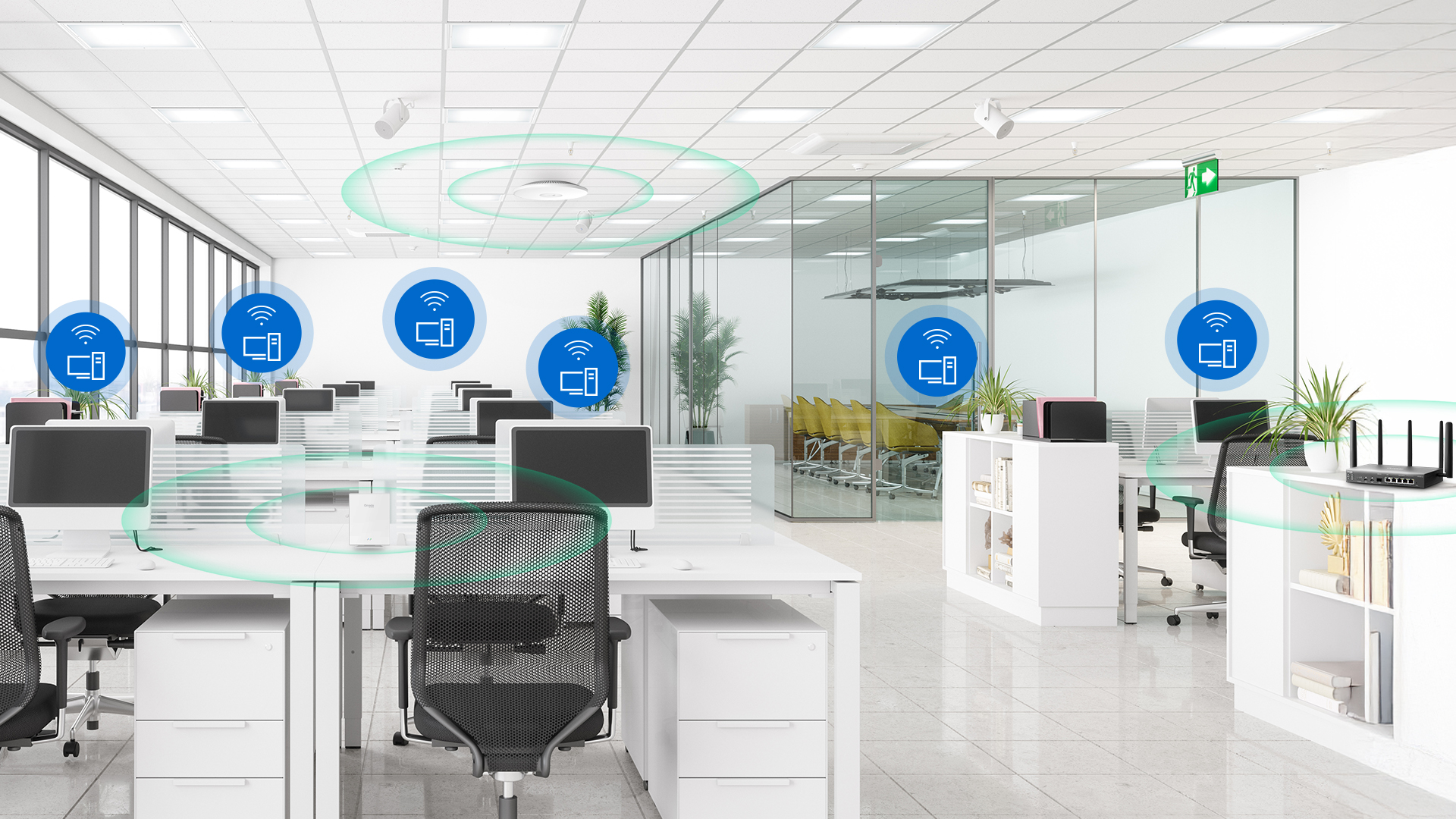
What Does a Router Do?
Most people know a router as the device that provides Wi-Fi. That's one function of routers, but it's far from the full picture. In a business network, the router simultaneously manages traffic, enforces security policies, and maintains connectivity for every device.
Connects Networks
A router acts as the boundary between your local area network (LAN) and the wide area network (WAN) — most commonly the internet. Every device on your network that sends or receives data does so through the router. It translates between the private IP addresses your devices use internally and the public IP address your ISP assigns, a process called Network Address Translation (NAT). NAT allows multiple devices to share a single public IP address while accessing the internet, and provides a layer of security by keeping the internal network structure hidden from external networks.
For businesses with multiple locations, routers also establish the connections between sites, allowing a branch office in one city to communicate securely with a headquarters in another.
Directs Traffic
Routing is the process of finding the best path for data packets to travel across a network. Routers maintain a routing table — essentially a map of known network paths — and use it to forward each packet toward its destination. In practice, this happens thousands of times per second across every connected device.
In business environments, this becomes especially relevant when managing multiple internet connections. A dual-WAN router can distribute traffic across two ISP links simultaneously, or automatically fail over to a backup connection when the primary drops, keeping POS systems, VoIP phones, and cloud applications running without interruption.
Takes Care of Security
A router is the first line of defense between your network and the internet. Most business routers include a firewall that inspects traffic and blocks unauthorized access by default. Beyond that, access control lists (ACLs) let administrators define granular rules about which devices can communicate with specific network resources, which is useful for separating a guest network from internal servers or keeping IoT devices isolated from the rest of the network.
VPN (Virtual Private Network) support extends that security outward, creating encrypted tunnels for remote workers connecting to the office or for secure branch-to-headquarters traffic across public internet links.
Acts as a Wireless Access Point
Many routers include integrated Wi-Fi, handling both routing and wireless access from a single device. For small offices or straightforward deployments, this can be a convenient and cost-effective option.
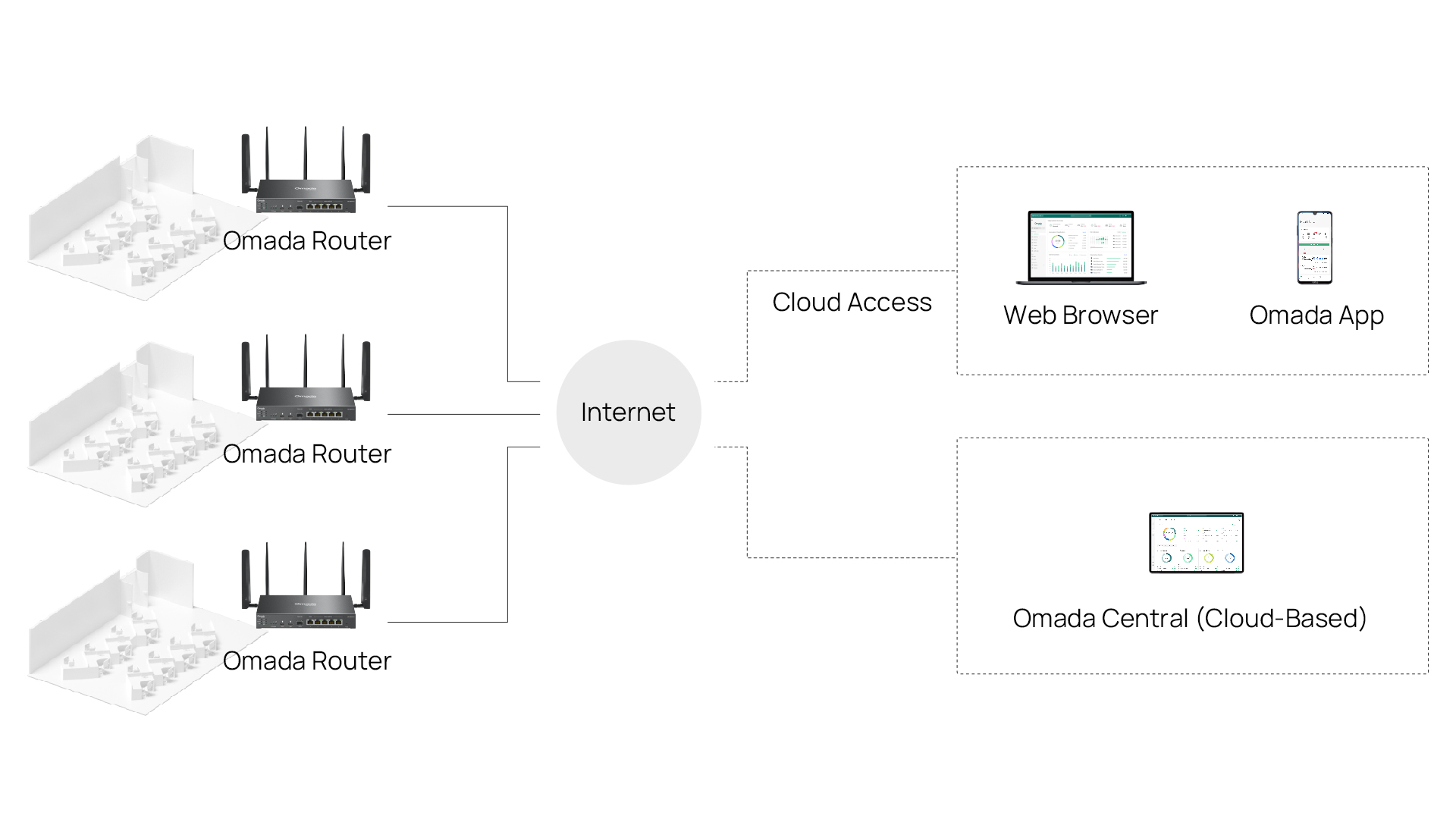
As networks grow to include more users, more floors, or multiple buildings, the wireless function is typically handed off to dedicated access points that can be positioned for optimal coverage and managed centrally. The router continues to handle WAN connectivity and traffic management, while access points handle the wireless side. In an Omada SDN deployment, both the router and access points are managed from the same controller interface, giving administrators a centralized view of the entire network.

What Is a Router for?
If you manage a business network, the router is the device your entire operation depends on more than you might realize. Every cloud application, VoIP call, payment transaction, and remote connection routes through it. When a router is underpowered or misconfigured, the symptoms show up everywhere: slow applications, dropped calls, security gaps, and connectivity that could fail during important moments.
A business router handles several operational needs at once:
● Connects the office to the internet through one or more ISP links.
● Enforces security policies that protect internal systems from unauthorized access.
● Segments network traffic, ensuring guest Wi-Fi doesn't share bandwidth or exposure with business-critical systems.
● Creates site-to-site VPN tunnels so multiple office locations can communicate securely as if they were on the same local network.
The difference between a business-grade router and a consumer device comes down to reliability, manageability, and scale. Consumer routers are made for a single household. A business router can handle dozens or hundreds of simultaneous connections, and give administrators control over traffic priorities, security rules, VPN access, and WAN failover.
What Does a Router Look Like?
Most routers are compact plastic or metal enclosures, roughly the size of a hardcover book. Consumer models typically feature external antennas and a boxy design meant to sit on a desk or shelf, while business-grade routers often use a cleaner, rackmount form factor designed to live in a network cabinet alongside switches and other infrastructure.
On the back panel, you'll typically find:
● WAN port(s): One or more Ethernet ports connecting to the modem or ISP equipment. Dual-WAN models have two, enabling load balancing or failover across two separate internet connections.
● LAN ports: Ethernet ports for connecting wired devices or downstream switches.
● SFP port(s): Fiber uplink ports for higher-speed or longer-distance connections, common on business models.
● USB port(s): On some models, used for 4G/LTE modem failover or network-attached storage.
● Console port: For direct configuration access via serial connection, commonly found on mid-range to enterprise-grade routers.
● Status LEDs: Indicate WAN connectivity, port activity, and system health at a glance.
What Types of Routers Are There?
Routers come in several configurations, each suited to different settings and deployment requirements. Understanding the differences helps narrow down which type fits your situation.
Wireless Router
A wireless router combines routing and Wi-Fi access point functionality in a single device. It handles WAN connectivity and traffic routing while also broadcasting one or more wireless networks.
Wireless routers are common in smaller offices where a single device covering both functions keeps the setup simple and the hardware footprint small.
Wired Router
A wired router handles routing, firewall, VPN, and traffic management entirely over Ethernet, with no integrated Wi-Fi. Wireless connectivity is handled separately by dedicated access points, which is standard practice in business environments that need centralized wireless management, predictable coverage, and client capacity beyond what an integrated device can provide.
This separation gives administrators more control over each function and makes it easier to upgrade or expand either the routing or wireless infrastructure independently.
Integrated Router
An integrated router combines routing, switching, and sometimes wireless in a single device, simplifying deployment for small branch offices, restaurant locations, or remote sites where network demands are predictable.
This compact, all-in-one solution can be more practical for smaller business settings than a full equipment rack.
VPN Router
A VPN router is built with dedicated support for Virtual Private Network protocols (IPsec, OpenVPN, L2TP, PPTP, GRE, SSL VPN, and WireGuard are common examples) and is optimized to handle VPN throughput without degrading network performance.
For businesses with remote employees or multiple office locations, a VPN router ensures that traffic between sites or between remote workers and the office travels over encrypted tunnels rather than exposed public internet connections.
Industrial Router
Industrial routers are built for environments that standard networking hardware can’t handle: manufacturing floors, outdoor installations, transportation infrastructure, and other deployments involving extreme temperatures, vibration, dust, or humidity. They typically feature ruggedized enclosures, extended operating temperature ranges, and support for cellular connectivity (4G LTE or 5G) where wired WAN isn't available or reliable.
Industrial routers are common in retail chains monitoring remote locations, utility infrastructure, fleet management, and any deployment where the physical environment rules out standard commercial hardware.
Find the Right Omada Router for Your Network
A router is only as useful as it is manageable. The right choice depends on how many locations you're running, what your WAN setup looks like, and how much control you need over security, segmentation, and remote access.
Omada's router lineup covers wired, wireless, integrated, and 5G/4G options — all managed through the same SDN platform as your switches and access points, from a single controller interface.
Explore Omada routers to find the right fit for your deployment.