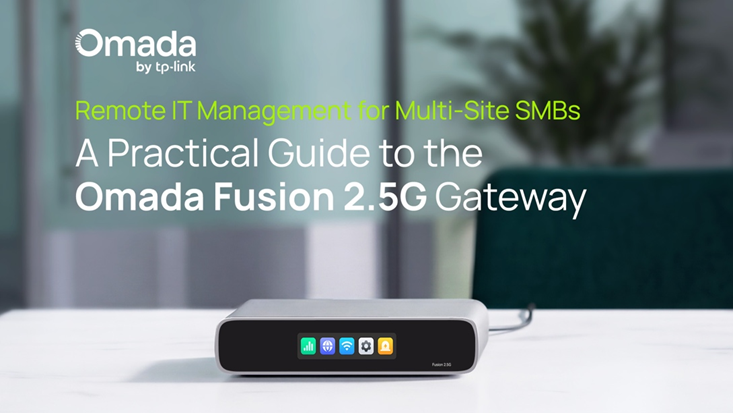
Remote IT Management for Multi-Site SMBs: A Practical Guide to the Omada Fusion 2.5G Gateway
Growth is a sign of success for a company, but it brings with it new operational challenges. As many small and midsized businesses (SMBs) expand — opening additional offices or retail locations or new clinic locations — the challenge of maintaining and managing the network increases exponentially.
Managing these multiple locations shouldn’t require constantly being on the road. But for many IT teams, network issues still require on-site intervention. A slow POS system, a dropped internet connection, or a configuration error quickly turns into a time-consuming trip, which delays overall operations and increases costs.
If a business is expanding fast, this approach just won’t scale.
Remote IT management offers a better way. By enabling centralized control over networks across multiple locations, it allows SMBs to operate and maintain their infrastructure without constant site visits. With solutions like the Omada Fusion 2.5G Gateway, businesses can deploy, monitor, update, and troubleshoot their networks remotely, helping IT teams do more with less.
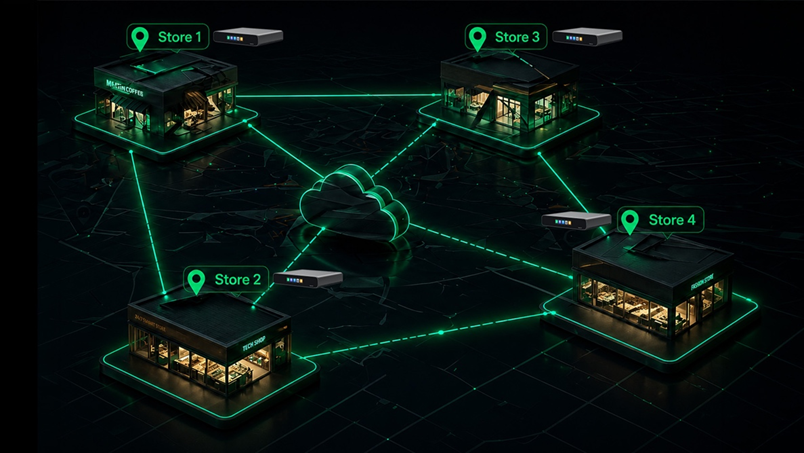
The new Fusion 2.5G Gateway combines a gateway and controller all in one, offering license-free cloud access and easy full mesh SD-WAN.
What Remote IT Management Really Means for
For many businesses, remote IT management is often associated with monitoring, which includes things like checking network status, receiving alerts, and viewing performance metrics. But in reality, it goes far beyond just mere visibility.
Remote IT management means full operational control over your network, from anywhere.
Instead of reacting to issues on-site, IT teams can:
- Deploy networks remotely, without physically being at each location
- Push updates and policy changes centrally
- Monitor network health in real time
- Troubleshoot issues without traveling
This approach shifts businesses from a reactive IT model to a proactive model, where issues can many times be identified and resolved before they impact operations.
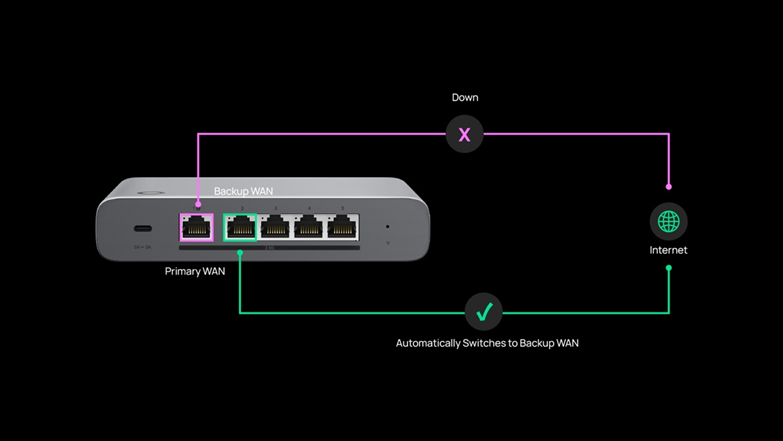
The Fusion 2.5G Gateway has 4-WAN Load Balancing with Failover, so if one WAN connection goes down, the gateway automatically fails over to a backup, ensuring continuous connectivity, and preventing an IT truck roll.
A Practical Step-by-Step Guide for Managing Networks Remotely
With modern platforms built for SMBs, remote IT management becomes a structured, repeatable process rather than a collection of ad hoc tasks.
With solutions like the Omada Fusion 2.5G Gateway, SMBs can manage deployments, updates, troubleshooting, and performance across every location remotely, without requiring on-site IT teams.
A typical workflow for remote management looks like this:
Step 1: Deploy and Configure Networks Without Being On-Site
One of the biggest shifts in remote IT management is how networks are deployed in the first place.
Instead of configuring hardware on location, which can take hours, IT teams can now set up network configurations remotely using a centralized platform. This includes defining SSIDs, VLANs, access policies, and other settings before devices are even installed.
Once hardware is connected at the site, it will automatically adopt these preconfigured settings, allowing the network to come online quickly and consistently.
This approach enables:
- Faster deployments across multiple locations
- Standardized configurations from day one
- Reduced setup time and fewer installation errors
With built-in controller functionality and cloud-based setup via app or web interface, platforms like the Fusion 2.5G Gateway make it easy to deploy new sites without requiring on-site configuration.
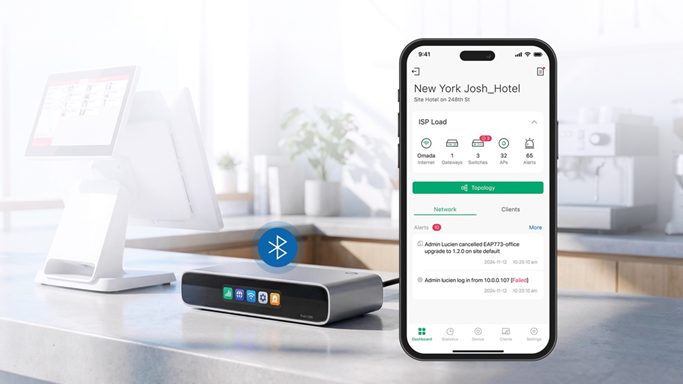
With the Omada App, The Fusion 2.5G Gateway will automatically discover and batch adopt all other Omada network devices at once, saving time and simplifying deployments.
Step 2: Push Updates and Maintain Consistency
As networks grow, maintaining consistency becomes just as important as initial deployment.
Without centralized control, configurations can drift between locations. Firmware versions may become inconsistent, policies may differ, and troubleshooting becomes more difficult over time.
Remote IT management solves this by enabling:
- Centralized firmware updates
- Configuration pushes
- Unified policy enforcement
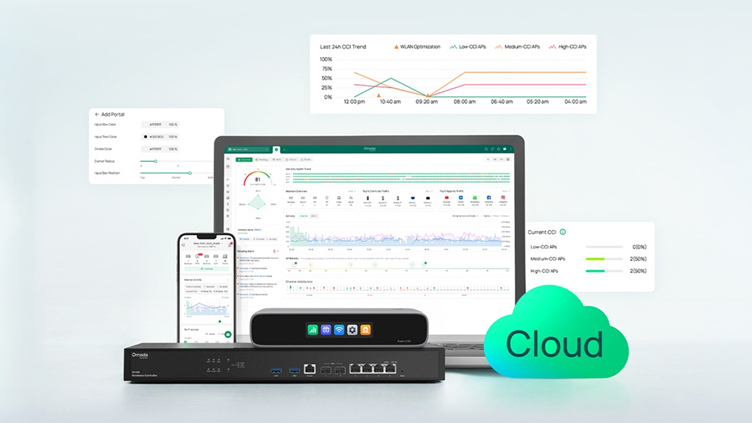
With Fusion 2.5G Gateway, all network management is handled through a centralized, license-free cloud platform called Omada Network.
Step 3: Monitor Network Health and Receive Real-Time Alerts
Once networks are deployed and standardized, ongoing visibility becomes critical.
Remote IT management provides a centralized dashboard where IT teams can monitor performance across all locations in real time. Instead of checking each site individually, everything can be viewed in one place.
Key capabilities include:
- Real-time visibility into network performance and usage
- Alerts for outages, performance drops, or device failures
- Historical insights to identify recurring issues
Rather than waiting for users to report problems, IT teams can identify and address issues early, reducing downtime and improving reliability.
With the Omada Fusion 2.5G Gateway, this visibility is delivered through a centralized, license-free cloud dashboard, providing real-time insights into performance, device status, and network activity.
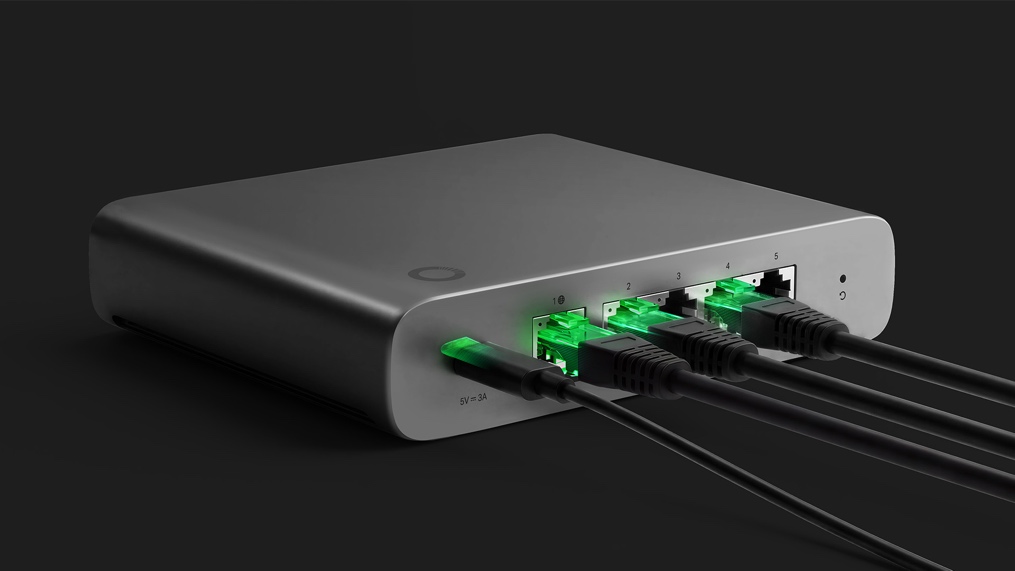
With built-in IDS/IPS capabilities delivering over 2 Gbps of throughput, Fusion 2.5G continuously monitors and protects network traffic without impacting performance, ensuring that every site remains both visible and secure from a single platform.
Step 4: Troubleshoot Issues Without Traveling
When issues do arise, remote IT management significantly reduces the time and effort required to resolve them.
Instead of sending technicians on-site, IT teams can:
- Diagnose connectivity issues remotely
- Identify bottlenecks or traffic congestion
- Analyze device performance and system logs
With centralized visibility and diagnostic tools, many common problems can be resolved without ever visiting the location. As a result, businesses benefit from faster resolution times, reduced operational costs, and fewer unnecessary site visits (“truck rolls”).
For multi-site SMBs, the ability to troubleshoot remotely is one of the most impactful benefits of modern network management. Platforms like the Omada Fusion 2.5G Gateway make this possible through a combination of cloud-based diagnostics and on-device tools.
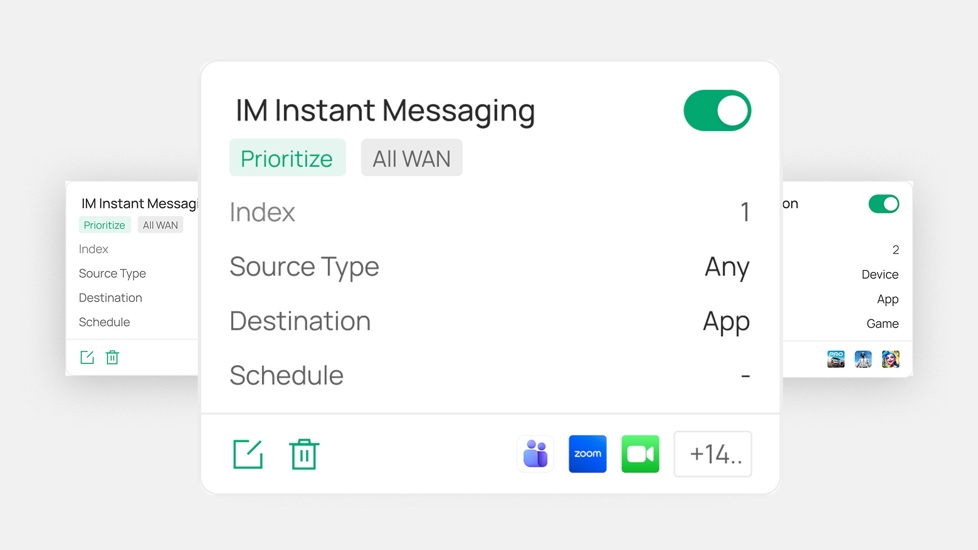
If a network bottleneck is identified, app-based QoS on the Omada Fusion 2.5G Gateway allows IT teams to immediately prioritize critical applications, like POS systems or video calls, ensuring smooth performance without requiring on-site intervention.
Step 5: Enable On-Site Support Without Dedicated IT Staff
Even with remote management, there are times when some level of on-site interaction is needed. The difference is that it no longer requires a trained IT professional.
With the right tools, non-technical staff at each location can assist in simple troubleshooting tasks while IT teams guide them remotely.
This can include:
- Following step-by-step instructions provided remotely
- Checking device status or connections
- Using on-device diagnostics to quickly identify issues
For example, built-in touchscreen diagnostics on devices like the Fusion 2.5G Gateway provide immediate visibility into network health, alerts, and performance metrics directly on-site.
This effectively turns on-site staff into an extension of the IT team, helping resolve issues faster without requiring a dedicated technician at every location.
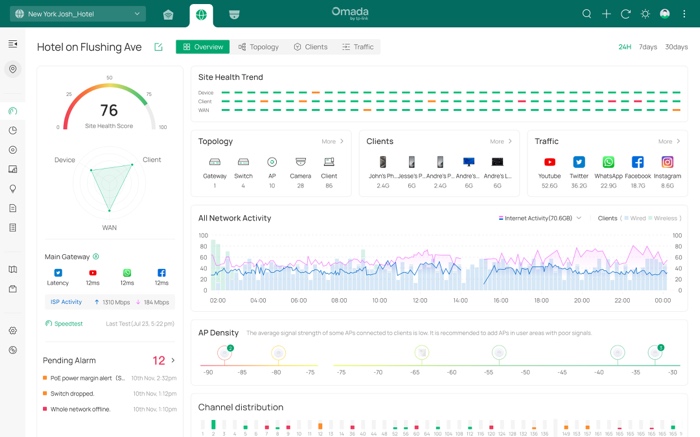
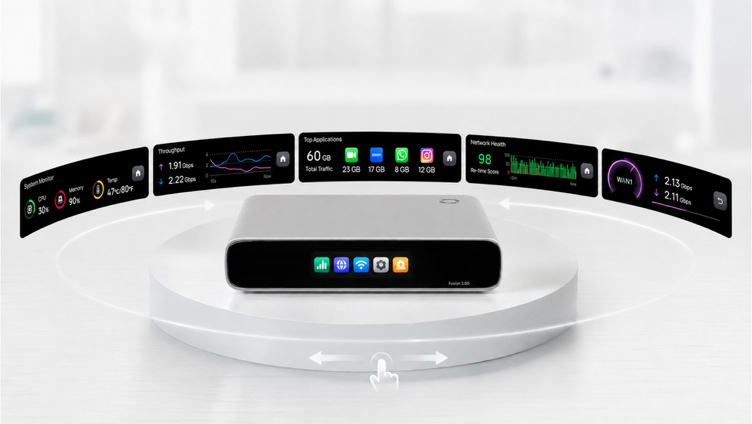
With Fusion 2.5G Gateway, IT teams can access real-time traffic insights, logs, and alerts remotely through the cloud portal, while the built-in touchscreen allows on-site staff to quickly check network status and assist with basic troubleshooting when needed.
Real-World SMB Use Cases
Remote IT management is especially valuable for businesses that rely on consistent connectivity across multiple locations. Here’s what it can look like in practice:
Retail Stores
A small retail business with 5–10 stores needs all locations to stay in sync. One morning, a POS system at a single store starts experiencing slow transaction processing.
Instead of sending a technician on-site, the IT manager logs into the Omada Cloud dashboard, identifies a bandwidth bottleneck, and applies an app-based QoS policy remotely to prioritize payment traffic. Within minutes, transactions return to normal, without disrupting store operations or requiring a visit.
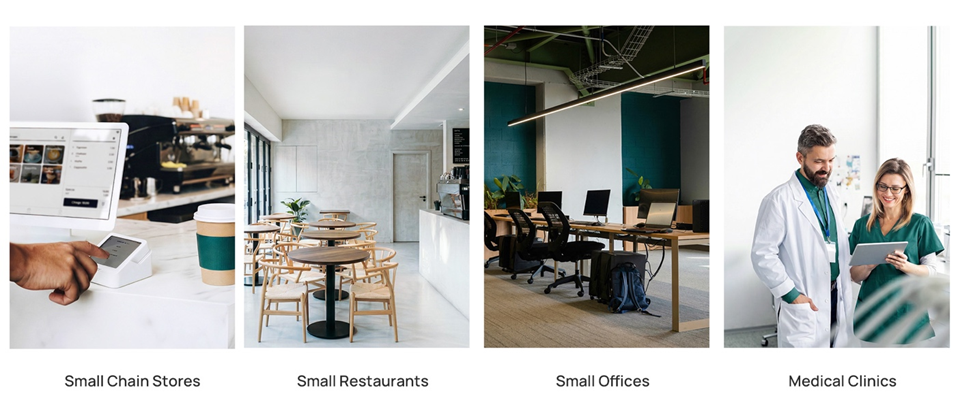
The Fusion 2.5G Gateway is ideal for a wide range of SMB scenarios. With built-in VPN capability , full-mesh SD-WAN, and license-free cloud access, businesses from retail stores to small clinics and more, can utilize the Fusion 2.5G for quick and efficient remote network monitoring and management.
Restaurants and Cafés
A regional café relies on stable connectivity for ordering systems, kitchen displays, and guest Wi-Fi during peak hours.
During a busy lunch rush, one location experiences slower network performance as guest Wi-Fi usage spikes. The IT team receives a real-time alert through the cloud platform and quickly identifies bandwidth congestion using traffic insights. They remotely apply an app-based QoS policy, restoring performance within minutes. From the restaurant’s perspective, operations continue smoothly, with no disruption and no on-site troubleshooting required.
Small Offices
A company with multiple office locations needs employees to access shared systems and internal tools consistently.
When a new branch opens, the IT team pre-configures the network in advance using the built-in controller. Once the Fusion 2.5G Gateway and access points are plugged in, the system uses auto device detection and bulk adoption to bring the entire network online with standardized settings.
Later, if one office begins experiencing slower performance, the team can view real-time traffic insights and adjust policies remotely, ensuring a consistent experience across all locations.
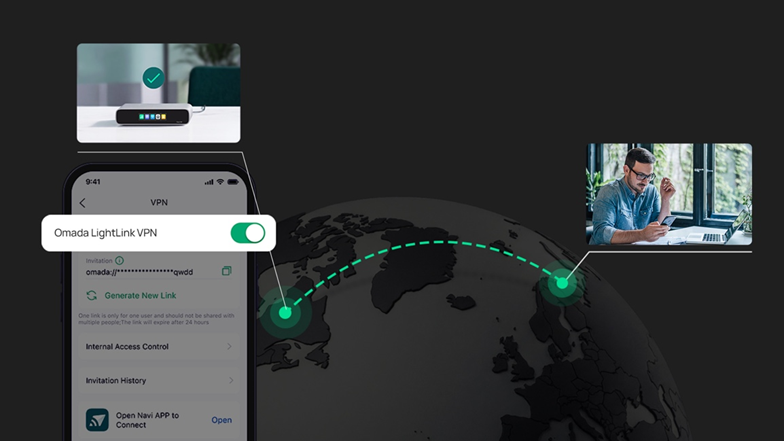
The Fusion 2.5G Gateway enables remote workers to connect securely with company networks using Omada LightLink VPN, a simple, one-click link sent from network administrators.
Clinics and Healthcare Offices
A healthcare provider operates several clinics that depend on uninterrupted access to patient systems and critical applications.
If a connectivity issue occurs at one clinic, the IT team remotely diagnoses the problem using cloud-based monitoring tools and system alerts. In cases where on-site input is needed, clinic staff can quickly check the gateway’s built-in touchscreen, which displays network health scores, connection status, and alerts in real time.
With clear visibility on both the cloud dashboard and the device itself, IT teams can guide staff through simple checks and resolve issues faster, without delaying access to essential systems.
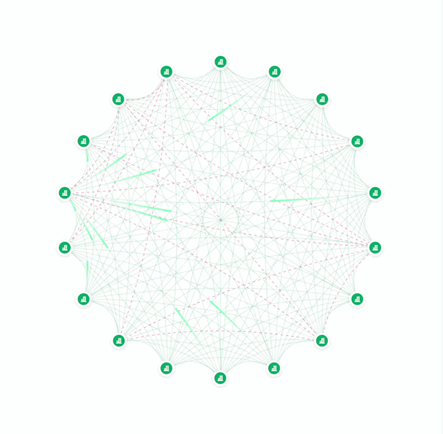
The Fusion 2.5G makes multi-site connectivity easy by enabling full-mesh SD-WAN connections between locations. With just a few clicks, up to 20 sites can be securely linked for reliable communication.
Conclusion: Managing Multiple Sites Without the Travel
Managing multiple business locations doesn’t have to require constant travel or on-site IT support.
With remote IT management, SMBs can deploy, monitor, update, and troubleshoot their networks from a centralized platform, reducing costs, improving consistency, and enabling faster response times.
Solutions like the Omada Fusion 2.5G Gateway make this approach practical. By combining built-in cloud management, remote configuration, and intelligent troubleshooting tools into a single device, they allow businesses to manage networks with ease.
As SMBs continue to grow and expand, the ability to operate networks remotely isn’t just helpful, it’s essential.