
Comment désactiver la fonction de gestion à distance pour le modem / routeur ADSL TP-Link
 253836
Ce document concerne les modèles suivants :
Étape 1 Connectez-vous à http://192.168.1.1/, le nom d'utilisateur et le mot de passe par défaut sont tous deux "admin";
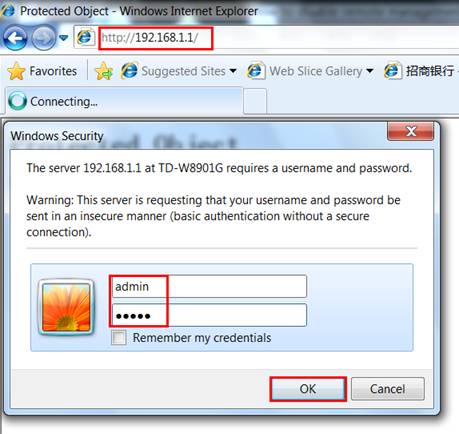
Pour l'interface Web 1:
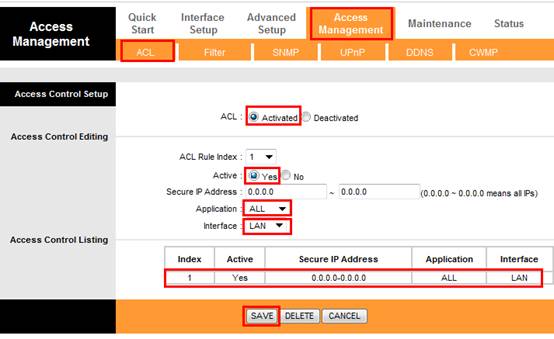
Étape 2 Allez à la page " Gestion des accès - ACL " et créez une règle pour n'autoriser que l'accès LAN, de sorte que l'accès WAN distant soit désactivé; Vous pouvez également créer d'autres règles en fonction de vos besoins, comme autoriser le ping côté WAN ou telnet.
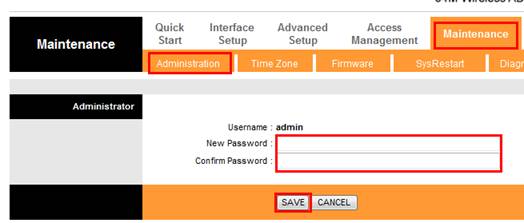
Étape 3 Allez dans « Maintenance - Administration » pour modifier le mot de passe de connexion par défaut pour l'administrateur du compte.
Pour l'Interface Web 2:
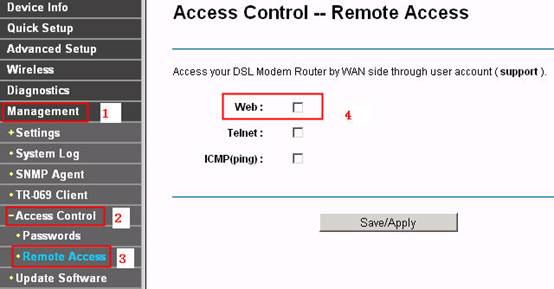
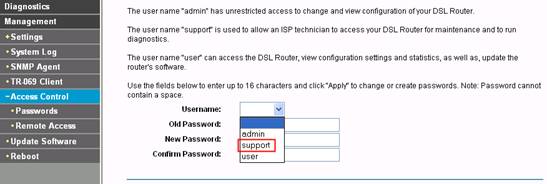
Étape 2 Veuillez accéder à la page Gestion -> Contrôle d'accès -> Accès à distance , effacez la coche de la case Web , puis cliquez sur le bouton Enregistrer / Appliquer .
Étape 3 Accédez à la page Gestion -> Contrôle d'accès -> Mots de passe pour modifier le mot de passe d'accès à distance. Seul le compte d' assistance est disponible pour l'accès à distance.
Pour l'interface Web 3:
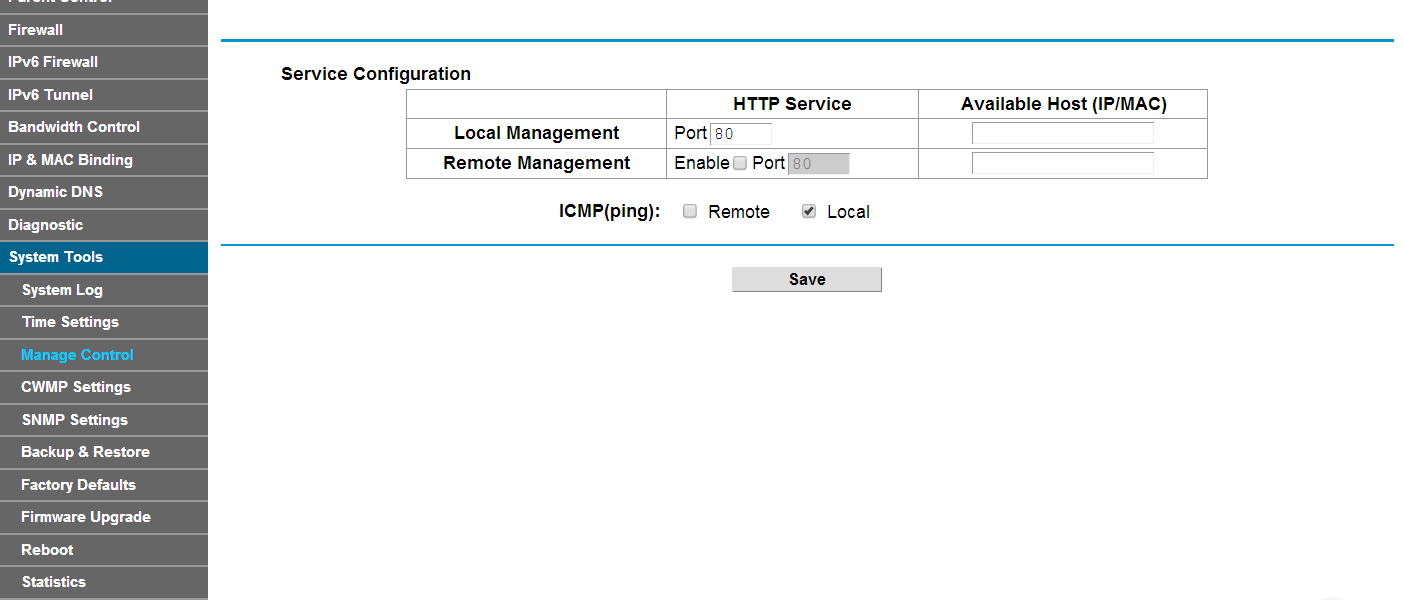
Étape 2 Allez dans Outils système-> Gérer le contrôle , accédez à la section Configuration du service , décochez la case Activer la gestion à distance.
Étape 3 Accédez à Gestion du compte , modifiez le nom d'utilisateur et le mot de passe du compte, puis cliquez sur le bouton Enregistrer.
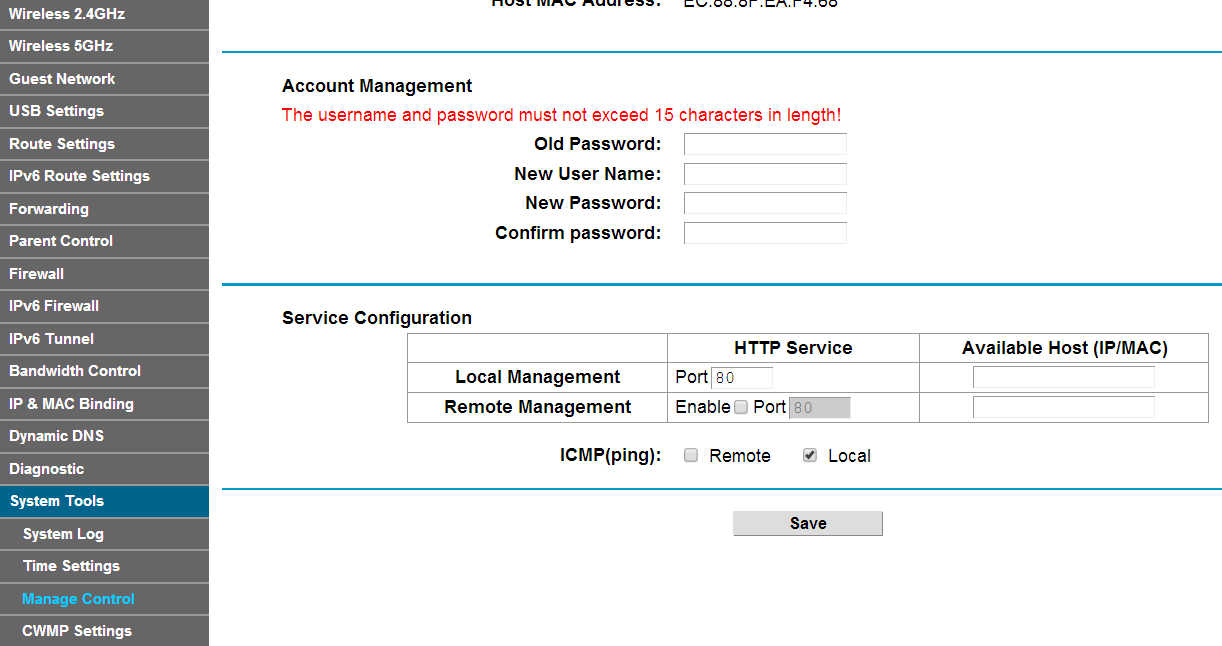
Remarque : une fois que vous avez changé de compte, veuillez utiliser le nouveau nom d'utilisateur et le nouveau mot de passe pour vous connecter à l'interface Web.
Pour en savoir plus sur chaque fonction et configuration, accédez au Centre de téléchargement pour télécharger le manuel de votre produit.
Est-ce que ce FAQ a été utile ?
Vos commentaires nous aideront à améliorer ce site.
